

My phone didn't ring
Find out why a call to your business number didn’t ring your phone, so the next one does.
Who can do this: Anyone who takes calls in Astragal can check their phone. Admins, dispatchers and accountants choose who rings.
Add-on: Phone lineAlso called: missed call, phone not ringing.
Without the phone line add-on, nobody’s phone rings: callers get your AI receptionist, a text-back or voicemail instead.
-
Check you’re on the ring list (or ask an admin, dispatcher or accountant to check). Open Who rings, and where and look under Incoming calls — ringing, voicemails, and the Calls tab. Admins always ring. Everyone else, dispatchers and accountants included, only rings once their role or name is ticked.
On a computer: Left menu → Settings → Inbound call capture On a phone: More → Settings → Inbound call capture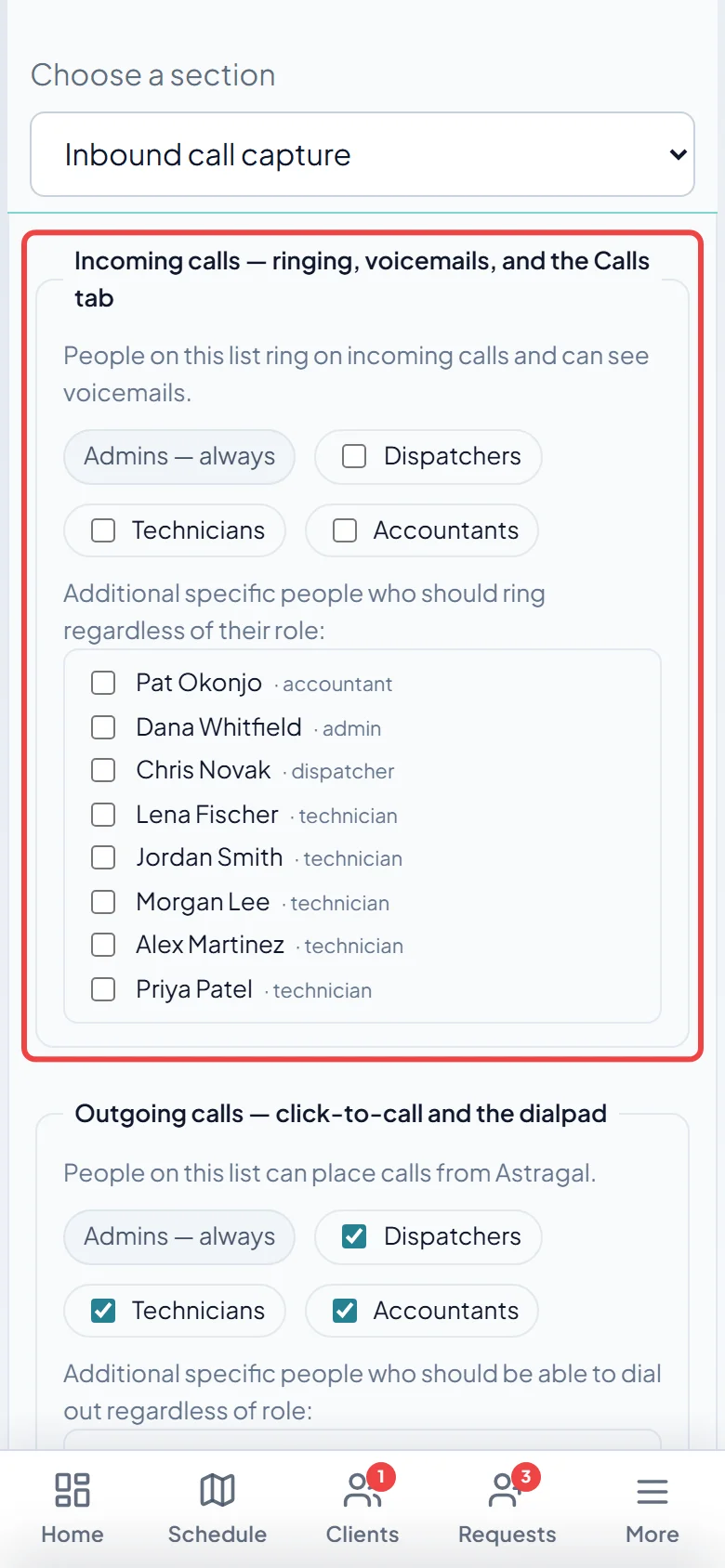
-
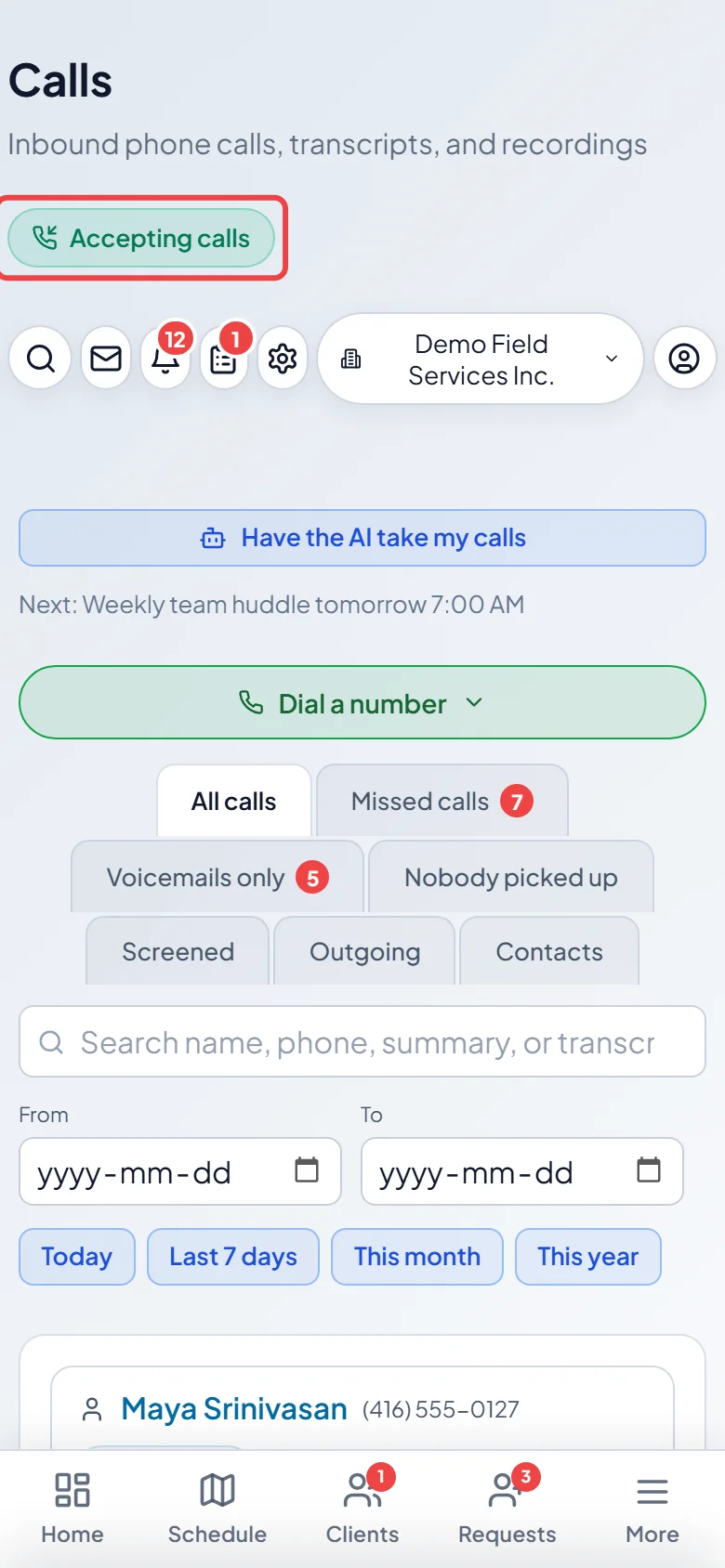
Check the call status at the top of the screen. Your team’s phones only ring while it says Accepting calls. During After hours, a holiday, a scheduled break, or while the AI is covering (“Stepped away — AI answering”, On vacation — AI answering) or Callers on hold is on, calls go to the AI, voicemail or the hold line instead. An admin, dispatcher or accountant clicks Turn off (or I’m back, or End this break) to send calls back to your team.
-
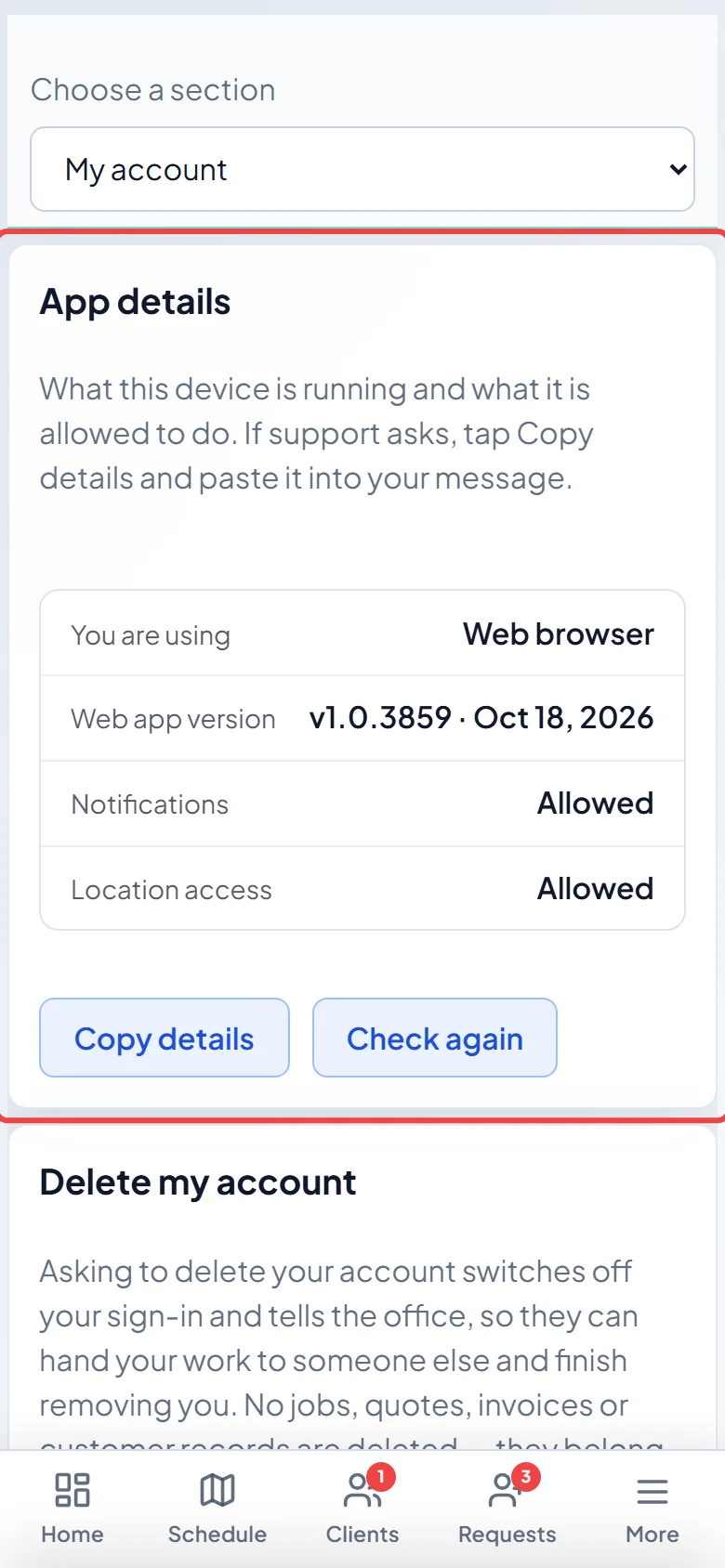
Check notifications on the phone that didn’t ring. On an iPhone, open App details under My account: Notifications must say Allowed. On Android, check the phone’s Settings → Apps → Astragal → Notifications. On either, tap Turn alerts on if Astragal shows it in the bar at the top.
Other reasons a phone doesn’t ring
Section titled “Other reasons a phone doesn’t ring”- You’re signed out. Only a phone that’s signed in to the Astragal app rings. On Android, the “Office calls” notification reminds you to sign back in.
- You use a web browser, not the app. A browser only rings while Astragal is open on screen. Install the Android app or iPhone app to ring a locked phone.
- Someone else answered first. Every phone on the list rings at once; when one person picks up, the others stop. Open the call on the Calls page to see who took it.
- Someone tapped Decline. One Decline, on any phone, stops the ring on every phone and sends the caller to the AI receptionist or voicemail.
- A teammate was already on a call. While anyone is on a call, new callers wait on hold in your queue instead of ringing.
- Nobody picked up in time. A call rings your team for a short while, then goes to the AI receptionist or voicemail. See Missed calls and voicemails.
- The app is out of date. If Astragal says Calling needs a newer version of the app., update it. See Updating the app.
- Android is putting the app to sleep. If Astragal asks to Let the app run in the background so office calls always ring, tap Allow. If you missed it, open the phone’s Settings → Apps → Astragal → Battery and choose Unrestricted.
- An iPhone Focus or Do Not Disturb is on. These silence Astragal calls unless Astragal is on the Focus’s allowed apps.
- The caller is blocked. Numbers you’ve blocked never ring anyone. See Blocking unwanted callers.
Good to know
Section titled “Good to know”- On Android, if the normal ring doesn’t arrive within a few seconds but the app is open, Astragal shows its own ringing screen. Answer still connects you.
- If calls still don’t ring after these checks, note the time of the missed call and contact support with your app details. See How to get help.
Related articles
Section titled “Related articles”Checked against Astragal on October 18, 2026