

Duplicating a quote
Reuse the lines of an existing quote so you don’t have to type the same work twice.
Who can do this: Admins, dispatchers and accountants, and technicians set to View, edit, and create quotes or View, edit, create, and delete quotes.
Also called: copy a quote, quote template.
-
Open the quote you want to copy. Open the ••• menu at the top right and click Duplicate, or use the Duplicate button at the bottom of the quote. Save any changes first, or Duplicate stays greyed out.
On a computer: Left menu → Quotes → open a quote On a phone: More → Quotes → open a quote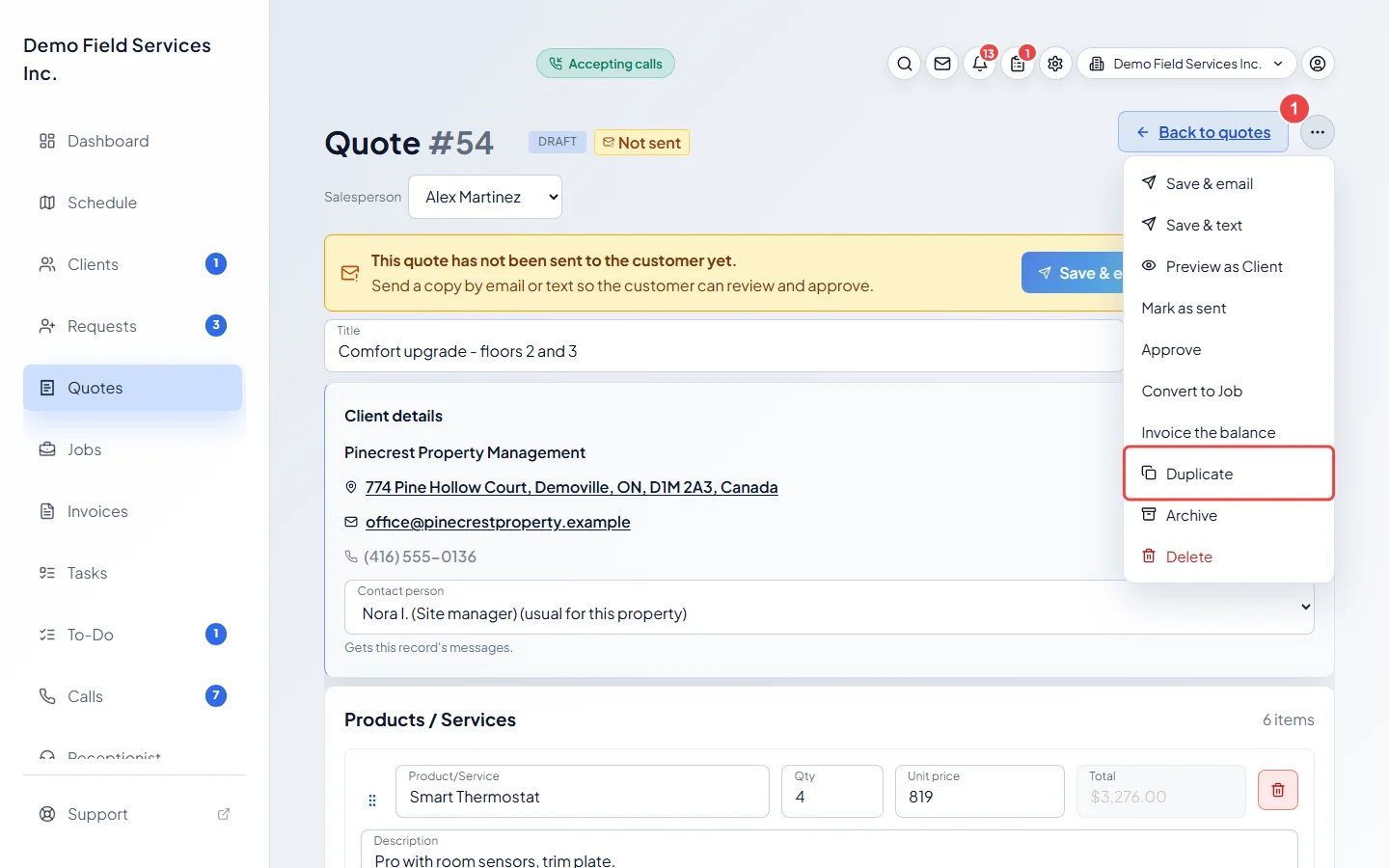
-
A New quote form opens with the same line items, quantities, prices and add-ons. Click Select a customer and pick the client, the same one or someone else. Add a title and anything else the new quote needs.
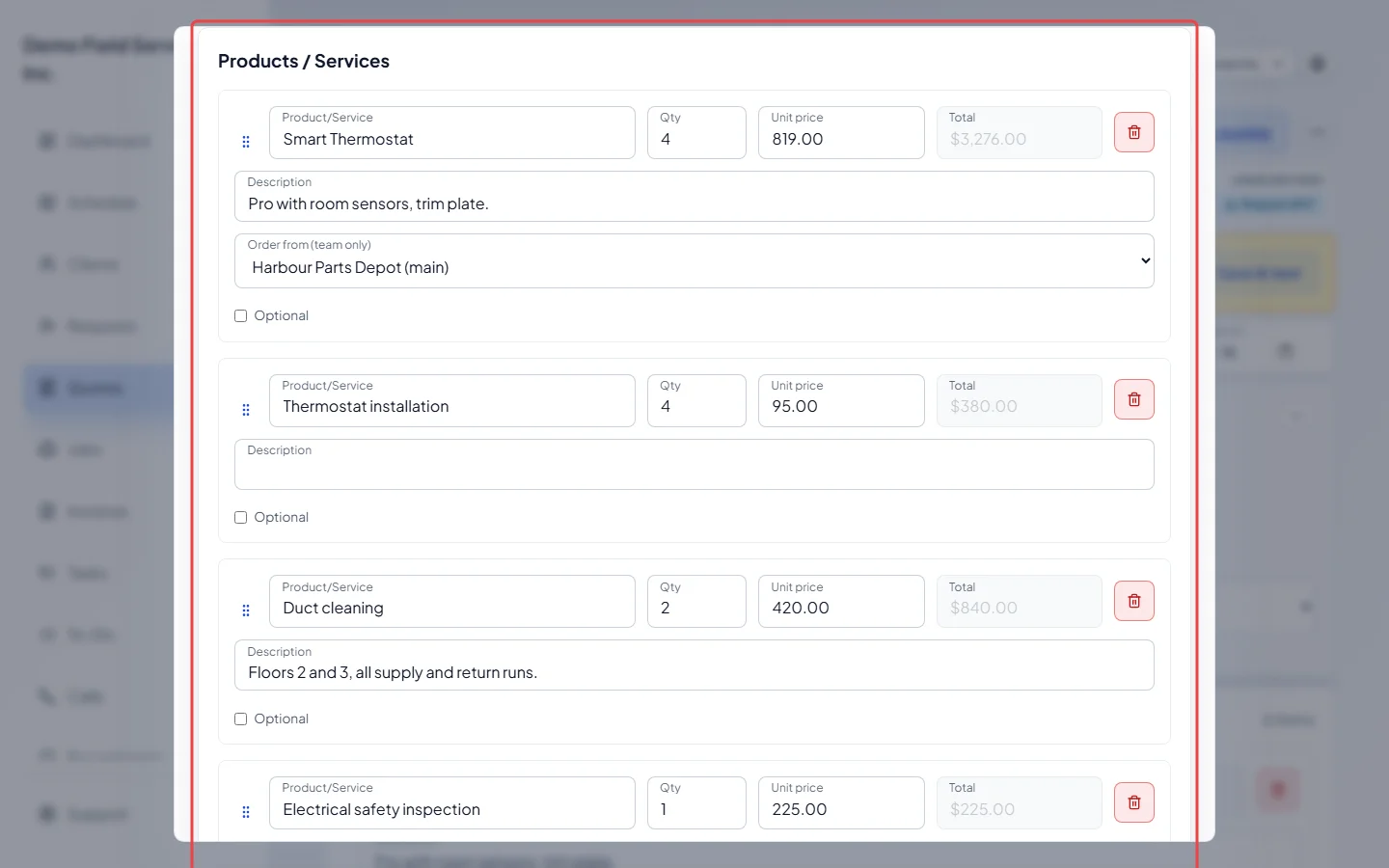
-
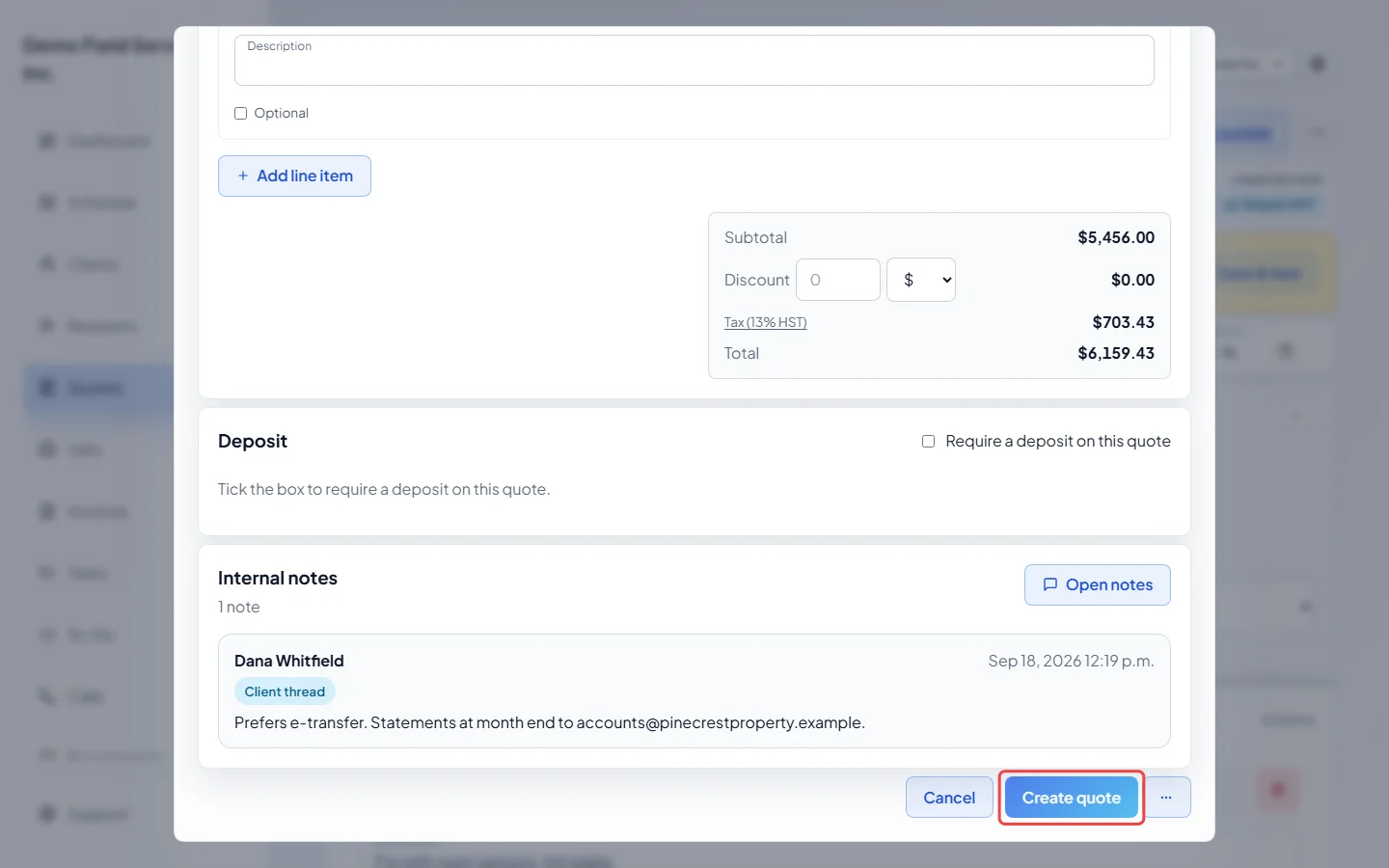
Click Create quote. The new quote opens as a Draft, and the original stays exactly as it was.
What gets copied
Section titled “What gets copied”- Copied: every line item, with its description, quantity, price, tax and add-on settings, and its product options.
- Not copied: the client, title, notes, discount, tax rate (the copy starts on your usual rate), custom fields, deposit, payment plan, expiry date and the supplier chosen on each line. Lines start on each product’s main supplier.
- If you pick the same client, the original’s contact person comes along too.
- Product options are priced at today’s catalog prices. If an option was removed from the catalog, Astragal swaps in a current choice, or copies the line as a plain line at its old price.
Good to know
Section titled “Good to know”- Duplicate works on archived quotes too.
- To copy a quote’s lines into a job instead, convert it. See Converting a quote to a job.
Related articles
Section titled “Related articles”Checked against Astragal on October 17, 2026