

The reports page
Reports shows how your business is doing, from money in and owed to the work your team gets done.
Who can do this: Admins always. Dispatchers and accountants unless an admin has turned their Reports switch off. Technicians only when their Reports switch is on.
Also called: analytics, business reports.
-
Open Reports. When you come in from the menu, the list of reports is open, grouped under Money, Work, Team, Customers and Activity. Each report has a one-line description under its name.
On a computer: Left menu → Reports On a phone: More → Reports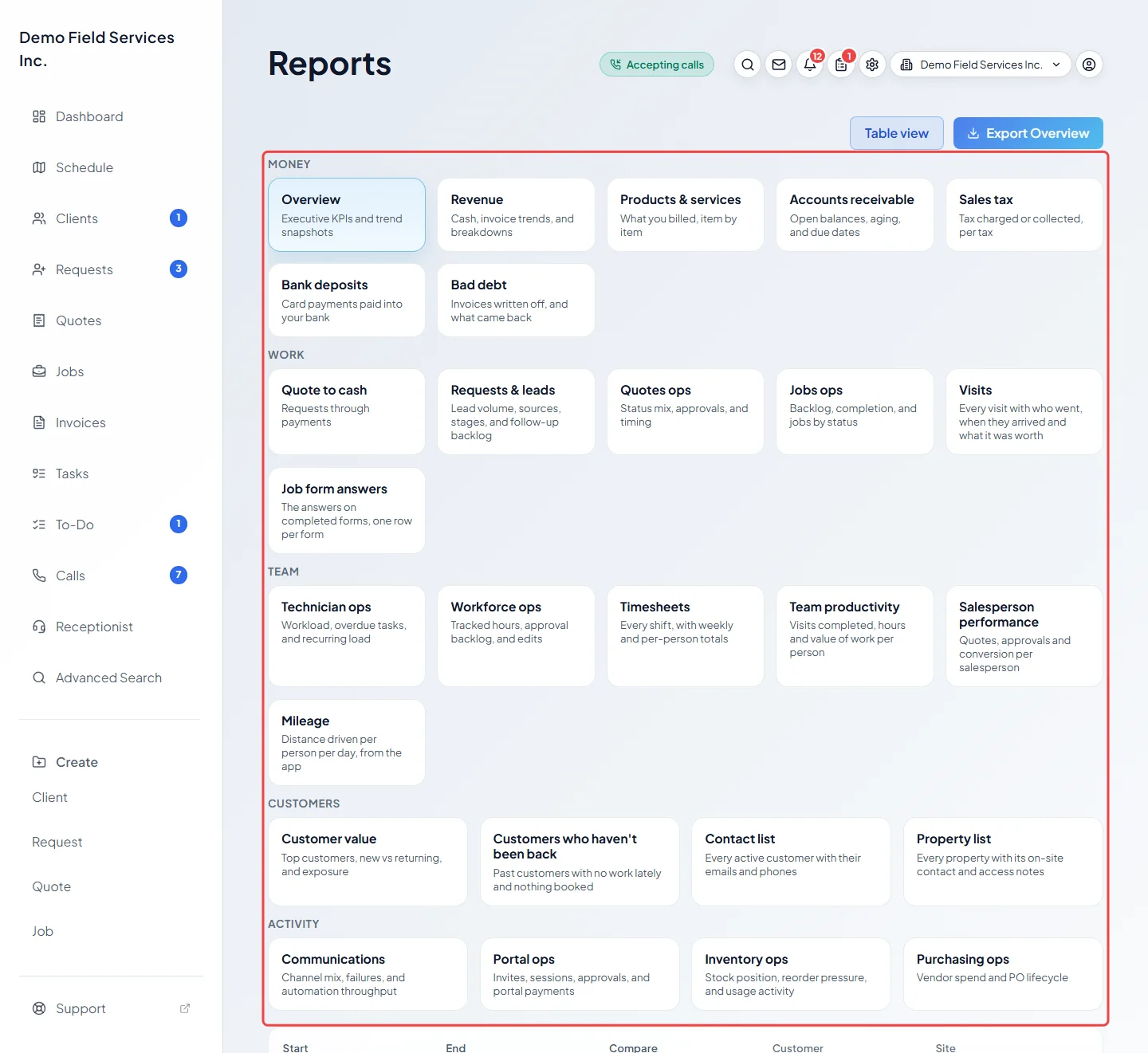
-
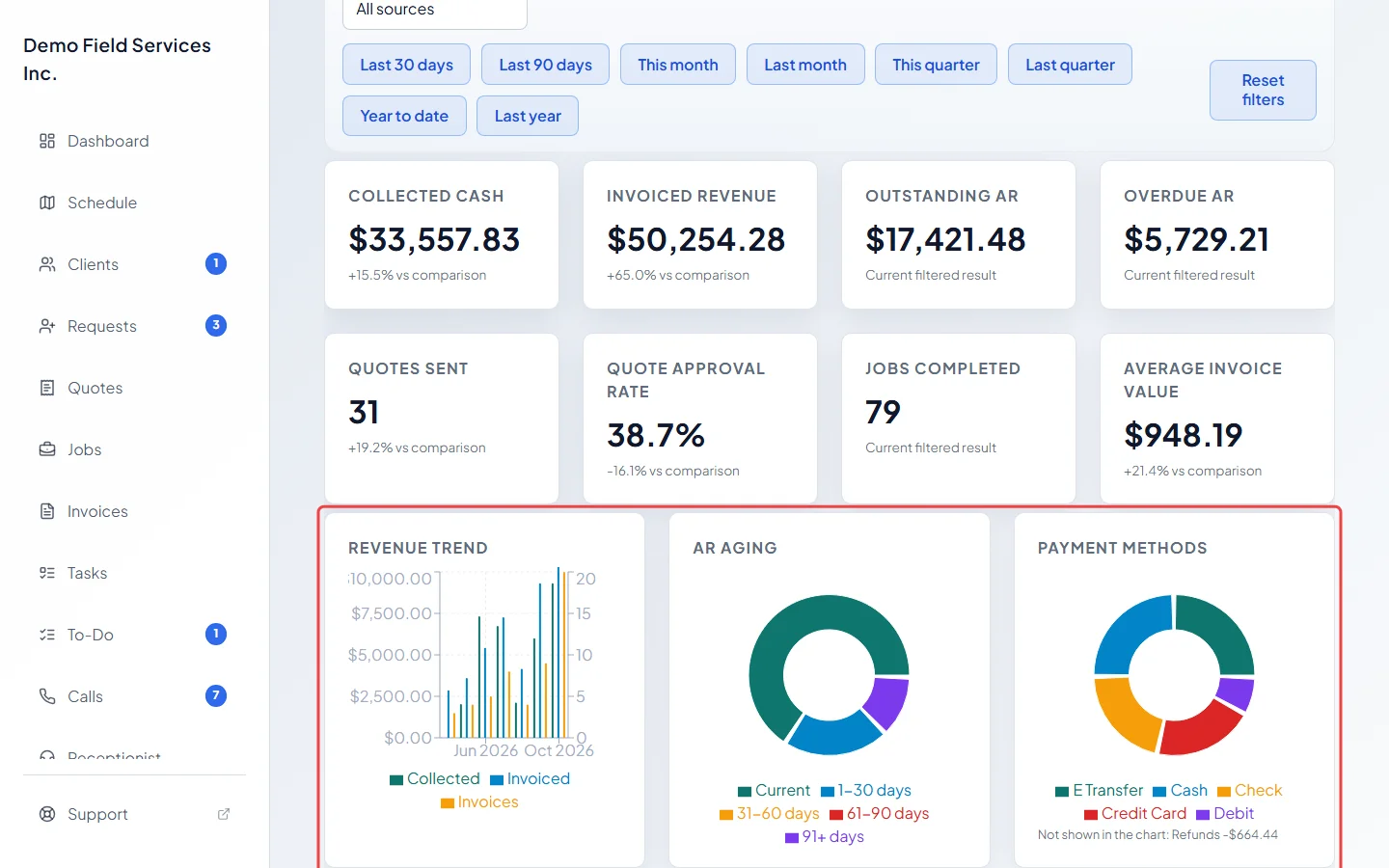
Click a report to open it. Overview gives a quick picture of the period: “Collected cash”, “Invoiced revenue”, “Outstanding AR” (what clients still owe you), “Overdue AR”, “Quotes sent”, “Quote approval rate”, “Jobs completed” and “Average invoice value”. Under the figures are three charts: Revenue trend, AR aging and Payment methods.
-
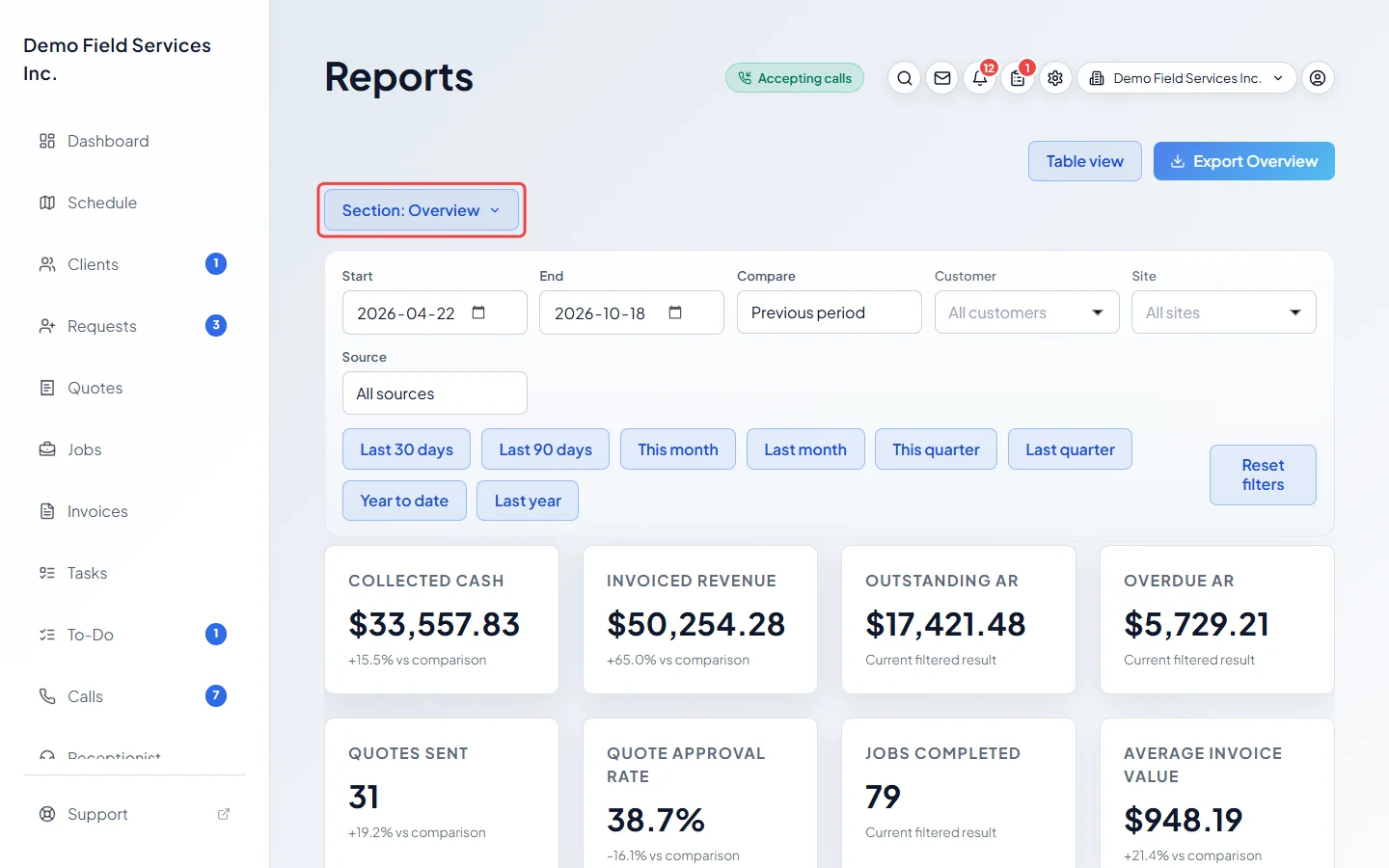
To switch to another report, click the Section: button above the filters. The full list opens again; click the report you want.
-
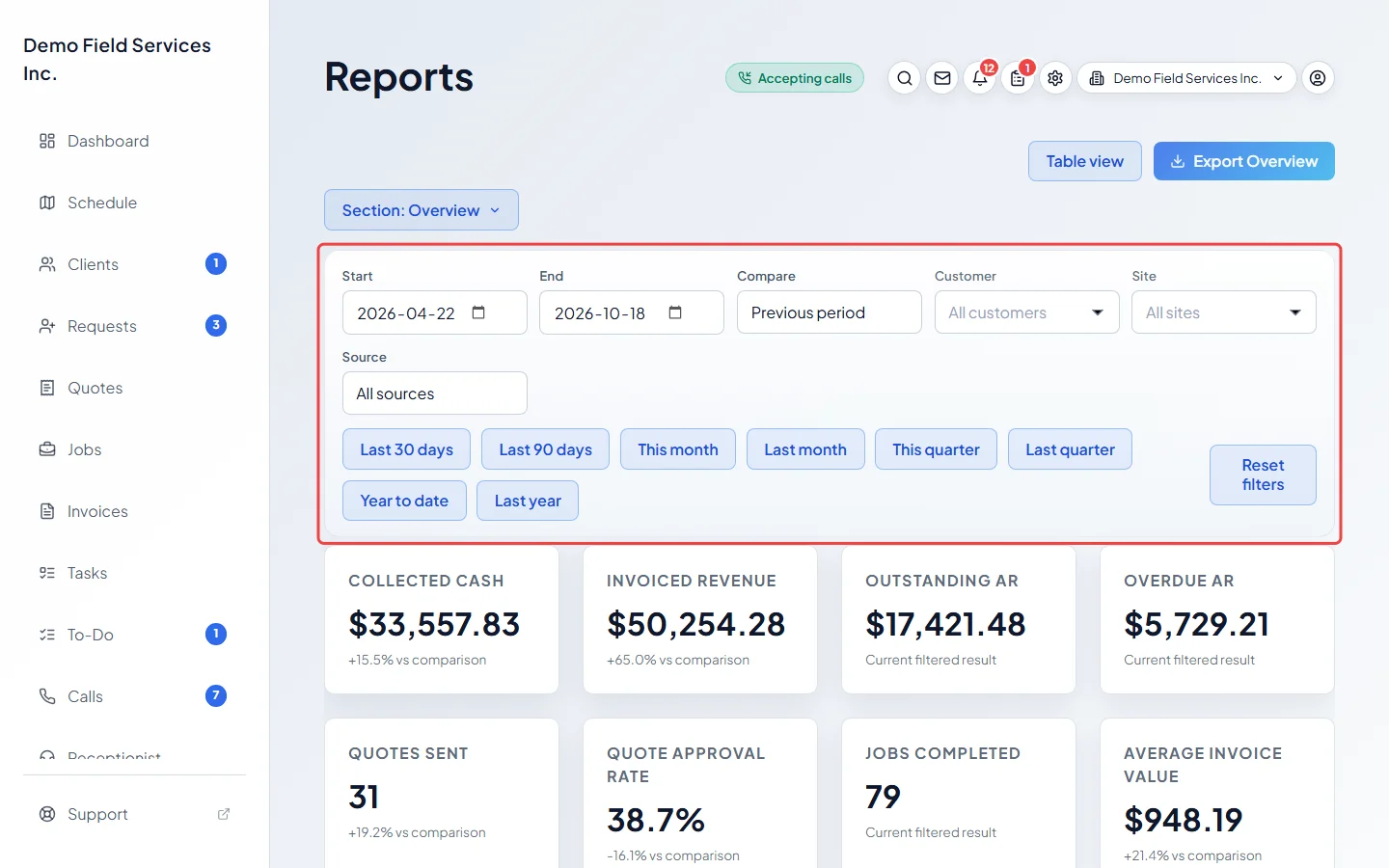
Change the dates and filters in the bar under the section button. Each report shows only the filters that apply to it. The figures, charts and tables update as soon as you change one.
Good to know
Section titled “Good to know”- Without dates, a report covers the last 30 days up to today. See Date ranges and comparisons.
- Under each figure that can be compared, a line such as “+12.0% vs comparison” shows the change from the previous period. Figures with nothing to compare against (Compare set to None, an “as of now” figure, or an earlier period of zero) say “Current filtered result”.
- Everything you choose is kept in the page address, so you can bookmark a report or send the link to a colleague who can also see reports.
- Some reports are for office staff only, because they show client contact details, gate codes or location trails: Visits, Job form answers, Mileage, Customers who haven’t been back, Contact list and Property list. Timesheets, Team productivity and Workforce ops are also open to technicians who have the Reports switch on and are allowed to View/record/edit everyone’s time. A report you can’t open isn’t in your list, and a link to one opens Overview instead.
- Older links to the overview, customers or sales report pages open the matching report here.
- Most reports date records by the day they were saved in UTC (Greenwich time), so a record saved late in the evening in North America can count on the next day. Sales tax, Bad debt, Mileage and Customers who haven’t been back use your company’s own time zone, and Timesheets use each shift’s work day.
- If Reports isn’t in your menu, ask an admin to turn on your Reports switch. See A button isn’t on my screen.
Related articles
Section titled “Related articles”Checked against Astragal on October 17, 2026