

Your plan and what it costs
Everything about what you pay Astragal is on one screen, priced for your own team.
Who can do this: Admins can change the plan and how you pay. Dispatchers and accountants can look but not change anything. Technicians can’t open it.
Also called: subscription.
On a computer: Left menu → Settings → Plan & billing On a phone: More → Settings → Plan & billingThe plan card
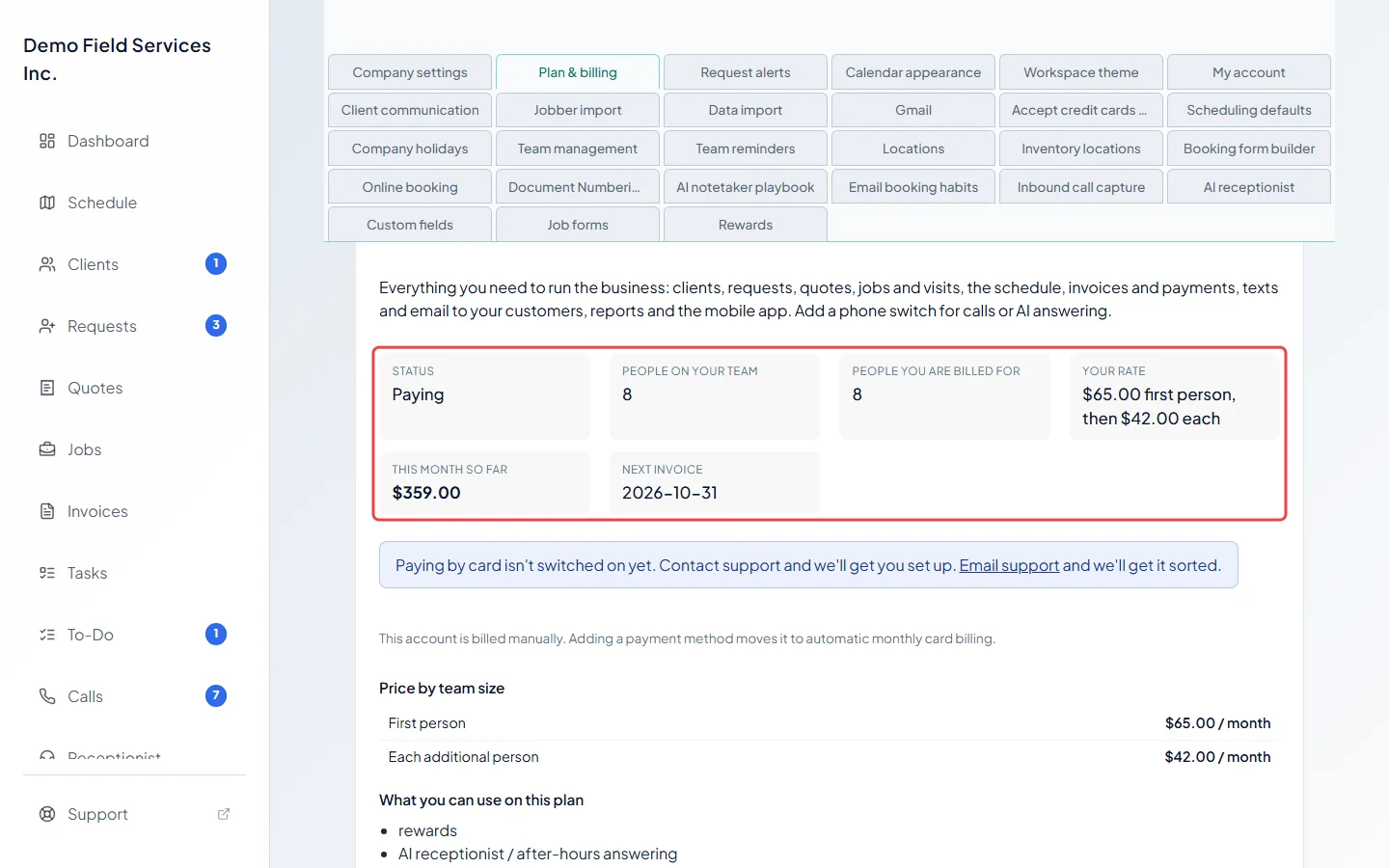
Section titled “The plan card”The top card names your plan and shows:
- Status: Free trial, Paying, Payment did not go through or Cancelled. If your plan is set to end, it says when.
- People on your team: how many people are in your company right now.
- People you are billed for: how many you’re charged for this month (see below).
- Your rate: what the first person costs and what each person after that costs.
- This month so far: what has built up on this month’s bill, including anything over your included amounts.
- Next invoice: the date this billing month closes.
Under it, Price by team size lists the rates, and What you can use on this plan lists the features your plan and add-ons unlock.
What Standard costs
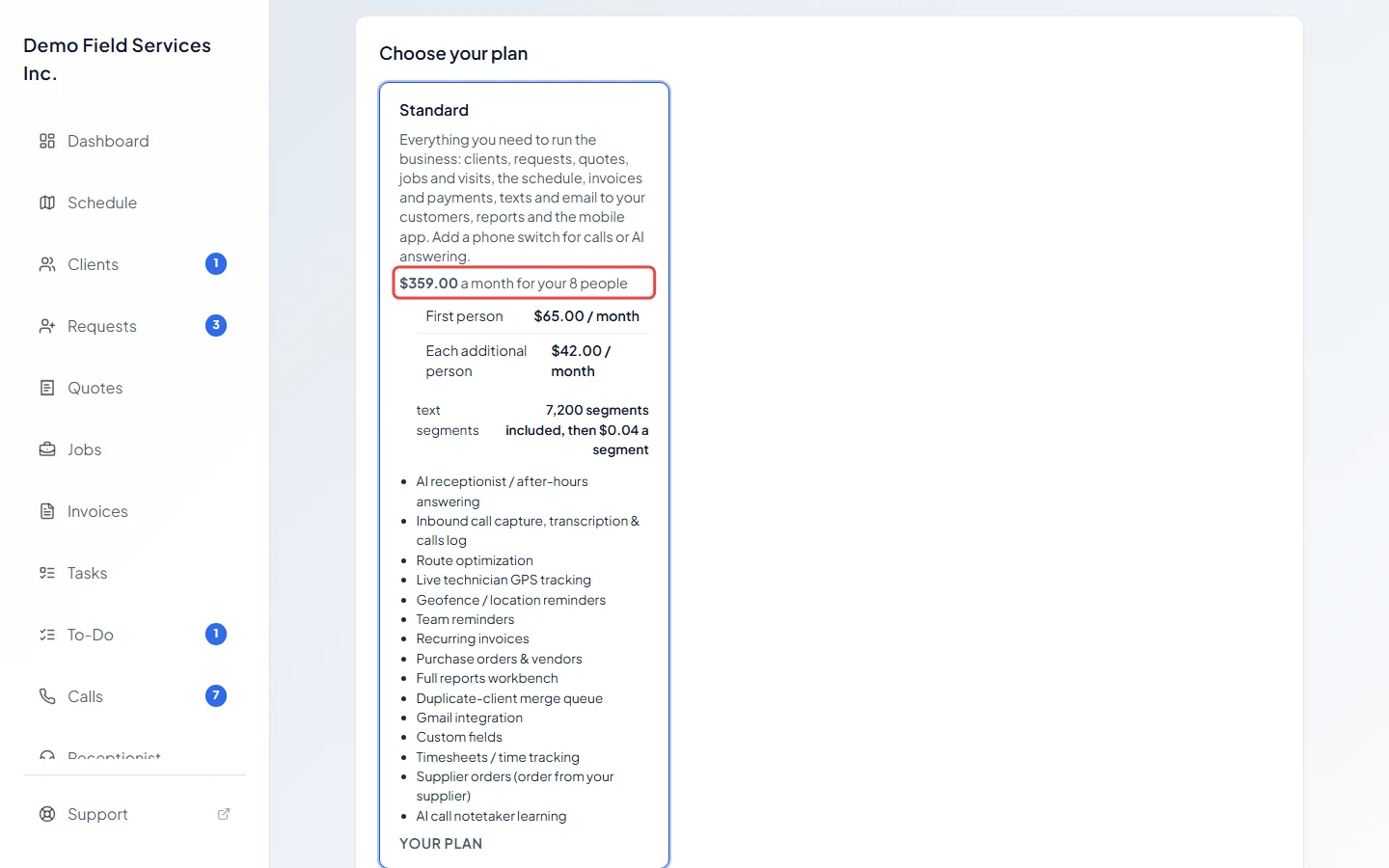
Section titled “What Standard costs”Standard is priced per person, every month, in Canadian dollars:
| Price a month | |
|---|---|
| First person | $65 |
| Each additional person | $42 |
So a team of three is $65 + $42 + $42 = $149 a month. Standard includes 900 text segments a month for each person, pooled across the company; see What’s included, and what happens if you go over. Taxes are added where they apply.
New businesses of up to three people may be offered the Starter plan instead, which charges a share of the payments you record.
How people are counted
Section titled “How people are counted”You’re charged for the most people your company had at any point in the billing month, not how many are left on the last day.
- Adding someone part-way through a month is charged for that whole month.
- Removing someone doesn’t lower this month’s charge; it comes off from the next month.
That’s why People you are billed for can be higher than People on your team. When it is, a note under the card explains it.
Choosing your plan and add-ons
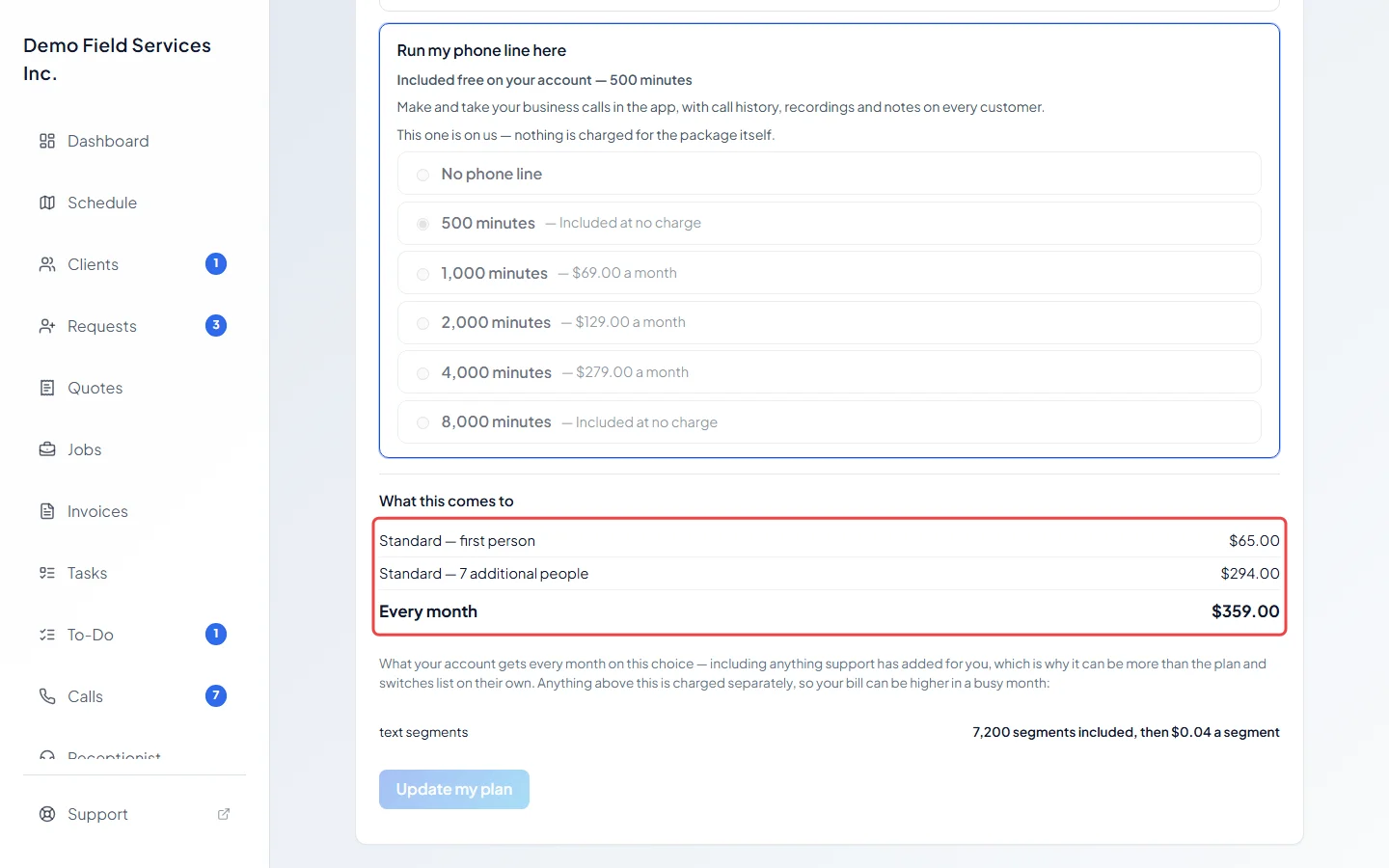
Section titled “Choosing your plan and add-ons”Choose your plan lists each plan with its monthly price for your team, its included amounts and its features. Your current one says Your plan. Below it, Add the phone, if you want it lists the phone add-ons. What this comes to shows the monthly total for what you’ve picked, line by line. Nothing changes until you click Update my plan. See Changing plan or cancelling.
How often you pay
Section titled “How often you pay”Before a card is on file, admins see How would you like to pay? on the plan card (when more than one way of paying is offered):
- Monthly: no commitment.
- Monthly, 12-month commitment — 1 month free: one month’s price is taken off, spread across the year (eleven twelfths of the monthly price each month).
- Yearly — 2 months free: the year is charged in one payment, at ten months’ price.
Each choice shows what it comes to a month and, for yearly, what’s taken once a year. A yearly payment isn’t refundable. On a yearly plan, your phone add-ons are paid for the same year at the same time, at twelve months of their monthly price; the free months apply to the plan only. Your included amounts stay monthly whichever you pick.
In the iPhone app
Section titled “In the iPhone app”The iPhone app shows your plan, its status, your team size, People counted on your plan and this month’s usage, but no prices and nothing to buy. Plans and payment are looked after on the website.
Related articles
Section titled “Related articles”Checked against Astragal on October 17, 2026