

Removing a property
Remove a property a client no longer needs, such as a duplicate address, without losing the work recorded there.
Who can do this: Admins and team members set to View, edit, and delete full client and property info, who can also edit the quote, job, request, invoice or task they open it from.
Also called: deleting a site or address.
-
Open a quote, job, request, invoice or task for the client, click the ⋯ button on the client card, and click Edit client details.
On a computer: Left menu → Quotes On a phone: More → Quotes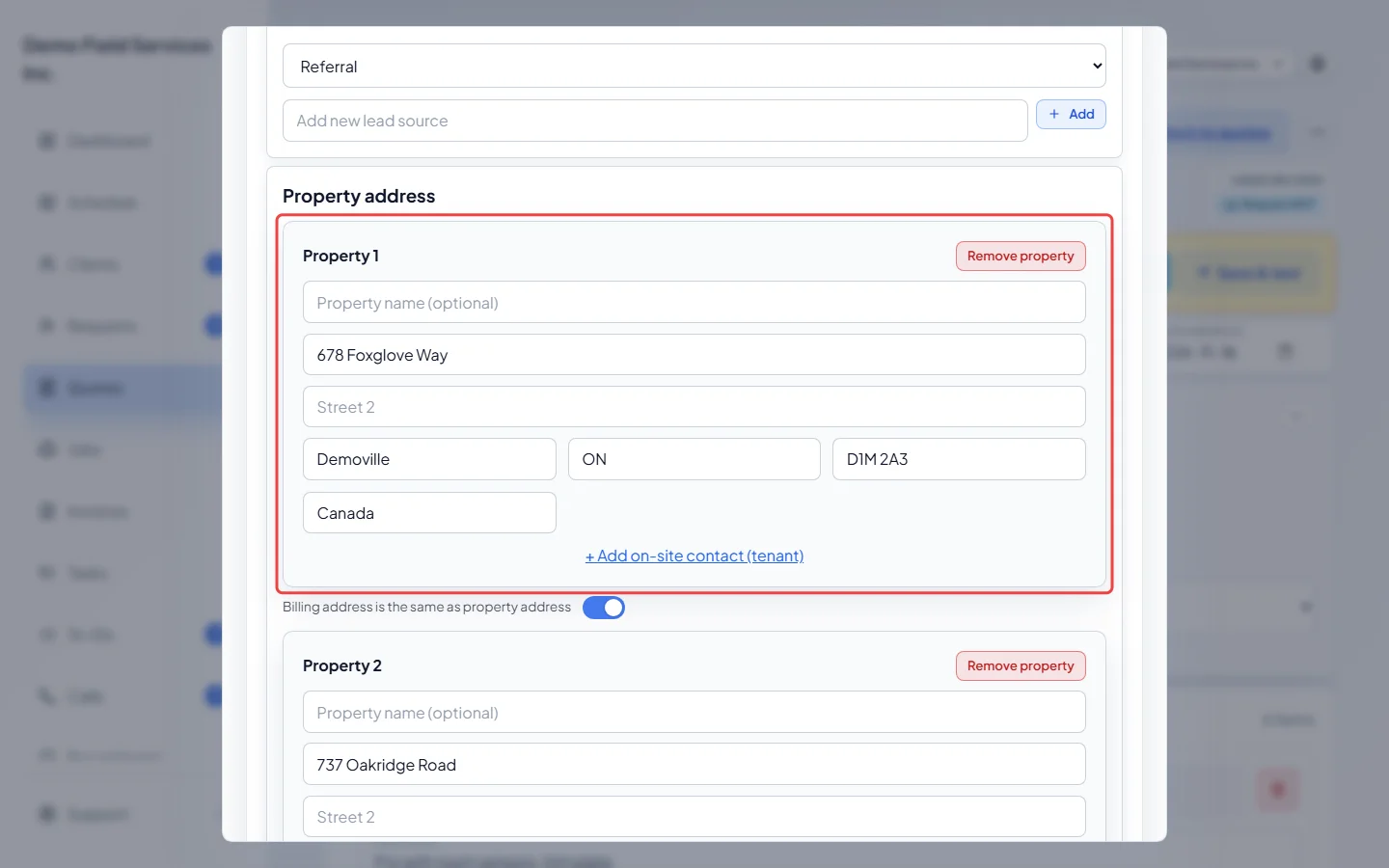
-
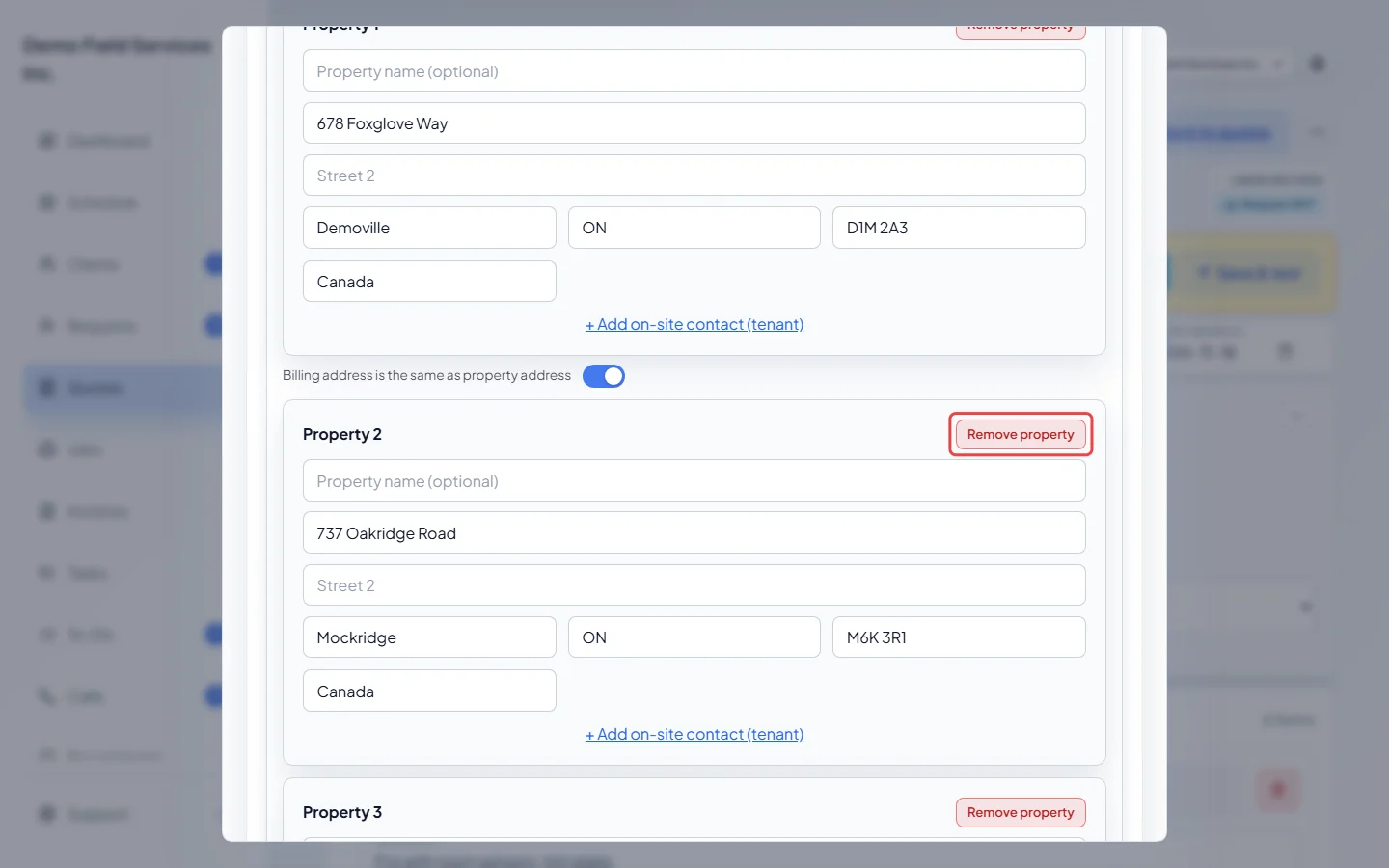
Under Property address, find the property you want to remove and click Remove property on it. Nothing is removed until you save.
-
Click Save. A window asks “Remove property?” and says where that property’s requests, jobs, quotes and invoices will go. If the client has more than one property left, pick one under Move them to. Click Remove and move, or Go back to keep the property.
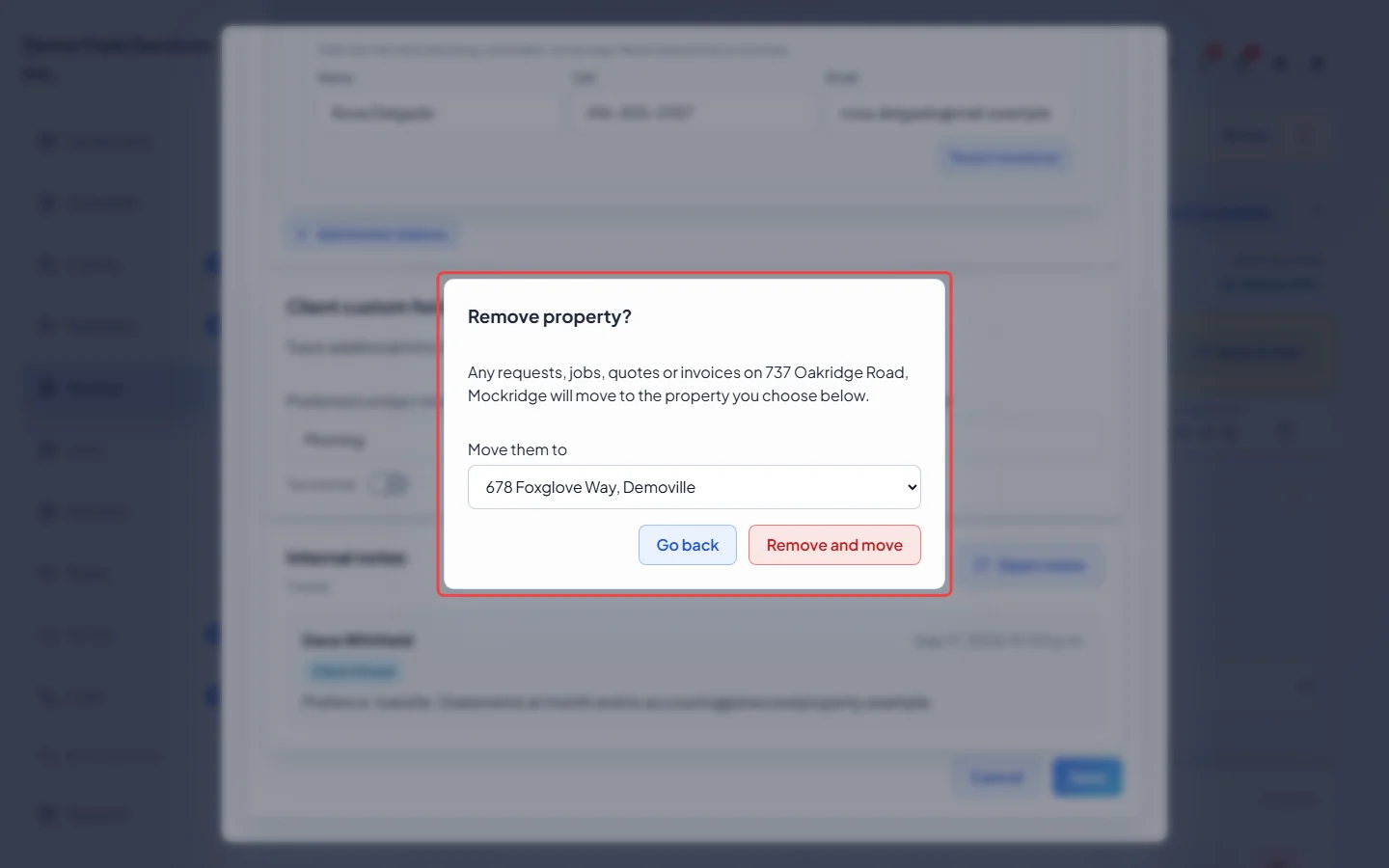
The removed property’s requests, jobs, quotes, invoices, tasks and files move to the one you picked. The removed property’s own details (its name, access notes and on-site contact) are deleted with it. If the quote, job or invoice you started from was on the removed property, it now shows the property its work moved to.
Removing from the Properties card
Section titled “Removing from the Properties card”The client’s Profile tab also has Remove property on each property in the Properties card. This one works differently: it deletes the jobs, requests and tasks at that property, and files your team uploaded there (except files attached to a note), instead of moving them. Quotes and invoices at that property stay, but lose their address. You have to turn on I understand this may delete related records first. A property can’t be removed this way if one of its visits has a signed service form on an invoice.
Use it only for an address with no work on it. To keep the work, use Edit client details as shown above.
Good to know
Section titled “Good to know”- Every client keeps at least one property. Remove property doesn’t show when only one is left, and Astragal says “Keep at least one property with an address.” if none of the properties left has an address.
- Work can only move to another property of the same client.
- Files a client uploaded through the portal are never deleted with a property. They stay on the client.
Related articles
Section titled “Related articles”Checked against Astragal on October 17, 2026