

What the AI receptionist does
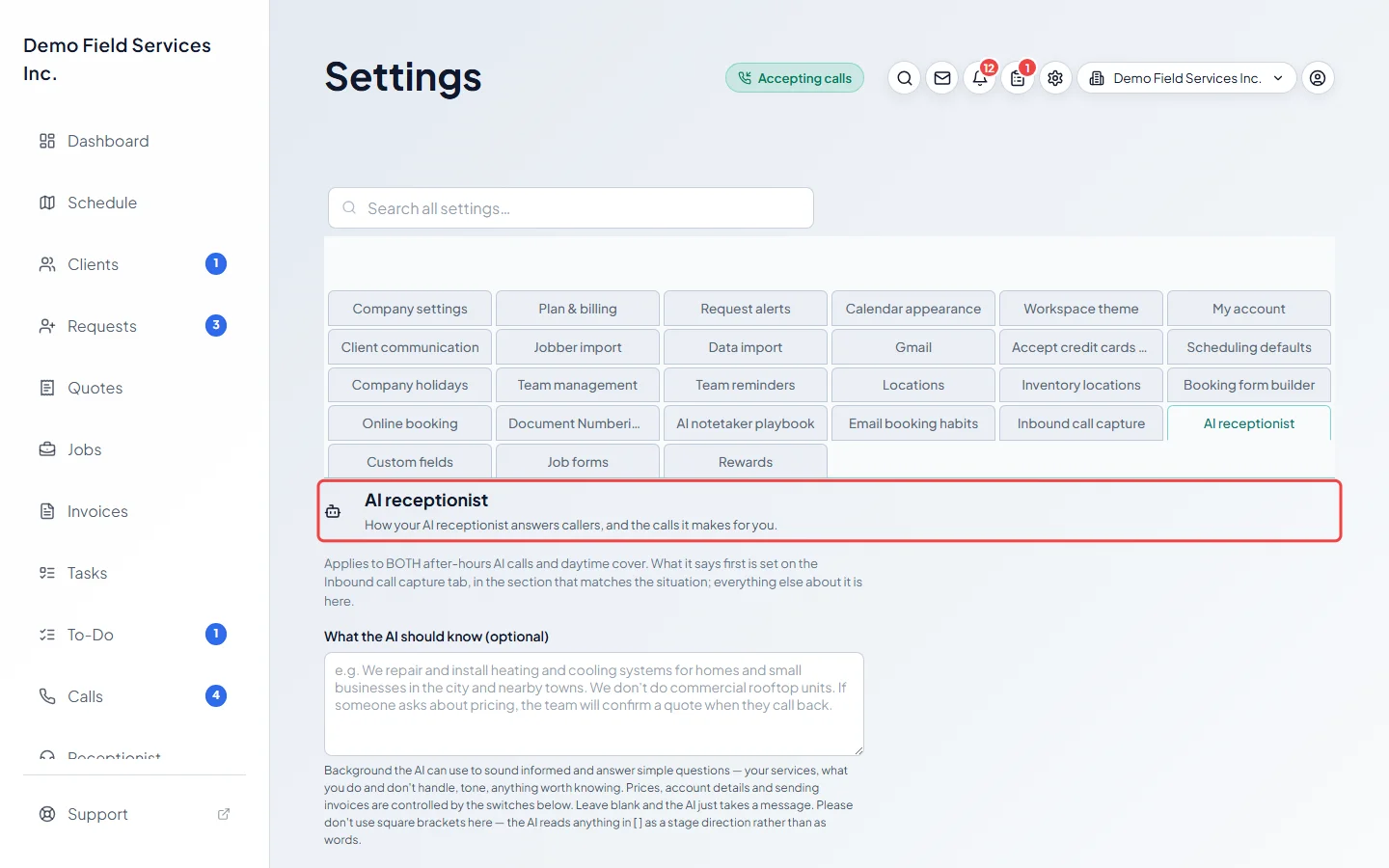
The AI receptionist answers the calls you can’t get to, talks to the caller, and leaves you notes and a request to follow up.
Who can do this: Admins, dispatchers and accountants set it up. Anyone who can see your calls can read what it did.
Add-on: AI receptionistAlso called: virtual receptionist, answering service.
When it answers
Section titled “When it answers”It answers your business number when you choose:
- When you’re closed: set What happens to a call after hours to AI receptionist — talks to the caller. Your closed hours and holidays come from Company settings.
- When you’re open and nobody picks up: with Let the AI answer when nobody picks up on, it takes calls that ring out, that someone declines, where the caller gives up on hold, or when nobody is signed in to ring.
- When you step away: Cover my calls for a bit and scheduled breaks hand calls to it for a set time.
Everything else rings your team as normal. See Setting up the AI receptionist.
What it does on the call
Section titled “What it does on the call”- Opens with the greeting you set for that situation, and says the call is recorded if you turned that on.
- Uses what you told it about your business to answer simple questions, and collects the details you asked for (name, address, what the problem is, and any questions of your own).
- Works out why they’re calling, so a quick question isn’t asked for a full address.
- If you allow it, talks to recognised clients about their own account: confirms or cancels appointments, sends a copy of a quote or invoice, takes a quote approval, takes a new phone number or email (as a to-do for you), and gives ballpark prices from your products and services.
- Suggests simple, safe checks you wrote down, speaks Spanish, French or Arabic if you turn them on, alerts your team straight away about emergencies, and politely ends sales calls and robocalls.
See What the AI can do for callers.
What you get afterwards
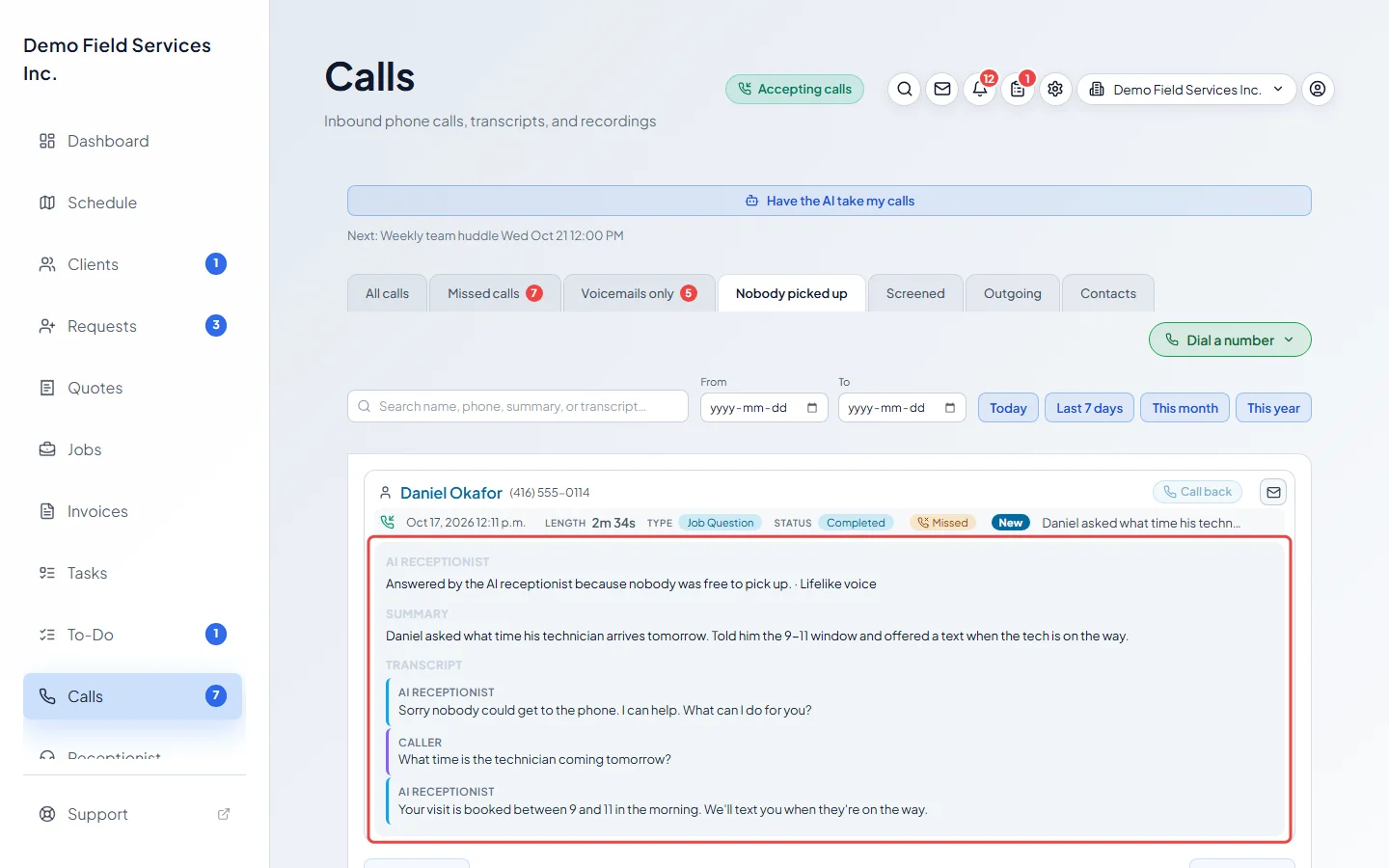
Section titled “What you get afterwards”Every call it takes is on the Calls page under All calls and under Voicemails only, where you can narrow the list to Lifelike voice or Backup voice (the voice the caller heard). A call it took because nobody on your team answered is also under Nobody picked up; the picture near the top of this page shows one there. Each comes with a summary, the transcript and a note saying why it answered, plus the recording unless the caller asked not to be recorded. A caller who hangs up within a few seconds leaves no notes. You also get a to-do to call the caller back, with what they needed, their call-back number and anything the AI already did for them.
It can make calls too
Section titled “It can make calls too”Ask it to phone a client to confirm a time, pass on a message, offer a new time or book a visit, from the Receptionist page. See Giving the receptionist tasks.
Good to know
Section titled “Good to know”- The AI answers in a natural, human-sounding voice that’s included with the add-on. You choose which one. See Choosing a voice.
- The add-on includes a number of AI minutes each month. Extra minutes are billed, unless you chose a hard stop. Separately, there’s a monthly AI budget as a safety limit: once a month’s AI calls reach it, callers are texted your booking link instead for the rest of the month, so no lead is lost. See Phone add-ons.
- It never refunds anything, never changes a client’s details by itself, and only approves a quote or cancels a visit after the caller clearly says yes.
Related articles
Section titled “Related articles”Checked against Astragal on October 17, 2026