

Products and services
See which products and services you billed in a period, how many, and for how much.
Who can do this: Anyone who can open Reports (see The reports page).
Also called: item sales, sales by item.
-
Open Reports and pick Products & services. The figures are “Amount sold”, “Units sold”, “Different items” and “Invoices counted”. The chart Top 10 items by amount shows your ten biggest sellers.
On a computer: Left menu → Reports On a phone: More → Reports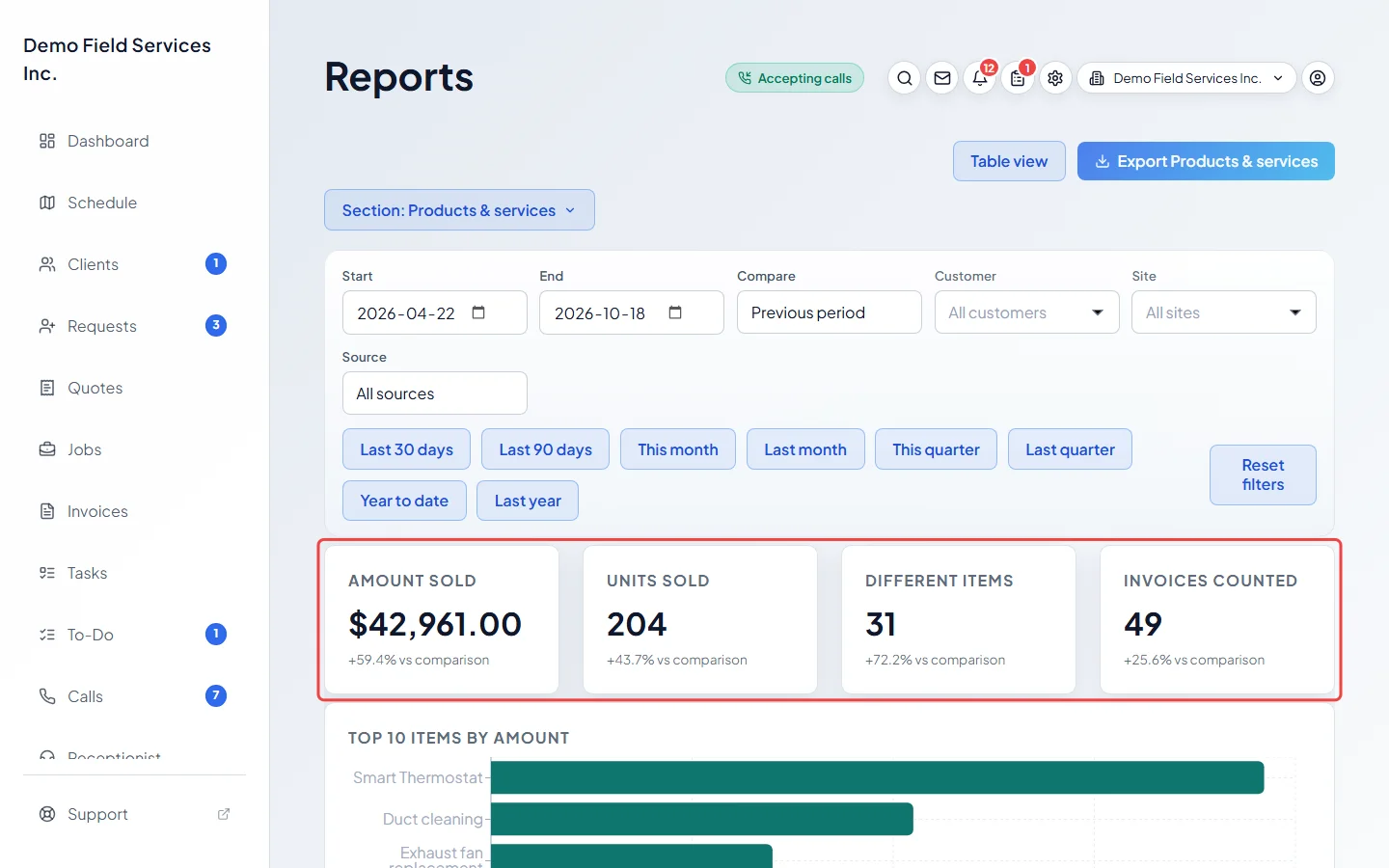
-
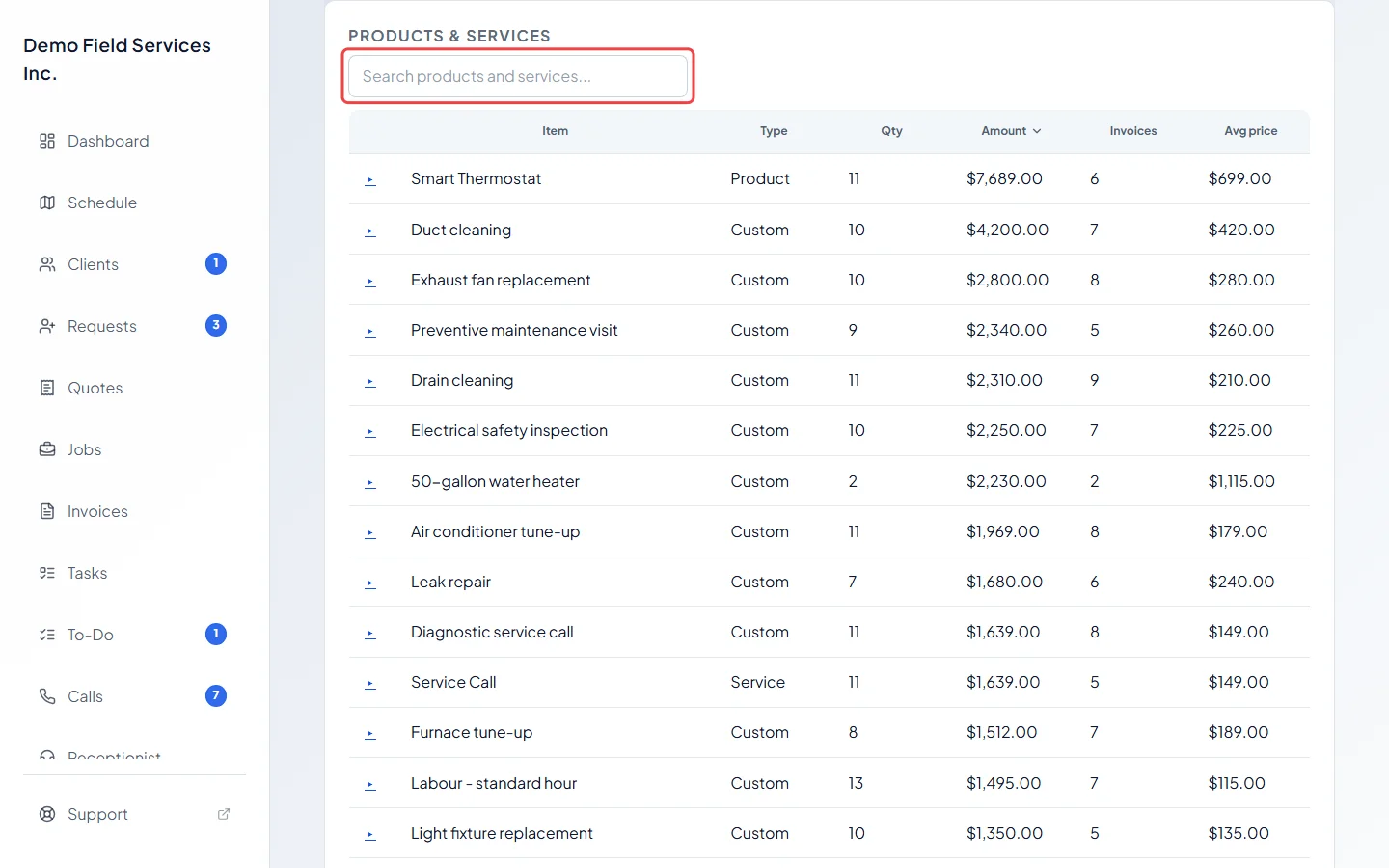
Scroll down to the Products & services list. Each row is one item with its Type (Product, Service or Custom), Qty, Amount, the number of Invoices and the Avg price. Type in Search products and services… to find one, or click a column heading to sort.
-
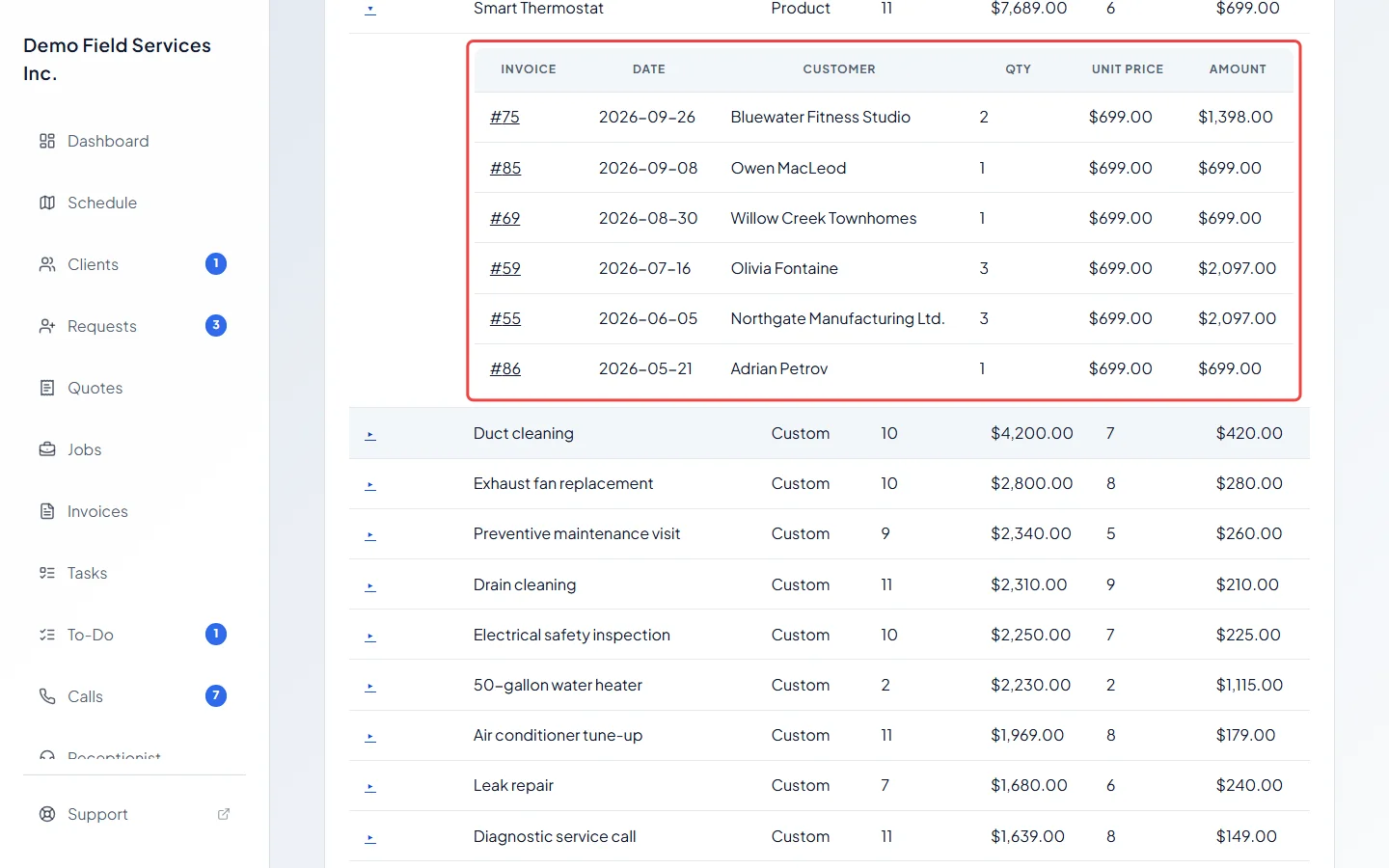
Click the ▸ arrow at the start of a row to see every invoice that item was on, with the date, client, quantity, unit price and amount. Click an invoice number to open it.
Good to know
Section titled “Good to know”- Only sent and paid invoices count. Drafts, cancelled invoices and deposit invoices are left out (a deposit is billed again, and credited, on the final invoice).
- Each sale counts on the day its invoice was made, in UTC (Greenwich time), so an invoice sent later still counts on the day it was made.
- Amounts are before tax and after discounts. An invoice-wide discount is shared across its lines.
- Lines typed straight onto an invoice without picking a product or service are grouped by their description and shown as Custom.
- An invoice for one instalment of a payment plan counts only its share of each item, so an item billed in two halves adds up to one.
- Refund lines and credits for money already paid aren’t counted as sales.
- The export has one line per invoice line, so you can total it any way you like in a spreadsheet. See Exporting a report.
Related articles
Section titled “Related articles”Checked against Astragal on October 17, 2026