

Purchase orders
A purchase order (PO) records stock you’re buying from a vendor to keep on hand, so you can track it until it arrives.
Who can do this: Admins, dispatchers and accountants, on a plan that includes purchase orders.
Also called: PO, stock order.
-
Open Purchase Orders. Each row shows the PO number, Vendor, Status, Order date, Subtotal, Total, when it was last updated and where stock was received. Rows with items still to come are highlighted and marked Backorder. Use Status and Vendor at the top to narrow the list.
On a computer: Left menu → Inventory → Purchase Orders On a phone: More → Purchase Orders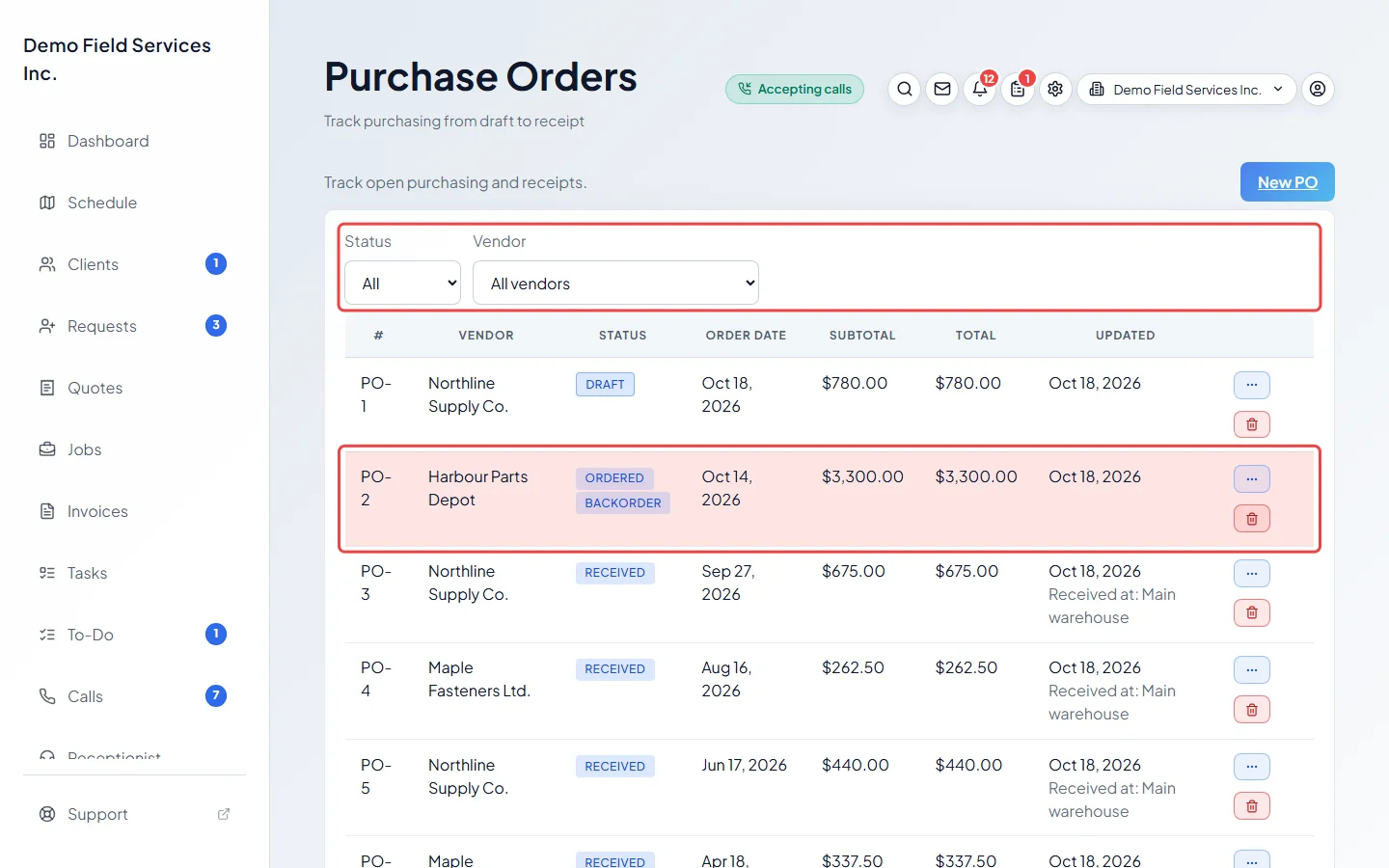
-
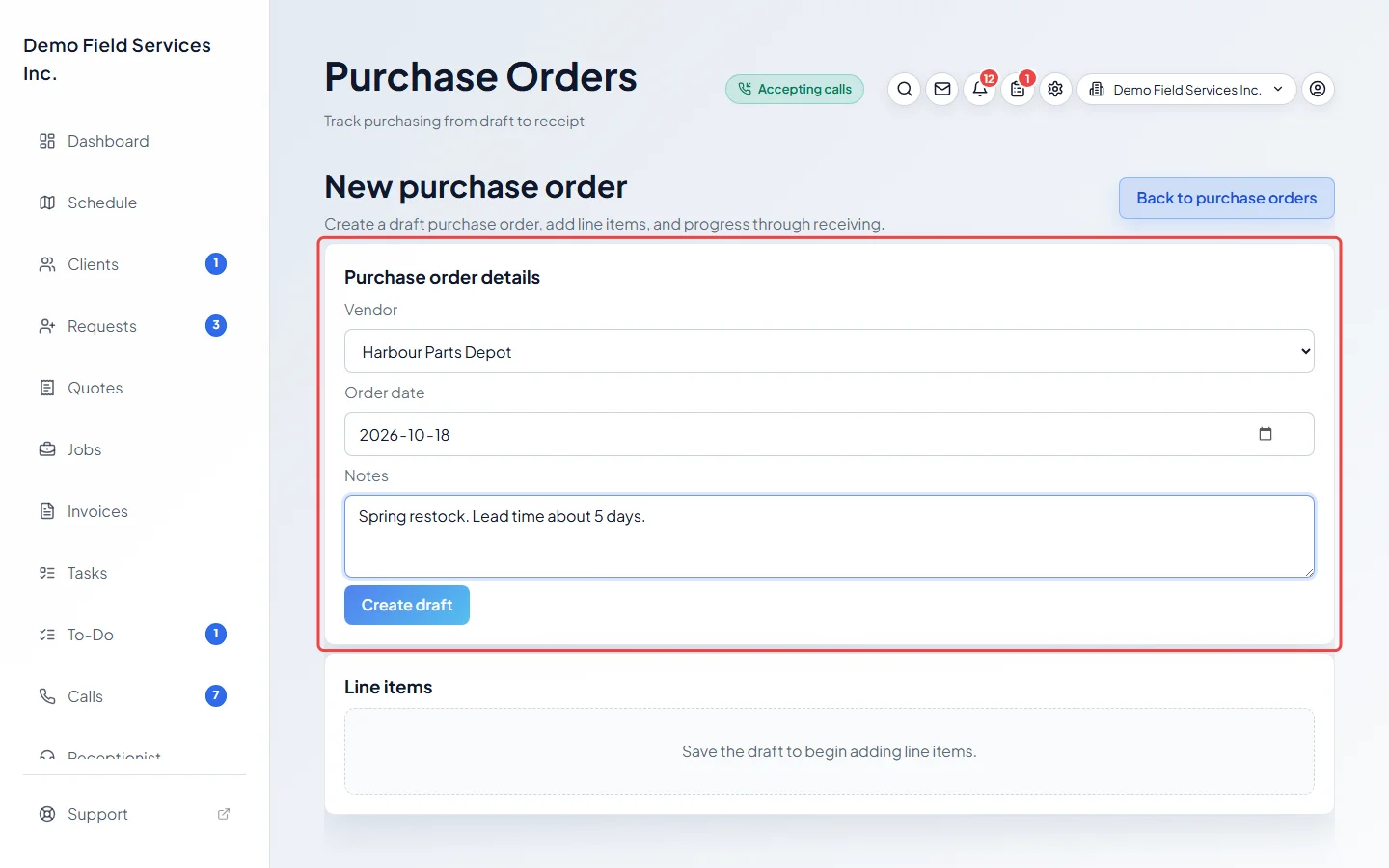
Click New PO. Choose the Vendor, check the Order date, add any Notes (such as a quote number or lead time), and click Create draft.
-
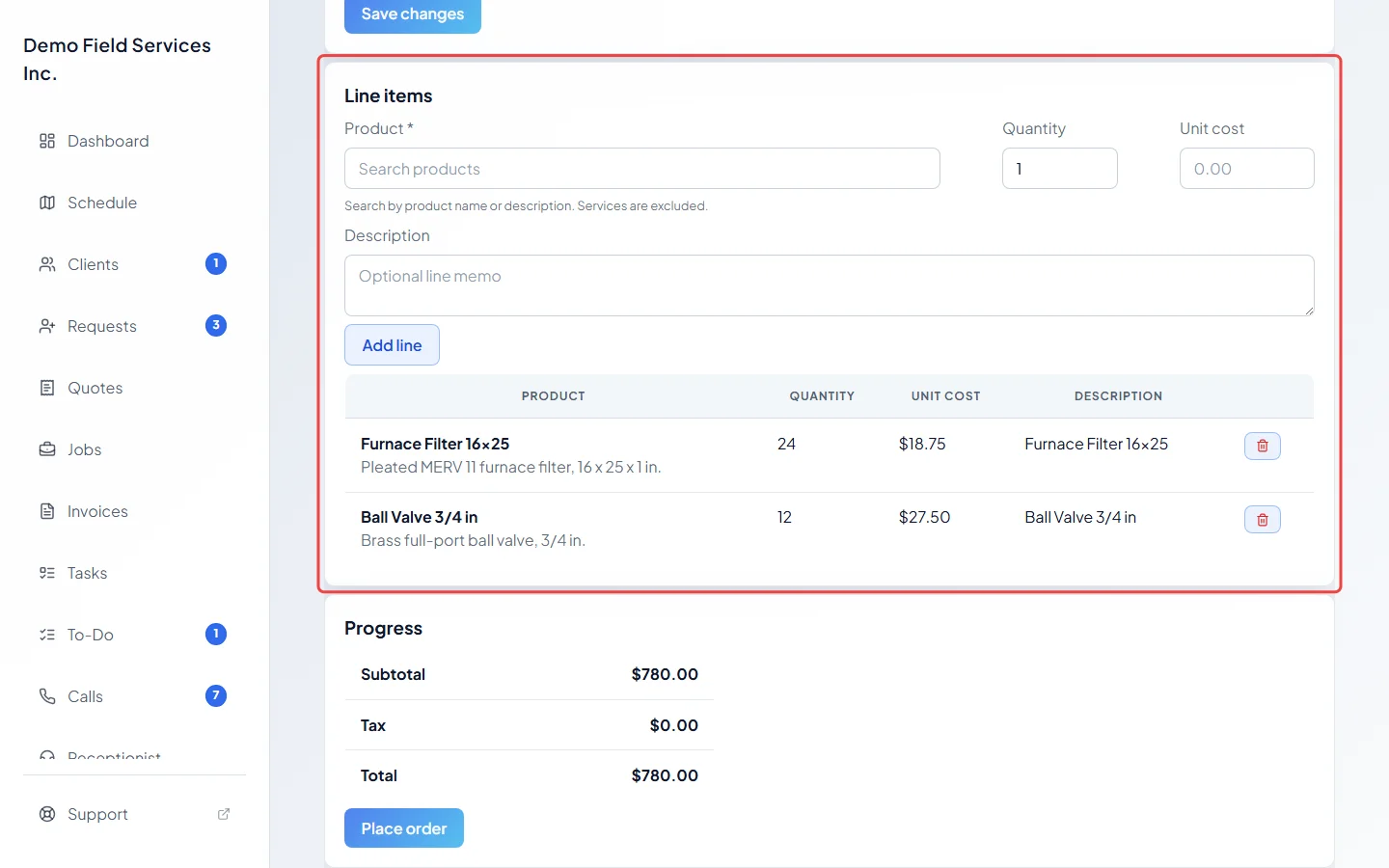
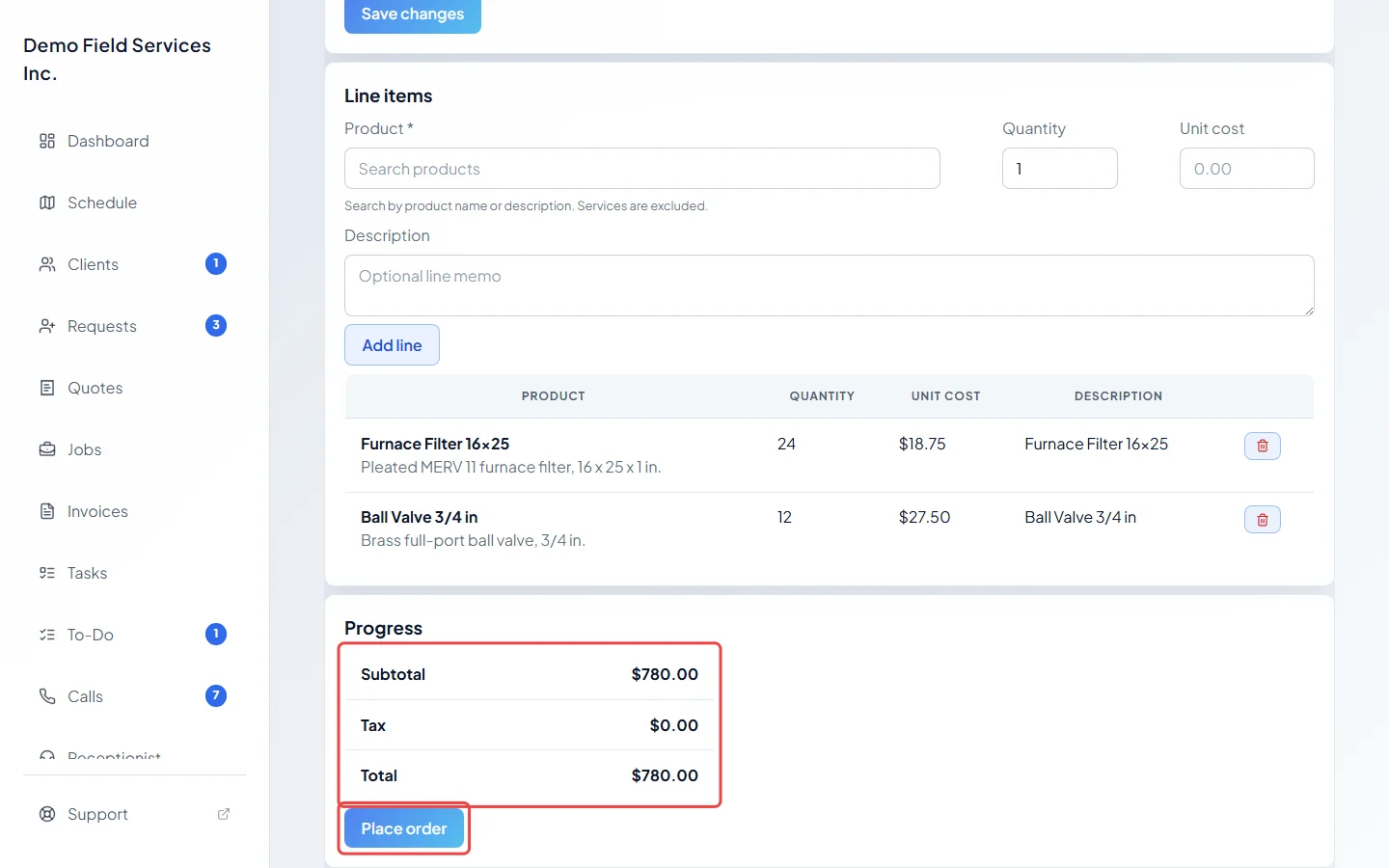
Under Line items, search for a Product (services can’t be ordered), type the Quantity and the Unit cost (it fills in from the product’s cost and must be more than 0), add a Description if you like, and click Add line. Repeat for each product. Each product can be on a PO once.
-
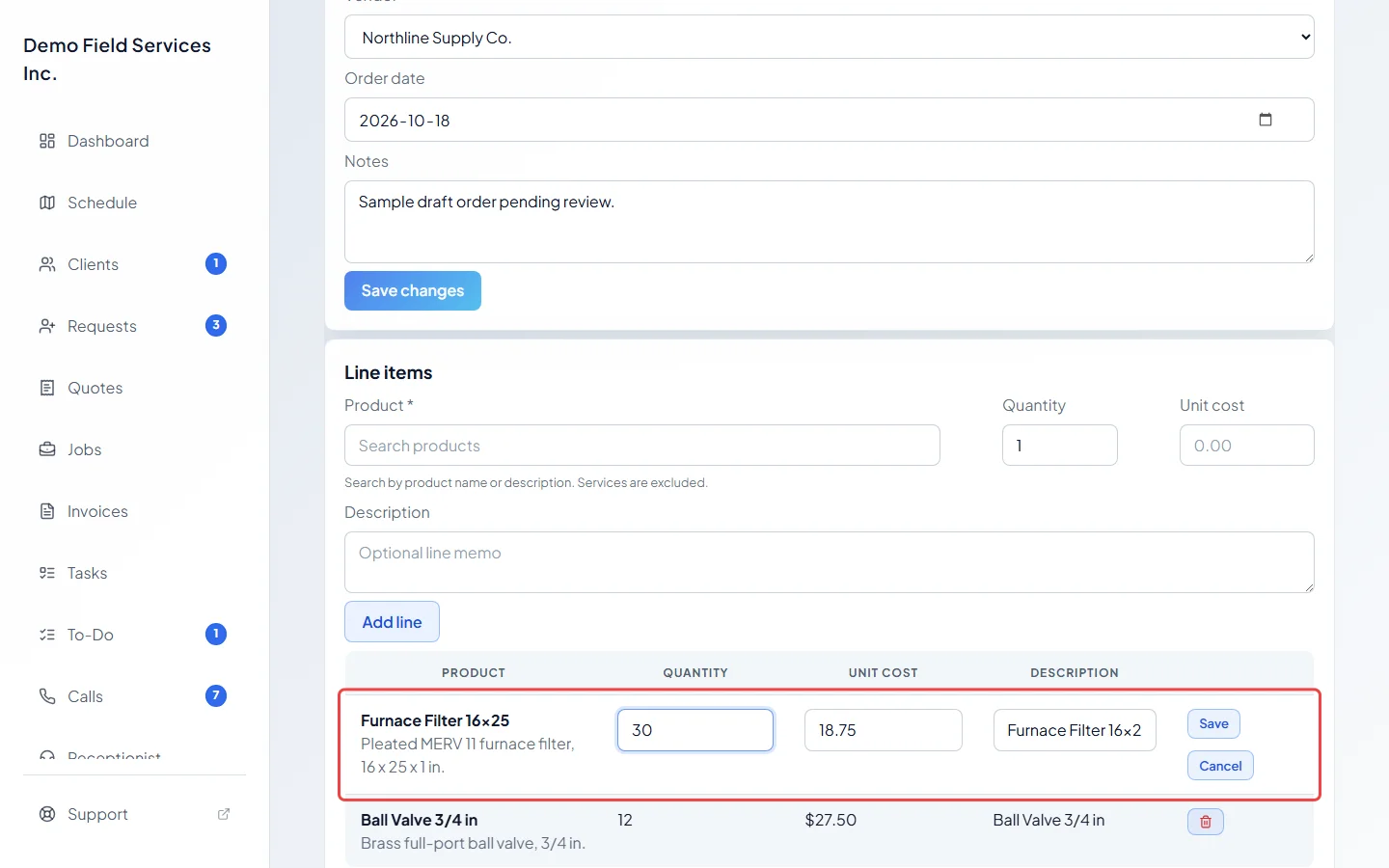
To change a line while the PO is a draft, click it, change the quantity, cost or description, and click Save. The red bin removes a line.
-
When the draft is ready, check the totals under Progress and click Place order. The status changes to Ordered and you go back to the list. Send the order to your vendor the way you normally do; Astragal doesn’t send purchase orders for you.
Statuses
Section titled “Statuses”- Draft: being put together. Lines can be added, changed and removed, and the PO can be deleted with the red bin on the list.
- Ordered: placed with the vendor. Lines can’t change any more. Record deliveries with Receive. See Receiving stock.
- Received: everything has arrived. Lines and receipts can’t change, though the vendor, date and notes can still be saved.
The Status filter also lists Closed, but nothing in Astragal closes a purchase order yet, so it shows no orders.
Good to know
Section titled “Good to know”- Purchase orders are for stock you keep. Parts ordered for one client’s quote go through supplier orders instead.
- The quickest way to reorder something running low is Create PO on the low stock list.
- Back to purchase orders asks before throwing away changes you haven’t saved.
- Vendors are managed on the Vendors screen. A vendor with purchase orders can’t be deleted.
- Purchase Orders is always in the menu. If your plan doesn’t include purchase orders, the list stays empty and a new order can’t be saved. See your plan and price.
Related articles
Section titled “Related articles”Checked against Astragal on October 17, 2026