

Taking a card payment
Charge a client’s card from the invoice while they are with you or on the phone, and the payment is recorded by itself.
Who can do this: Admins, dispatchers, accountants, and team members whose invoices permission is View, edit, and create or View, edit, create, and delete. Your company needs card payments set up first. See Accepting card payments.
Also called: card on file, charging a card.
-
Open the invoice and click Record payment.
On a computer: Left menu → Invoices On a phone: More → Invoices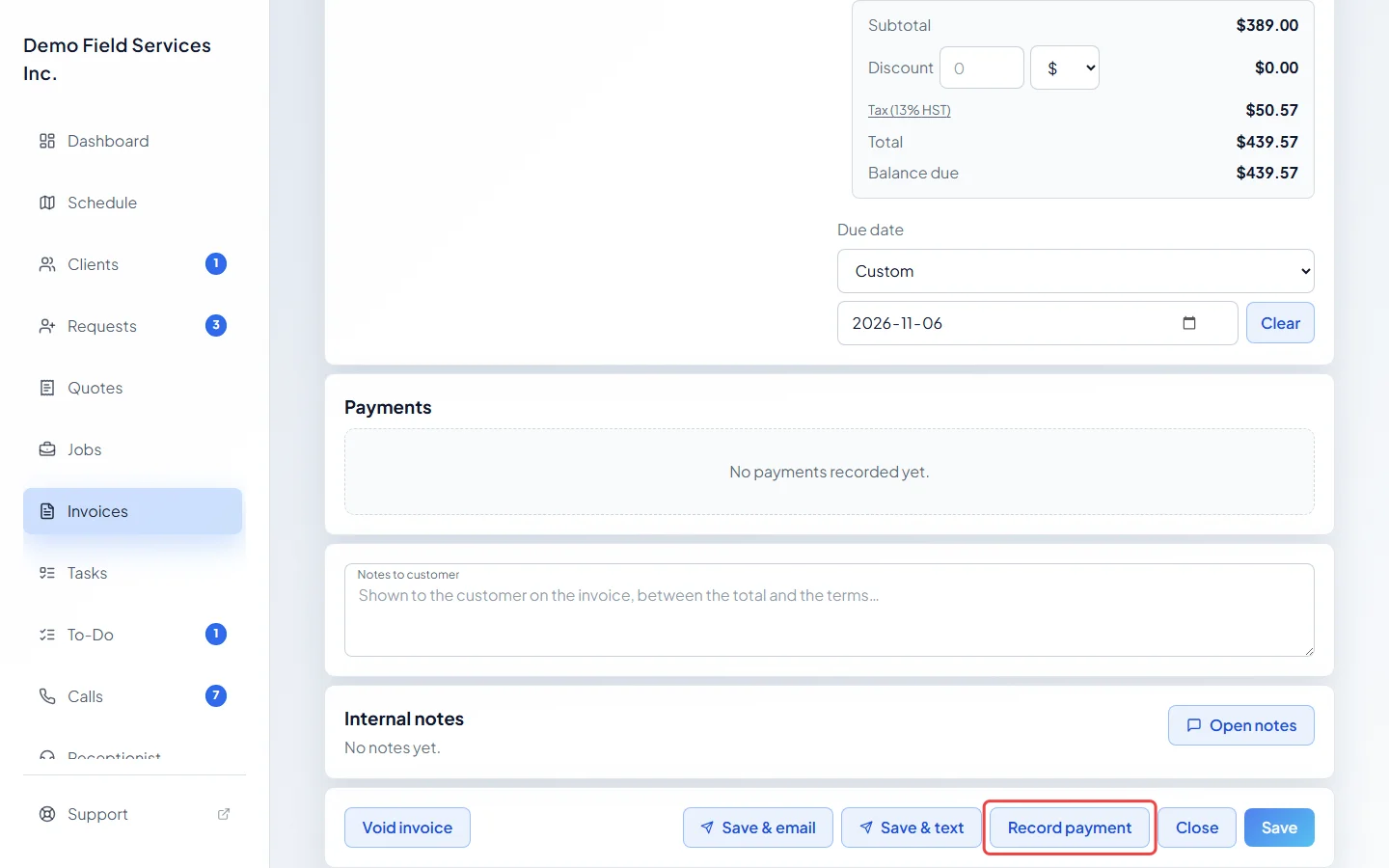
-
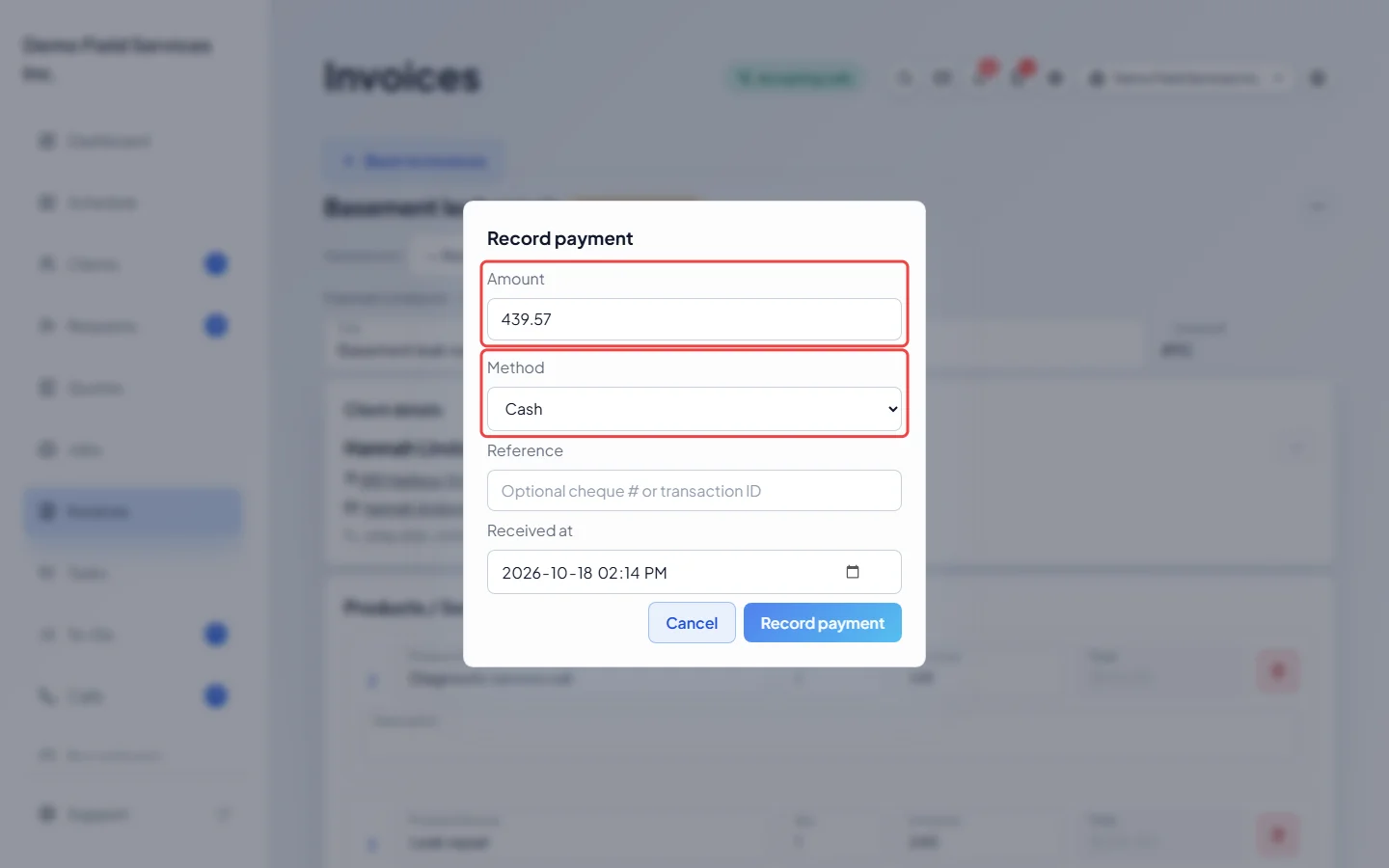
The Record payment window opens. Check the Amount: it starts at everything still owed, and you can lower it to take part of it. Then open the Method list. When your company takes cards, the list has a Credit Card choice. Pick it and the window changes: the Reference and Received at boxes go away, a line says the card will be charged on the next screen, and the button at the bottom changes from Record payment to Charge card. Click Charge card.
On the card screen
Section titled “On the card screen”A secure Charge card window opens. Type the card number, the expiry date, the security code from the back of the card and the billing postal code, then click the button to charge it. When the card is approved, “Payment received” shows and the payment is added under Payments on the invoice. If the card is declined, the reason shows and nothing is recorded.
Charging a card on file
Section titled “Charging a card on file”When a client saves a card while booking online, it shows near the top of their page as Card on file:. See Saved cards.
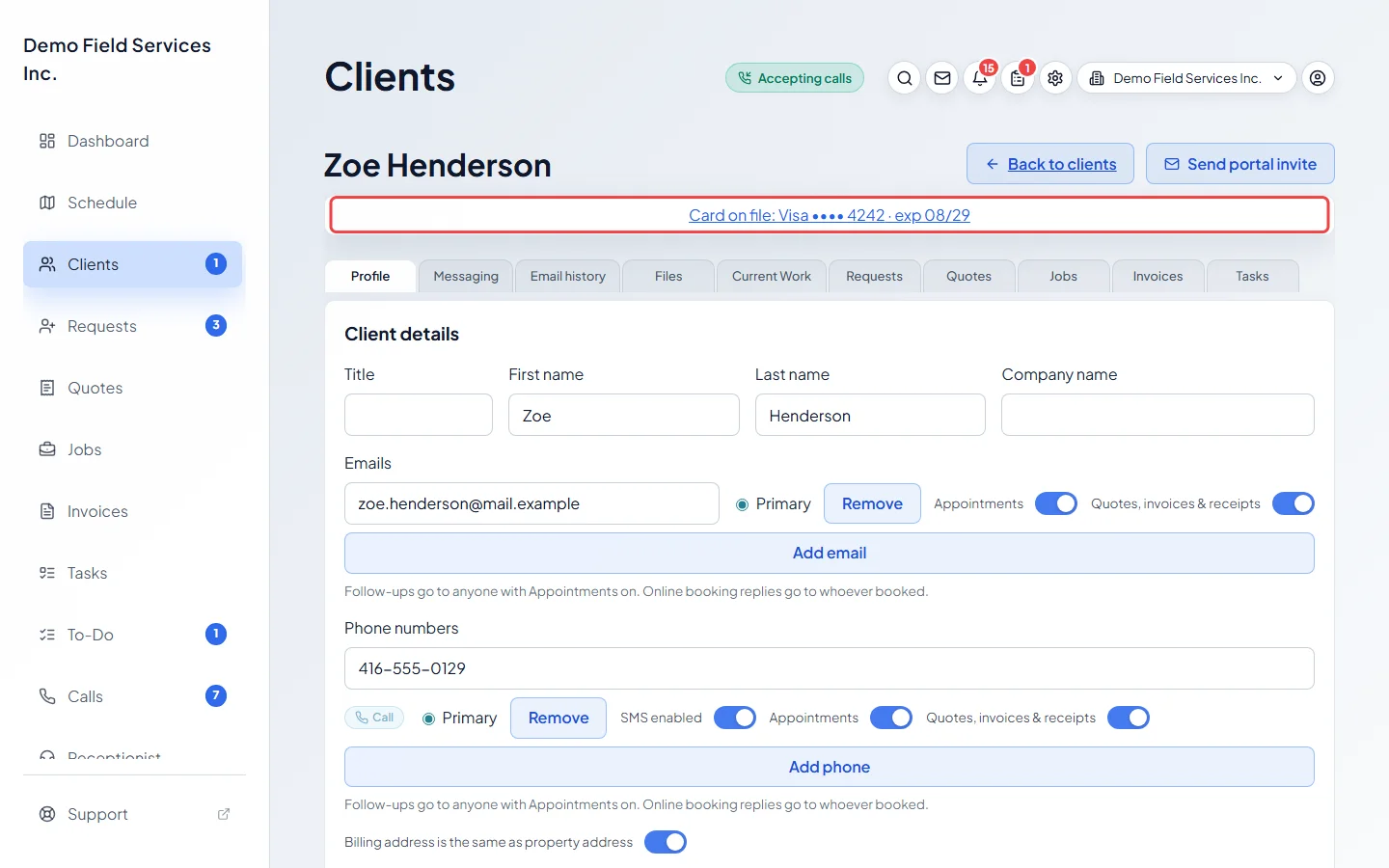
Card on file is offered only when your company takes cards through Stripe. Then that card is also offered in Method on the client’s invoices, for example “Card on file: Visa •••• 4242 (exp 08/27)”. Pick it and the window shows who saved the card. It warns you if the name on the card is different from the client’s. Click Charge card on file, check the amount and card in the confirmation, and confirm. The card processor emails the client its own receipt.
A card on file can only be charged on an invoice that has been sent. It isn’t offered on a draft, a quote’s deposit bill, a voided invoice or a warranty record.
Good to know
Section titled “Good to know”- If Credit Card isn’t in the Method list, card payments aren’t set up for your company yet. Credit Card (offline) only records a card you ran on your own terminal; it doesn’t charge anything. See Recording payments.
- Clients can also pay by card themselves from the link in the invoice email or text. See How clients view invoices.
- A card payment can’t be deleted. To give the money back, refund it. See Refunding a payment.
- If a card charge goes through but Astragal can’t save it, a message tells you so. Open the invoice again before trying a second time.
Related articles
Section titled “Related articles”Checked against Astragal on October 17, 2026