

Sending a portal invite
Send a client a link into their portal when they ask for one, or when an old link has stopped working.
Who can do this: Admins, and dispatchers or accountants who can see full client records. Technicians can’t send invites.
Also called: portal link, client login.
Clients never make a password. Every quote and invoice you send already carries a portal link, so most clients never need an invite at all.
-
Open the client and click Send portal invite at the top of their page.
On a computer: Left menu → Clients On a phone: Bottom bar → Clients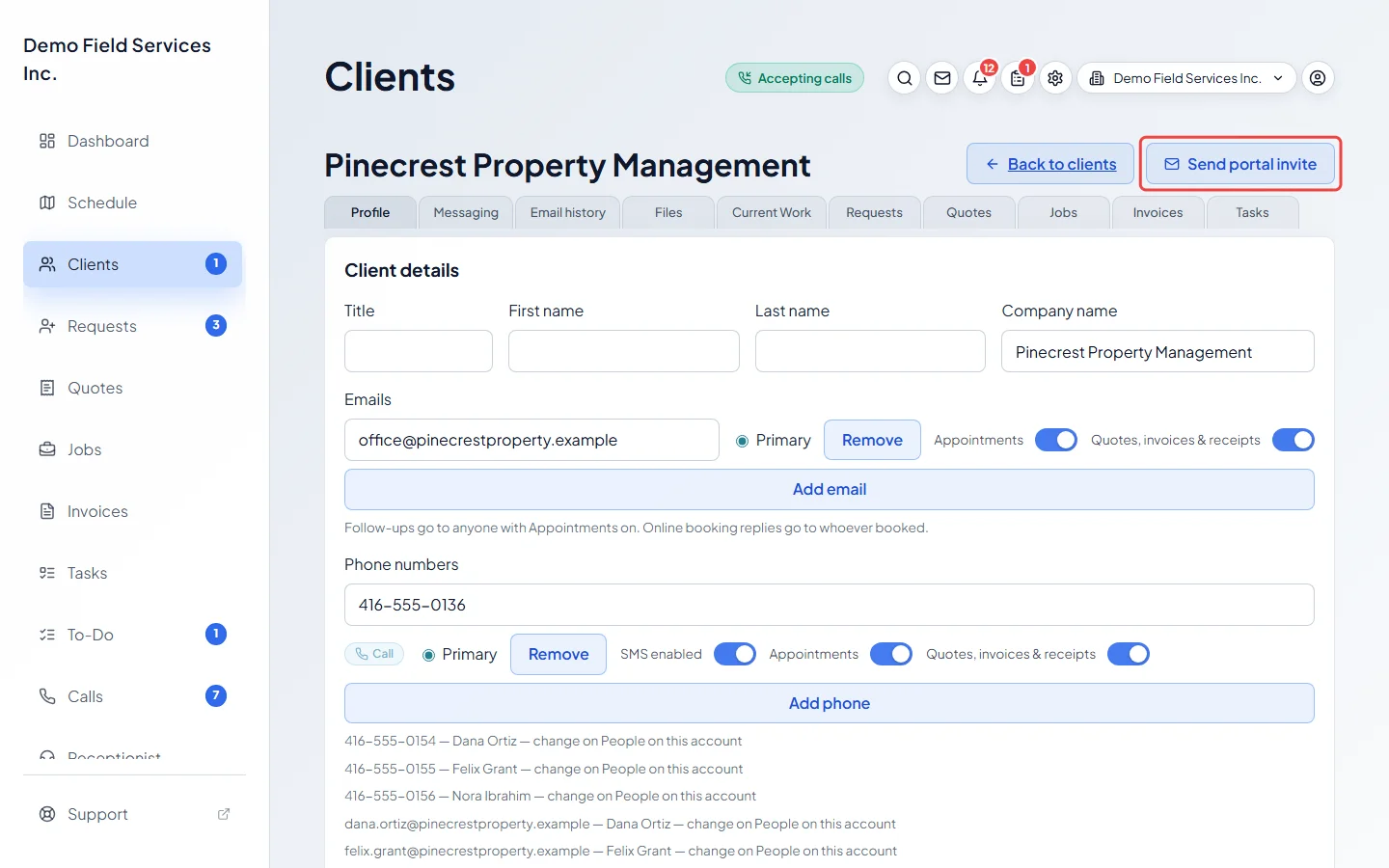
-
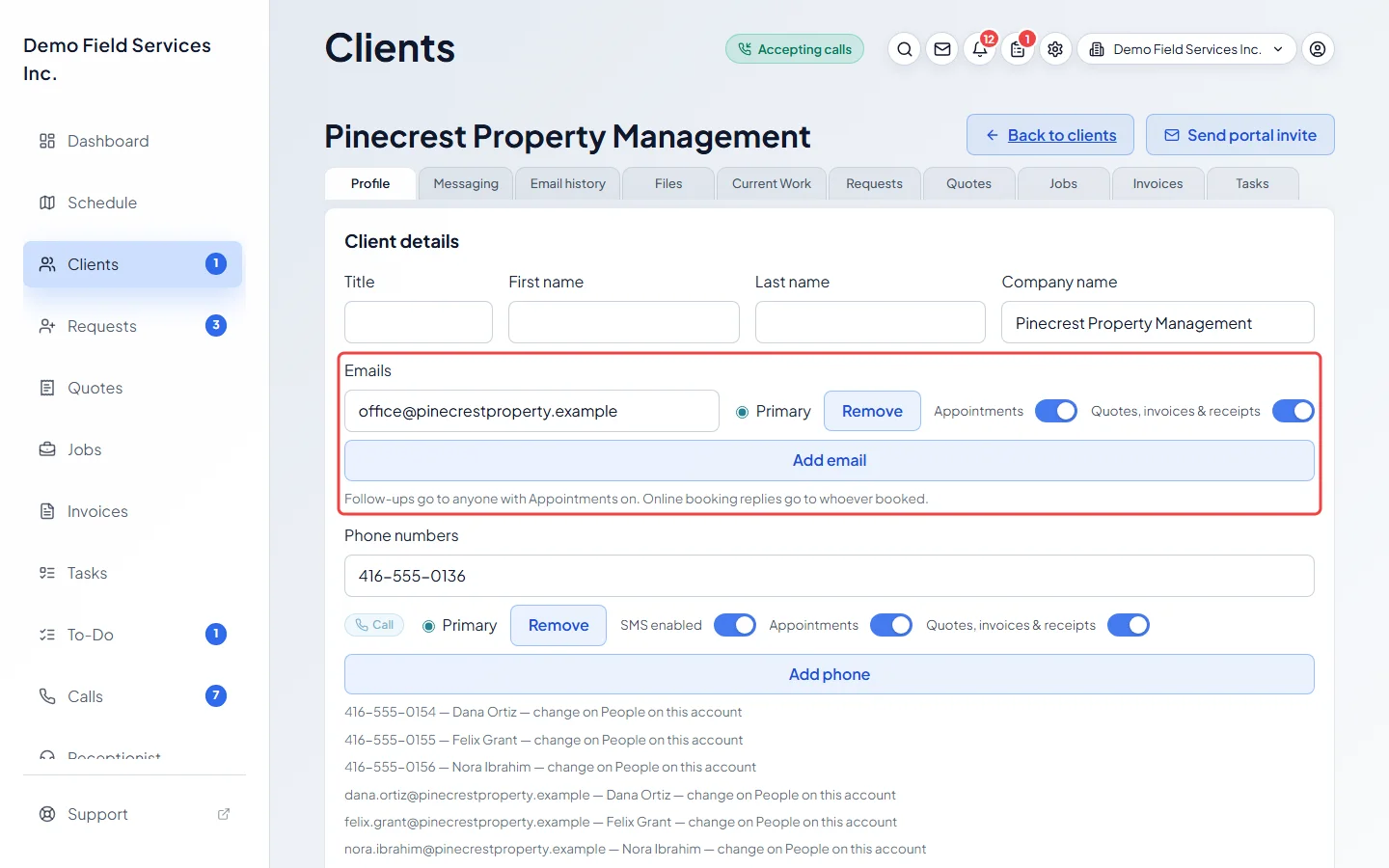
Astragal emails the invite to each of the client’s emails with Quotes, invoices & receipts switched on, and copies the link so you can paste it into a text yourself. You see Portal invite ready. The message is the same whether or not an email went out, so check the client has an email with Quotes, invoices & receipts on. If the client has no email on file, the link is still copied, ready to send another way. The link you paste into a text is the same one that was emailed, so it works only once between them. Anyone else on the account who gets quotes and invoices receives a link of their own, which signs them in as themselves.
-
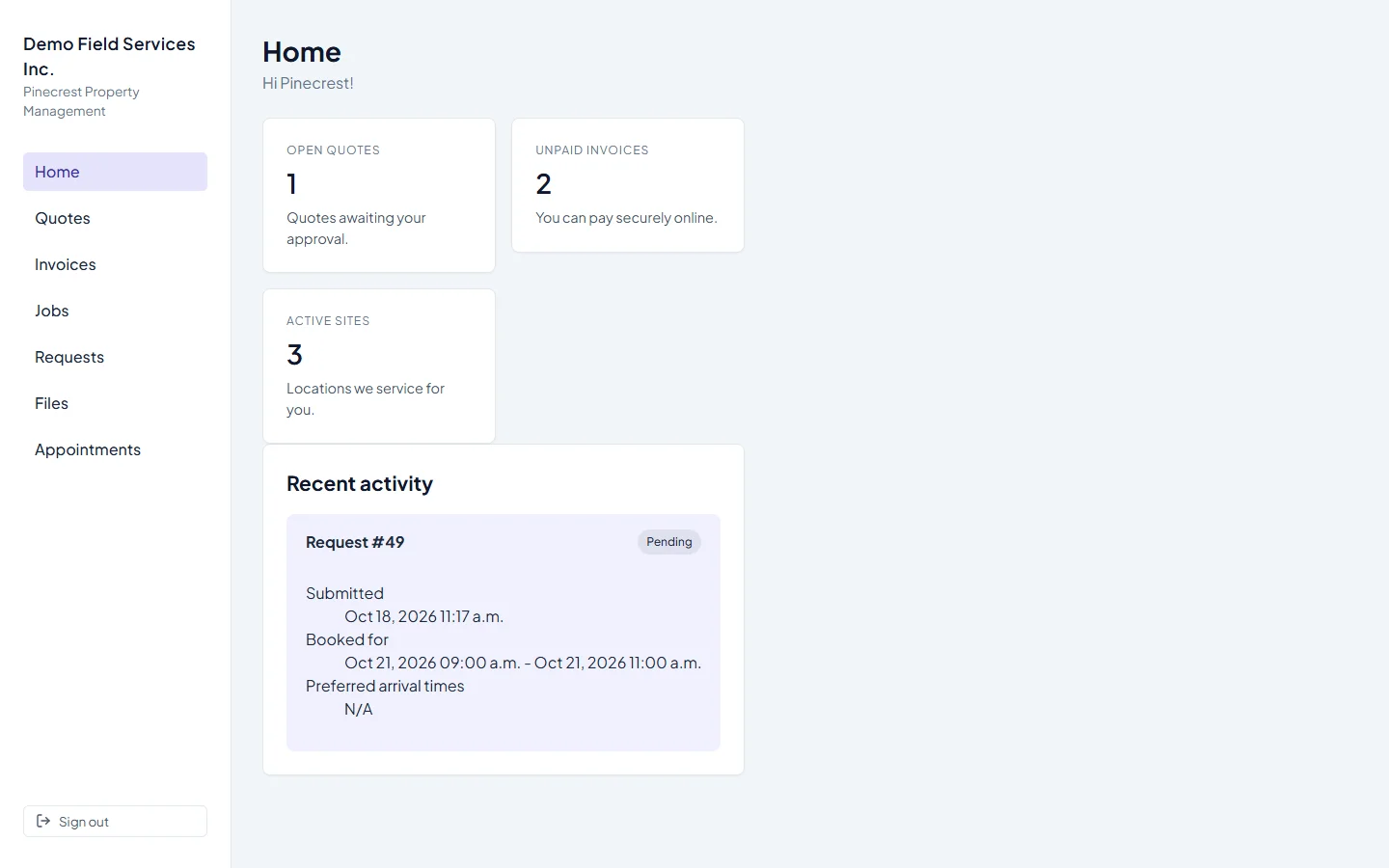
The client clicks the link and lands on their portal Home. From there they can move between all their quotes, invoices, jobs and requests.
How long links last
Section titled “How long links last”- An invite link works once, for 7 days. The email tells the client so. Once used, it can’t be used again; send a new invite if they need to get back in.
- The link in a quote or invoice keeps working for that client. If you haven’t sent them anything for 21 days, the portal first asks them to Verify your identity: they type the email you have on file, or switch to Phone (last 4) and type the last four digits of their phone number. It shows a masked hint of the contacts on file.
- A visit stays signed in until 12 hours pass without the client using it; after that they open the link again.
When a link doesn’t work
Section titled “When a link doesn’t work”- Link inactive: the link is wrong, already used, more than 7 days old, or the person was removed from the account. The message says to ask you for a new invite.
- Portal link expired: the client’s visit has ended. If they’ve used the portal on that device before, an Open request form button lets them send you a request; otherwise they’re asked to contact you.
In either case, send a fresh invite with step 1.
Related articles
Section titled “Related articles”Checked against Astragal on October 17, 2026