

Working with no signal
Keep filling in job forms in basements, rural roads and other places with no signal.
Who can do this: Everyone who fills in job forms on a visit, usually technicians.
Also called: offline mode, no service, dead zone.
Astragal needs a connection for most things: saving changes, seeing new work, sending messages and completing a visit. Job forms are the exception. Their answers are kept on your phone and upload by themselves when the signal comes back.
-
Each day, open Astragal once while you have signal. That saves today’s and tomorrow’s visits, and their job forms, on your phone. Astragal refreshes this copy each time you open the app, come back to it, or open the schedule.
On a computer: Left menu → Schedule On a phone: Bottom bar → Schedule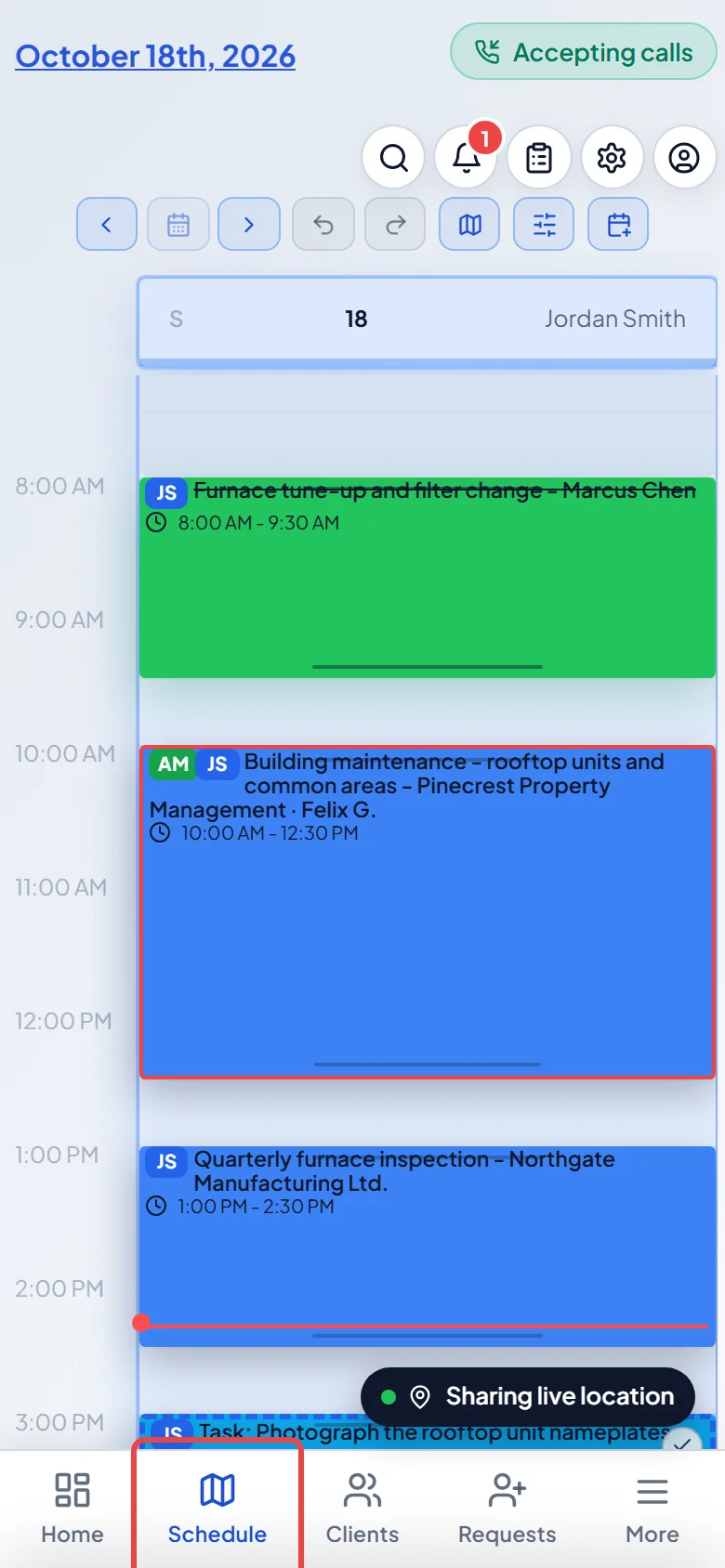
-
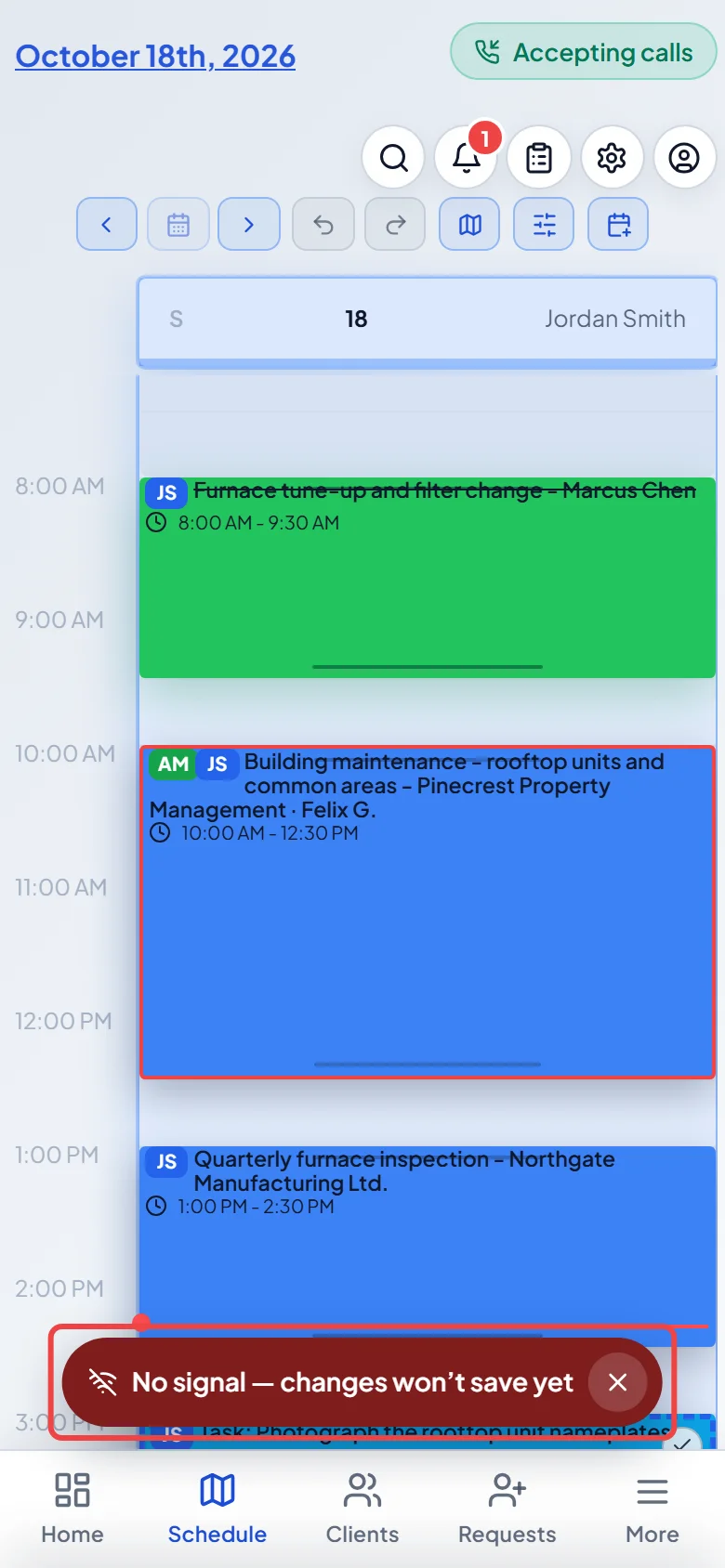
When the signal drops, a bar at the bottom says No signal — changes won’t save yet. Anything other than a job form won’t save until you’re back online. Tap the X to hide the bar. It comes back the next time you lose signal.
-
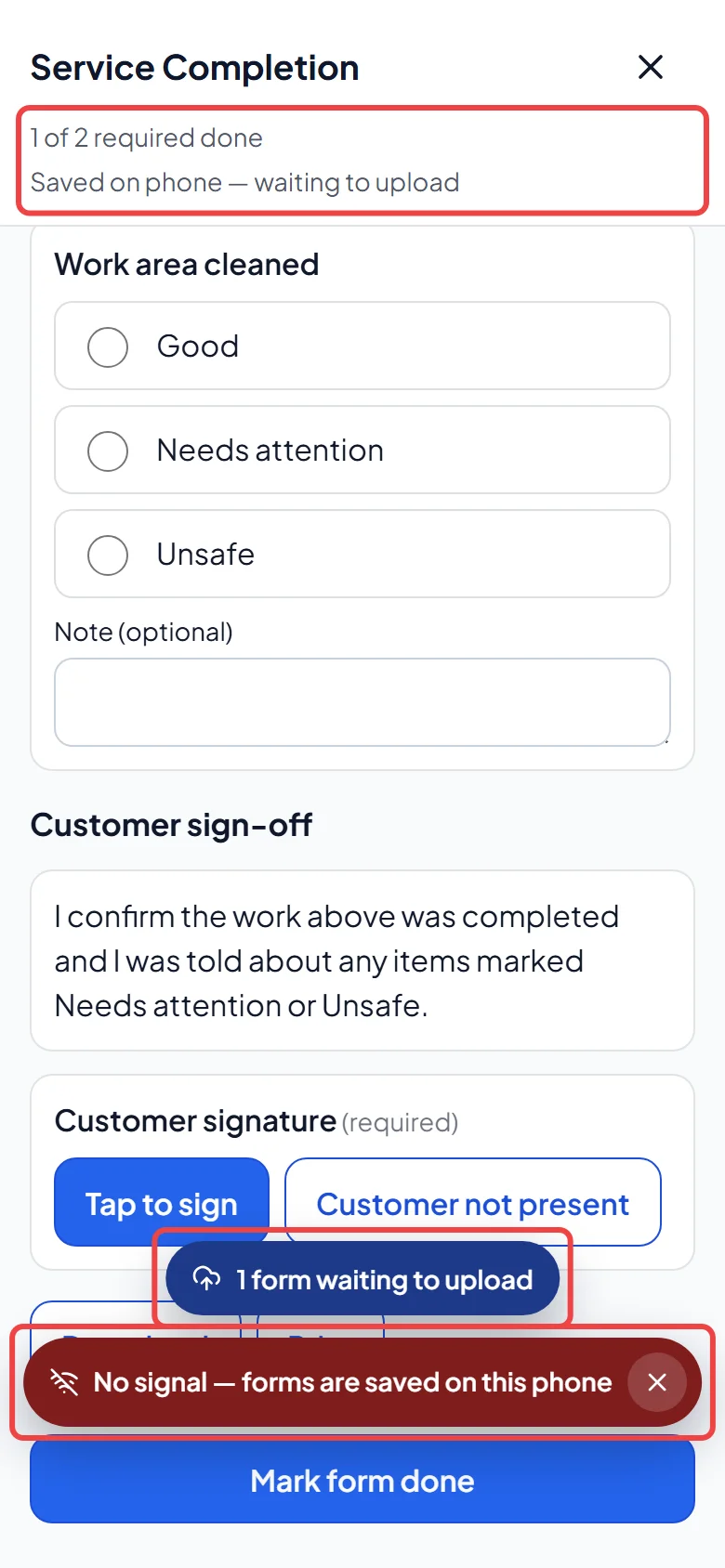
Open the visit and fill in its job forms as usual. While a form is open the bar says No signal — forms are saved on this phone. The form shows Saved on phone — waiting to upload, and a pill at the bottom counts the forms still waiting to upload. They upload by themselves when the signal is back. Tap the pill and Upload now to send them straight away.
Opening the app with no signal
Section titled “Opening the app with no signal”If you open the Android or iPhone app with no signal and visits are saved on your phone, you see Offline — today’s visits instead of the normal app, with today’s and tomorrow’s saved visits. Tap a visit to see its instructions, then tap a form to fill it in. When the signal returns, tap Back online — tap to open the full app.
If no visits are saved on this phone, you see You’re offline — reconnecting (or “Can’t reach Astragal” if the app can’t load at all) until the signal comes back.
Good to know
Section titled “Good to know”- Completing the visit needs signal. With forms still on your phone, Mark complete reads Needs signal — your form is saved on this phone. Complete it later from the schedule, or the office can.
- A visit you open with no signal shows what’s saved on your phone: the client, the address, the instructions and the forms.
- If you sign out with forms still waiting, Astragal asks first. Choose Sign out anyway. They upload when you sign in again. If someone else from your company signs in on that phone, they’re asked whether to upload them. The sign-in page says how many forms are waiting.
- Forms saved while you were signed in to a different company upload once you switch back to it.
- If a form can’t upload at all, the pill says it needs attention. Tap the pill to see why. Discard throws away the answers on this phone.
Related articles
Section titled “Related articles”Checked against Astragal on October 18, 2026