

Closing a request
Archive a request when the client went elsewhere or the work isn’t needed, so it leaves your active list but keeps its history.
Who can do this: Archiving and restoring: admins, dispatchers and accountants, and technicians whose Requests permission is View, edit, and create or higher. Deleting: admins, dispatchers and accountants, and technicians with both View, edit, create, and delete for Requests and Edit and delete everyone’s schedule.
Also called: closing a lost lead, declining a request.
-
On the requests board, open the request’s stage and click Archive on its card. It moves to Archived straight away.
On a computer: Left menu → Requests On a phone: Bottom bar → Requests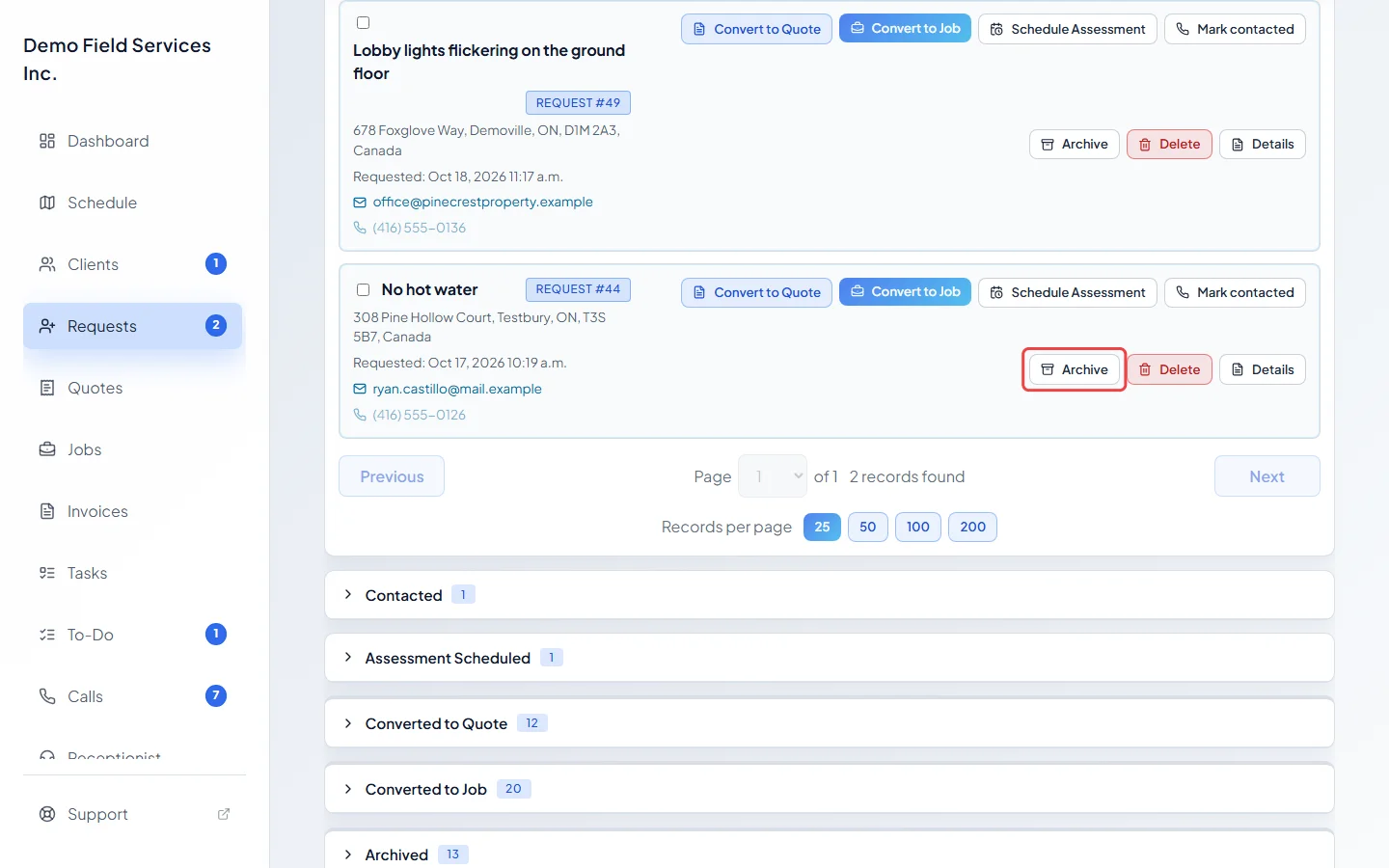
-
Or, on the request’s own page, click the … (More actions) button beside Save, choose Archive, and confirm. (Archive is only in that menu for people who can delete requests. Everyone else uses the card’s button from step 1.) Before you do, add a note under Internal notes saying why. There’s no separate reason box, and an archived request can’t be changed.
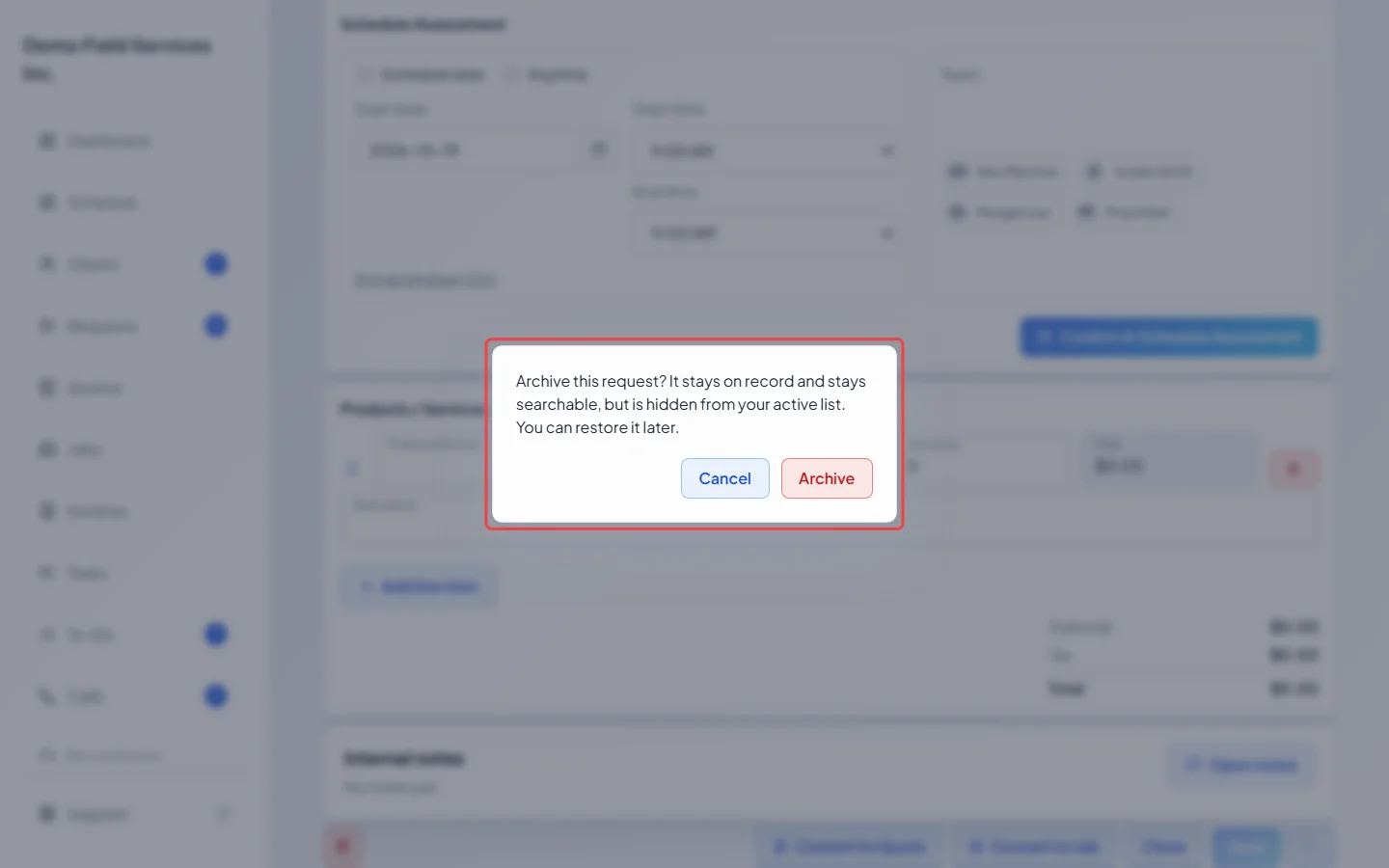
-
To archive several at once, tick them on the board and click Archive selected (it shows how many), then Archive requests to confirm.
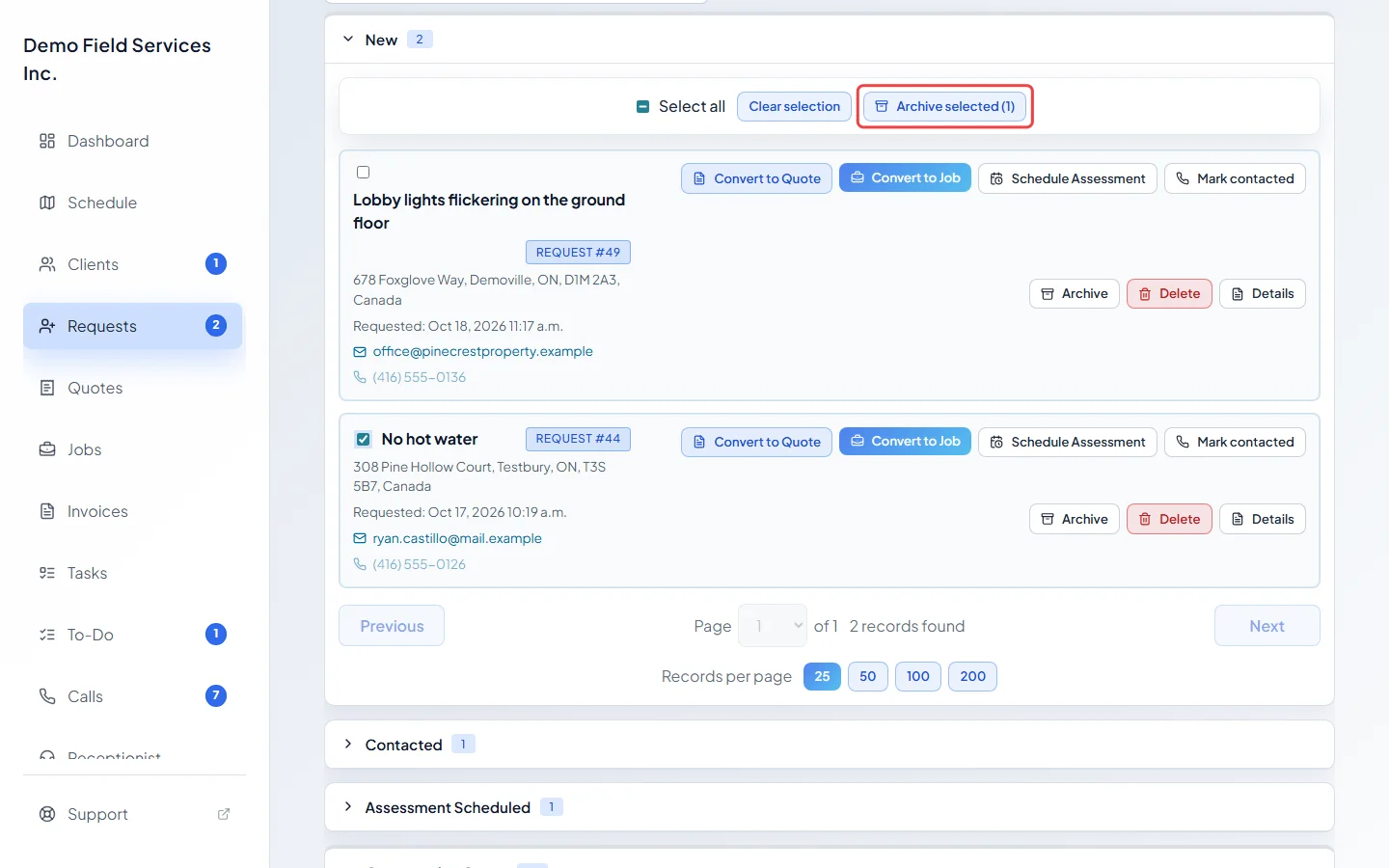
-
To bring a request back, open Archived and click Restore. A request that never became a quote or job goes back to the stage it was in before; requests you typed in go back to All Requests. One that did goes back to Converted to Quote or Converted to Job. If you can delete requests, you can also open it and choose Restore from the … menu.
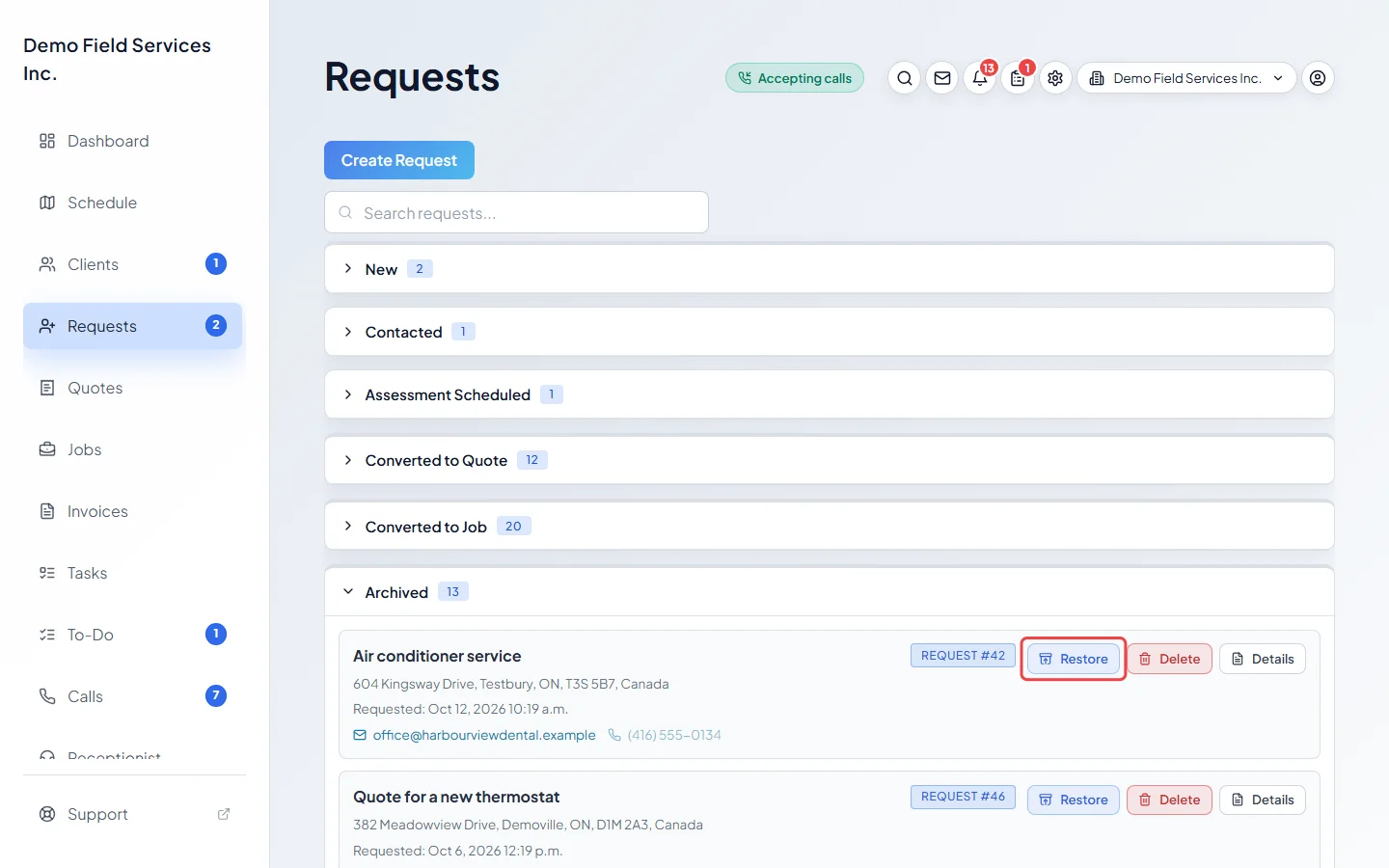
-
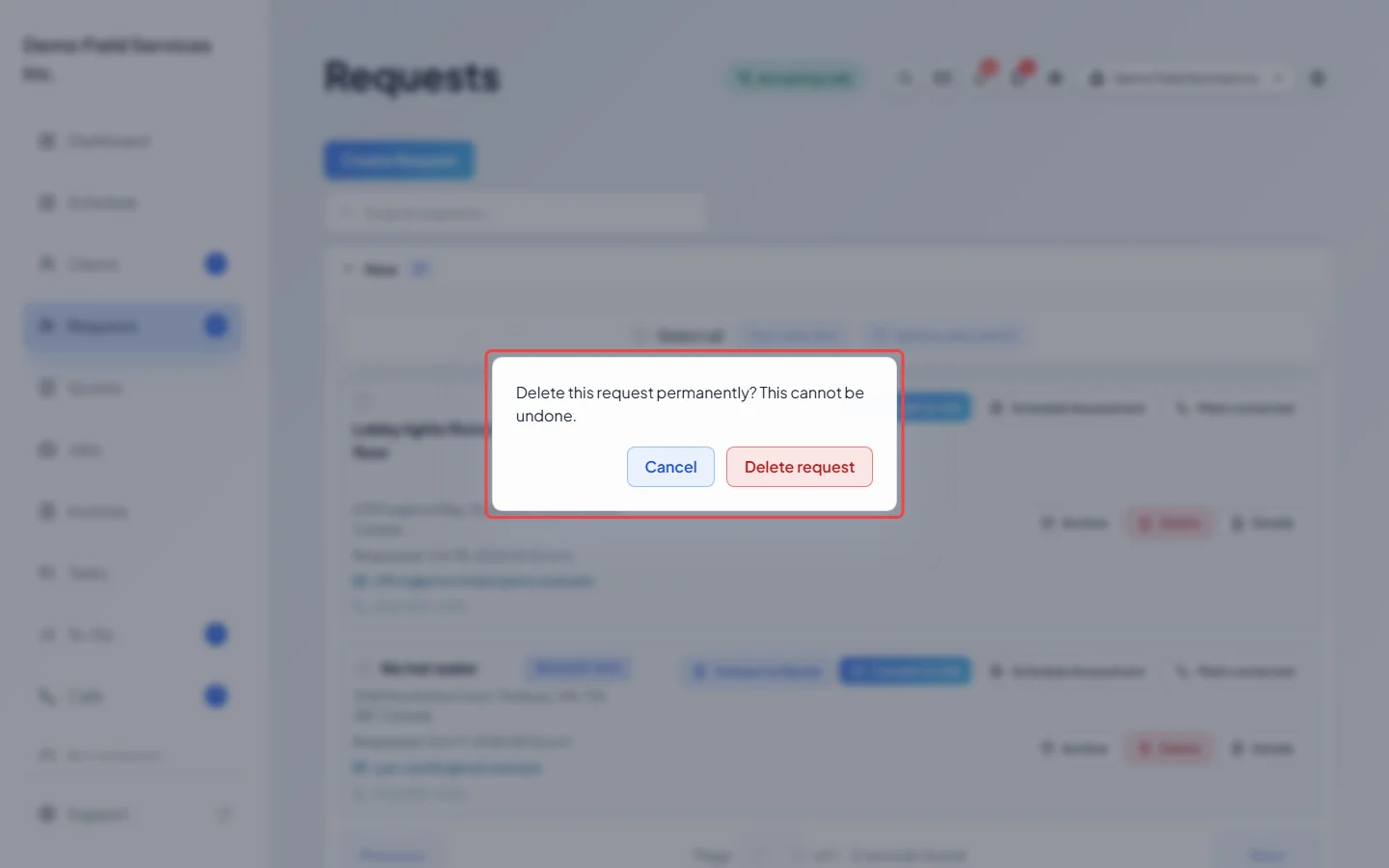
To remove a request made by mistake, click Delete on its card and confirm with Delete request. This can’t be undone. Requests that became a quote or job have no Delete, only Archive, so the quote or job keeps its link back.
Good to know
Section titled “Good to know”- Archived requests stay searchable on the board and keep their history. Opening one shows This request is archived. and it’s read-only until you restore it.
- If a technician was on the way and sharing their drive, archiving stops the sharing and the client’s tracking page says the visit is cancelled.
- If the client booked an estimate visit online and holds a confirmation, Astragal warns you before you archive or delete it. Click Archive anyway or Delete anyway to go ahead, then call or message them, because they aren’t told.
- When a client cancels their online estimate visit from their link, the request is archived and shows Cancelled by customer. Restoring it brings it back with no time. Use Schedule Assessment to set a new one and let them know. See Booking an assessment visit.
- Deleting a request with a booked assessment says so in the confirmation, so a booked visit isn’t thrown away by accident.
Related articles
Section titled “Related articles”Checked against Astragal on October 18, 2026