

Recurring invoices
Repeat work is billed from its recurring job, so every invoice matches the visits that were actually done.
Who can do this: Setting up billing needs permission to edit jobs. Making the invoices needs an invoices permission of View, edit, and create or View, edit, create, and delete (admins, dispatchers and accountants have both).
Also called: repeat billing, contract billing.
-
When you create the recurring job, choose a Billing type and an Invoice frequency in the job type section. They can’t be changed after the job is saved.
On a computer: Left menu → Jobs On a phone: More → Jobs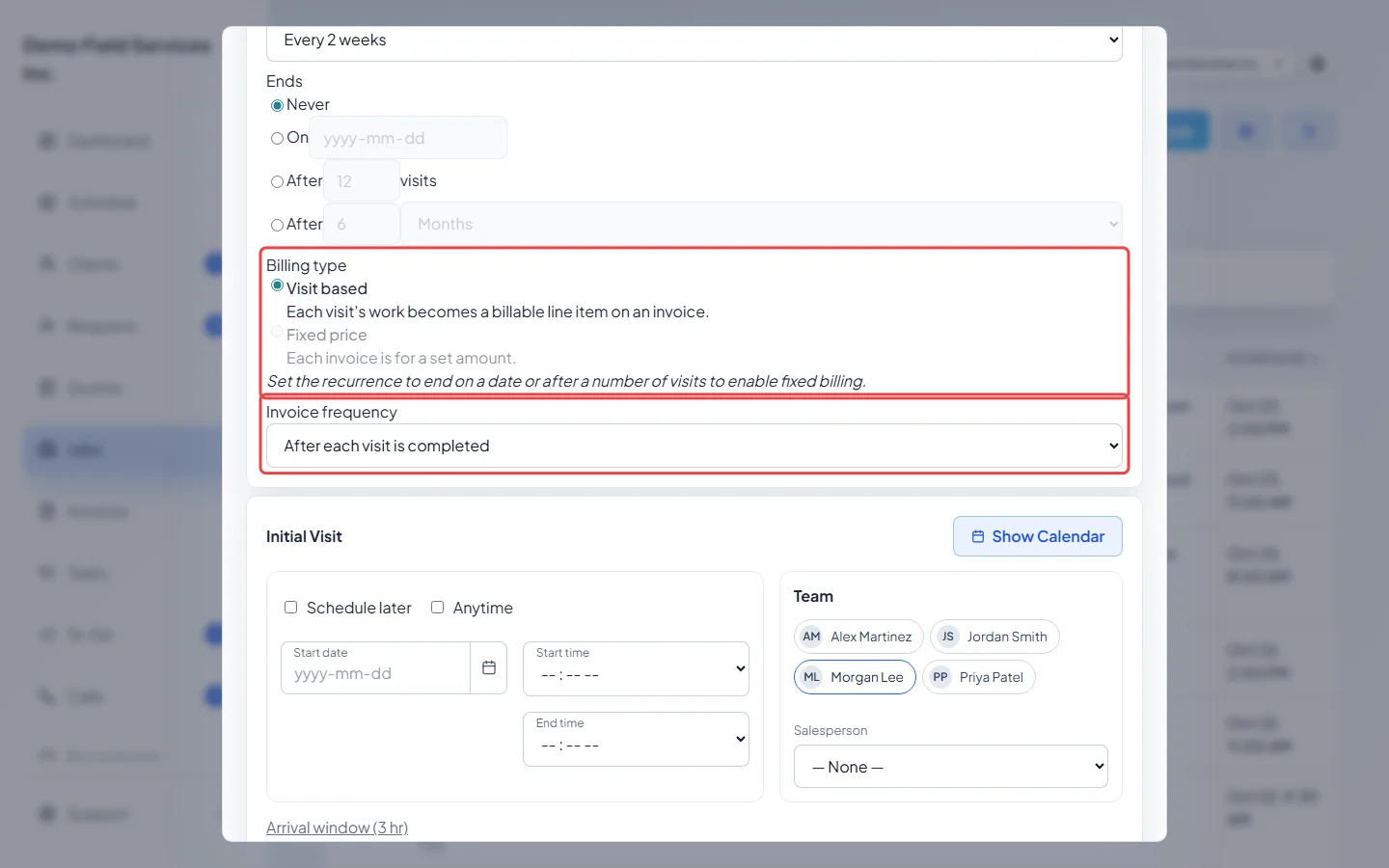
-
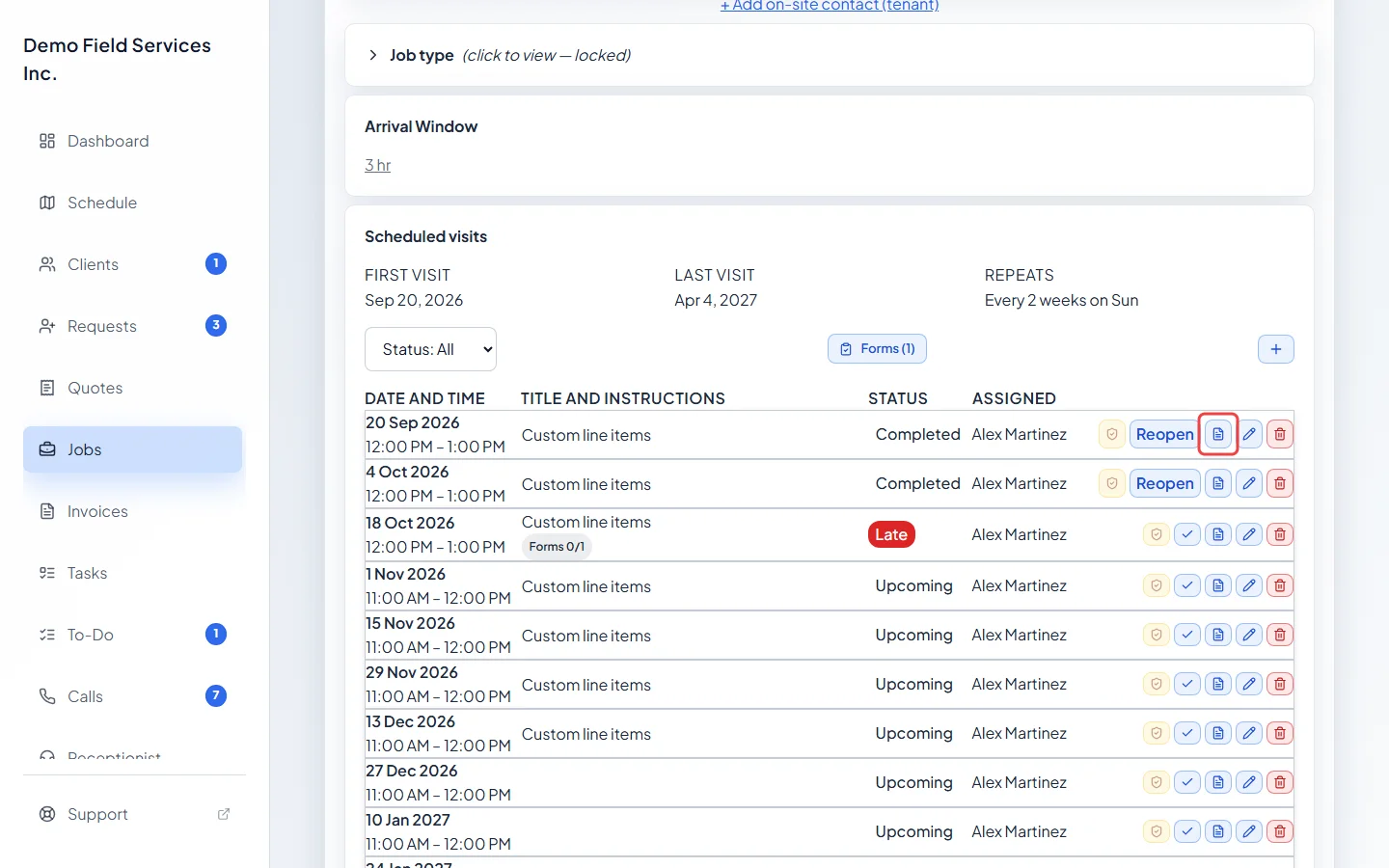
To invoice one visit yourself, open the job and find the visit in its visits list. On a visit-based job, each visit has a small page button (its tooltip says “Create invoice for this visit”): click it to make that visit’s invoice. Once the visit has one, the same button opens it.
-
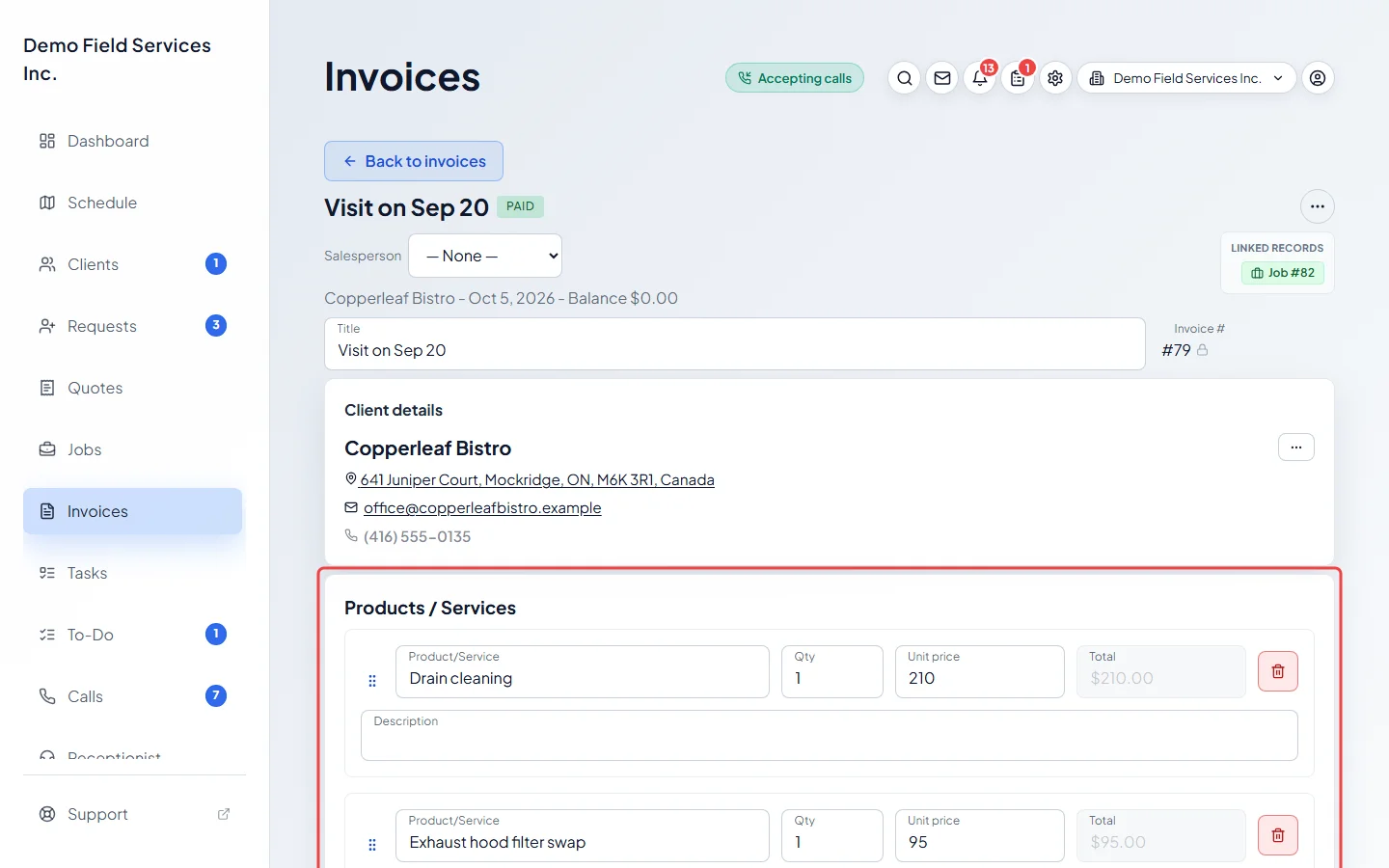
The invoice opens with that visit’s own line items. Check it and send it as usual.
Billing type
Section titled “Billing type”- Visit based: each visit’s work becomes the lines on an invoice. Every visit keeps its own line items, so changing the price on future visits doesn’t touch invoices already made.
- Fixed price: each invoice is for a set amount. This needs the job to end on a date or after a number of visits; a job that repeats forever can only be visit based.
Invoice frequency
Section titled “Invoice frequency”- After each visit is completed: when someone marks a visit complete, a Visit complete window asks whether to invoice it now. Click Invoice now to make and open the invoice, or Not now to do it later. Not available with Fixed price.
- Monthly on the last day of the month: Astragal makes the invoice for you overnight on the last day of each month. A visit-based job gets one invoice for every finished visit that hasn’t been invoiced yet; a fixed-price job gets an invoice for its set amount.
- Custom schedule…: the same, but Every so many days, weeks or months.
- Once when job is closed: when the job is closed, the Complete job window offers Close job & invoice now. On a visit-based job this makes one invoice for every visit that hasn’t been invoiced yet.
- As needed – no reminders: nothing is made for you. Invoice the visits, or the job, when the time comes.
Invoices Astragal makes by itself are saved as drafts. Nothing goes to the client until you send it. Automatic monthly and custom-schedule invoices are part of plans that include recurring invoices.
Good to know
Section titled “Good to know”- Each visit can only be invoiced once. Cancelled visits and warranty visits can’t be invoiced.
- With Once when job is closed or As needed – no reminders, a fixed-price recurring job is invoiced from the job itself with Generate invoice. See Invoice from a completed job.
- The invoice button shows on visits that haven’t happened yet too. Only use it once the visit is done.
- Overdue reminders work the same for these invoices as for any other. See Automatic invoice reminders.
Related articles
Section titled “Related articles”Checked against Astragal on October 17, 2026