

Turning a request into a quote or job
When you know what the client needs, turn the request into a quote to price it, or into a job if you’re ready to book the work.
Who can do this: Anyone who can open requests and can also create quotes (to make a quote) or jobs (to make a job). Admins, dispatchers and accountants can do both.
Also called: converting a lead.
-
On the requests board, open New, Contacted or Assessment Scheduled and find the request. Its card has Convert to Quote and Convert to Job.
On a computer: Left menu → Requests On a phone: Bottom bar → Requests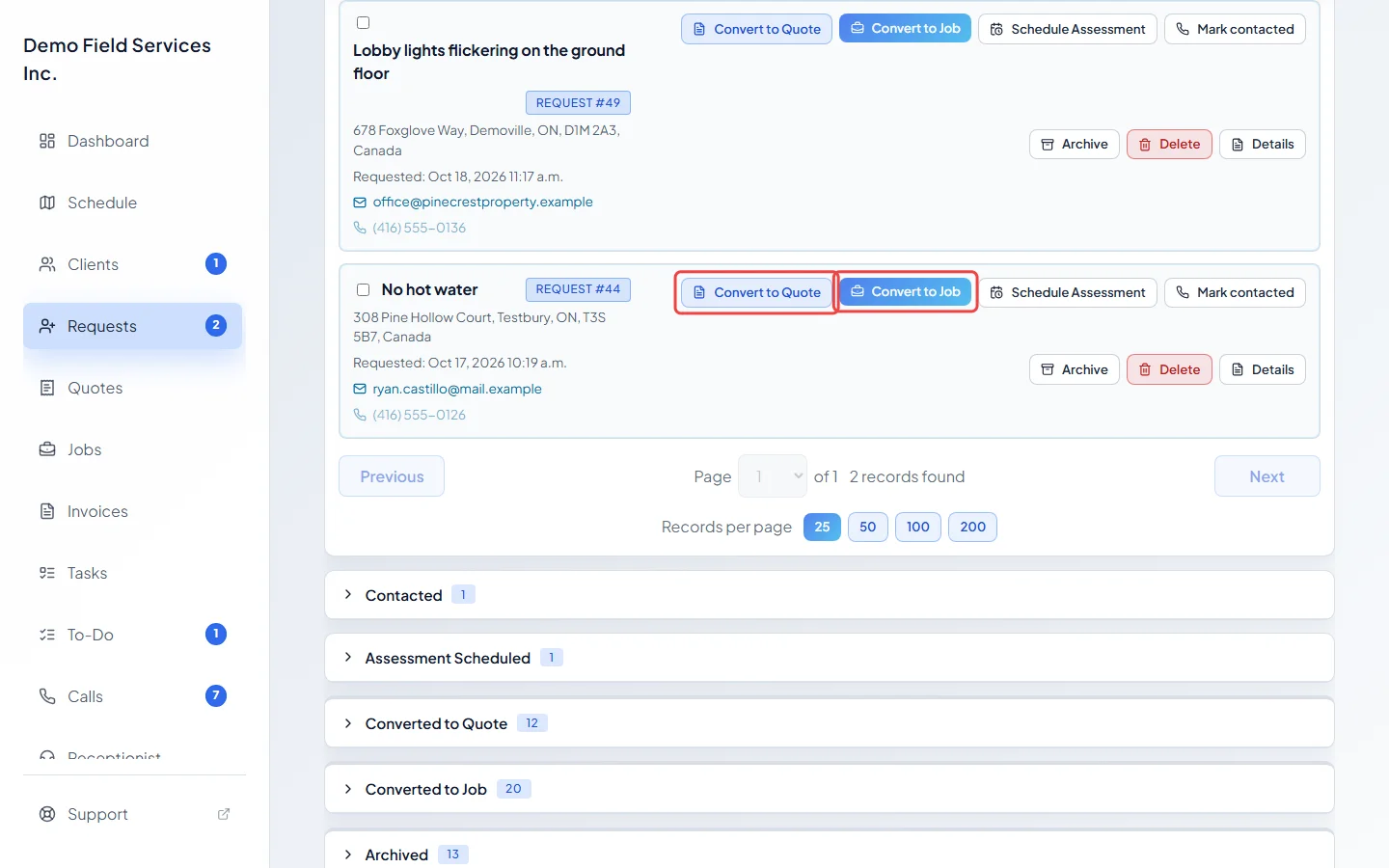
-
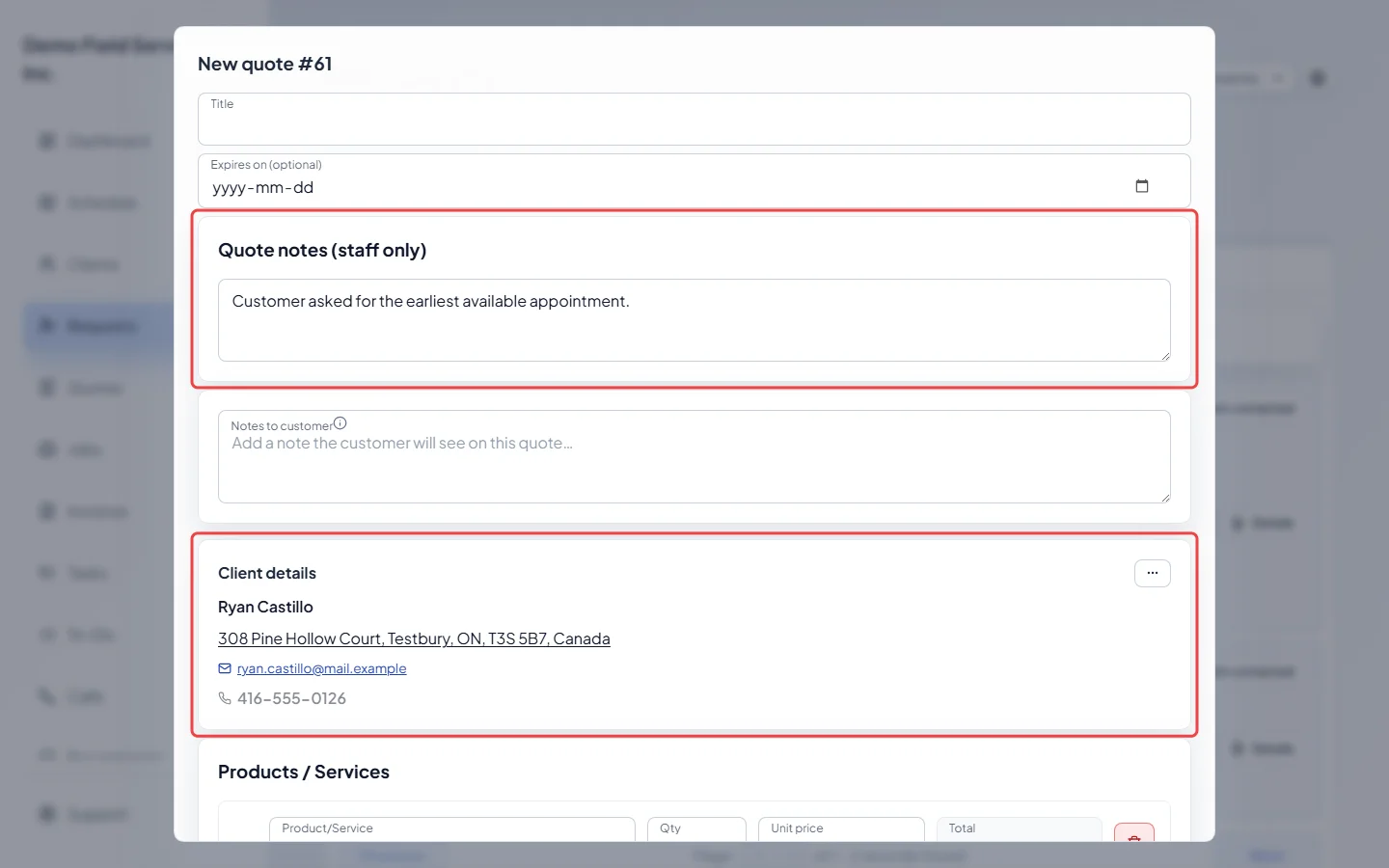
To price the work, click Convert to Quote. The New quote form opens with the client locked in, and the request’s property, notes and Products / Services lines filled in. Add or change anything, then click Create quote. The quote opens.
-
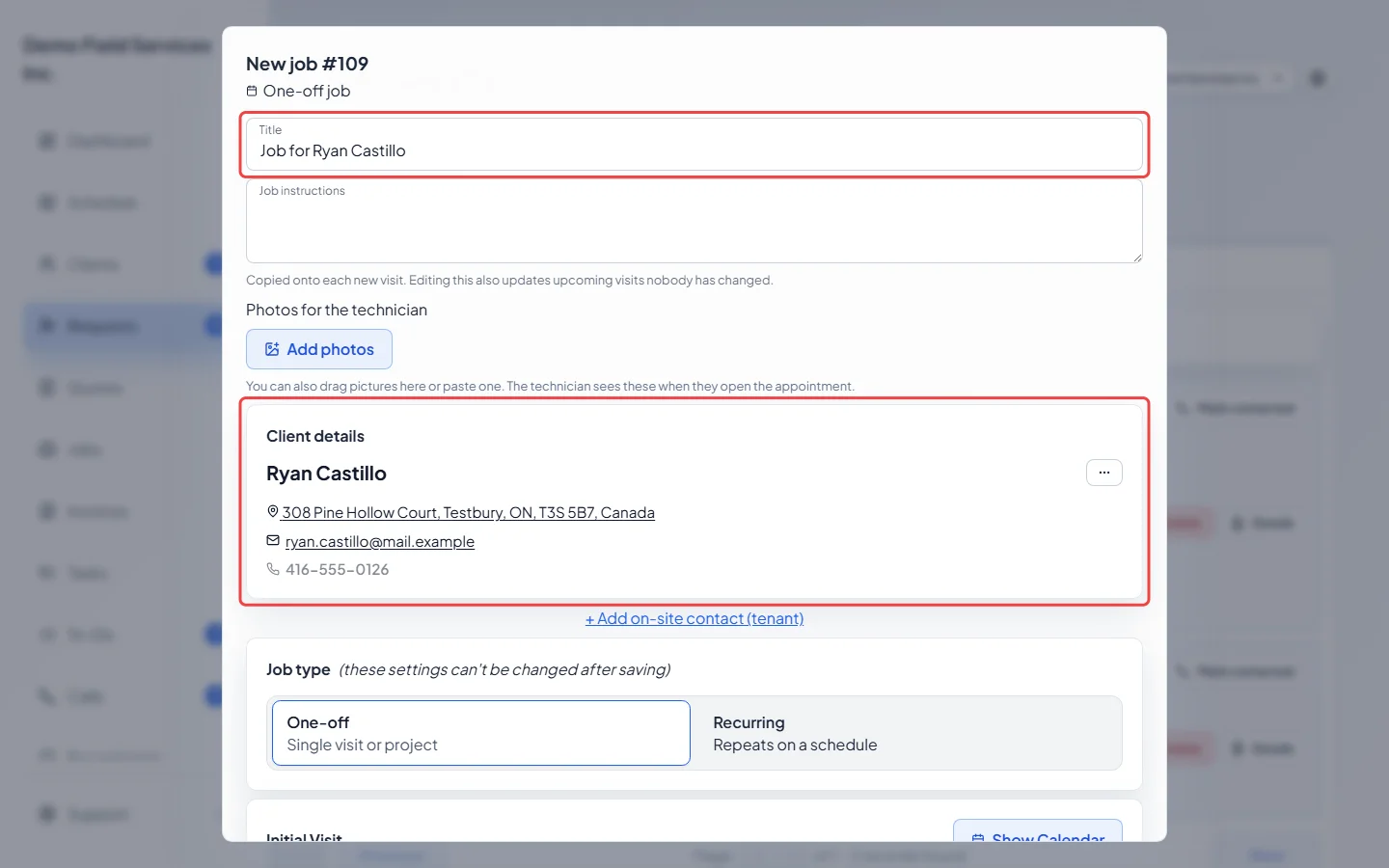
To book the work straight away, click Convert to Job. The New job form opens with the client, property, team and items from the request, and the title “Job for” the client. A request that came through online booking also brings the client’s description and answers as the visit instructions, at the length they booked. If the request had a time, the job starts then; change it if needed, then click Create job.
-
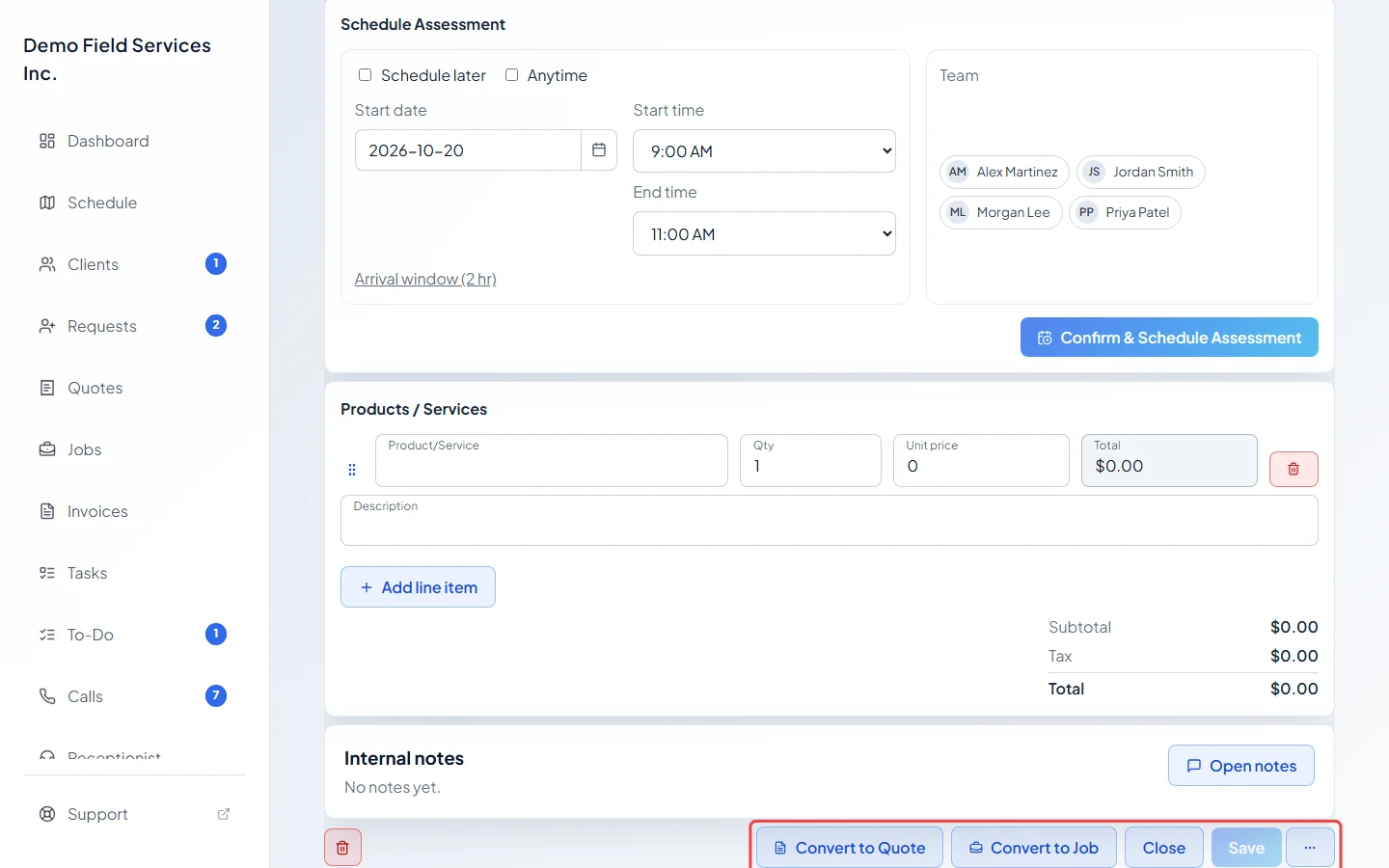
You can also convert from the request’s own page: Convert to Quote and Convert to Job are at the bottom, next to Close. Save any changes first; the buttons won’t convert while something is unsaved.
-
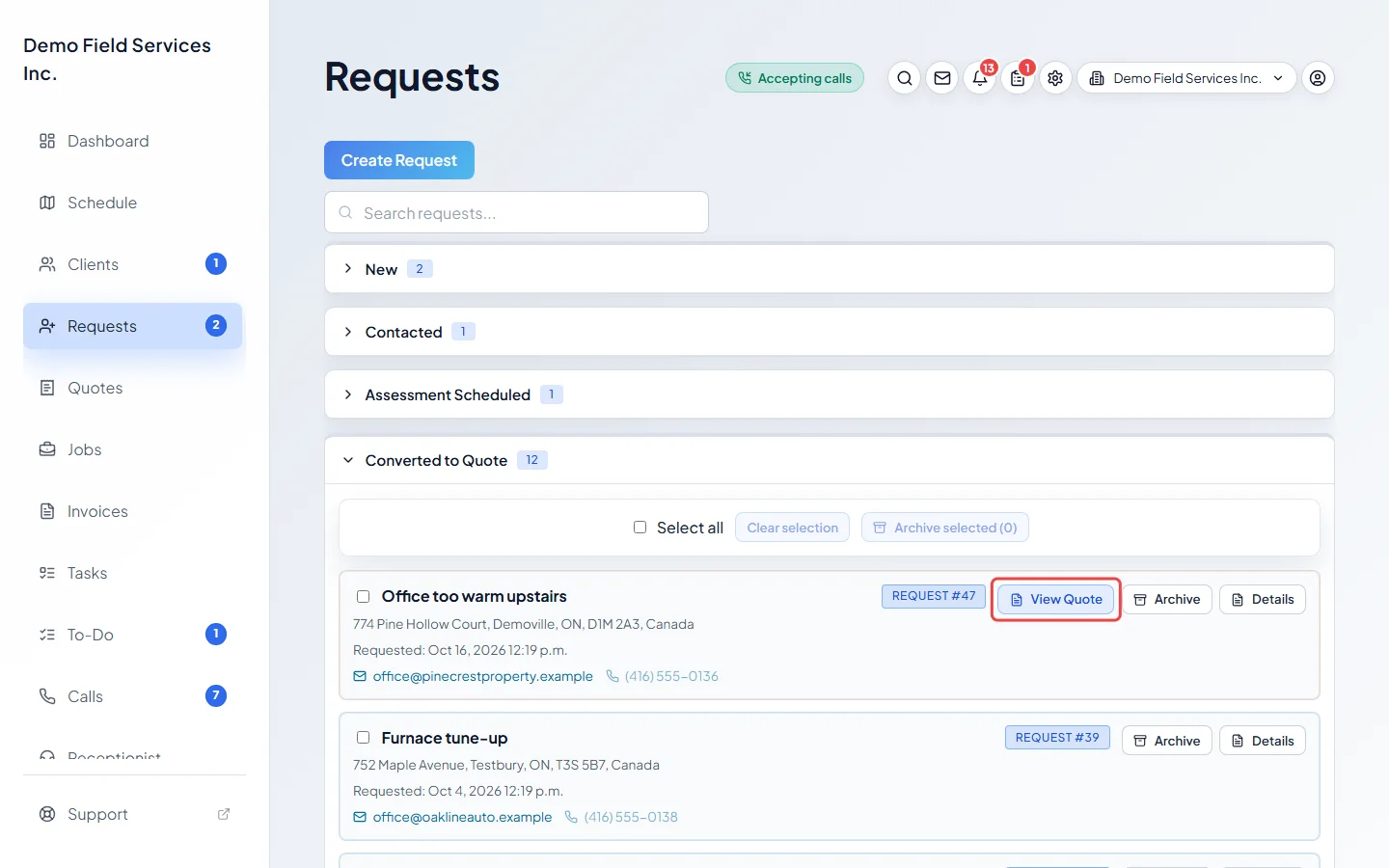
The request moves to Converted to Quote or Converted to Job on the board. Click View Quote on a Converted to Quote card to open the quote. For a job, click Details and use Linked records. On the request page, Linked records links to the quote or job.
Good to know
Section titled “Good to know”- Files on the request move onto the quote or job. Photos for the technician move onto the job, either straight away or when the quote becomes a job.
- The arrival window the client was promised carries over to the job when it’s one of the job’s own window lengths. Otherwise, or if the client said any time works, the job uses your company’s usual window.
- If the request had a past time for an estimate visit, the job starts with no time, because that visit was to price the work, not to do it.
- For a request that came through online booking, the job form’s main button is Create job & email confirmation (or text), with plain Create job beside it.
- Save and create another in the job form’s … menu keeps the form open for a second job.
- A request can be converted once. After that it can’t be deleted, only archived, so the quote or job keeps its link back to it. Archived requests can’t be converted until you restore them.
Related articles
Section titled “Related articles”Next step: Sending a quote to a client
Checked against Astragal on October 18, 2026