

Writing a quote from a job
Turn a service call where you found more work into a written quote, linked back to the job it came from.
Who can do this: Admins, dispatchers and accountants, and technicians set to View, edit, and create quotes or higher. Closing the job as “Quote written” also needs permission to edit jobs.
Also called: quote given, replacement quote.
-
Open the job. Click the ••• button at the bottom of the job and choose Mark job complete. All the job’s visits must be done and your changes saved first. Recurring jobs billed per visit don’t have this option. The Complete job box also opens by itself when the last visit is marked done.
On a computer: Left menu → Jobs → open a job On a phone: More → Jobs → open a job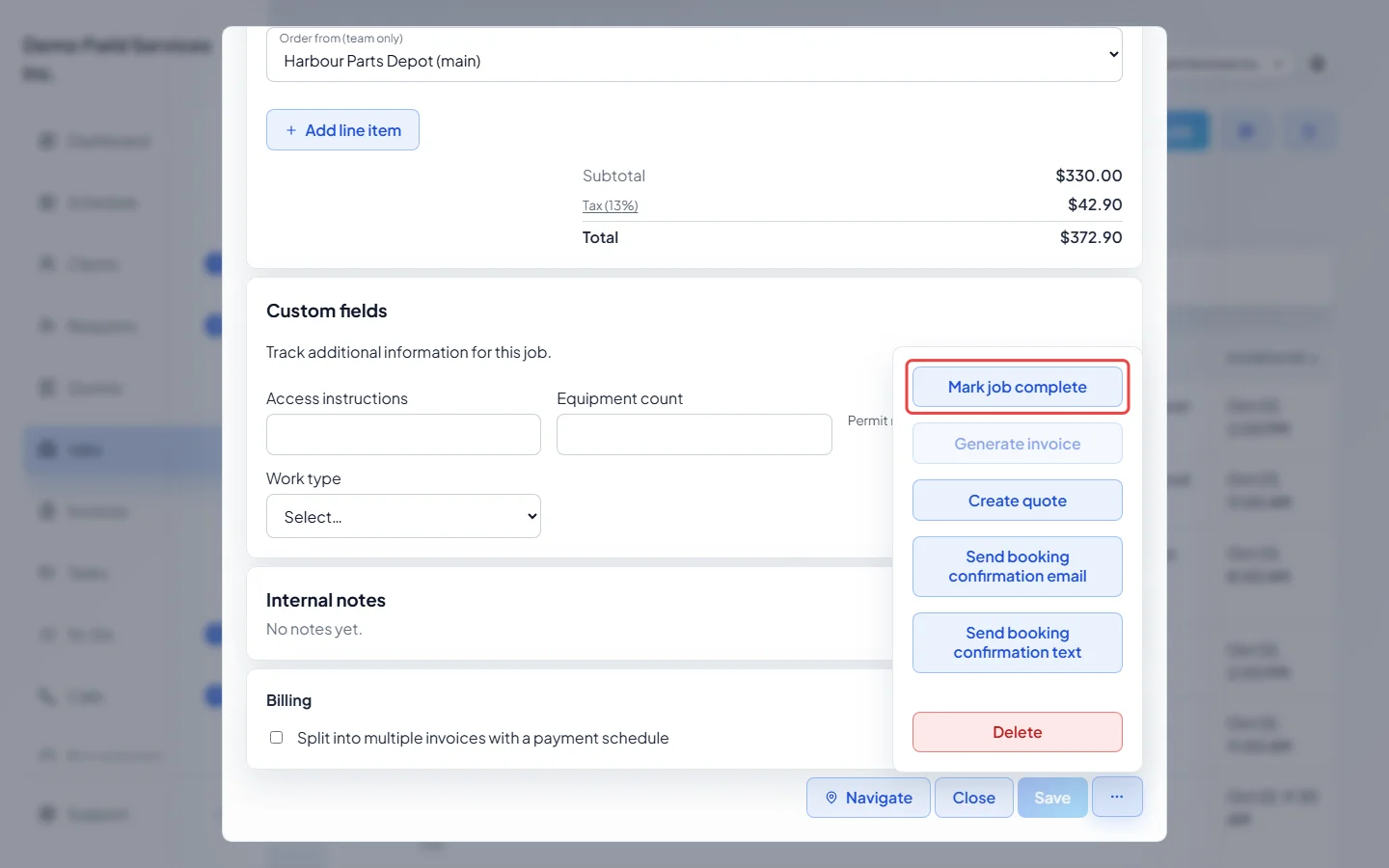
-
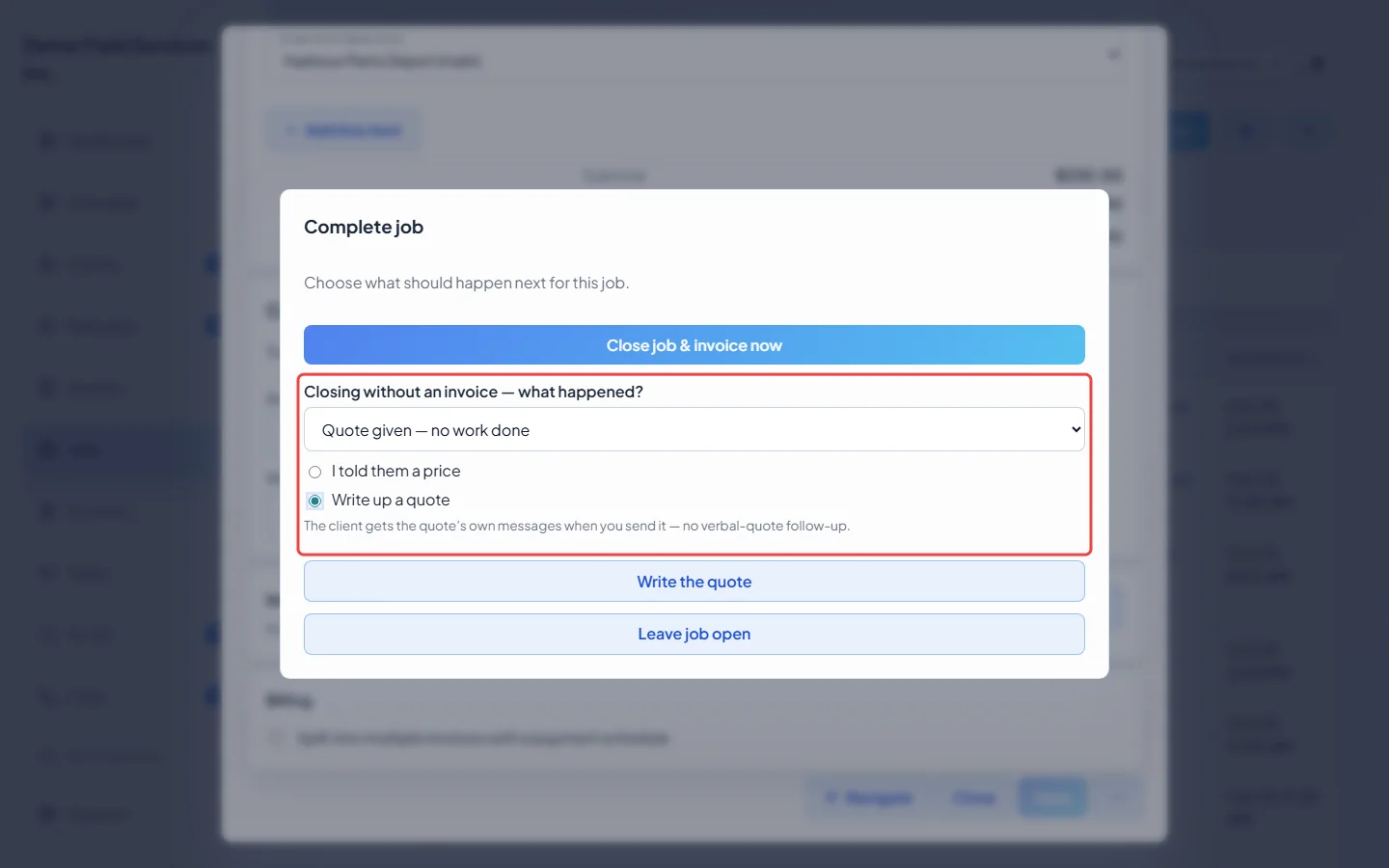
Under Closing without an invoice — what happened?, choose Quote given — no work done, then pick Write up a quote. If you can’t create quotes, Write up a quote is greyed out.
-
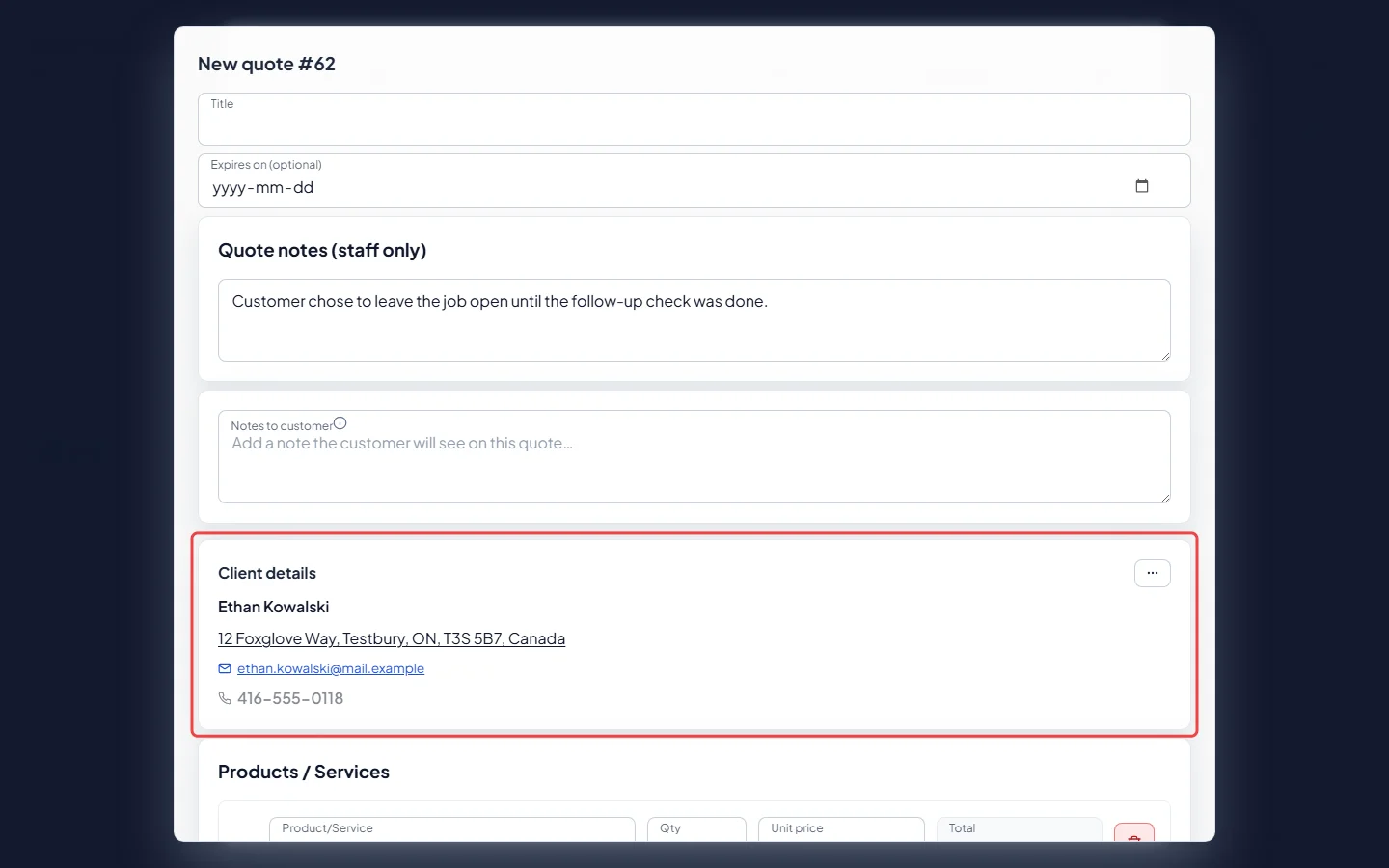
Click Write the quote. A New quote form opens with the job’s client, property, contact person and job notes filled in. The client can’t be changed, and the lines start empty.
-
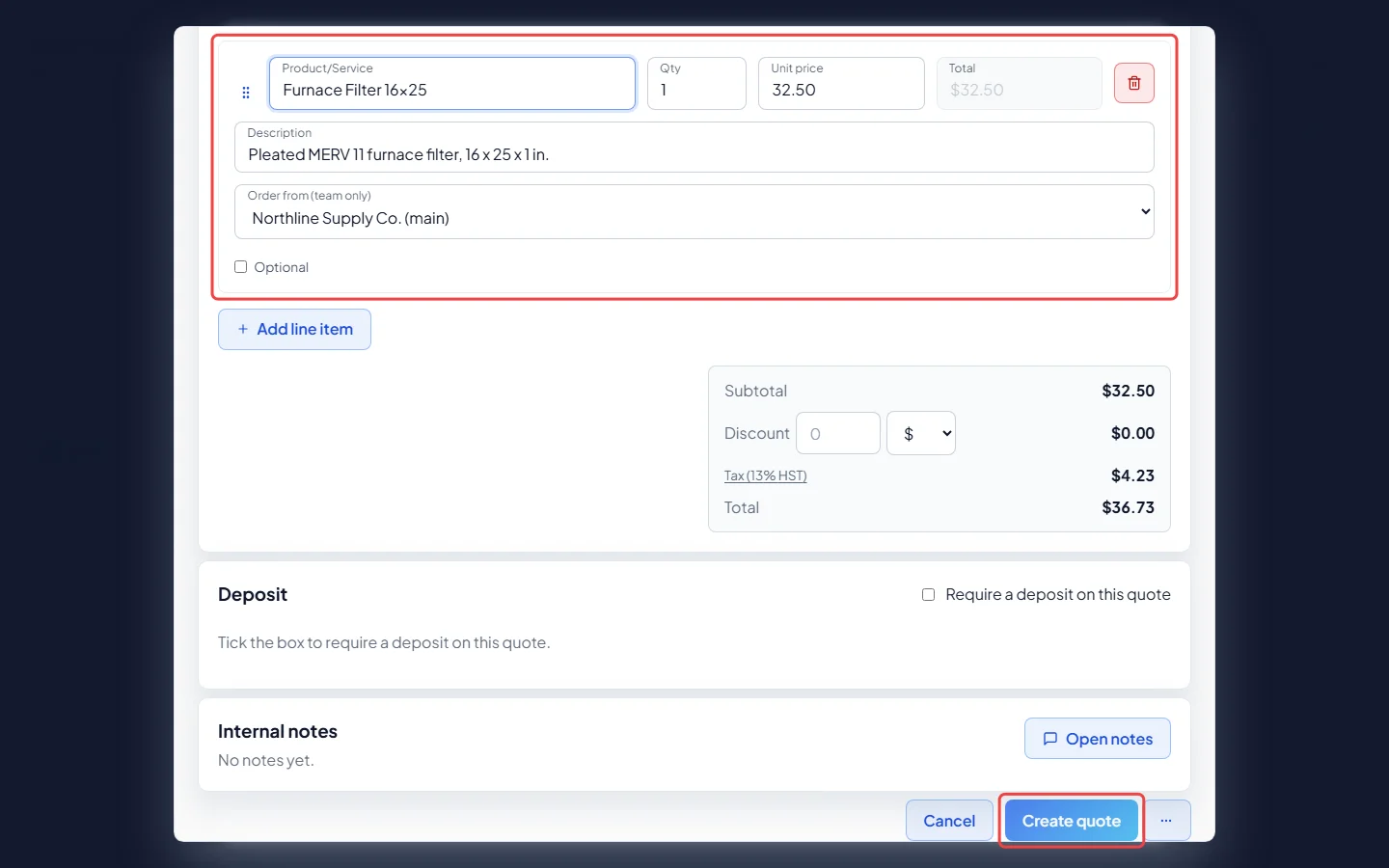
Add the line items for the new work and click Create quote. Astragal saves the quote and closes the job as “Quote written”. If closing the job fails, the quote is still saved: click Close job to try again.
Writing a quote without closing the job
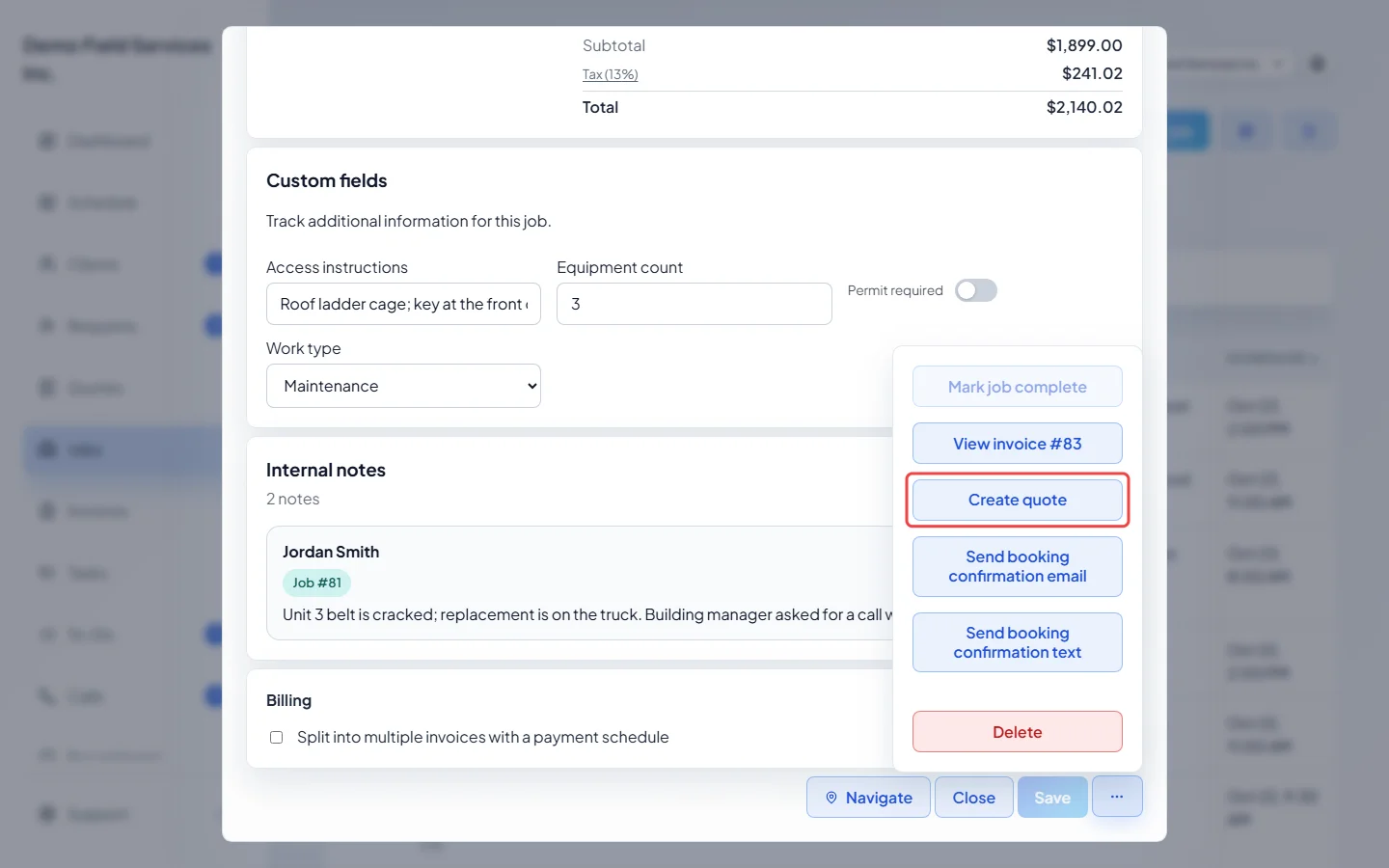
Section titled “Writing a quote without closing the job”Open the job, click the ••• button at the bottom and choose Create quote. The same form opens, already filled in from the job, but the job stays open. After saving, the new quote opens.
Good to know
Section titled “Good to know”- The quote shows a “From Job #…” link under Back to quotes that opens the job, and the job’s history notes “Quote written from job”.
- The client gets no “verbal quote” follow-up for a job closed this way. They get the quote’s own messages when you send it. See Following up on outstanding quotes.
- Choose I told them a price instead if you only gave a price out loud. Astragal can then send the client that price, if that follow-up is switched on. See Booking and job follow-ups.
- Technicians closing a visit on their phone see the same choices when it’s the job’s last visit.
Related articles
Section titled “Related articles”Next step: Sending a quote to a client
Checked against Astragal on October 17, 2026