

Recurring jobs
A recurring job repeats on a schedule, such as a cleaning every two weeks or a yearly service, and books its visits for you.
Who can do this: Admins, dispatchers and accountants, and technicians whose Jobs permission is View, edit, and create or View, edit, create, and delete.
Also called: maintenance contract, service agreement.
Setting up a recurring job
Section titled “Setting up a recurring job”-
Click New job, fill in the title and client as for a one-off job, then under Job type click Recurring. These settings can’t be changed after saving.
On a computer: Left menu → Jobs On a phone: More → Jobs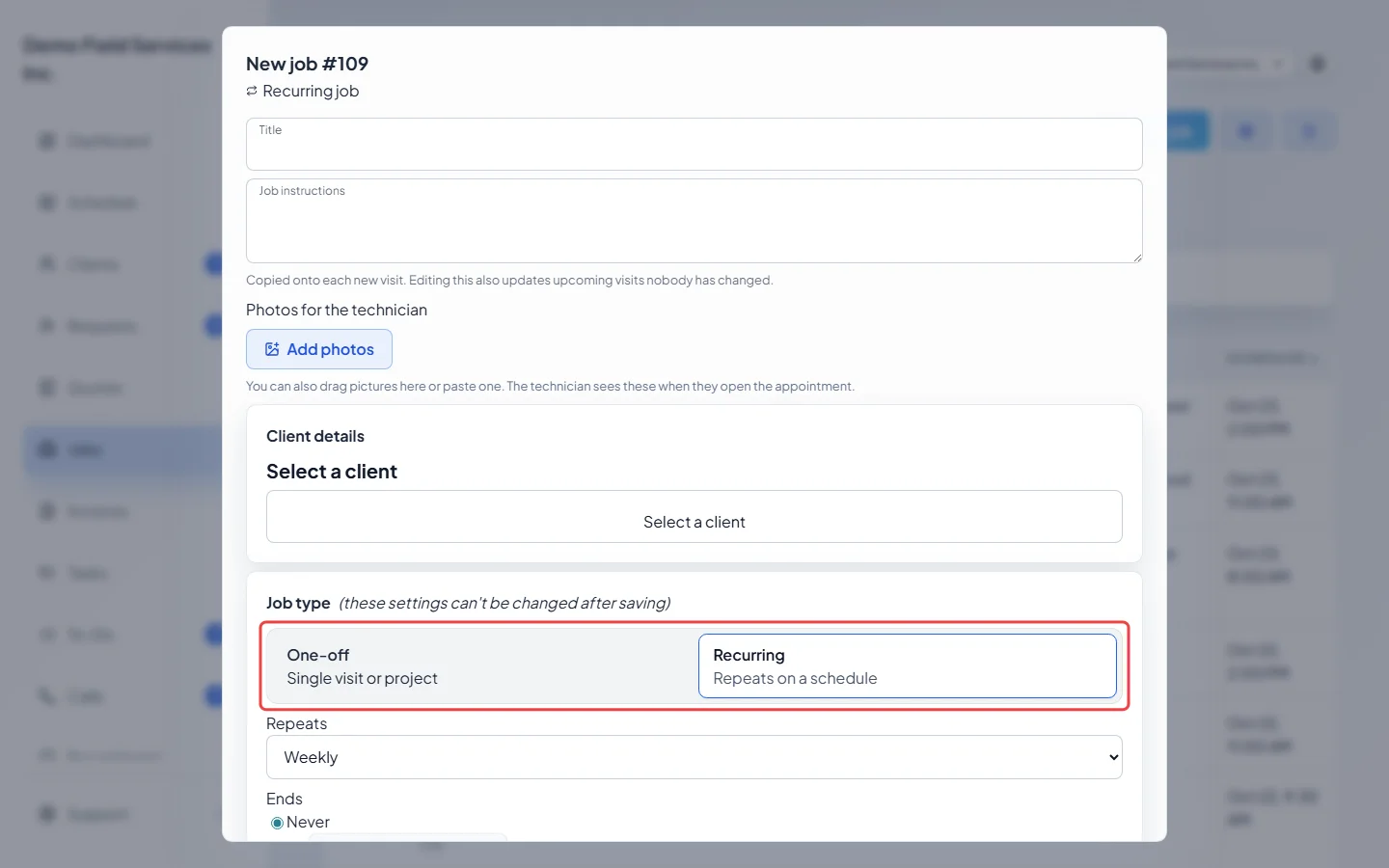
-
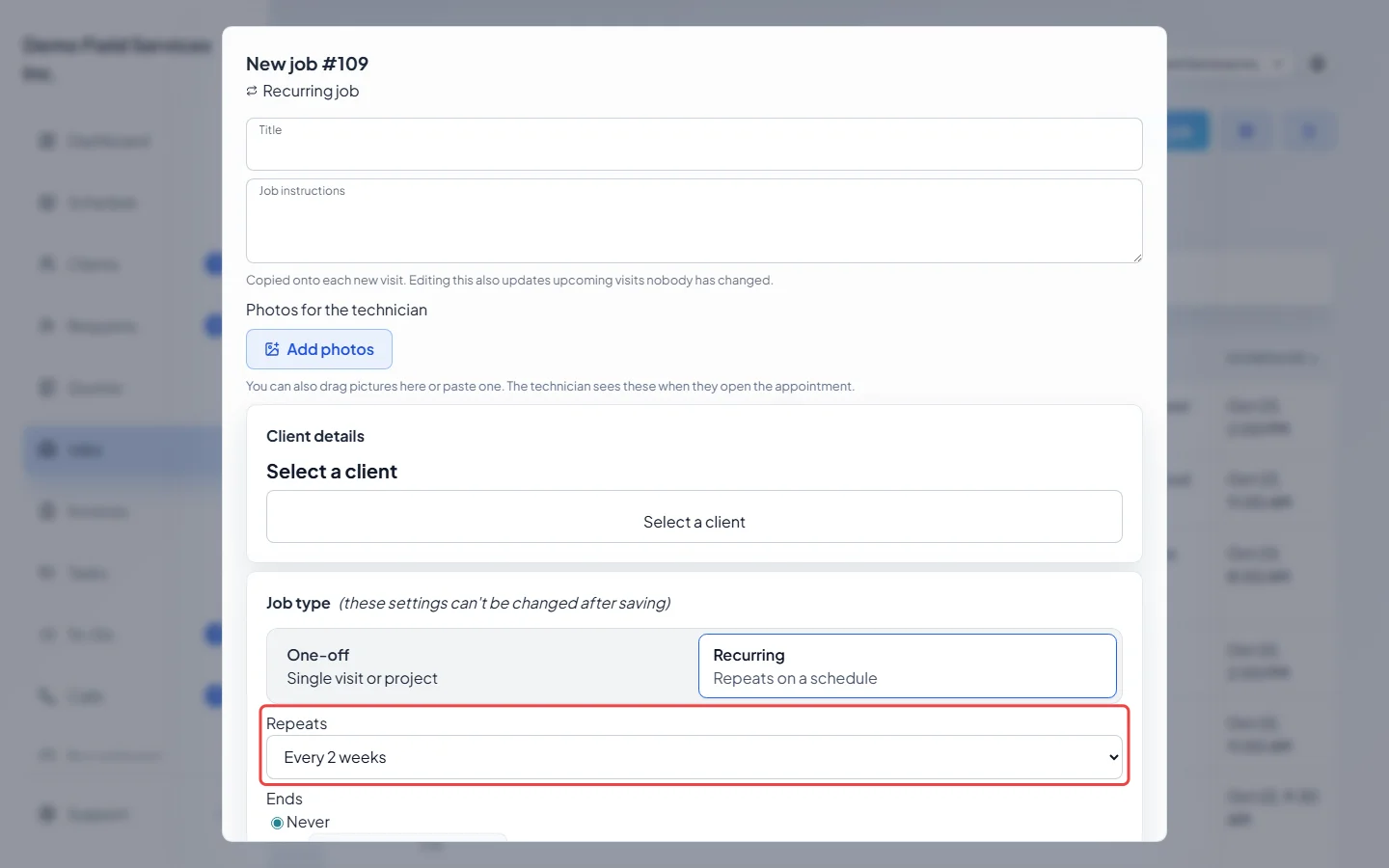
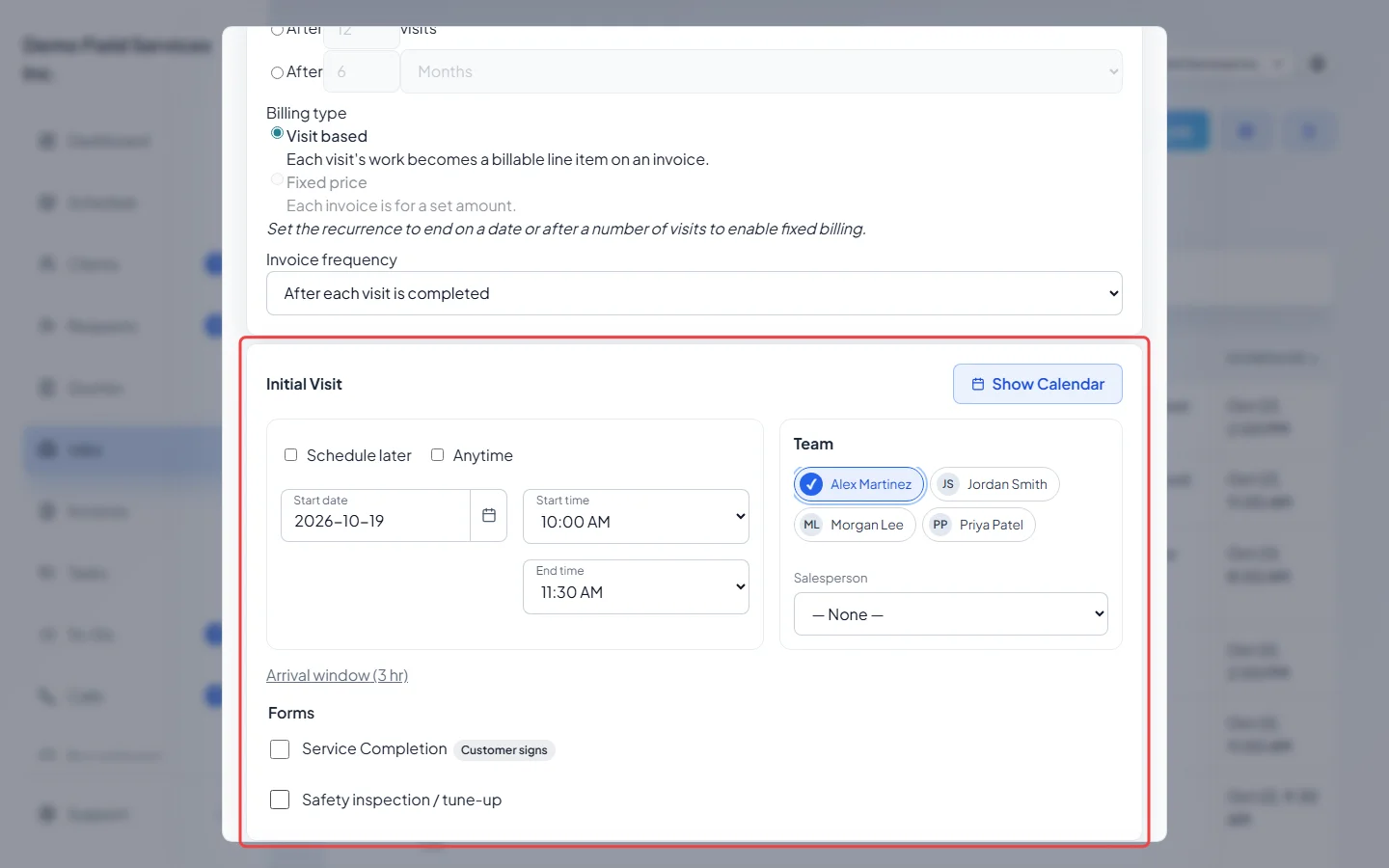
Pick how often it Repeats: Daily, Weekly, every 2 or 4 weeks, Monthly, every 2, 3 or 6 months, Yearly, or Custom… to set your own number of days, weeks, months or years. Once you pick a start date, the choices name the day, such as “Weekly on Tuesdays”.
-
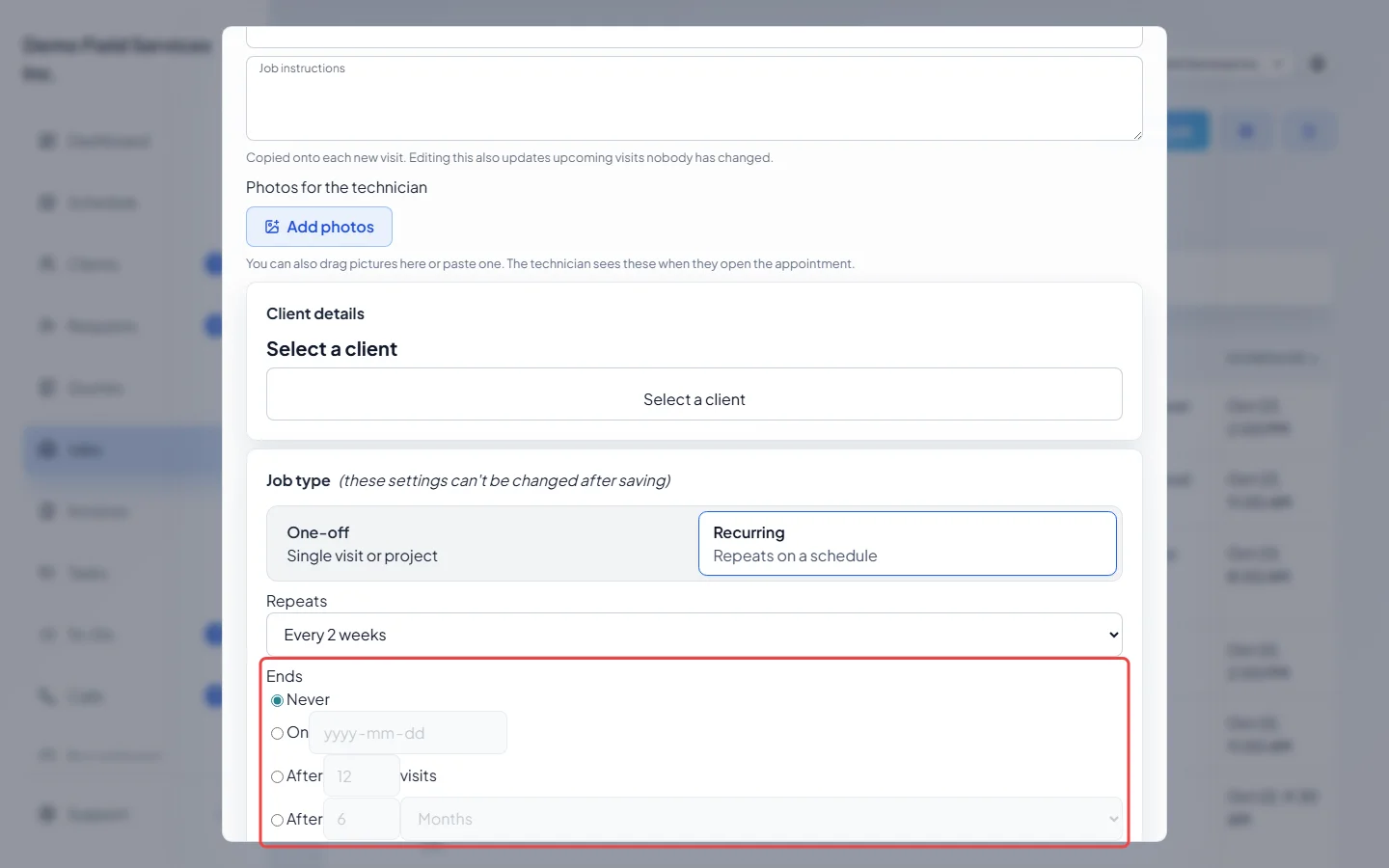
Choose when it Ends: Never, On a date, After a number of visits, or After a length of time.
-
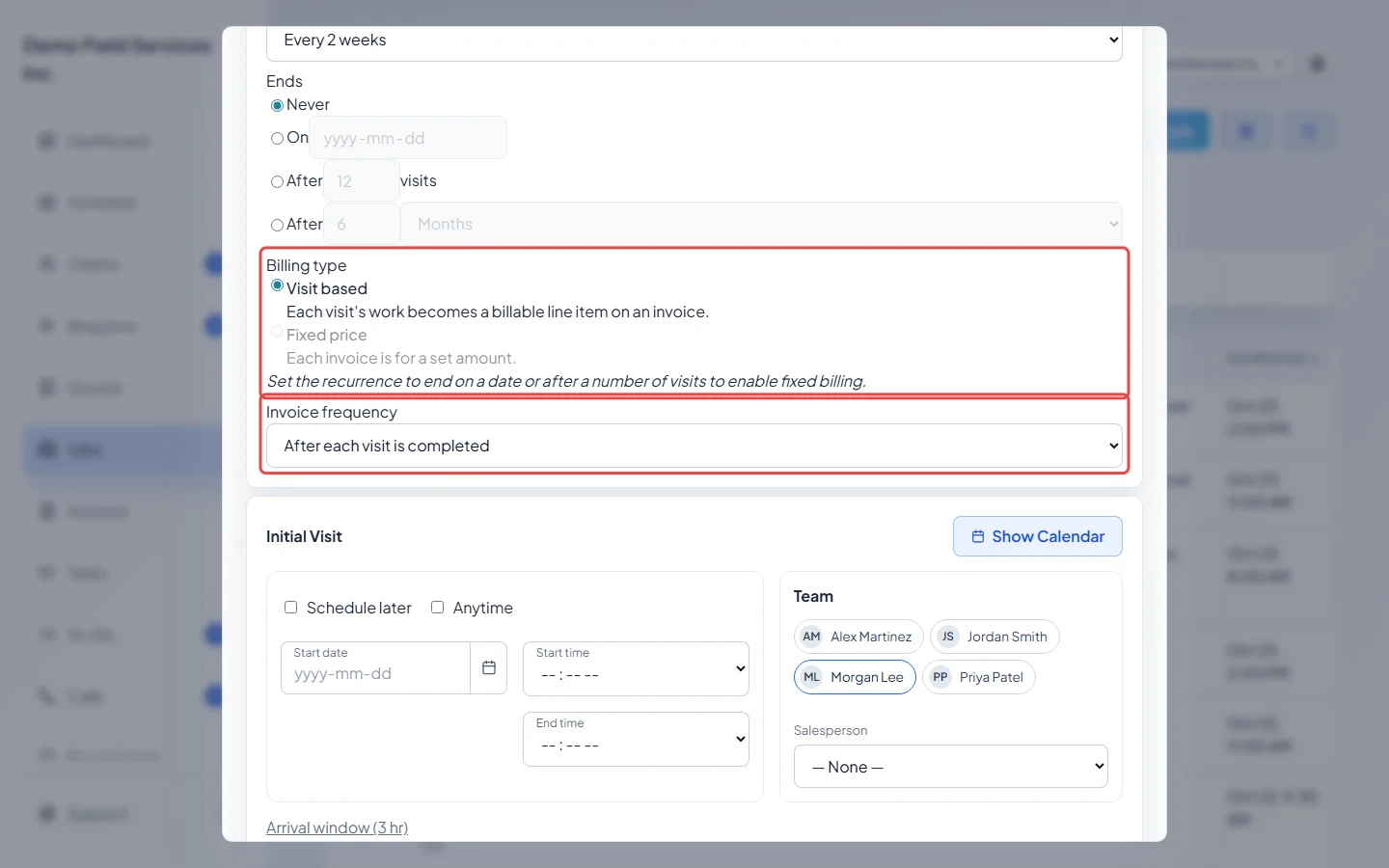
Pick the Billing type: Visit based bills each visit’s work; Fixed price bills a set amount per invoice. Fixed price can’t be used when the job Never ends. Then pick the Invoice frequency: After each visit is completed (visit based only), Monthly on the last day of the month, As needed – no reminders, Once when job is closed, or Custom schedule….
-
Set the first visit under Initial Visit, tick the Team, add the Products / Services for one visit, and click Create job. Astragal books the following visits from the first one.
Changing visits on a recurring job
Section titled “Changing visits on a recurring job”-
Open the job. Scheduled visits shows the First visit, Last visit and how it Repeats, then each visit. Visits are booked about 6 months ahead, and more appear by themselves over time.
On a computer: Left menu → Jobs On a phone: More → Jobs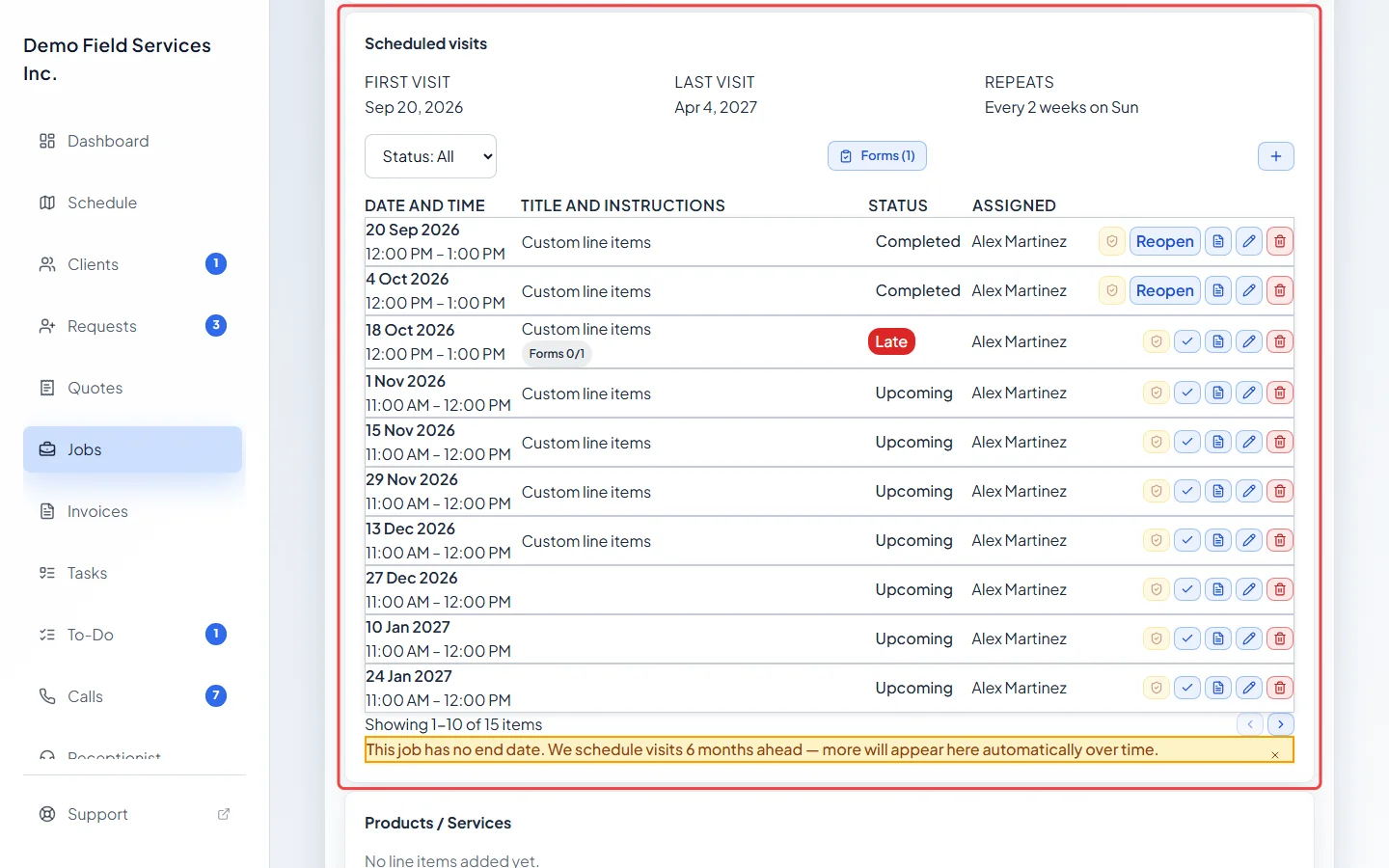
-
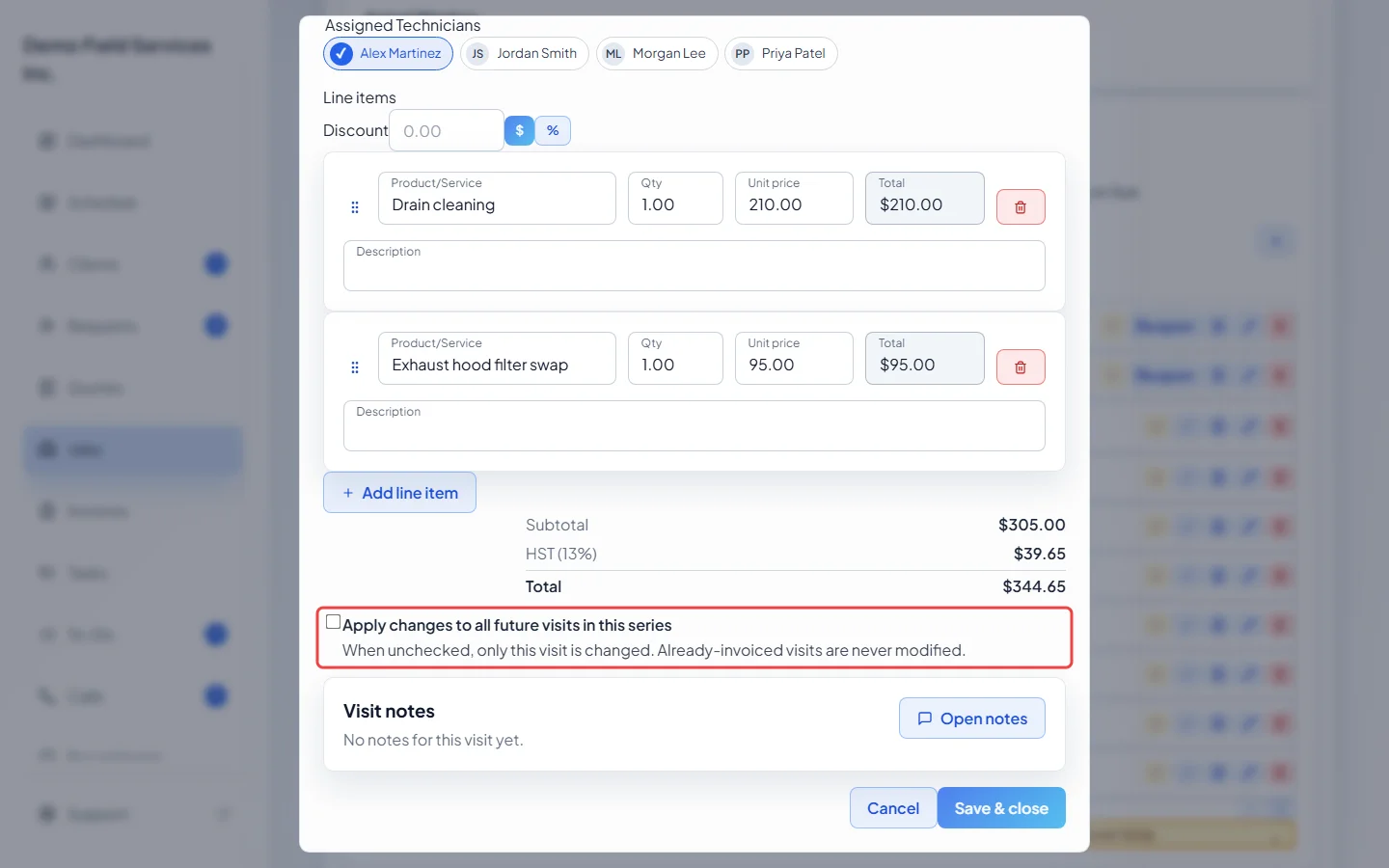
Click the pencil on a visit to change it. On a visit-based job, each visit can have its own Line items and Discount. A visit with no line items of its own shows Inheriting from job — add items below to override. Tick Apply changes to all future visits in this series to change this visit and every later one; leave it off to change only this visit. Visits that are already invoiced are never changed.
-
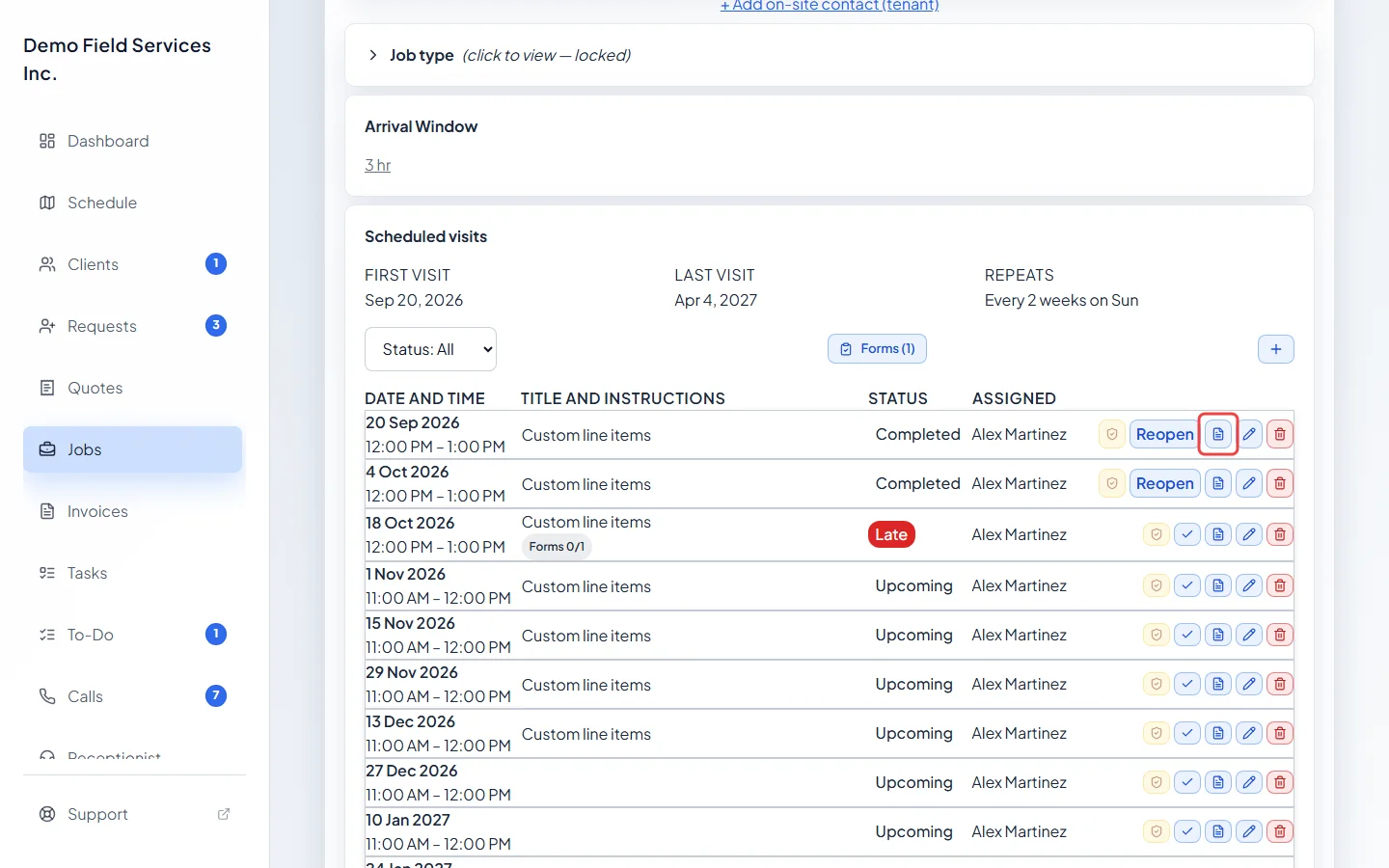
On a job billed per visit, each visit row has an invoice button: it makes that visit’s invoice, or opens it once it exists. When you complete a visit from its window on the schedule and the job invoices after each visit, Astragal also asks Would you like to create an invoice for this visit now?
Good to know
Section titled “Good to know”- Line items: on a recurring job, each visit owns its own line items. The job’s Products / Services are the starting list a visit uses until it has its own.
- Fixed price jobs keep their line items on the job; a visit shows Fixed-price job — line items locked per visit.
- Payment schedules are only for one-off jobs.
- Warranty visits added to a recurring job keep their own line items and never change the series.
- How often it repeats, when it ends and how it’s billed are locked once the job is saved. A series that ends on a date or after a number of visits stops by itself. A series set to Never keeps adding visits about 6 months ahead, so deleting visits doesn’t end it. To end it, delete the whole job (or archive it if it has invoices). See Deleting a job or visit.
Related articles
Section titled “Related articles”Checked against Astragal on October 18, 2026