

Adding a product or service
Add something you sell to the catalog so you can pick it on quotes, jobs and invoices.
Who can do this: Admins, dispatchers and accountants.
Also called: new item, catalog item.
-
Open the catalog and click New item. The form opens at the top of the page.
On a computer: Left menu → Inventory → Products & Services On a phone: More → Products & Services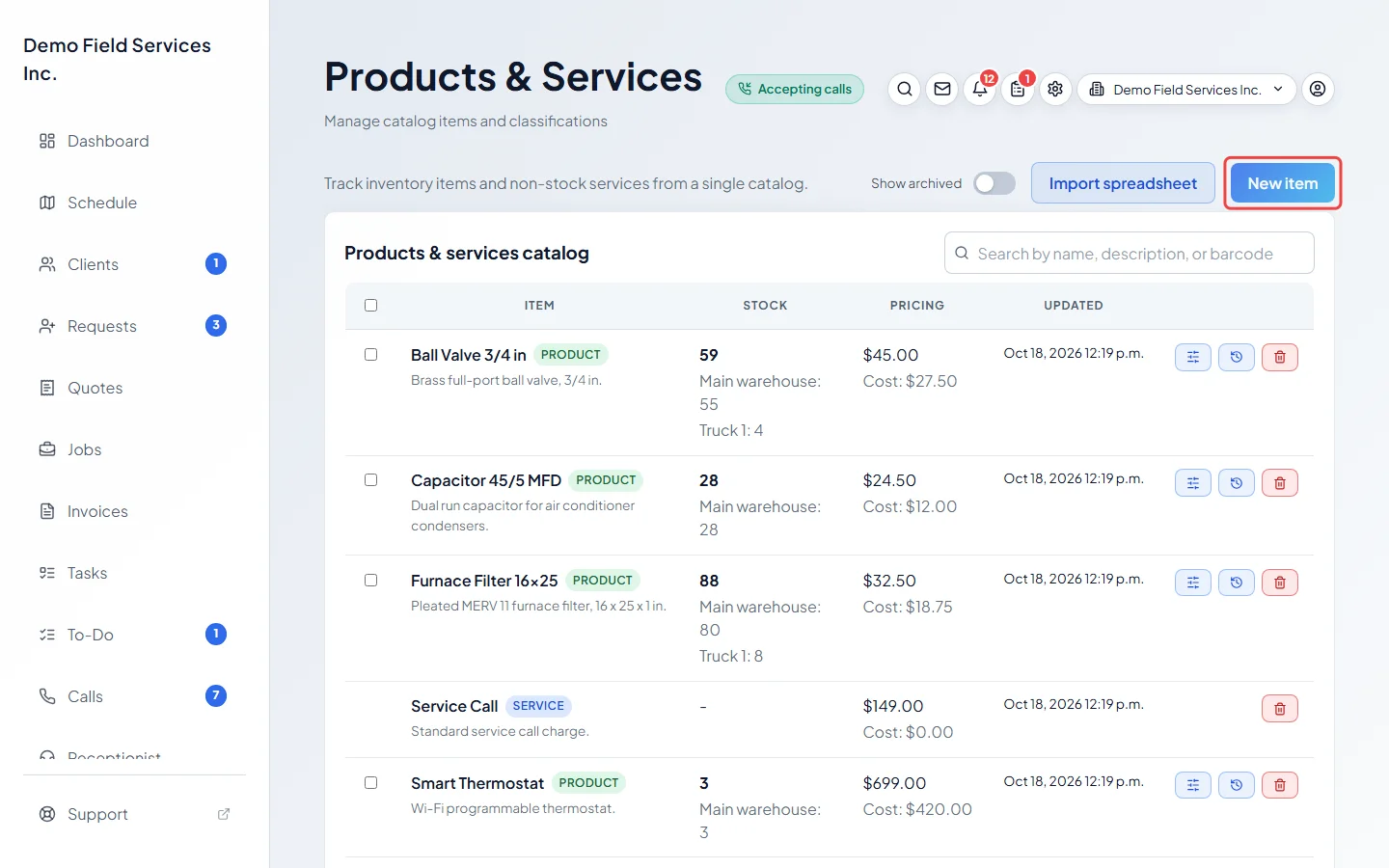
-
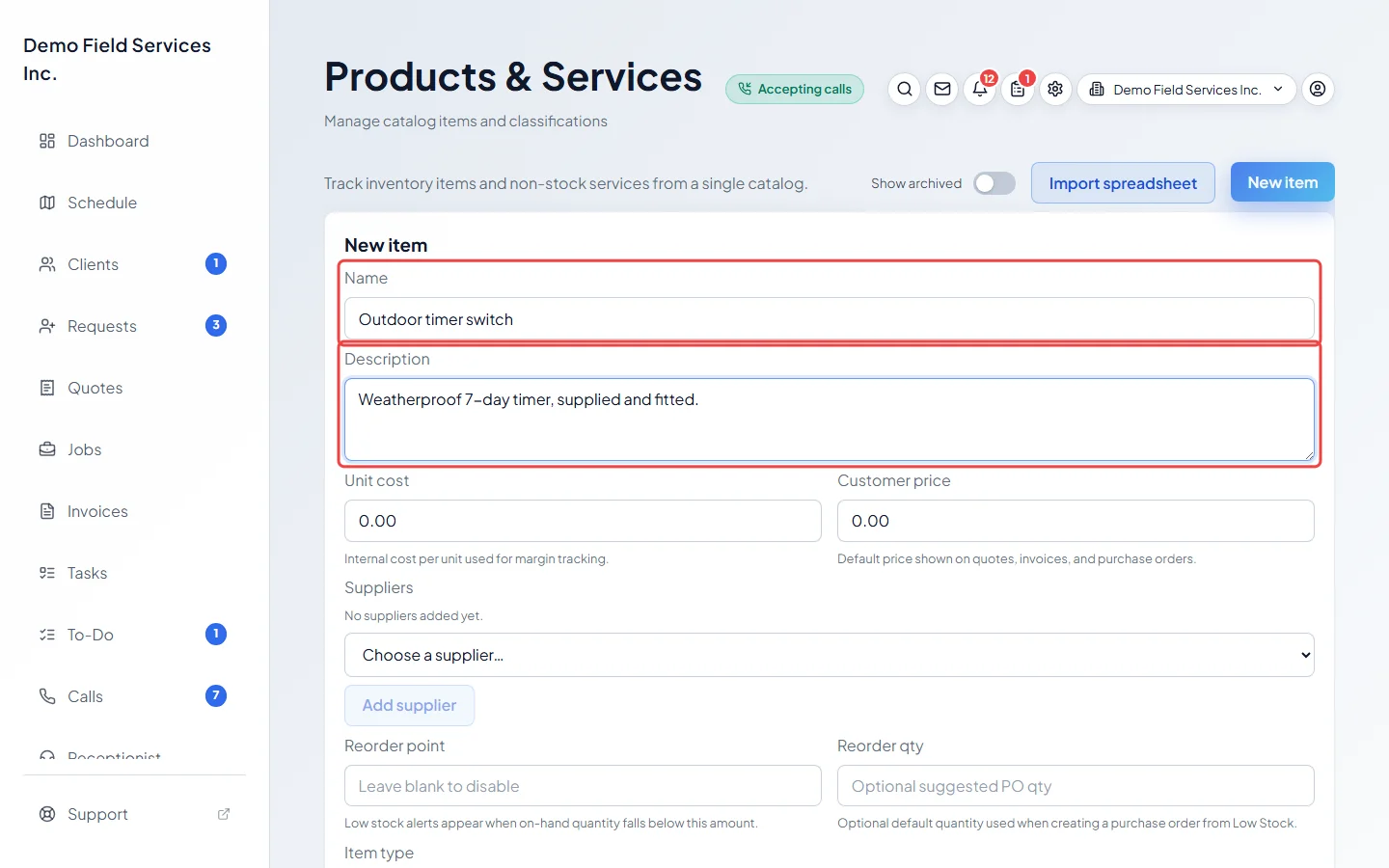
Type the Name (required) and, if you like, a Description. Both show on quotes and invoices.
-
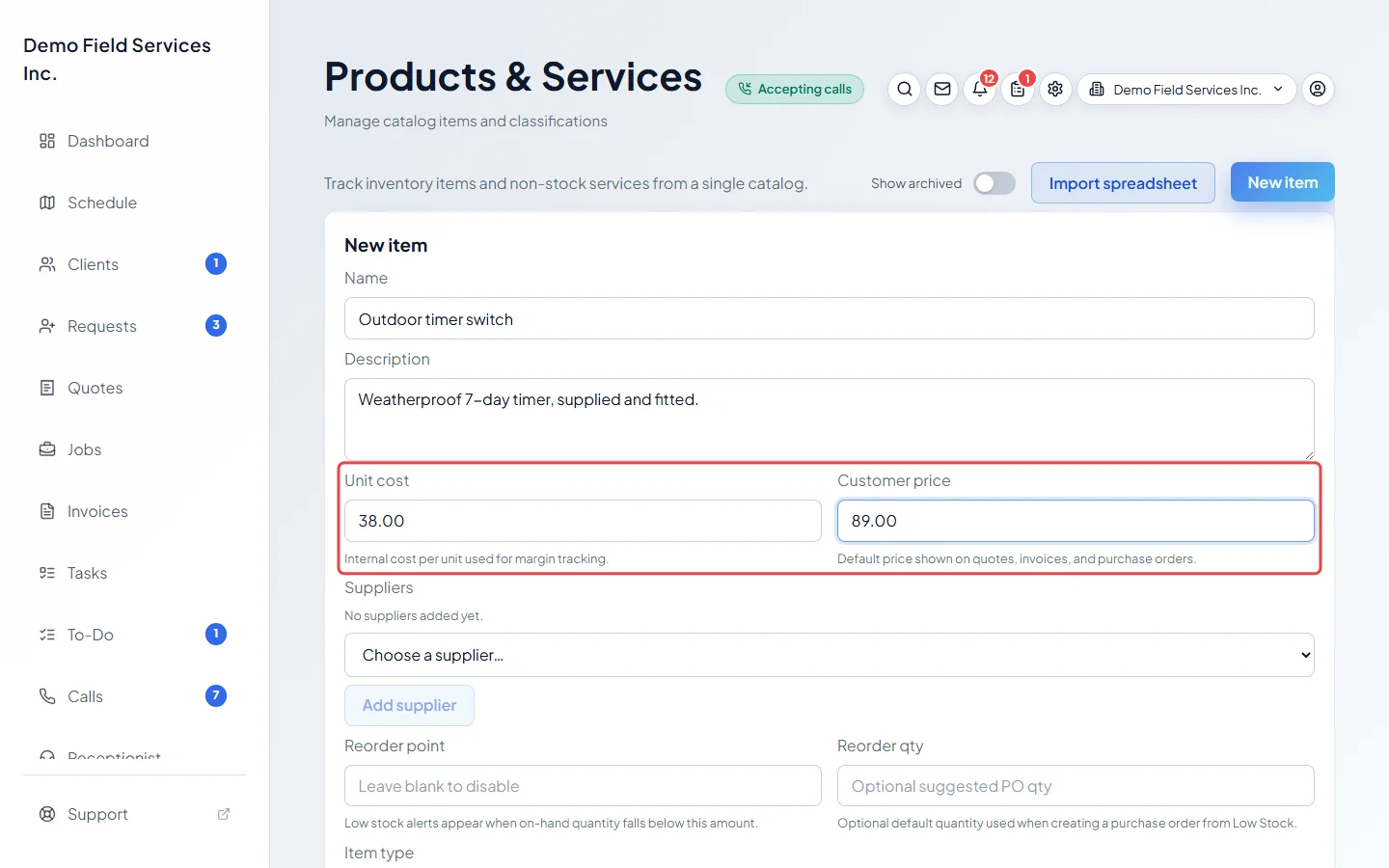
Type the Unit cost (what one costs you, used to work out your profit) and the Customer price (what you charge for one). The customer price is filled in automatically when the item is added to a quote or invoice.
-
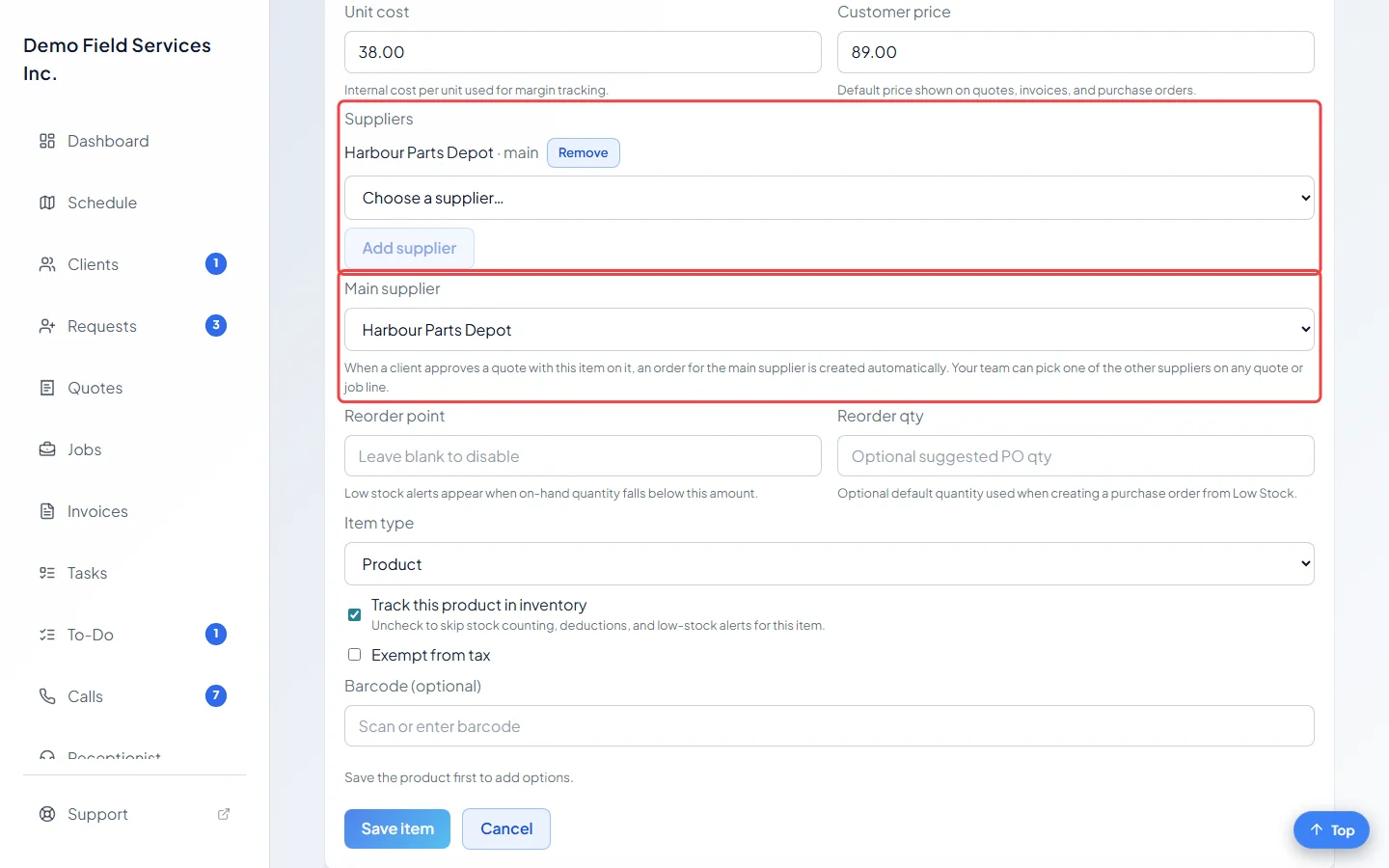
Under Suppliers, choose a supplier and click Add supplier. Add as many as sell this item. The first one you add becomes the Main supplier; pick a different one from that list if you like. When a client approves a quote with this item on it, an order to the main supplier is started for you.
-
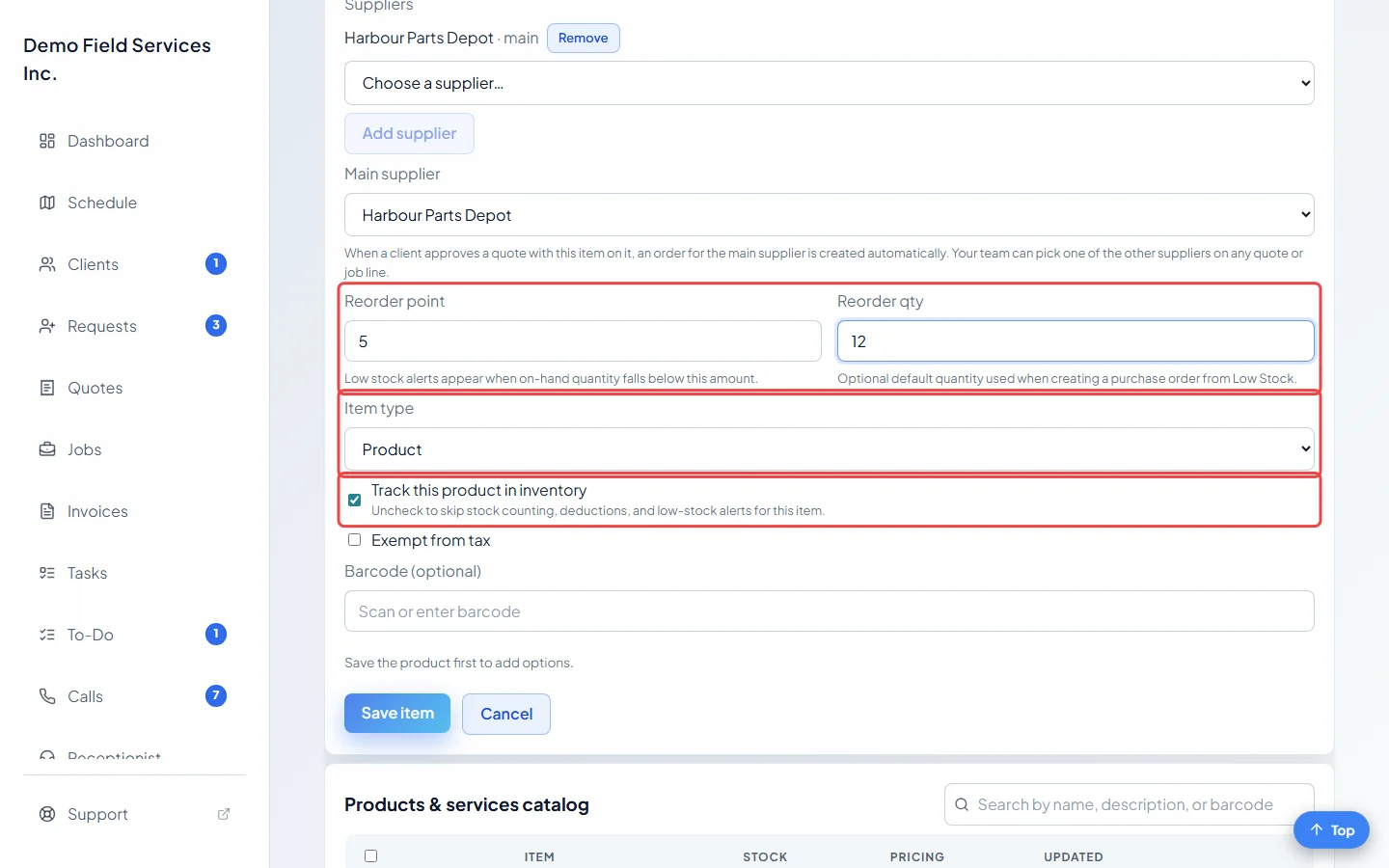
Set Item type to Product or Service (no stock tracking). For a product, leave Track this product in inventory ticked to count its stock, then fill in Reorder point (it shows on the low stock list once you have fewer than this) and Reorder qty (the amount suggested when you order more). Untick tracking for things you don’t count. The reorder boxes are greyed out for services and for products that aren’t tracked.
-
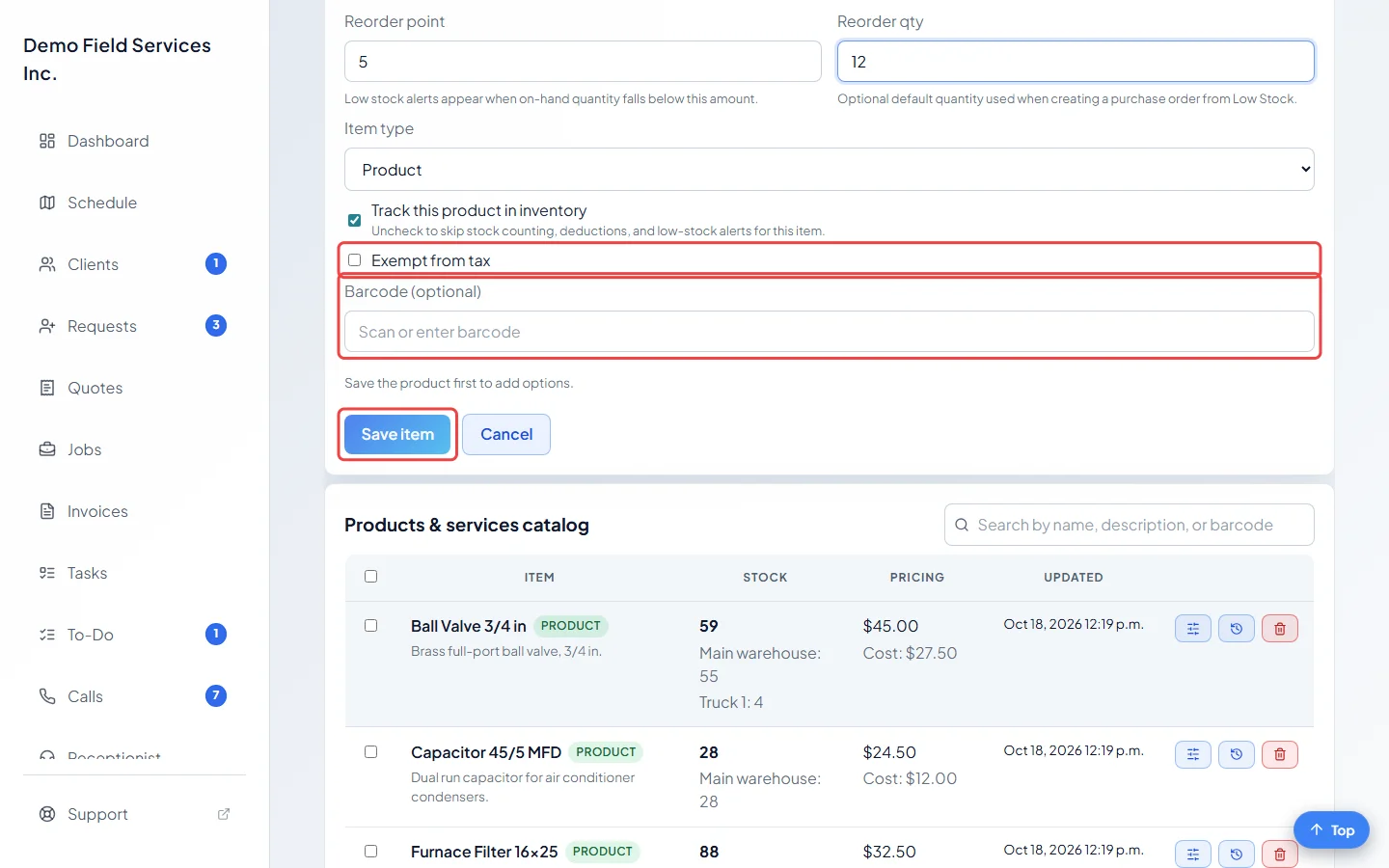
Tick Exempt from tax if no tax applies. Type or scan a barcode in Barcode (optional) if you want to scan this item later. Then click Save item.
Good to know
Section titled “Good to know”- Options such as size or colour are added after the first save. Open the item again and use Product options. See Product options and their prices.
- In the Astragal phone app, a Scan button next to the barcode box reads the code with the camera. It doesn’t show in a web browser.
- You can also add an item while writing a quote, job, request or invoice. Type a name that isn’t in the catalog yet, choose Create new item from the list, fill in the Add Product / Service window and click Create. The new item goes on that line and into the catalog.
- If you have a lot of items, import them from a spreadsheet instead.
- Suppliers have to exist first. Add them on the Vendors screen.
Related articles
Section titled “Related articles”Checked against Astragal on October 17, 2026