

Archiving quotes
Clear old quotes off your active list without losing them.
Who can do this: Admins, dispatchers and accountants, and technicians set to View, edit, create, and delete quotes.
Also called: hide old quotes, clean up quotes.
-
Open the quotes list and tick the box next to each quote you want to put away. Select all ticks every quote on the page.
On a computer: Left menu → Quotes On a phone: More → Quotes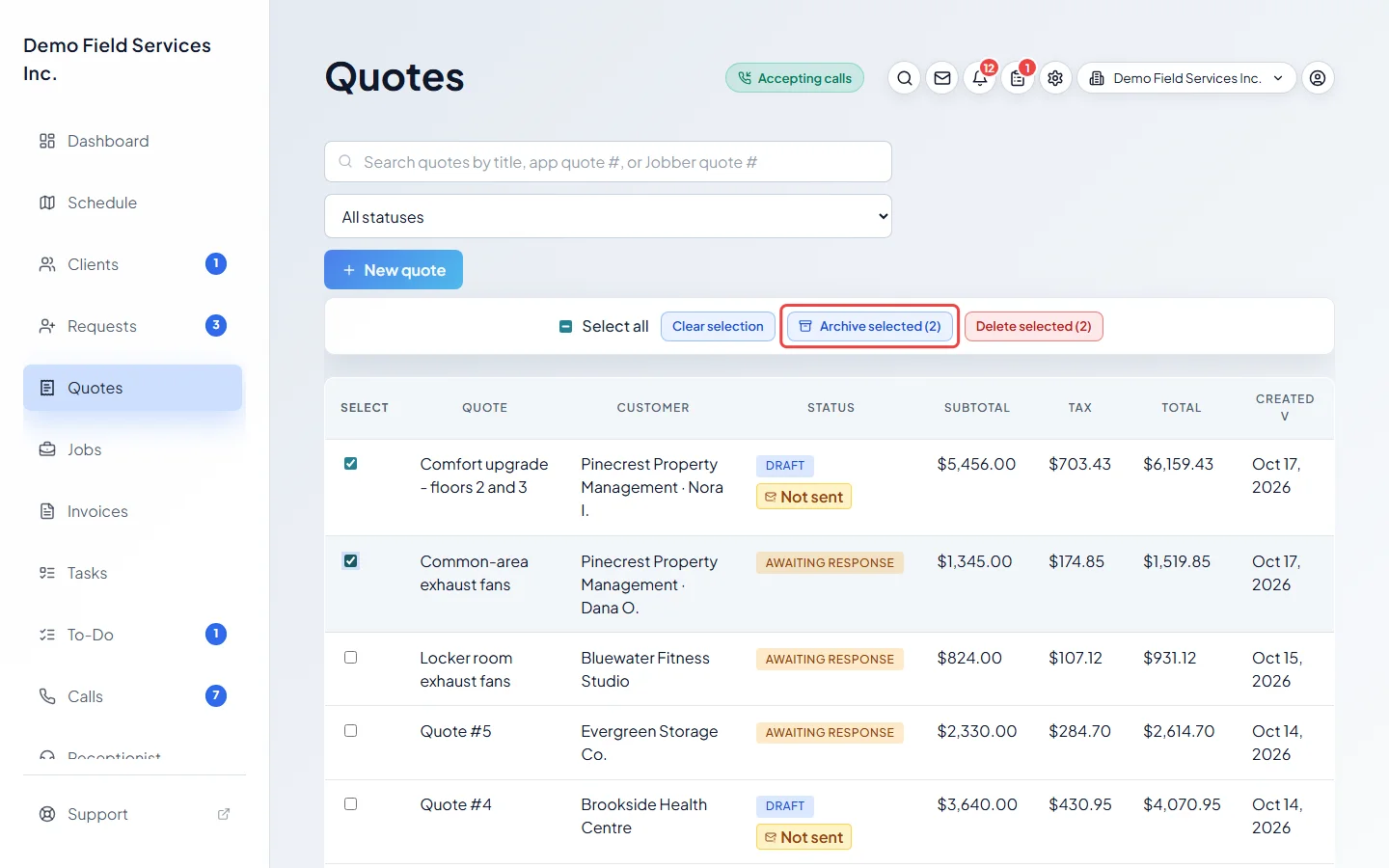
-
Click Archive selected. The number in brackets is how many will be archived. Click Archive quotes to confirm.
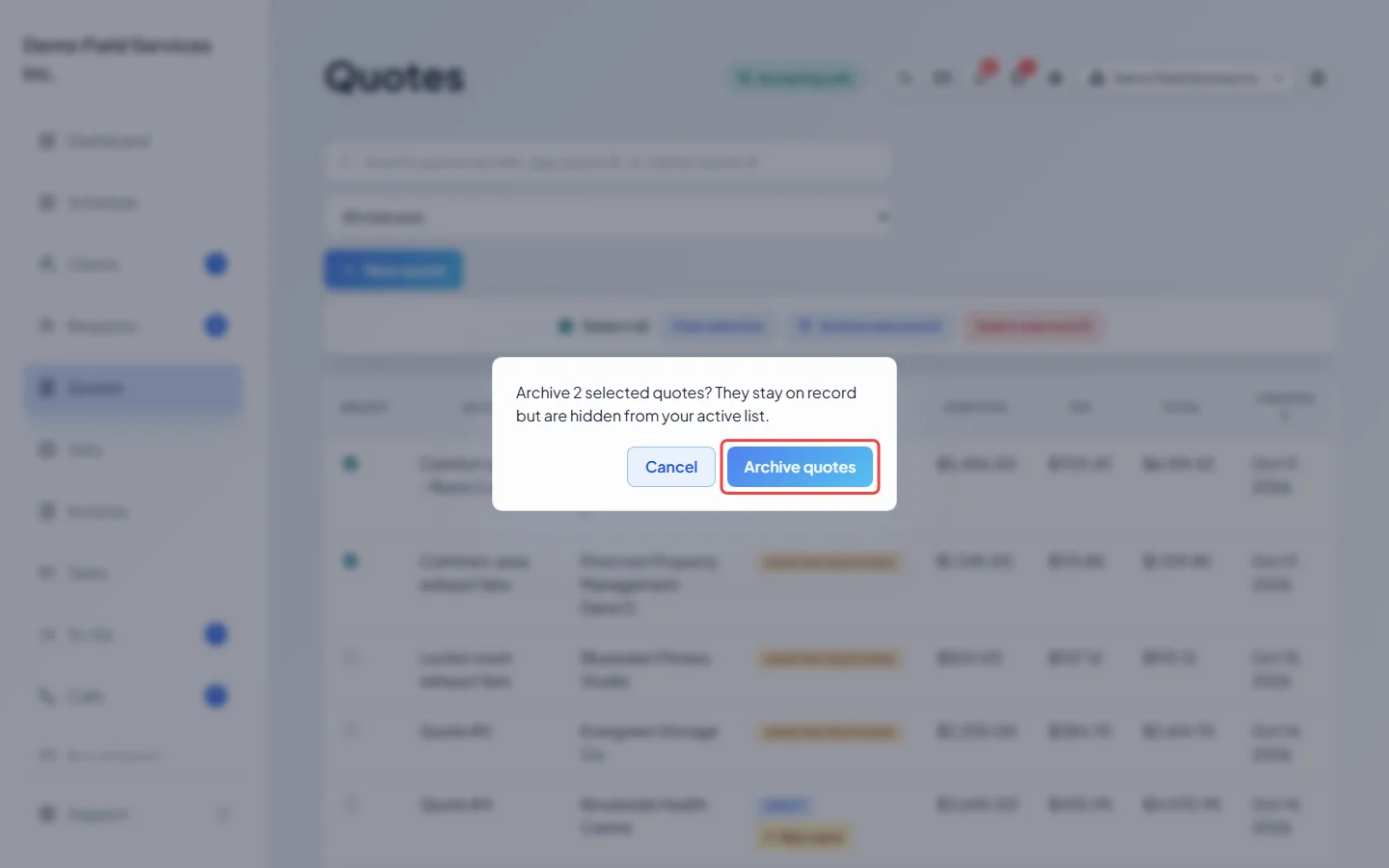
-
To see archived quotes, pick Archived from the status list next to the search box.
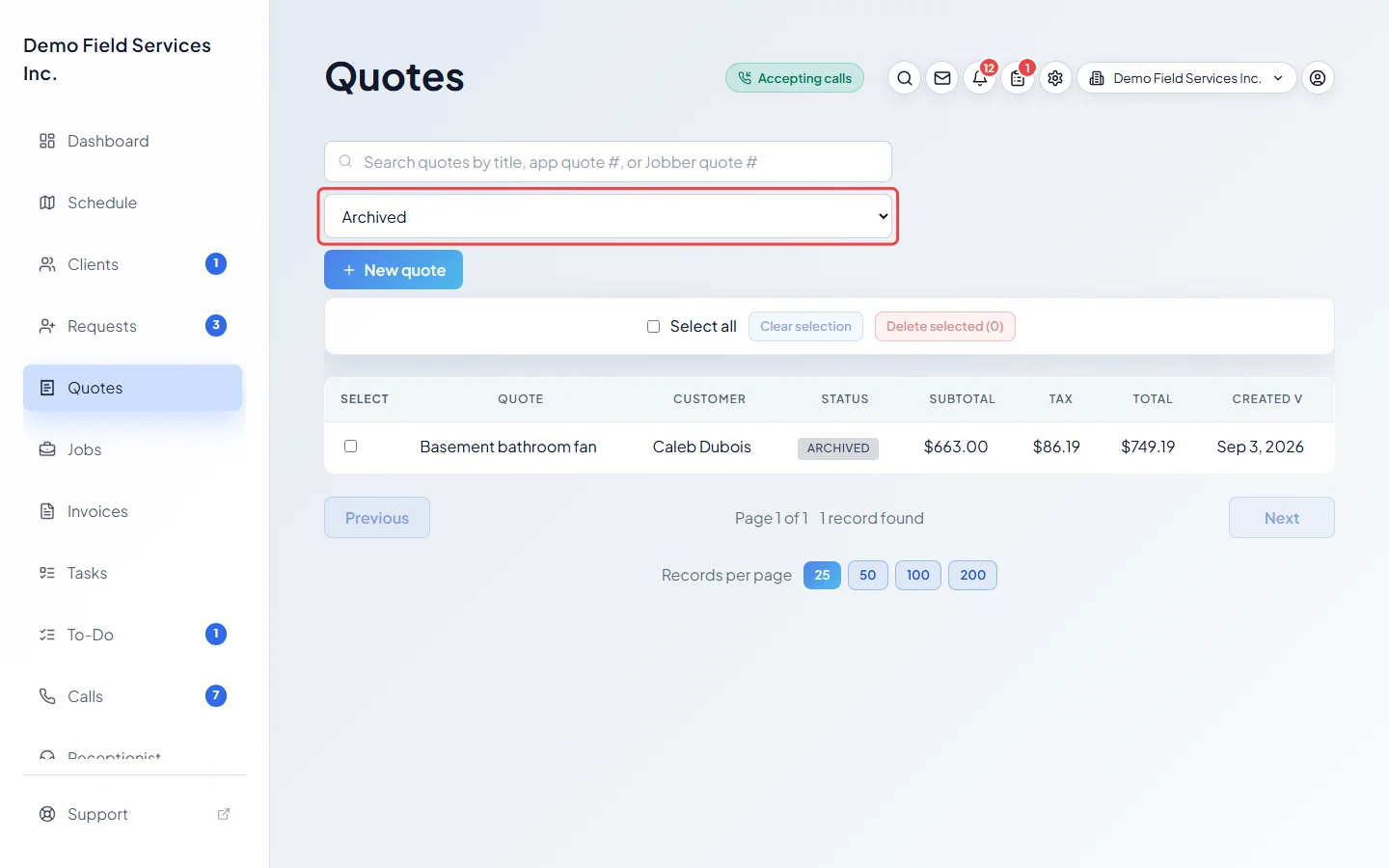
-
To bring a quote back, open it and click Restore in the “This quote is archived.” banner, or Restore from archive in the ••• menu. It returns to your active list as it was.
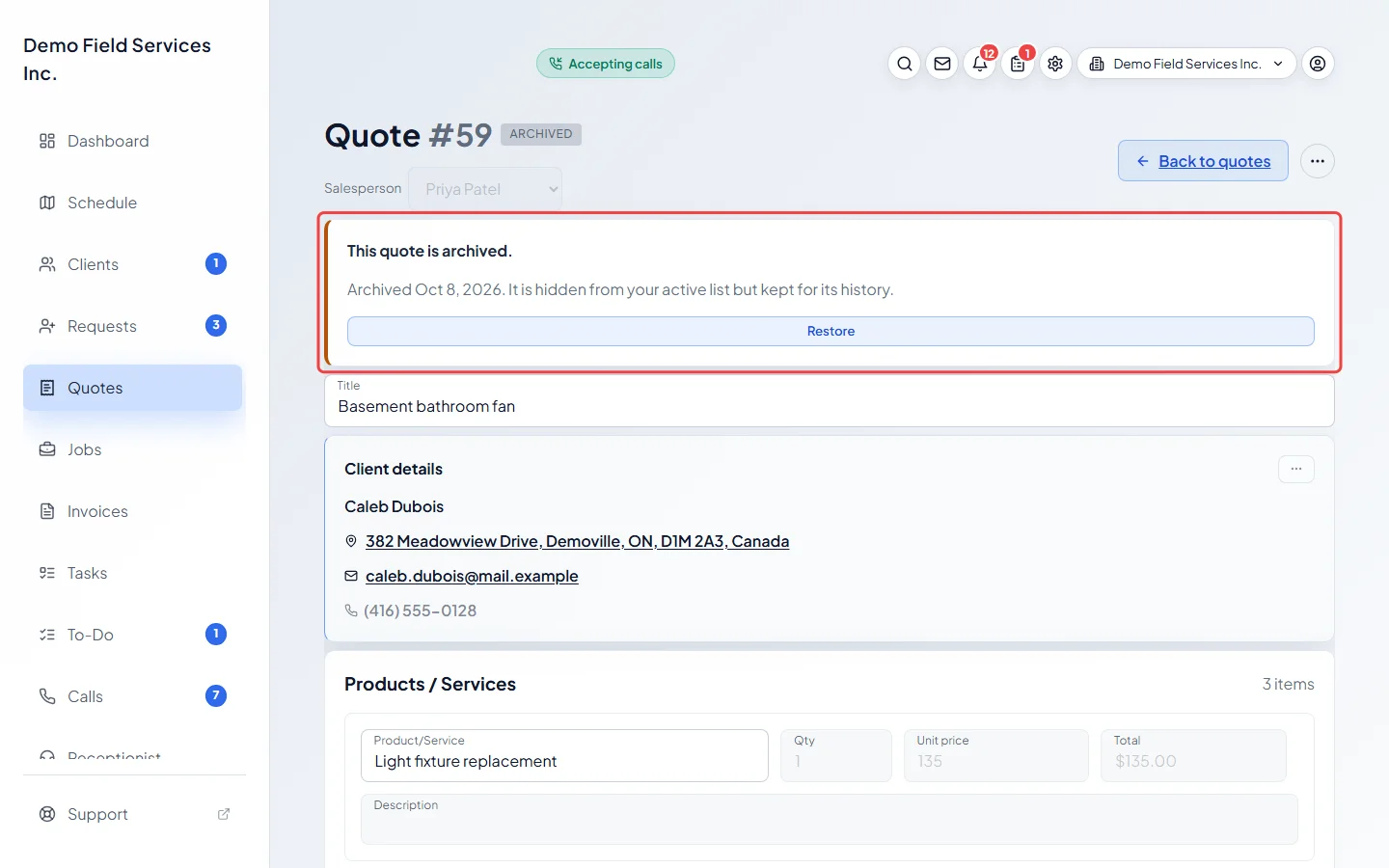
What archiving does
Section titled “What archiving does”- The quote stays on record with all its history, but leaves your active list and the client’s portal.
- Astragal stops sending its follow-up reminders and follow-up calls, and stops reminding your team to send it.
- An approved quote stops holding stock while it’s archived. Restoring it holds the stock again.
- An archived quote can’t be edited, sent, approved or converted until you restore it.
Archive or delete?
Section titled “Archive or delete?”- Delete selected removes quotes for good. It can’t be undone.
- A quote that became a job, or has an invoice (including a deposit invoice), can’t be deleted, only archived, so only Archive is offered for it. A quote with card payments or refunds on record can’t be deleted either. Archive it instead.
- To archive or delete a single quote, open it and use Archive or Delete in the ••• menu at the top. They’re also at the bottom of the quote (under Actions there when the buttons don’t fit on one row, such as on a phone).
Good to know
Section titled “Good to know”- Quotes that are already archived are skipped, so they don’t count in Archive selected.
- Archiving doesn’t change the status the client last gave. An approved or declined quote still shows that status.
Related articles
Section titled “Related articles”Checked against Astragal on October 17, 2026