

Login problems
Get back into Astragal when signing in doesn’t work.
Who can do this: Everyone. Some fixes need your company’s admin.
Also called: can’t log in, locked out, password reset.
-
On the Sign in page, check the Email is the one your invite was sent to, and type the Password again (check Caps Lock). If you see “Invalid email or password.”, one of the two doesn’t match. If you never opened your invite email, you don’t have a password yet. Use the invite link, or ask your admin to send a new one.
On a computer: Astragal web address → Sign in On a phone: Astragal app → Sign in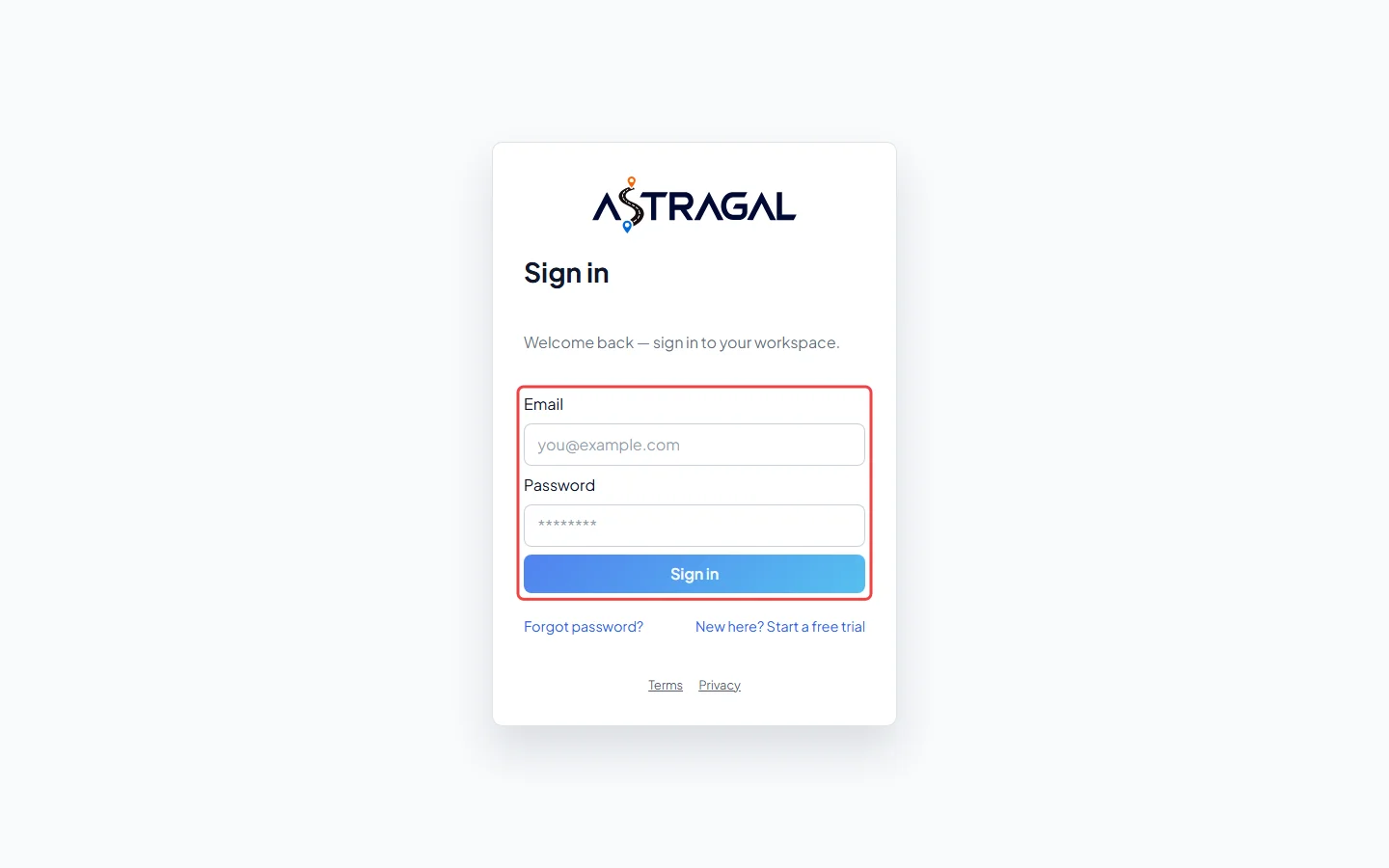
-
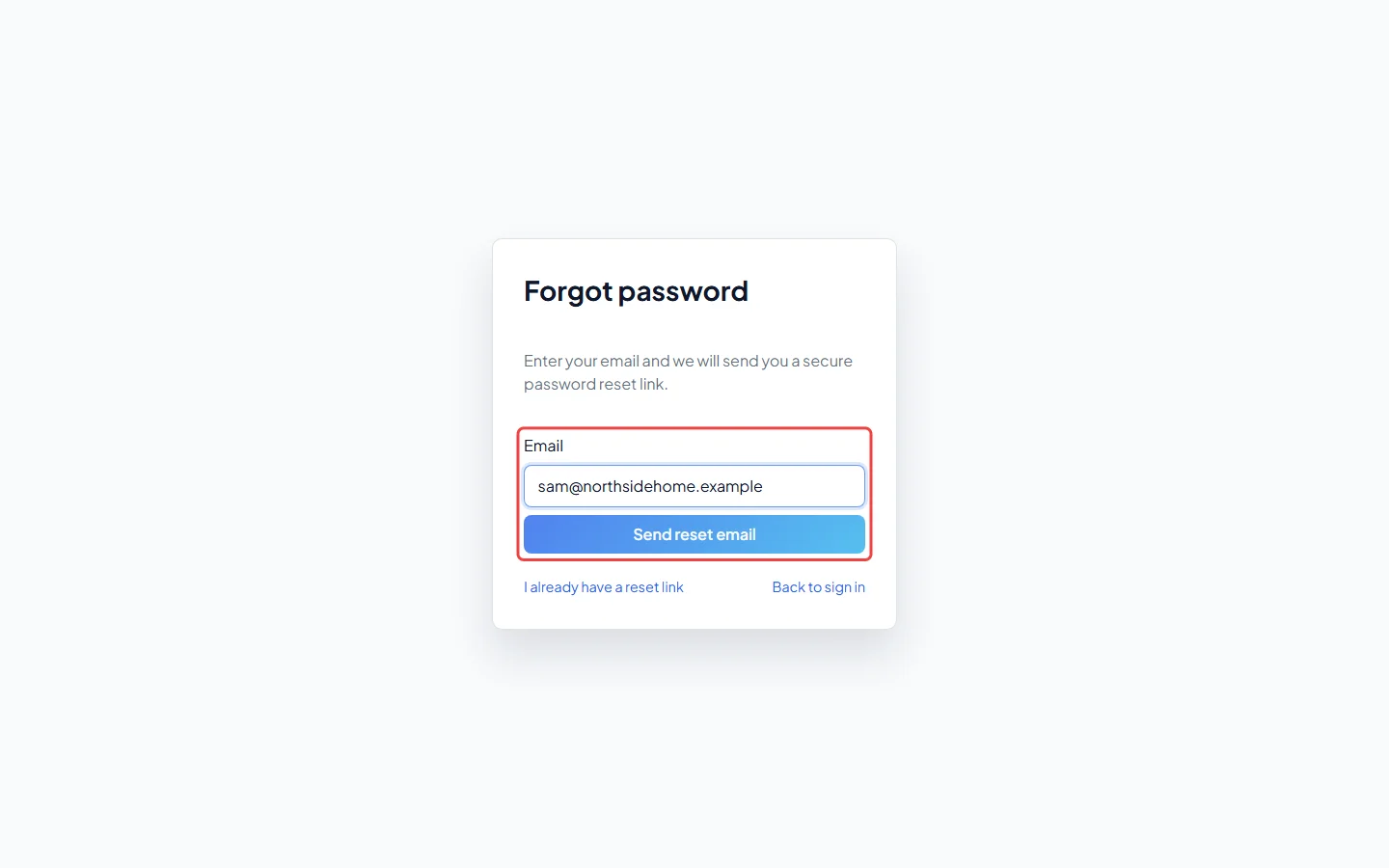
Forgotten it? Click Forgot password?, type your Email and click Send reset email. If that email has an account, a reset link arrives within a few minutes. Check your junk folder too. If no email comes after several tries, wait 15 minutes before asking again.
-
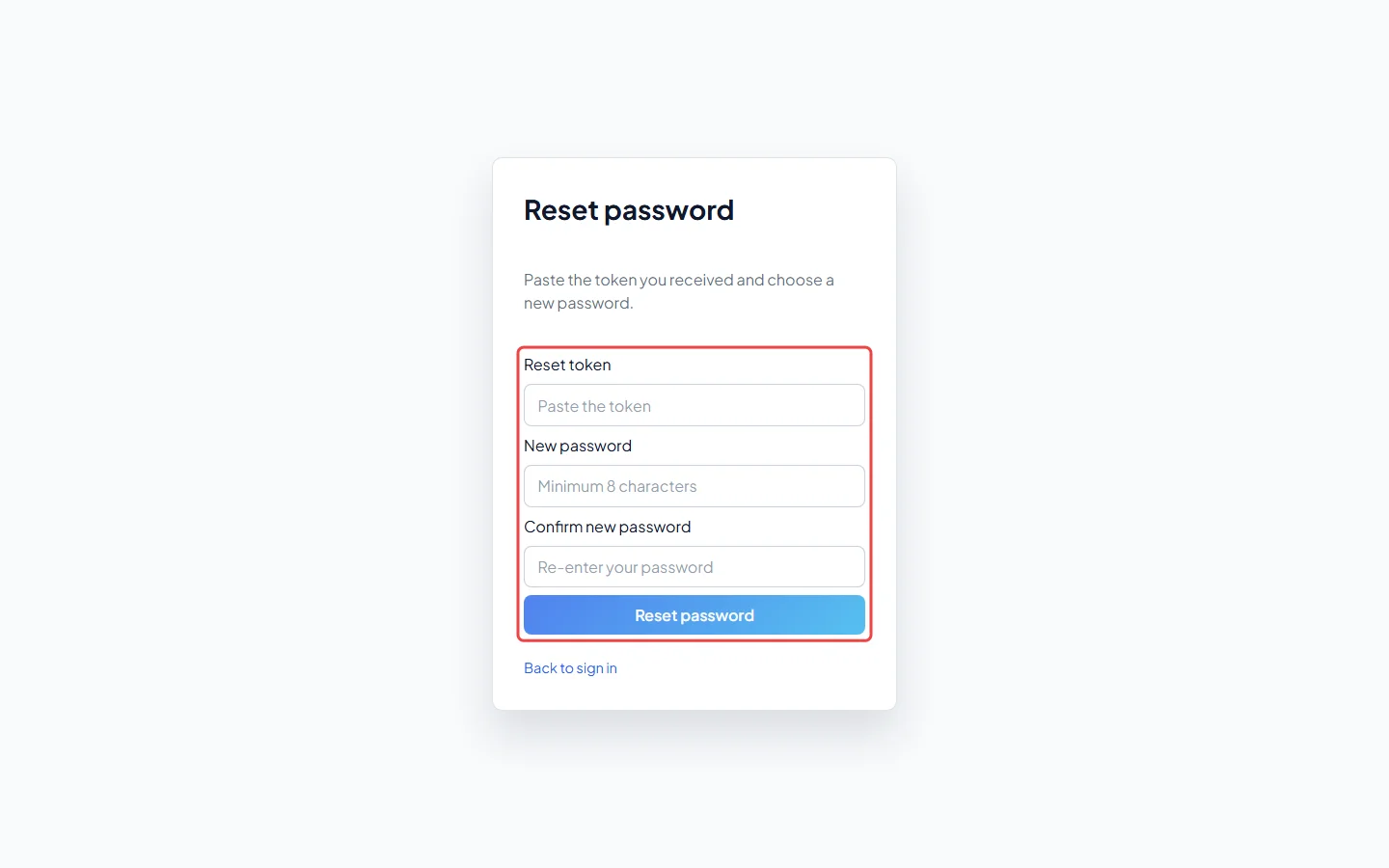
Open the link in the email. It opens Reset password with the code already filled in. Type a New password of at least 8 characters, type it again in Confirm new password, and click Reset password. Then sign in with the new password. If the box at the top is empty, paste the code from the link into Reset token; I already have a reset link on the Forgot password page opens the same page.
What the messages mean
Section titled “What the messages mean”- “Request a new password reset link.”: the link has expired (they last one hour), was already used, or was copied wrong. Ask for a new one from step 2.
- “Too many requests. Please wait a moment and try again.”: after 10 wrong passwords, signing in pauses for up to 15 minutes, even with the right or a new password. Wait, then try once, carefully.
- “Contact an administrator for assistance.”: your account has been switched off. Ask your company’s admin to turn it back on.
- “Your access to this company has been switched off. Ask an administrator there to add you back.”: you were removed from that company. Its admin can add you again.
- “Your trial has ended”, “Your account is paused because a payment is outstanding” or “This workspace has been suspended”: the company’s account isn’t active. The account owner can sort it out; see When your subscription is inactive. Your data is kept.
- “This workspace has been deleted” or “This account no longer belongs to a company”: email support@astragalhq.com.
- “Session expired. Please sign in again.”: your sign-in has run out. Sign in again. Changing or resetting your password also signs you out on every device.
Your invite link doesn’t work
Section titled “Your invite link doesn’t work”Invite links last 7 days. Ask your admin to send a new one: in Team management they click the ⋯ button on your row and choose Invite. If you already set a password, they can choose Reset password to email you a new reset link, which works for one hour. See Inviting your team.
Your sign-in email changed
Section titled “Your sign-in email changed”When an admin changes your email in Team management, Astragal sends a link to the new address. Until you open it, you keep signing in with the old email. The link opens Confirm email change and says “You can sign in with it from now on.” It works for 24 hours. If it has run out, ask your admin to change the email again, or to choose Cancel email change to keep the old one.
On the phone app
Section titled “On the phone app”If the app shows “You’re offline — reconnecting”, it can’t reach Astragal to check who you are. It keeps trying by itself as soon as you have signal, or tap Try again. Forms you filled in without signal are kept on the phone; the Sign in page says how many are waiting, and they upload once you sign in. See Logging in on your phone.
Good to know
Section titled “Good to know”- An admin who sees “Verify your email to enable sending” is signed in fine. Click Resend link and open the link in that email. Astragal only holds back messages to clients while the company owner’s email is unconfirmed.
- To change your password while signed in, click the person icon at the top right and choose Change password.
Related articles
Section titled “Related articles”Checked against Astragal on October 18, 2026