

Message templates
Edit the words in any email or text Astragal sends, from quotes and invoices to visit reminders and supplier orders.
Who can do this: Admins only.
Also called: message wording, email templates, text templates.
-
Open Templates. The messages are grouped into Requests, Quotes, Jobs & visits, Invoices & payments and Suppliers.
On a computer: Left menu → Templates On a phone: More → Templates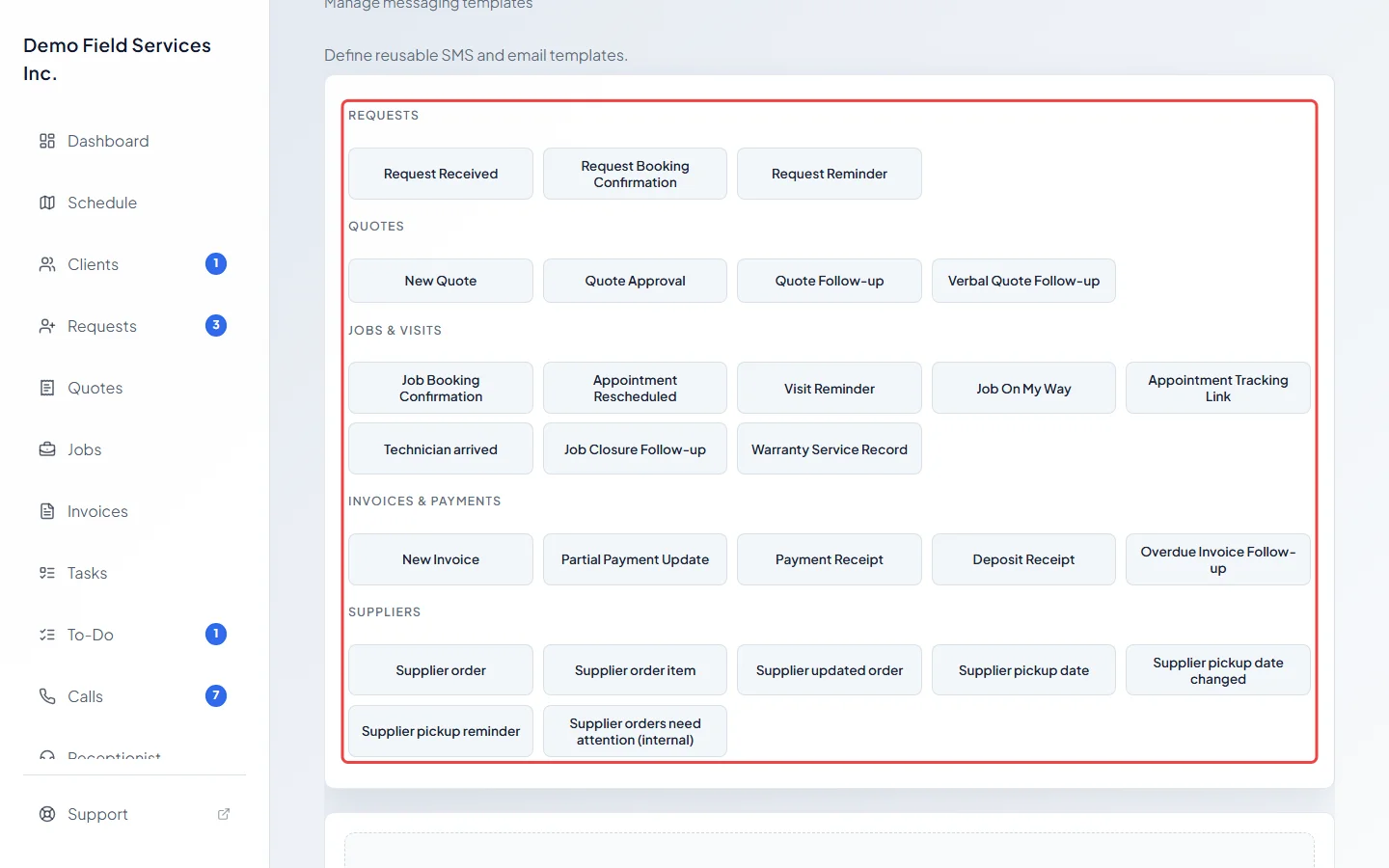
-
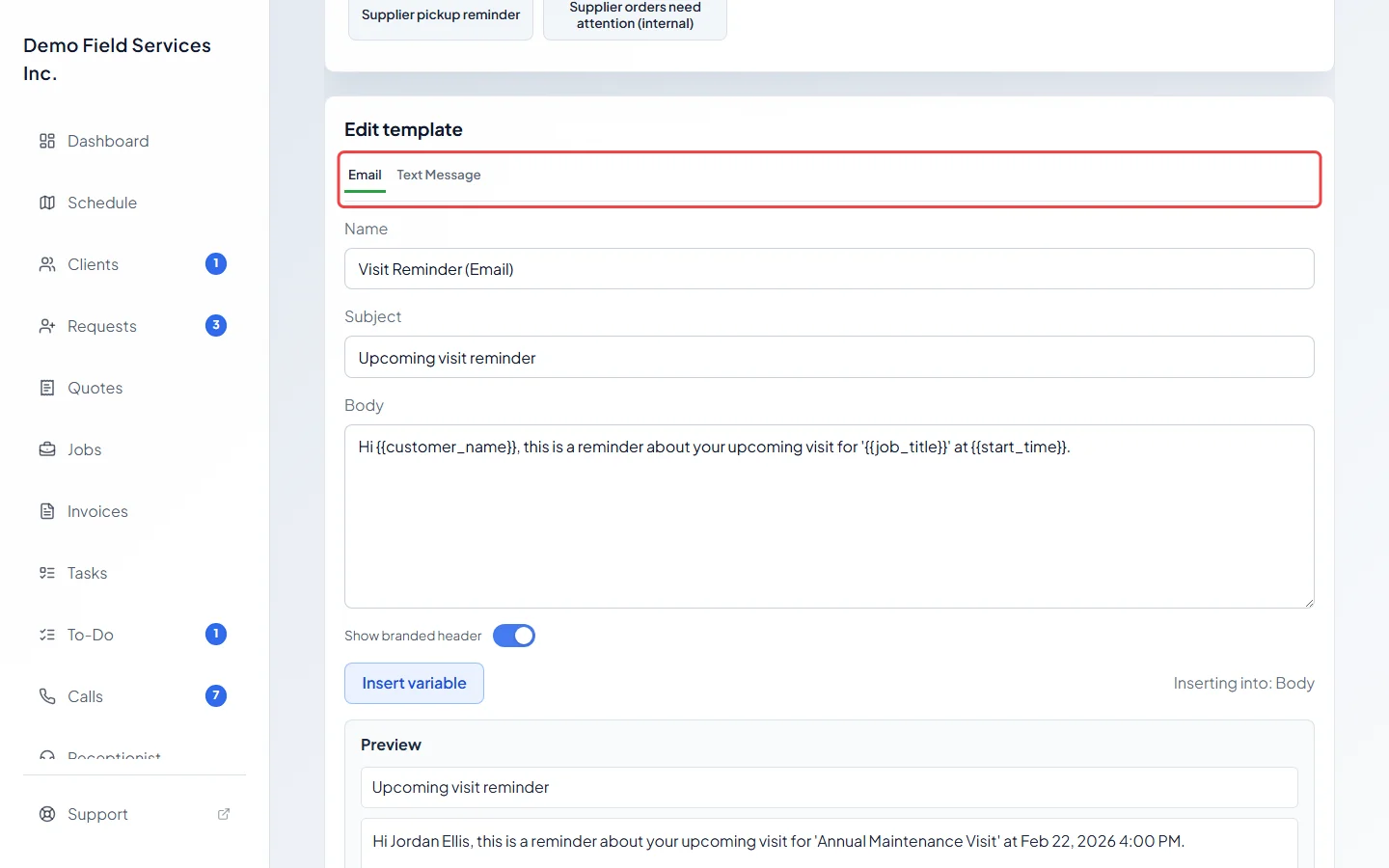
Click a message to open it in Edit template below the list. Use Email and Text Message at the top to switch between the two versions. A tab you can’t click means that message has no version of that kind.
-
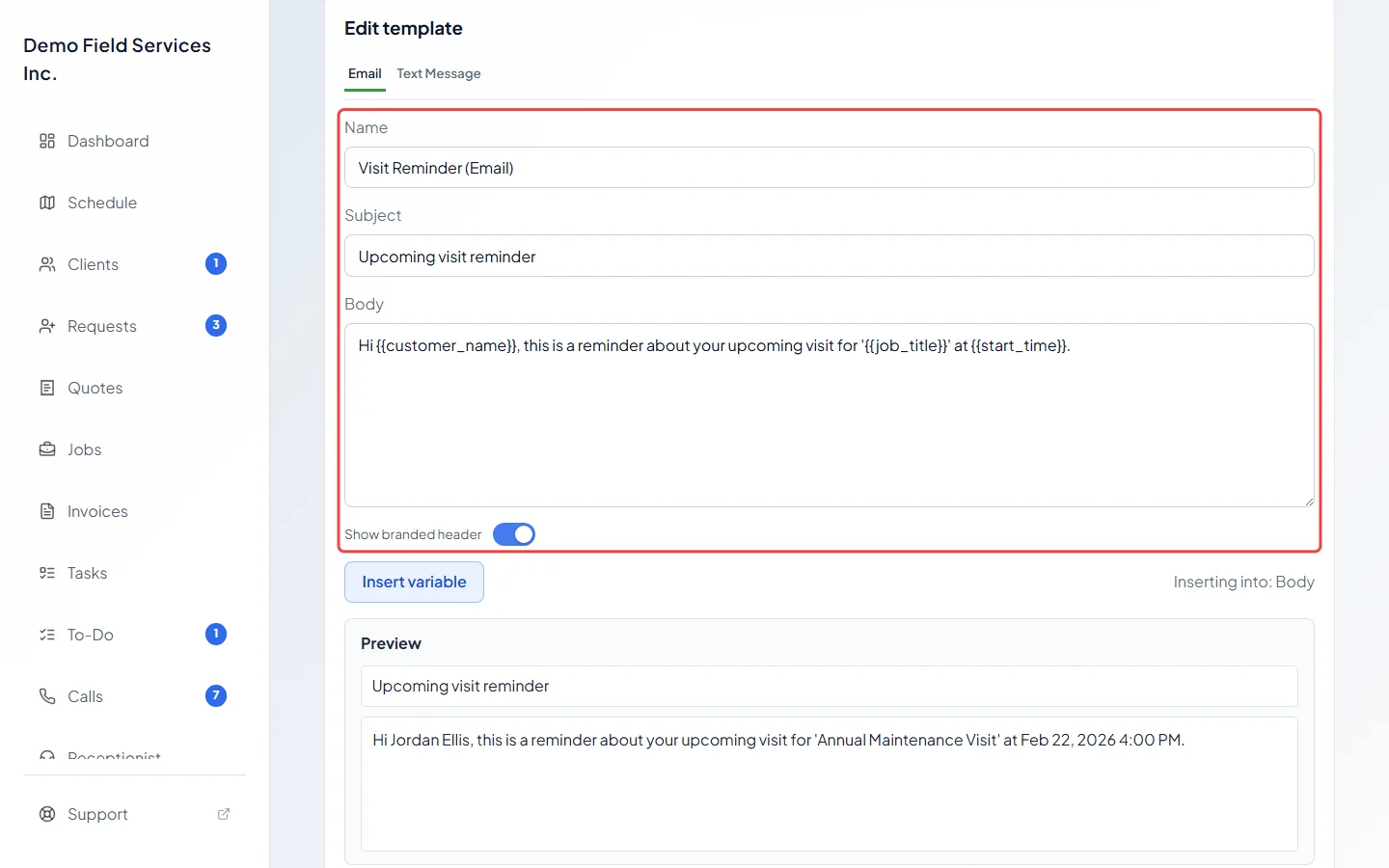
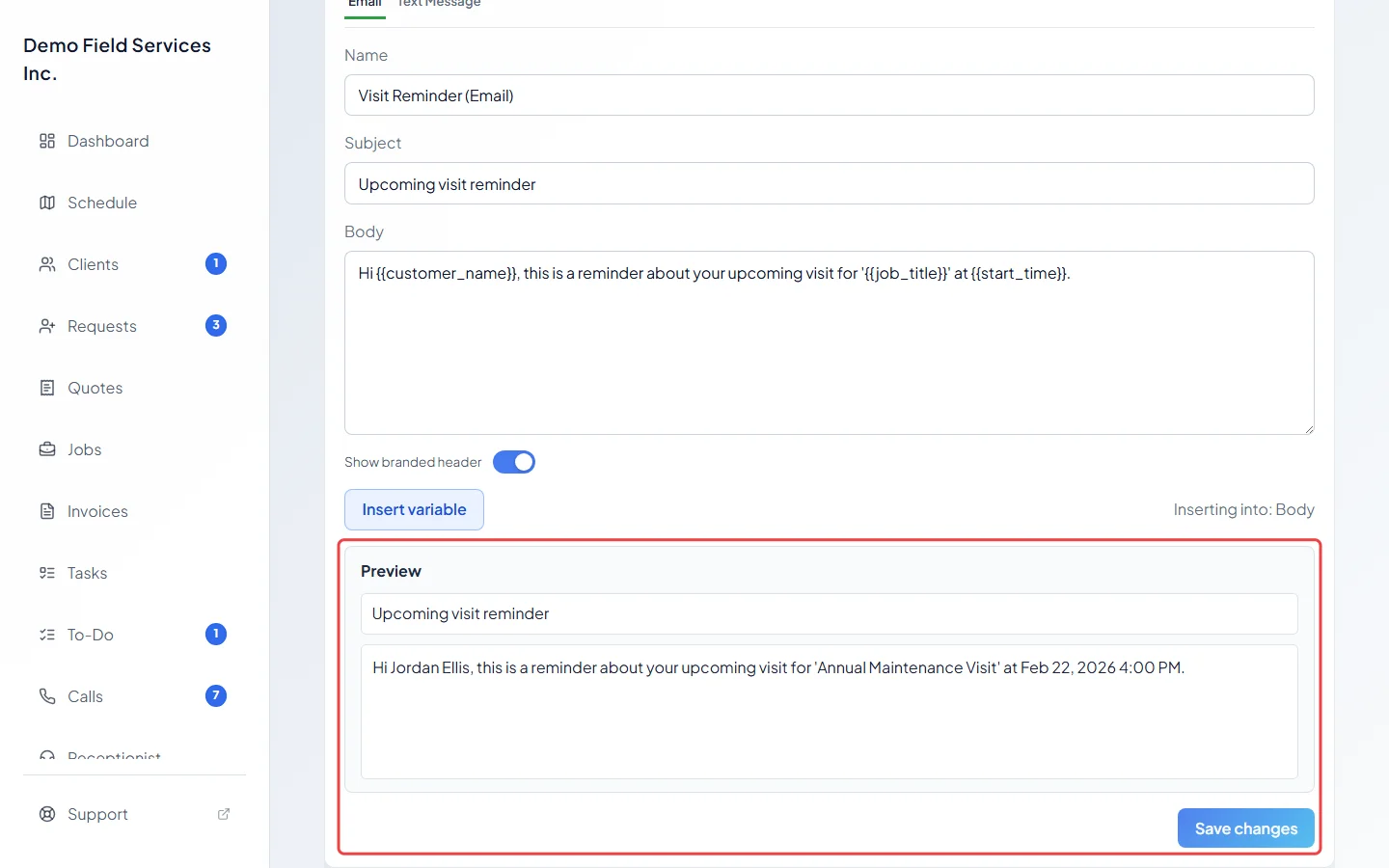
Change the Name (what the list calls it), the Subject for an email, and the Body. Leave Show branded header on to put your logo and company name at the top of the email. For a text, the line under the box estimates the length with typical and long names filled in, and says whether it will go as one text or more.
-
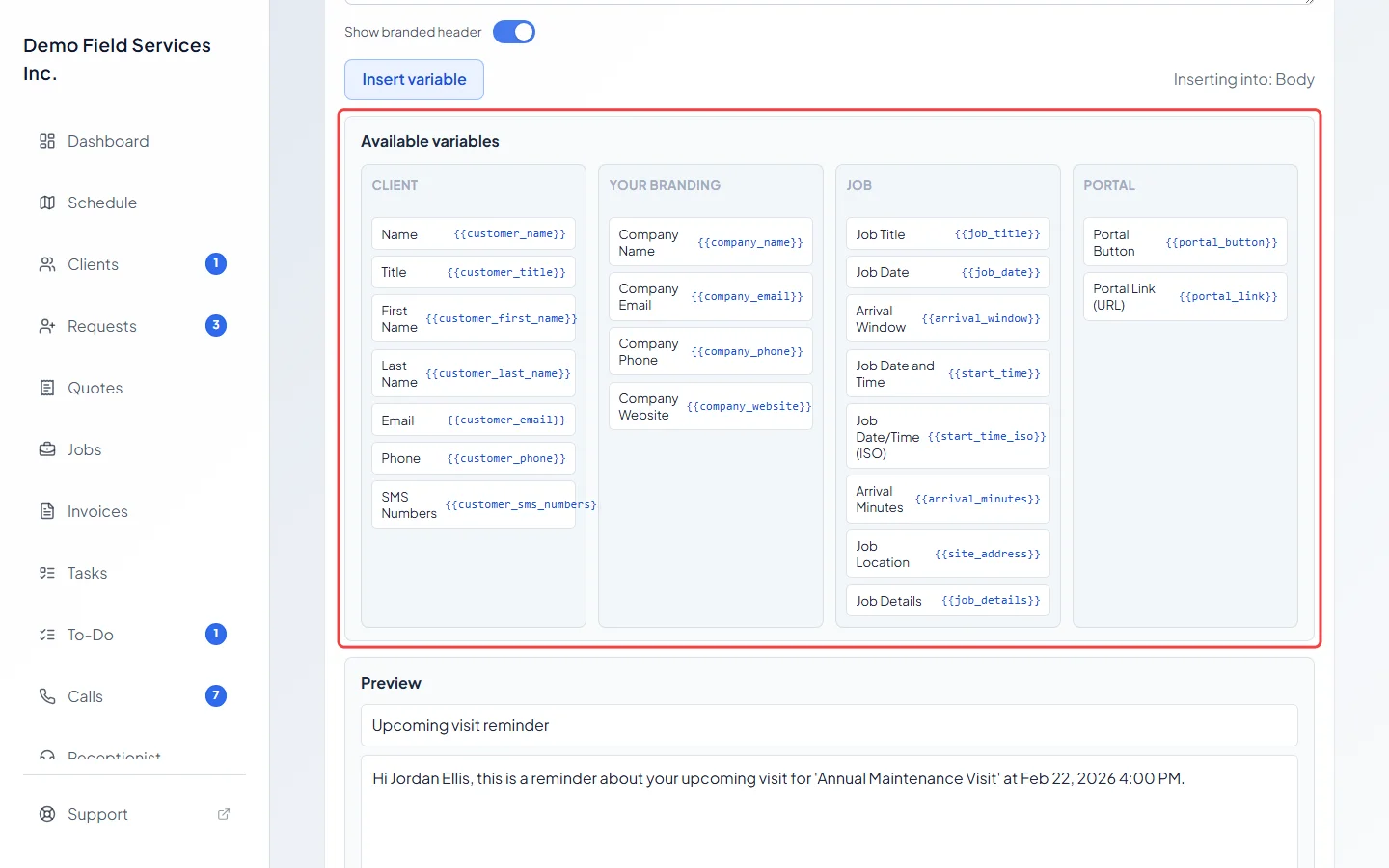
To add a detail that fills in for each client, click where it should go, then click Insert variable and pick one from Available variables, such as the client’s first name or the visit date. It goes into the subject or the body, whichever you clicked last.
-
Check Preview, which shows the message with sample details filled in, then click Save changes. Edits to both the email and the text version are saved together.
Good to know
Section titled “Good to know”- On this screen a message can’t be saved with an empty body. To stop a message going out, switch it off in Settings instead. See Automatic client messages.
- The Edit buttons in Settings → Client communication open the same wording, so a change made in either place shows in both. Some messages, such as “Technician arrived”, can only be edited here.
- On a phone, pick the message from Choose a template.
- In a text, a special character such as an emoji or a curly quote cuts the limit to 70 characters per text. The length line warns you when this happens.
- Templates is in the menu for admins only.
Related articles
Section titled “Related articles”Checked against Astragal on October 18, 2026