

Accepting card payments
Connect your bank account once so clients can pay a quote deposit or an invoice by card, and the money goes straight to you.
Who can do this: Admins. Dispatchers and accountants see this section but can’t change it.
Also called: online payments, payment setup.
Card payments run through Stripe, using your own Stripe account. Astragal never holds the money.
-
Open Accept credit cards from customers. The note at the top explains how it works. Until you connect, the card below it says “No bank account connected yet.”
On a computer: Left menu → Settings → Accept credit cards from customers On a phone: More → Settings → Accept credit cards from customers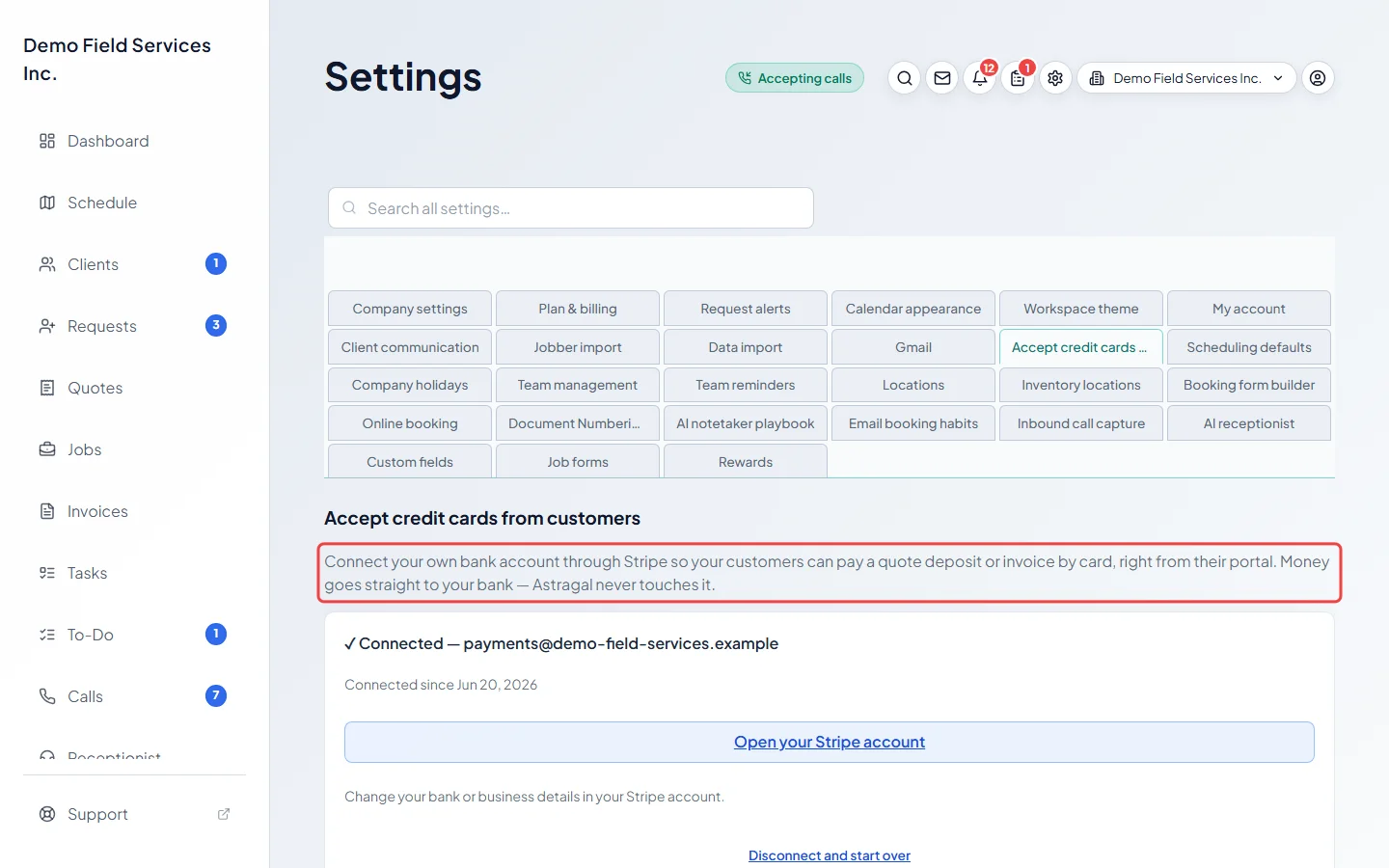
-
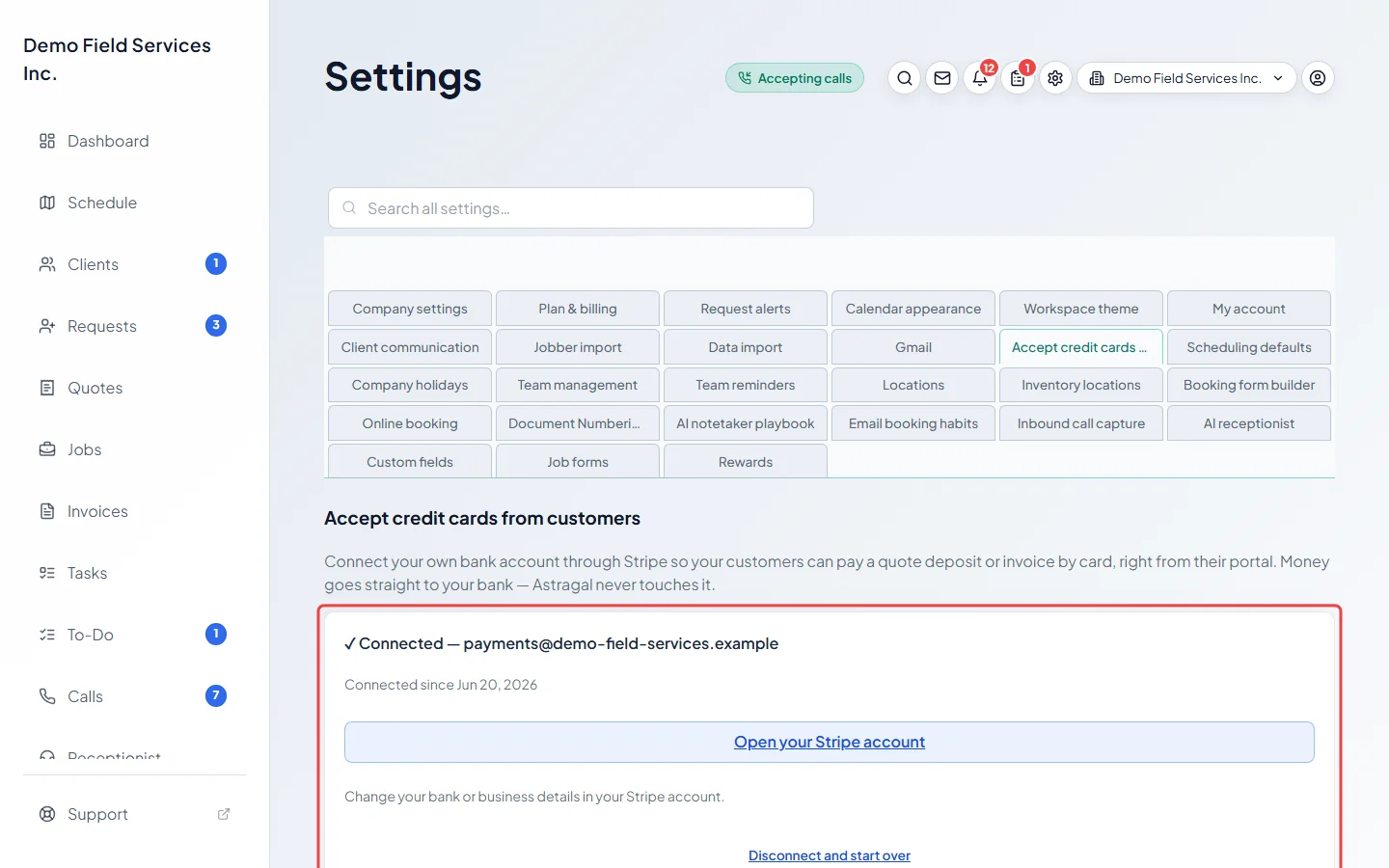
Click Connect your bank account. You’re taken to Stripe’s secure sign-up form, where you enter your business and bank details and confirm who you are. When you finish, you come back to Astragal; it shows “Finishing up your setup…” for a moment, then ✓ Connected with the account’s email and the date it was connected.
-
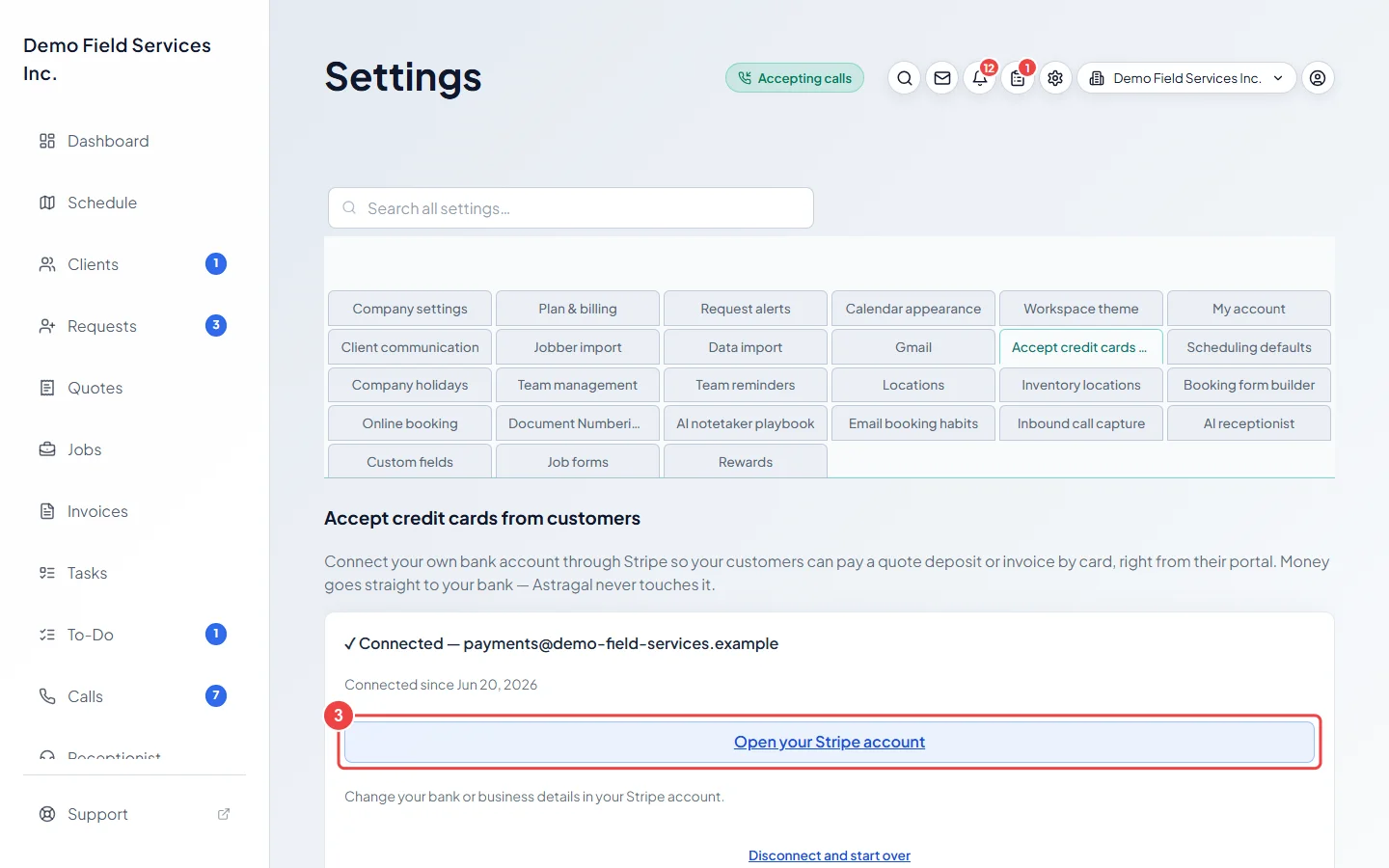
To change your bank account or business details later, click Open your Stripe account, sign in to Stripe in the new tab, and change them there.
What clients can do once it’s on
Section titled “What clients can do once it’s on”- Pay an invoice, or a quote’s deposit, by card from their client portal. See How clients view and pay invoices.
- Have you charge their card from an invoice, or a card they saved with you. See Taking a card payment.
- Save a card when they book online, if you ask for one. See Asking for a card.
If it needs attention
Section titled “If it needs attention”- If you left the Stripe form before finishing, or Stripe later asks for more information, the card turns amber: “Stripe needs more information to finish setting up your account.” Click Finish setup to go back to the form where you left off.
- The card also turns amber while Stripe is still checking your details after you finish. Click Finish setup to see if anything is still needed.
- If Stripe can’t accept the account, the card turns red. Contact Stripe support, or click Disconnect and start over to connect a different bank account or business.
- When a connected account stops working, admins also see a bar across the top of every screen. Click Fix payment setup to come straight here.
Good to know
Section titled “Good to know”- Disconnect and start over on a connected account stops card payments straight away. It doesn’t close your Stripe account, but clients can’t pay by card again until a new account is connected and checked from the beginning. Astragal asks you to confirm first.
- Demo companies can’t take real card payments. On a demo company the section says card payments aren’t available there, instead of showing the button. If you see that on your real company, email support@astragalhq.com.
- This is separate from Plan & billing, which is how you pay for Astragal.
Related articles
Section titled “Related articles”Checked against Astragal on October 18, 2026