

Booking confirmations and job follow-ups
Set up the message a client gets when their job is booked, and the follow-up that goes out after the job is closed.
Who can do this: Admins, dispatchers and accountants. Only admins can save changes to a message’s wording.
Also called: appointment confirmation, thank-you message, review request.
-
Open the client communication settings and find Booking confirmation at the top of the Jobs card under Jobs & Visits.
On a computer: Left menu → Settings → Client communication On a phone: More → Settings → Client communication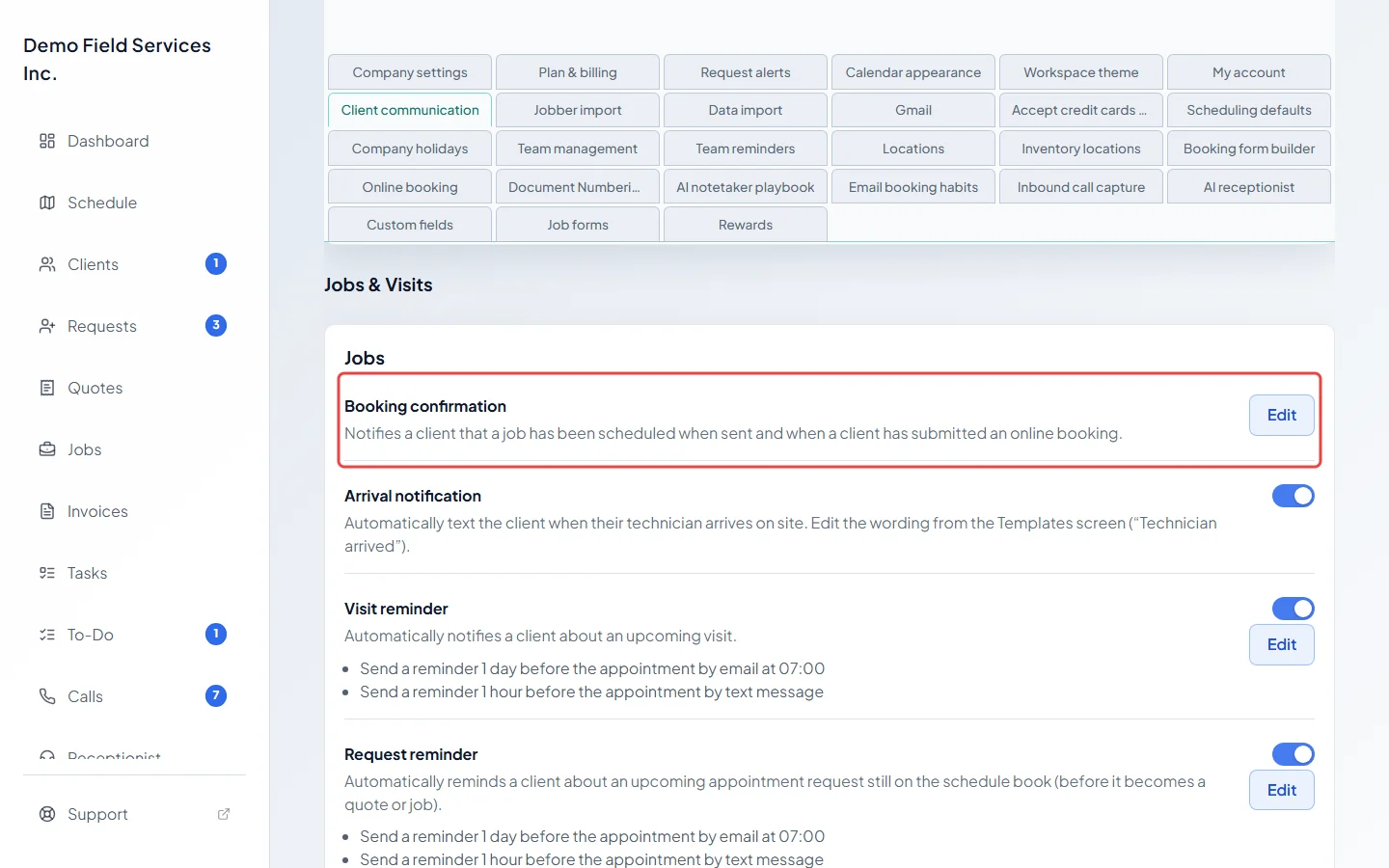
-
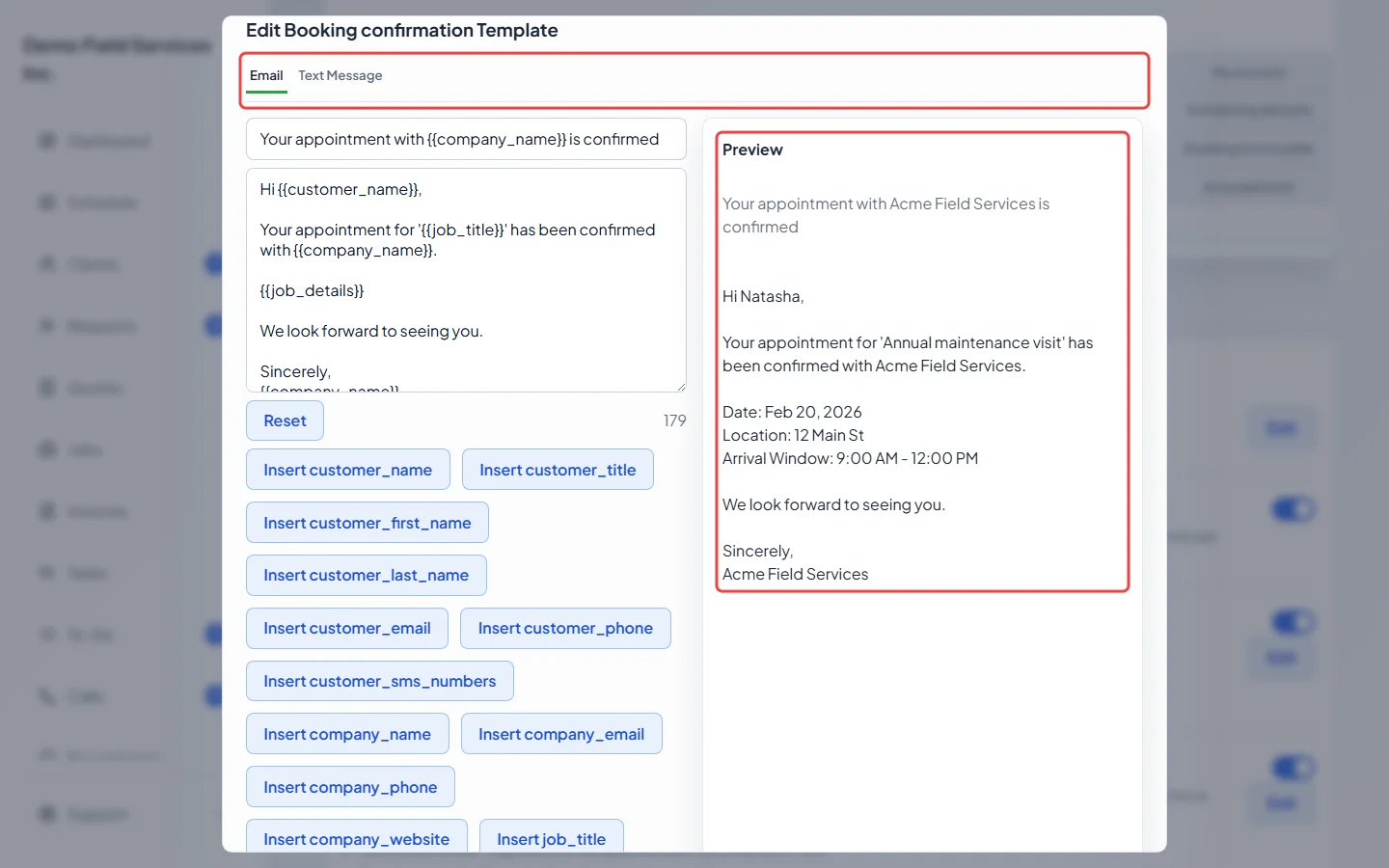
Click Edit to change what the confirmation says. In Edit Booking confirmation Template, switch between Email and Text Message, edit the wording, and use the Insert buttons (such as “Insert customer_name”) to add the client’s name, the visit date, arrival window, address and more. Check Preview, then click Save.
-
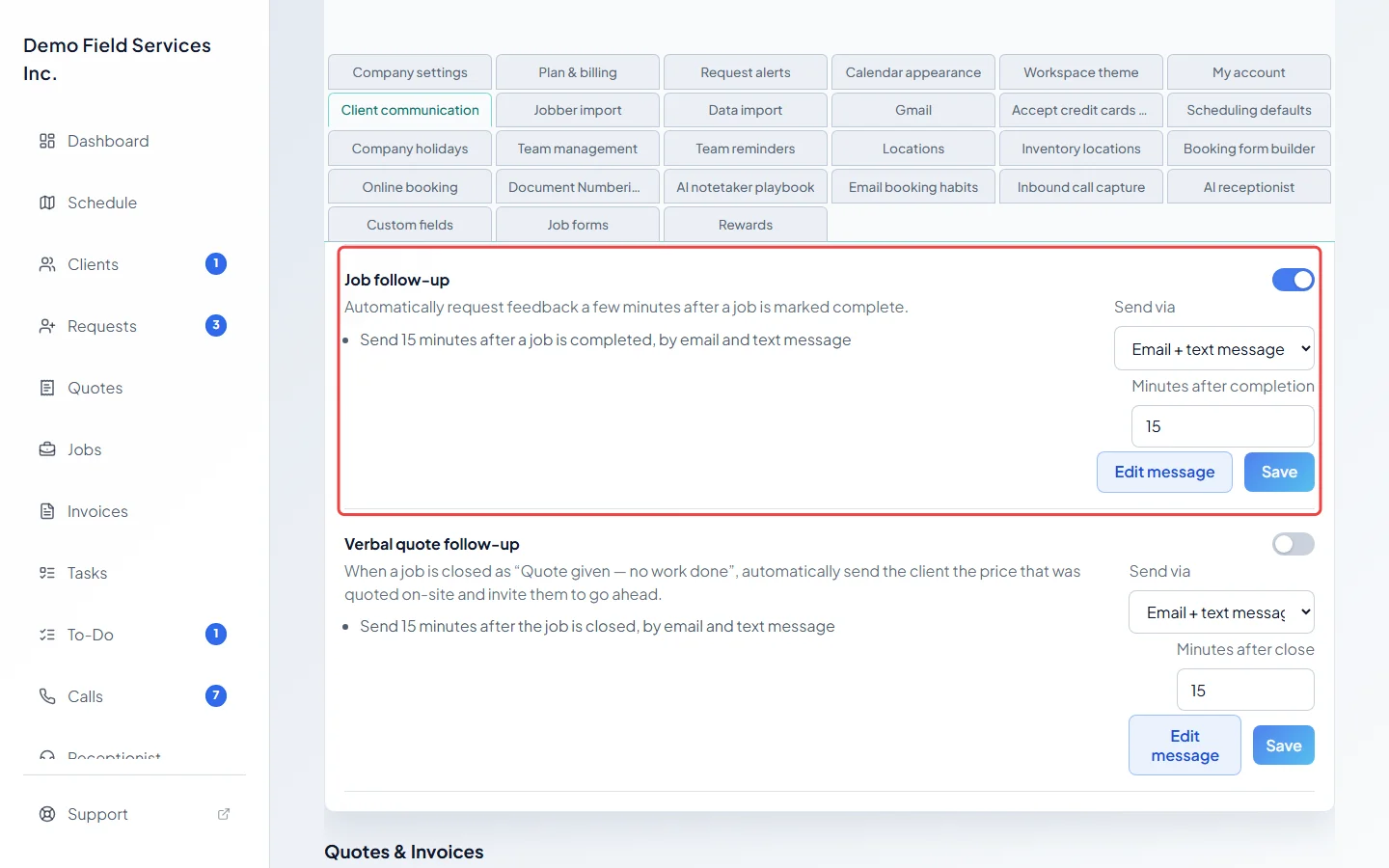
Under Job follow-up, use the switch to turn the after-the-job message on or off. Choose how it goes in Send via, set Minutes after completion (0 to 1440), and click Save. Click Edit message to change the wording, for example to ask for a review.
-
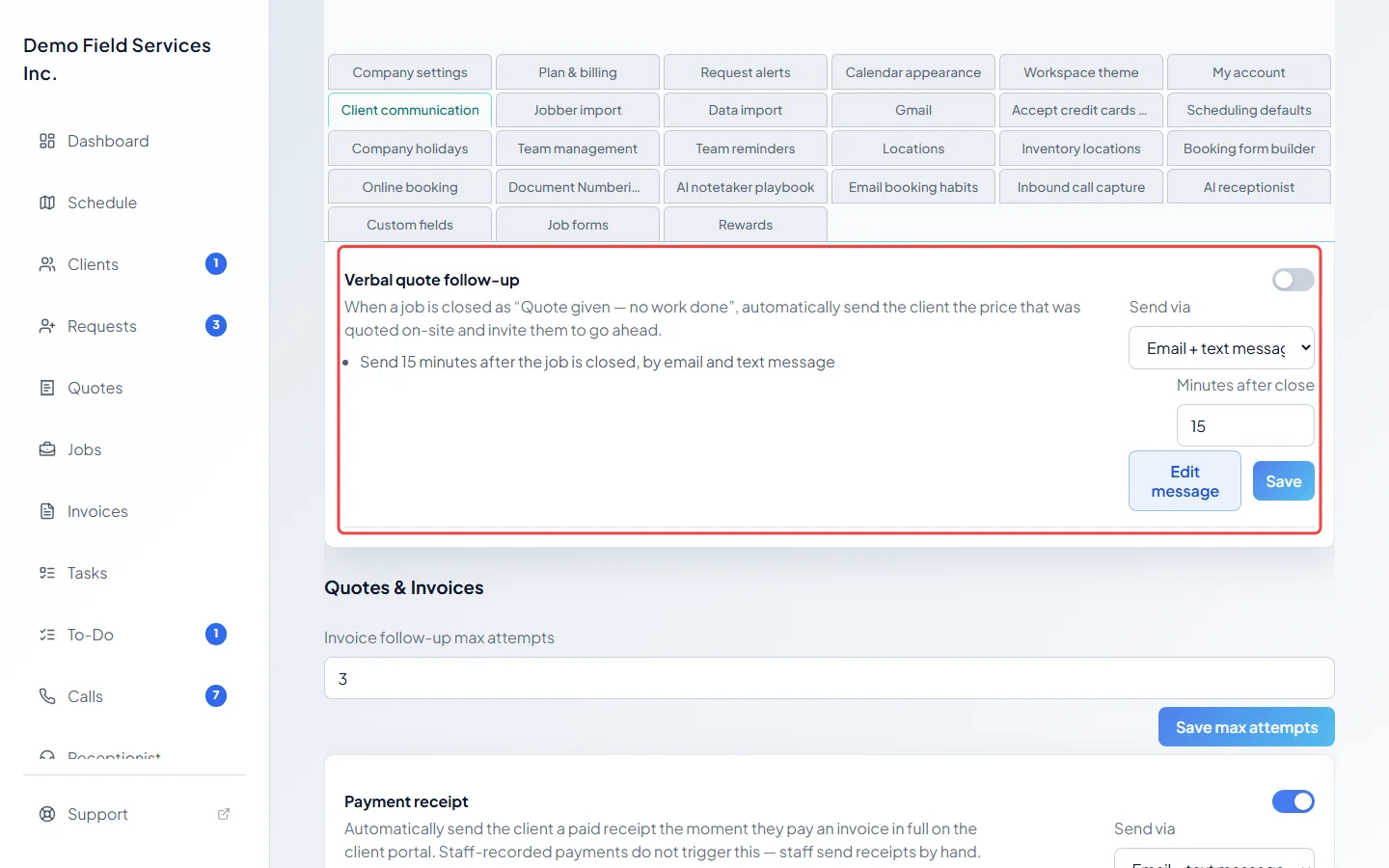
Verbal quote follow-up is for jobs closed as “Quote given — no work done”. It sends the client the price your technician gave on site and invites them to go ahead. Turn it on with the switch, choose Send via and Minutes after close, and click Save. Click Edit message to change the wording.
When each message goes out
Section titled “When each message goes out”- Booking confirmation has no switch. It goes out when you send it from a job: open the job’s actions menu and choose Send booking confirmation email or Send booking confirmation text (the job needs a scheduled visit first), or use Save & email booking confirmation / Save & text booking confirmation. It also goes out when a client books online.
- Job follow-up goes out the set number of minutes after a job is closed as completed work. It’s skipped if a written quote was made from the job right after it was closed.
- Both follow-ups only cover jobs closed in Astragal in the last 7 days, never imported ones, and a client gets at most one of each per email address or phone number in 7 days, however many jobs you close.
- Verbal quote follow-up is skipped if the client has been booked in again since, or if a written quote was made from the job.
- If a follow-up would suddenly go to a very large number of clients at once, nothing is sent and your office gets an email instead.
Good to know
Section titled “Good to know”- A new company starts with the job follow-up on (15 minutes after completion, by email and text) and the verbal quote follow-up off.
- The job’s title is kept inside your team and never appears in a follow-up, even if the wording asks for it. The job title insert button and preview fill it in, but the real message leaves it blank.
- To stop these messages for one client, open the client and click Communication settings. See Editing a client.
Related articles
Section titled “Related articles”Checked against Astragal on October 18, 2026