

Quote to cash
See how many requests turn into quotes, approved work, invoices and payments.
Who can do this: Anyone who can open Reports (see The reports page).
Also called: sales funnel, pipeline.
-
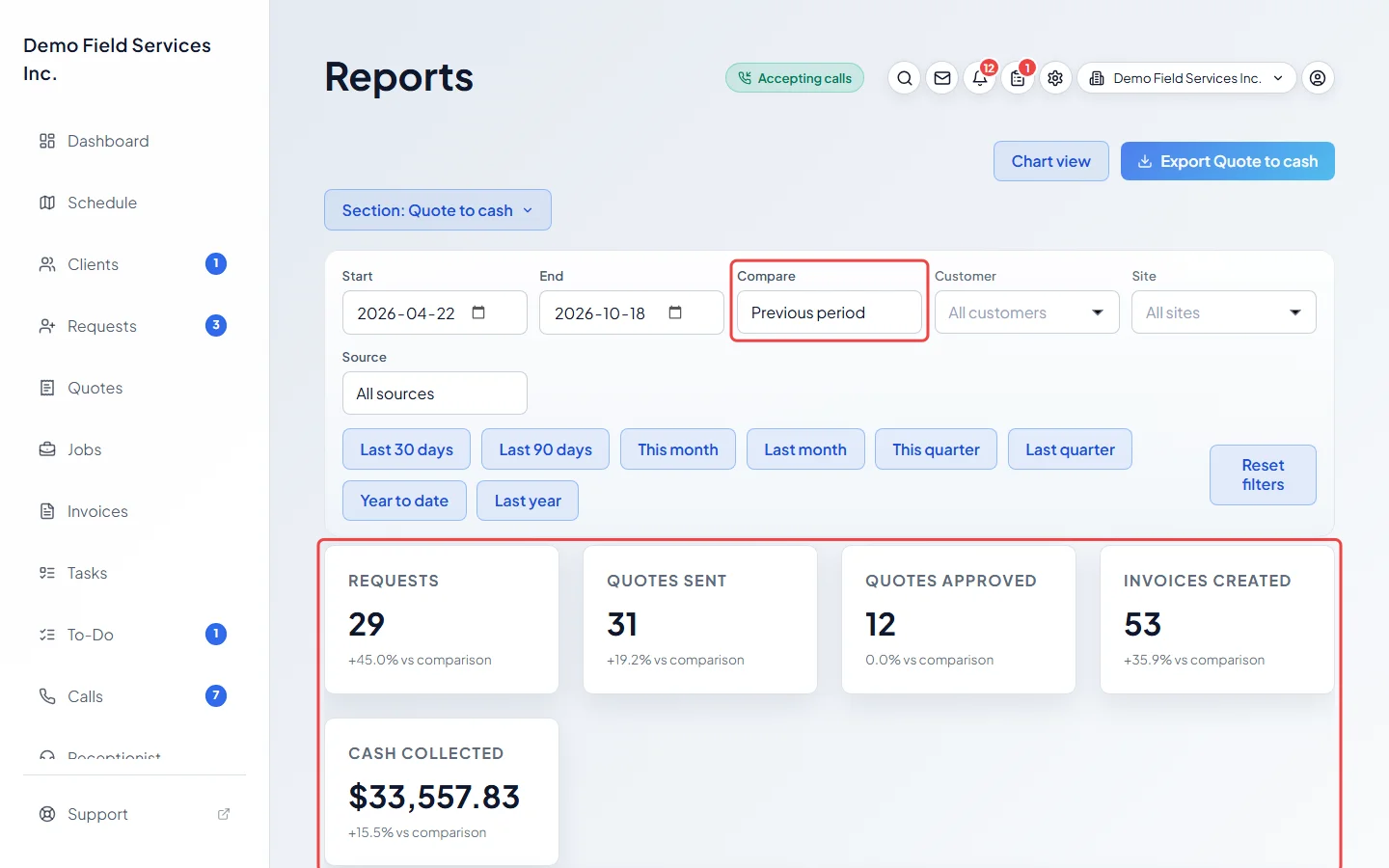
Open Reports and pick Quote to cash. The figures are “Requests”, “Quotes sent”, “Quotes approved”, “Invoices created” and “Cash collected”. With Compare on, each shows its change from the earlier period.
On a computer: Left menu → Reports On a phone: More → Reports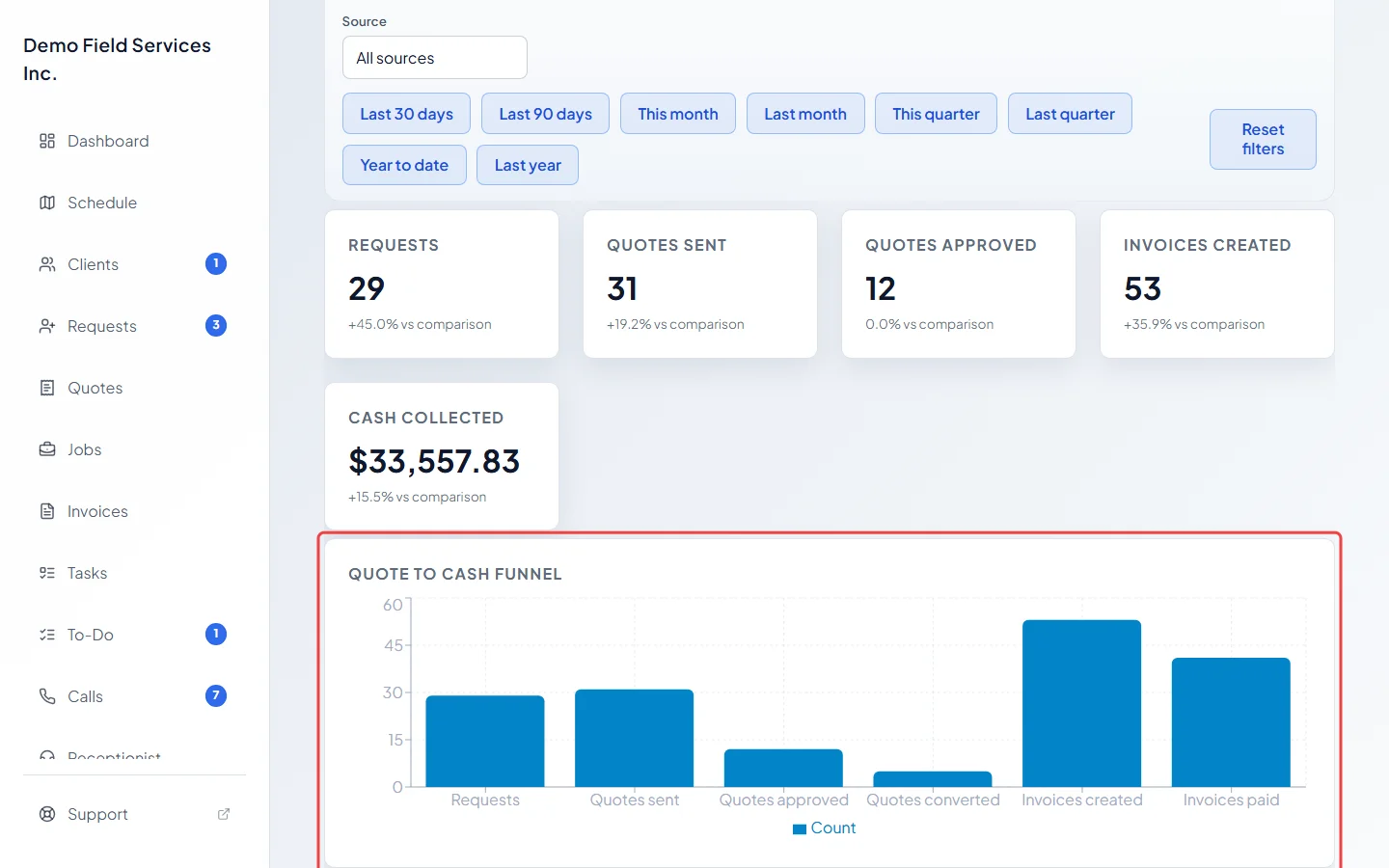
-
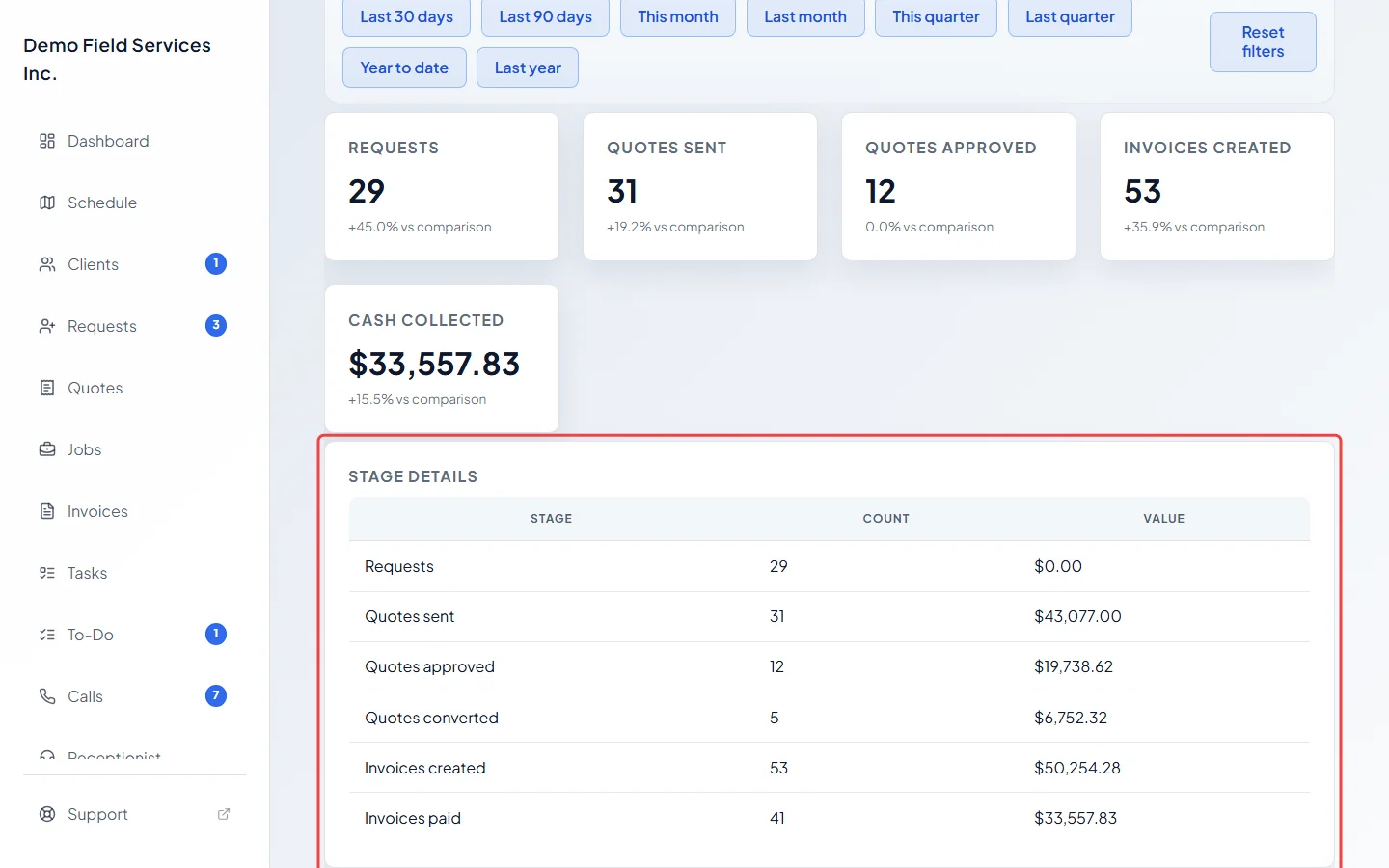
The Quote to cash funnel chart shows the count at each stage. Scroll down to Stage details for each stage’s Count and Value: “Requests”, “Quotes sent”, “Quotes approved”, “Quotes converted” (turned into jobs), “Invoices created” and “Invoices paid”.
-
Use Compare to see whether this period is better or worse: Previous period compares with the same number of days just before, Previous year with the same dates last year.
Good to know
Section titled “Good to know”- Each stage counts the records made in the period: requests and quotes by the day they were created, invoices by the day they were made, and payments by the day they were received. So a stage is not a strict subset of the one before it.
- “Quotes sent” counts every quote made in the period that isn’t a draft, including declined and archived ones. “Invoices created” includes drafts and deposit invoices. “Quotes approved” includes quotes that were approved and later turned into jobs.
- “Invoices paid” counts invoices with a payment in the period, and its value is the money collected less refunds. An invoice whose payments were all refunded isn’t counted.
- Requests have no value, so their Value is zero.
Related articles
Section titled “Related articles”Checked against Astragal on October 17, 2026