

Timesheets and team productivity
Get every shift your team worked with weekly totals for payroll, and see how much work each person got done.
Who can do this: Admins, dispatchers and accountants who can open Reports, and technicians who can open Reports and are allowed to View/record/edit everyone’s time.
Also called: payroll report, hours report.
-
Open Reports, pick Timesheets, and pick the pay period (This week and Last week are handy here). The figures are “Hours worked”, Team members, “Time entries” and Still clocked in. The list has every shift with Team member, Date, Start, End, Hours, Status and Edited.
On a computer: Left menu → Reports On a phone: More → Reports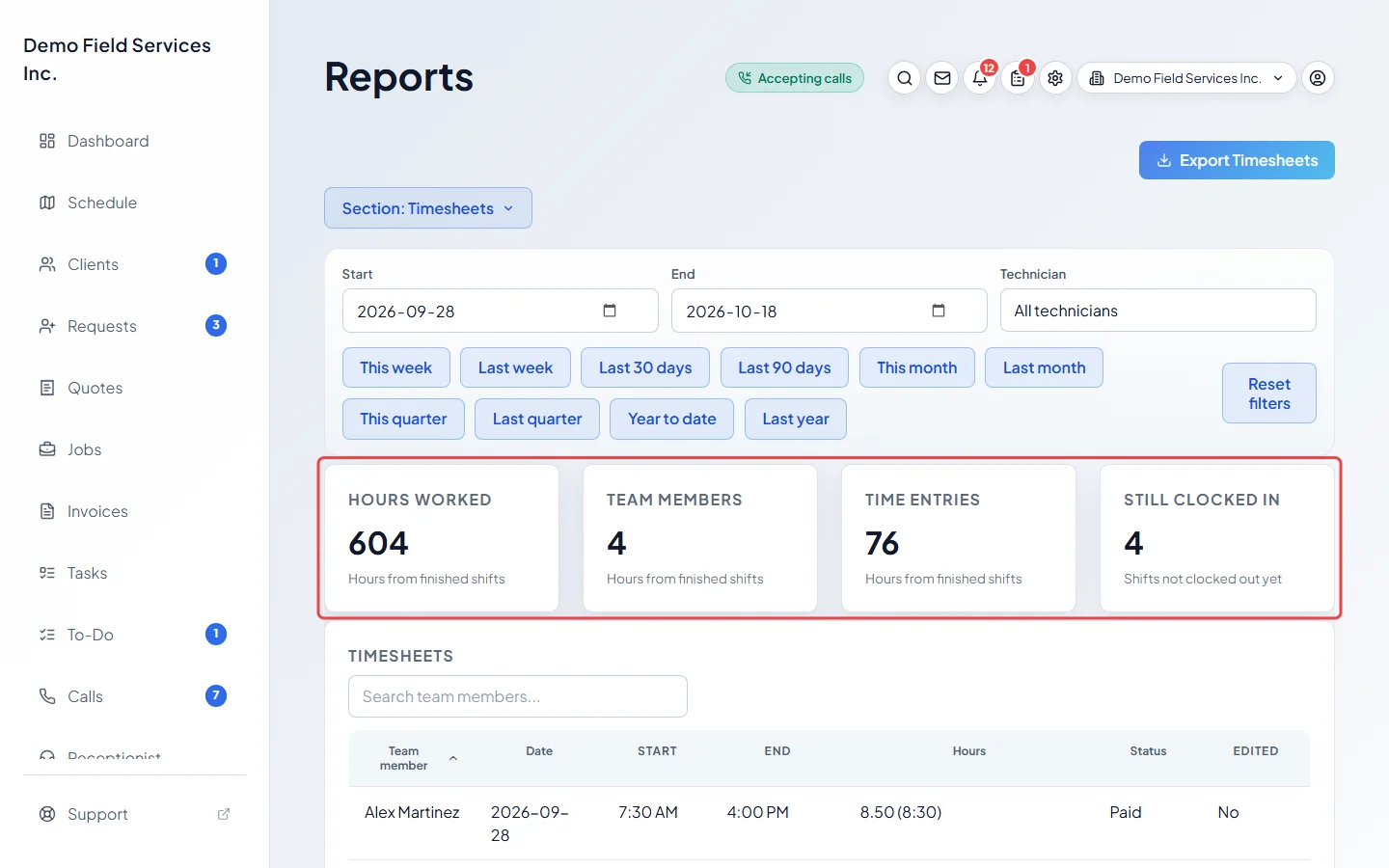
-
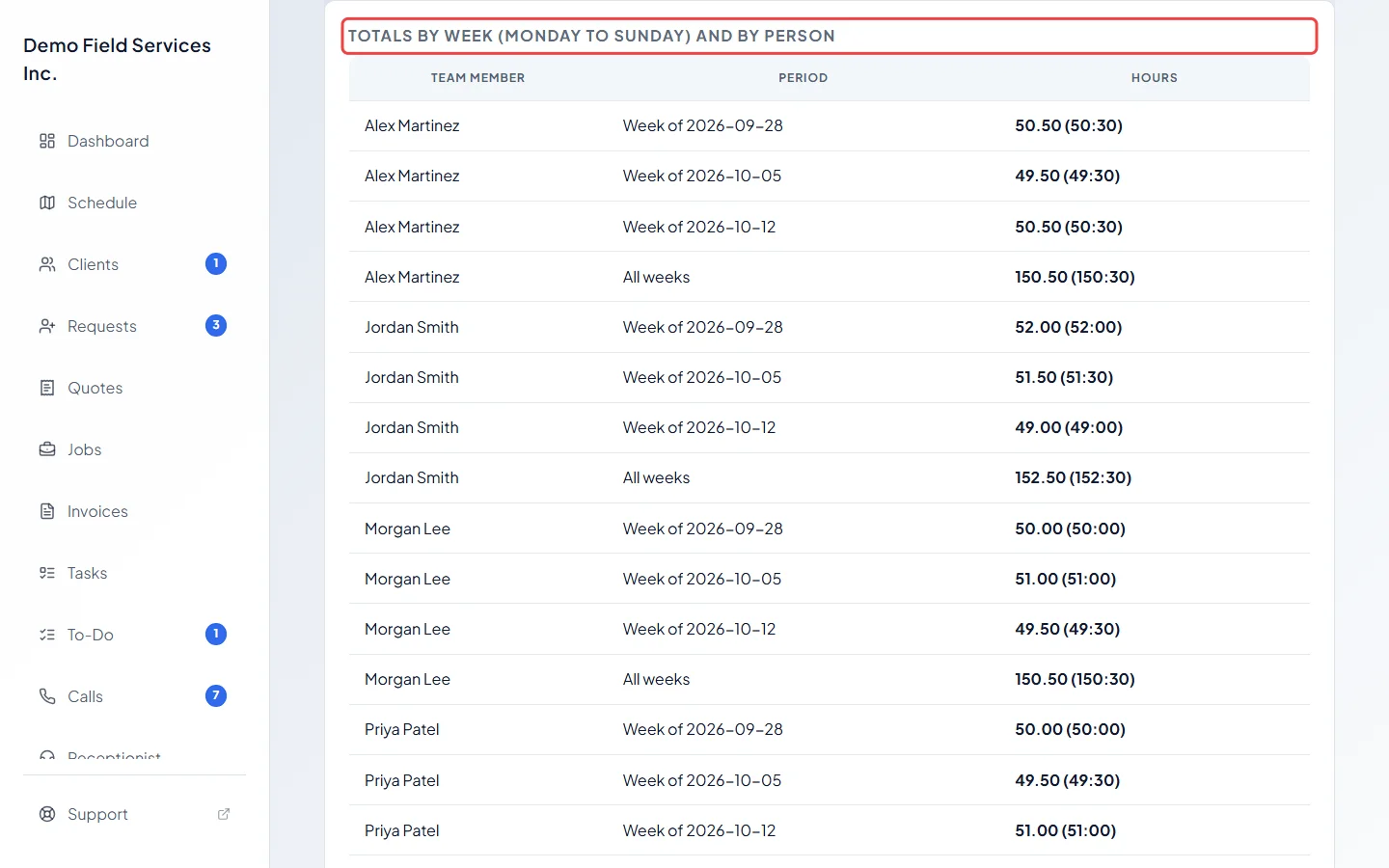
Scroll down to Totals by week (Monday to Sunday) and by person. Each person has one line per week and an All weeks total.
-
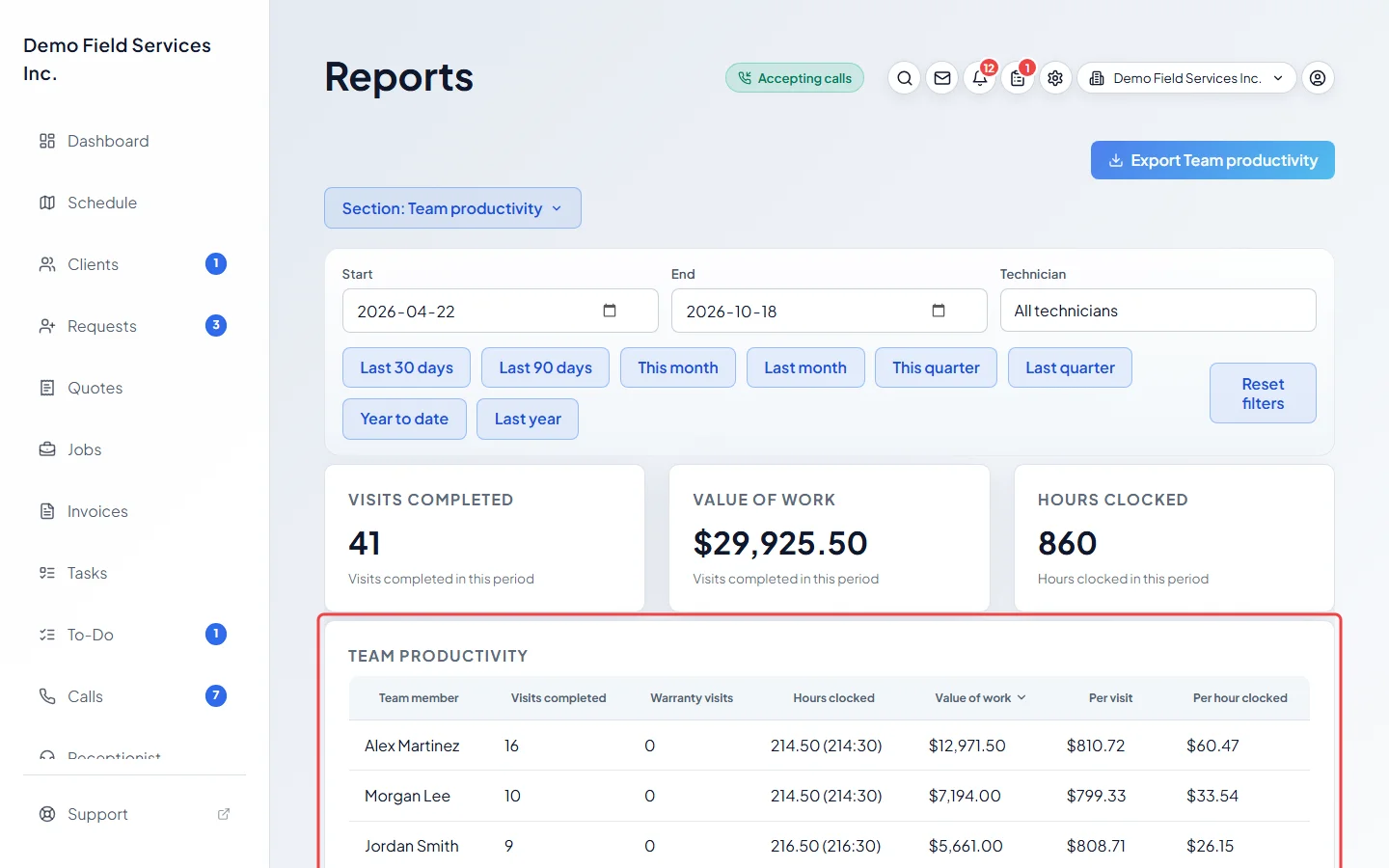
Click Section: and pick Team productivity. For each person you see Visits completed, Warranty visits, Hours clocked, Value of work, Per visit and Per hour clocked. The figures at the top are Visits completed, Value of work and Hours clocked.
Good to know
Section titled “Good to know”- Hours show as decimal hours with hours and minutes beside them, for example “7.50 (7:30)”.
- A shift is placed on its own work day. Shifts still running show “Still clocked in” and aren’t added to the totals until they’re finished. One left open more than 16 hours is probably a missed clock-out: it stops counting at the end of its day and says “check”.
- Edited says Yes when the shift was added by hand, changed, or clocked in or out by someone else. To fix or approve time, see Adding or editing time and Approving timesheets.
- In Team productivity, value is before tax and after discounts. Only sent or paid invoices count, except a warranty visit, which counts its warranty bill even before it’s sent. A visit done by several people is shared equally between them. Visits are dated by when they were completed, as a UTC (Greenwich time) date.
- Hours clocked shows ”—” for someone with no login to clock in with.
- Someone who has left the company shows as “Former team member”.
- The Visits completed figure at the top counts each visit once, warranty visits included. The per-person column leaves warranty visits out (they’re under Warranty visits). Per visit divides only by visits that have a value, so visits not yet billed don’t lower it.
- Only people who completed a visit in the period are listed. Visits with nobody assigned show as “Unassigned”.
Related articles
Section titled “Related articles”Checked against Astragal on October 17, 2026