

Asking for a deposit
Ask the client to pay part of the price up front before you start the work.
Who can do this: Admins, dispatchers and accountants, and technicians set to View, edit, and create quotes or View, edit, create, and delete quotes. Removing a recorded payment needs View, edit, create, and delete quotes. Only admins and accountants can refund a payment.
Also called: down payment, retainer.
-
Open the quote and scroll to the Deposit card. You can also set a deposit while making a new quote.
On a computer: Left menu → Quotes → open a quote On a phone: More → Quotes → open a quote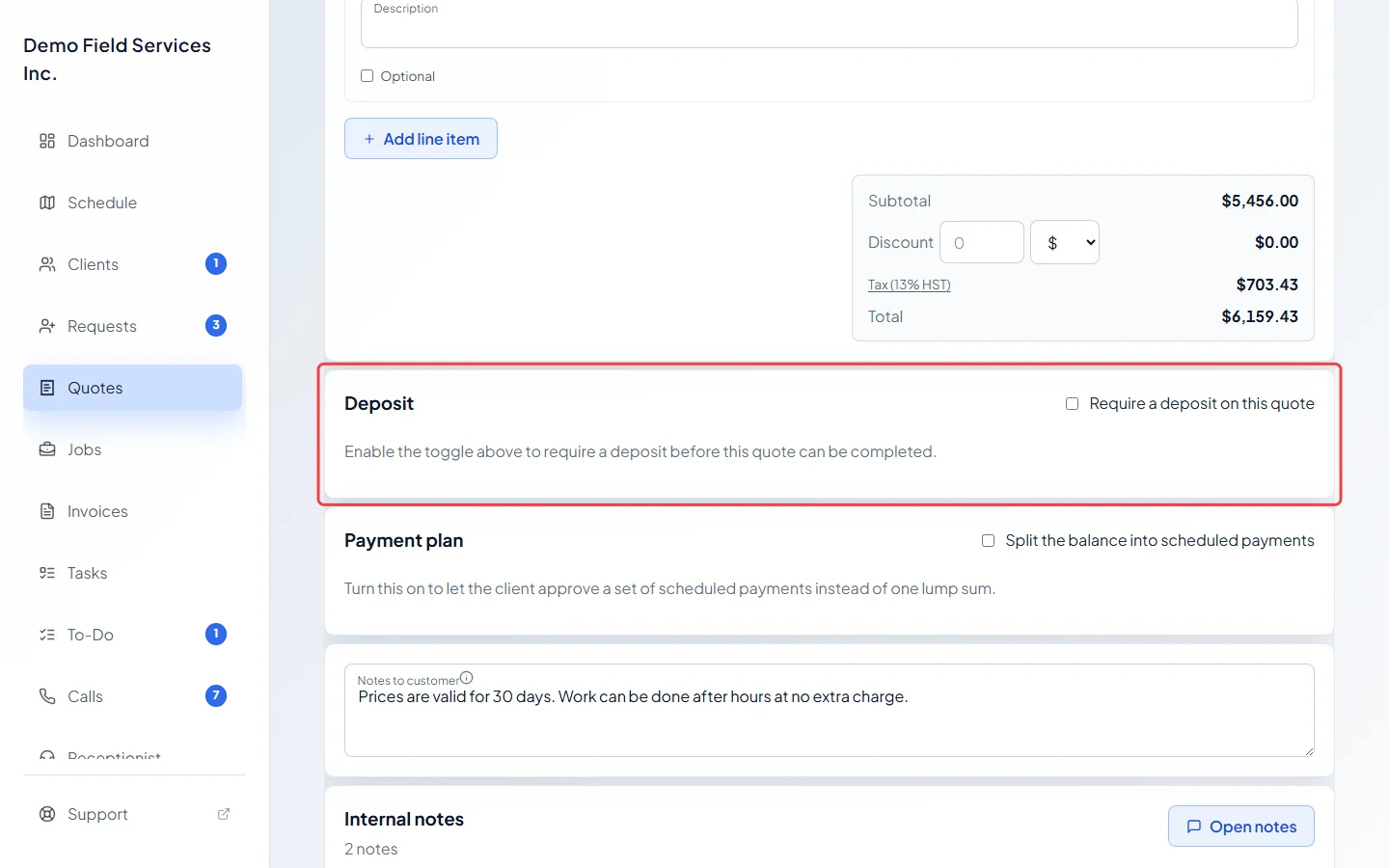
-
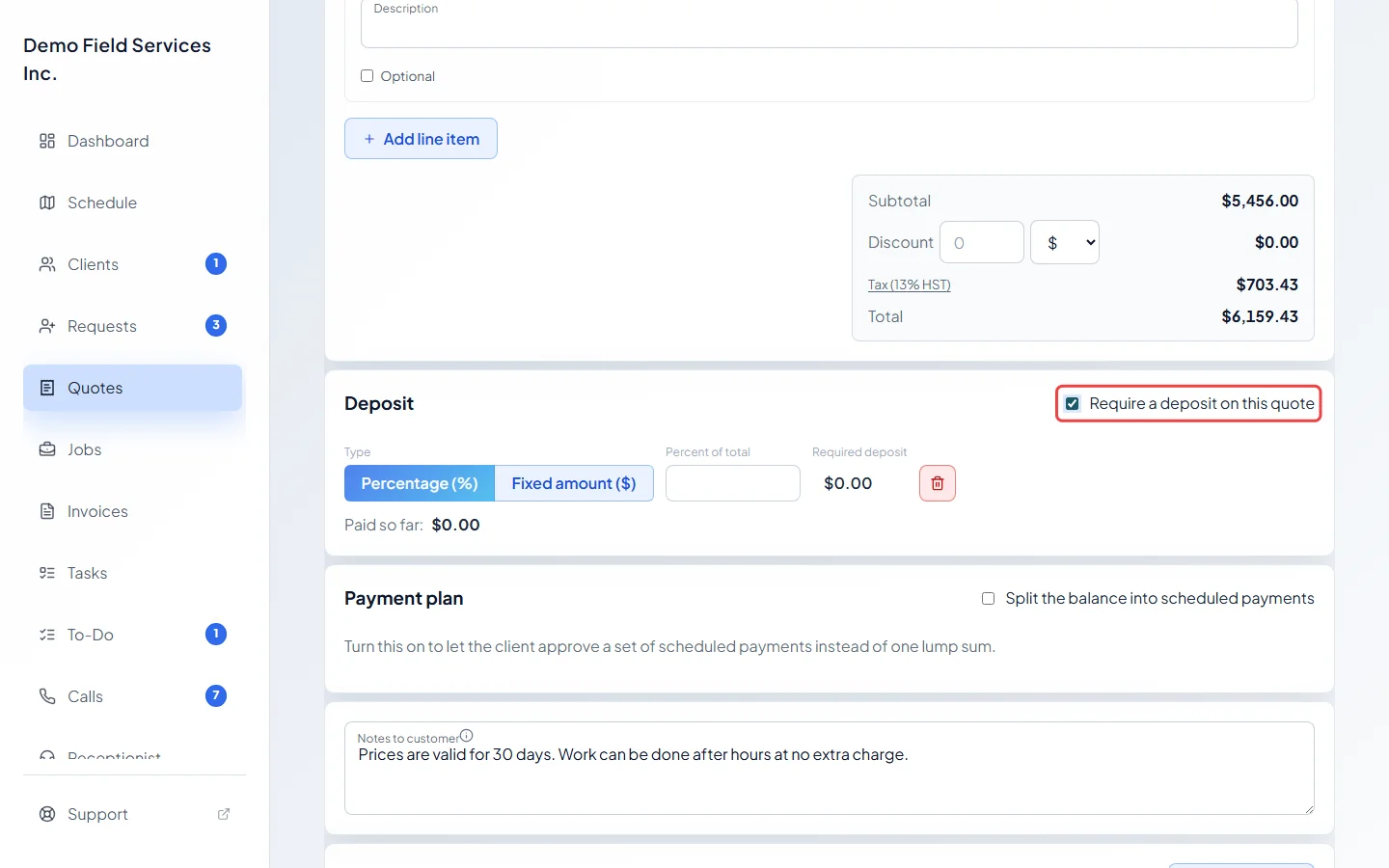
Tick Require a deposit on this quote.
-
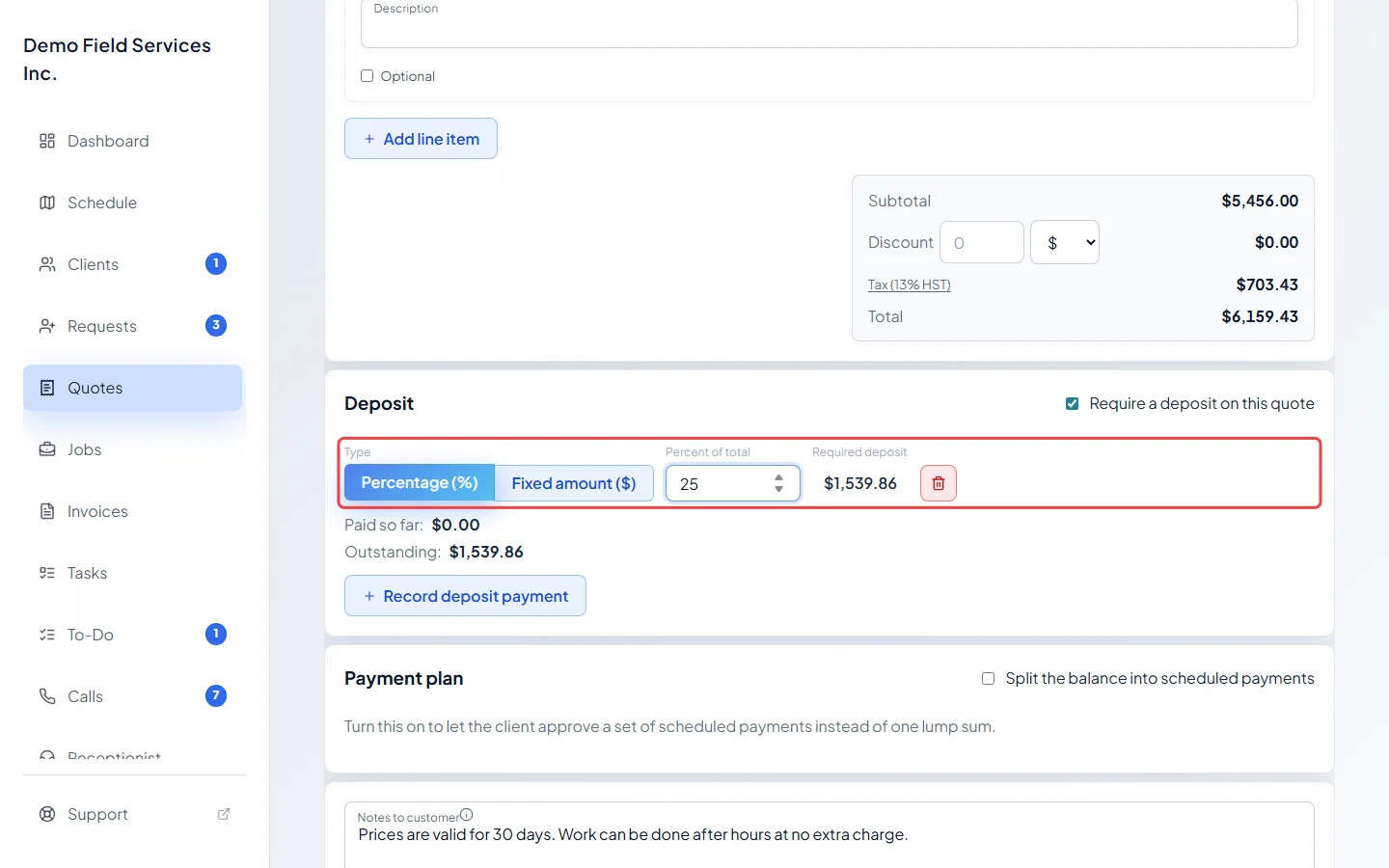
Choose Percentage (%) or Fixed amount ($), then type the number in Percent of total (or Dollar amount). Required deposit shows what the client will pay. A percentage can’t be more than 100, and a fixed amount can’t be more than the quote total.
-
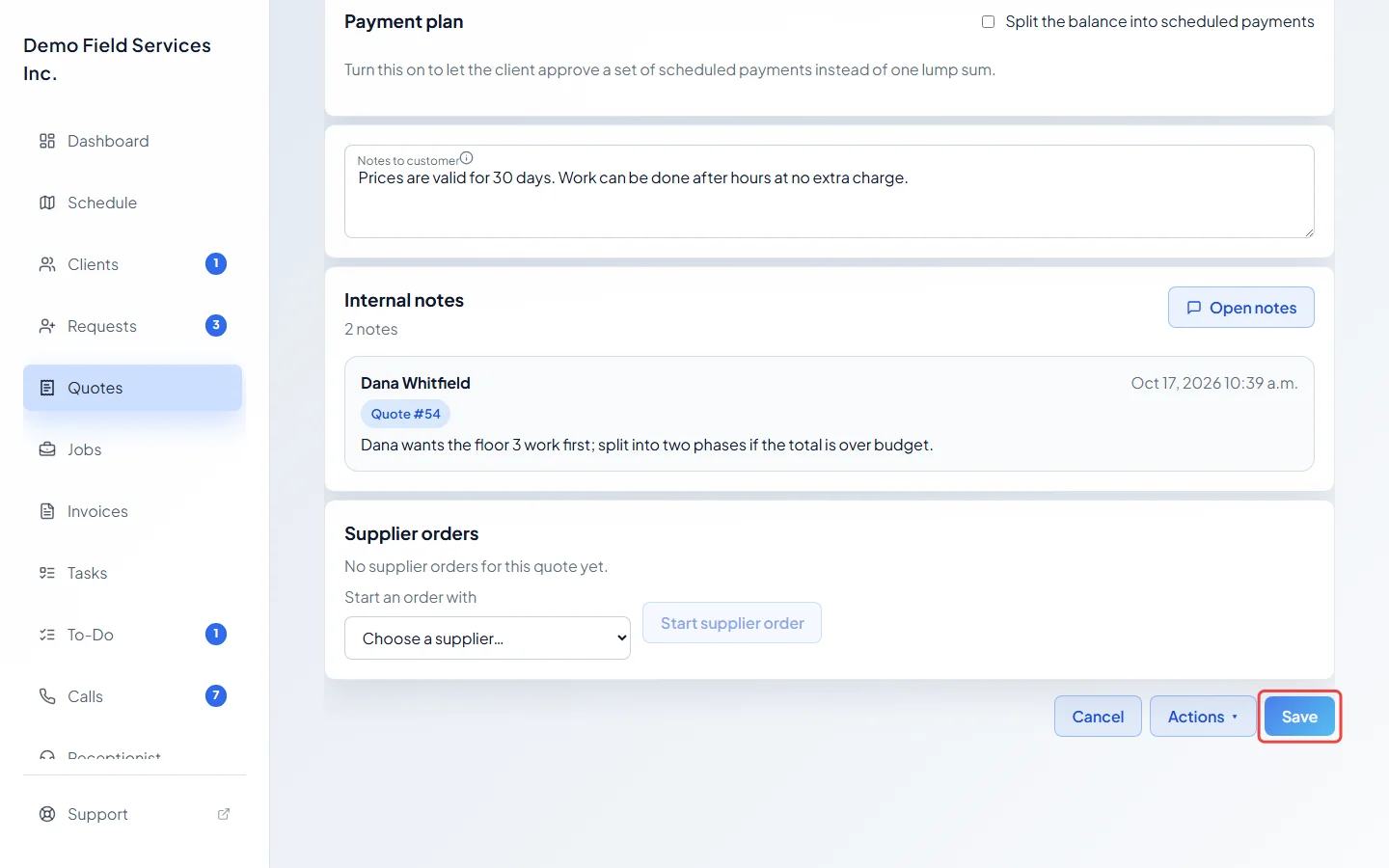
Click Save. The client sees the deposit on their quote. If your company takes cards, they can pay it from their portal.
-
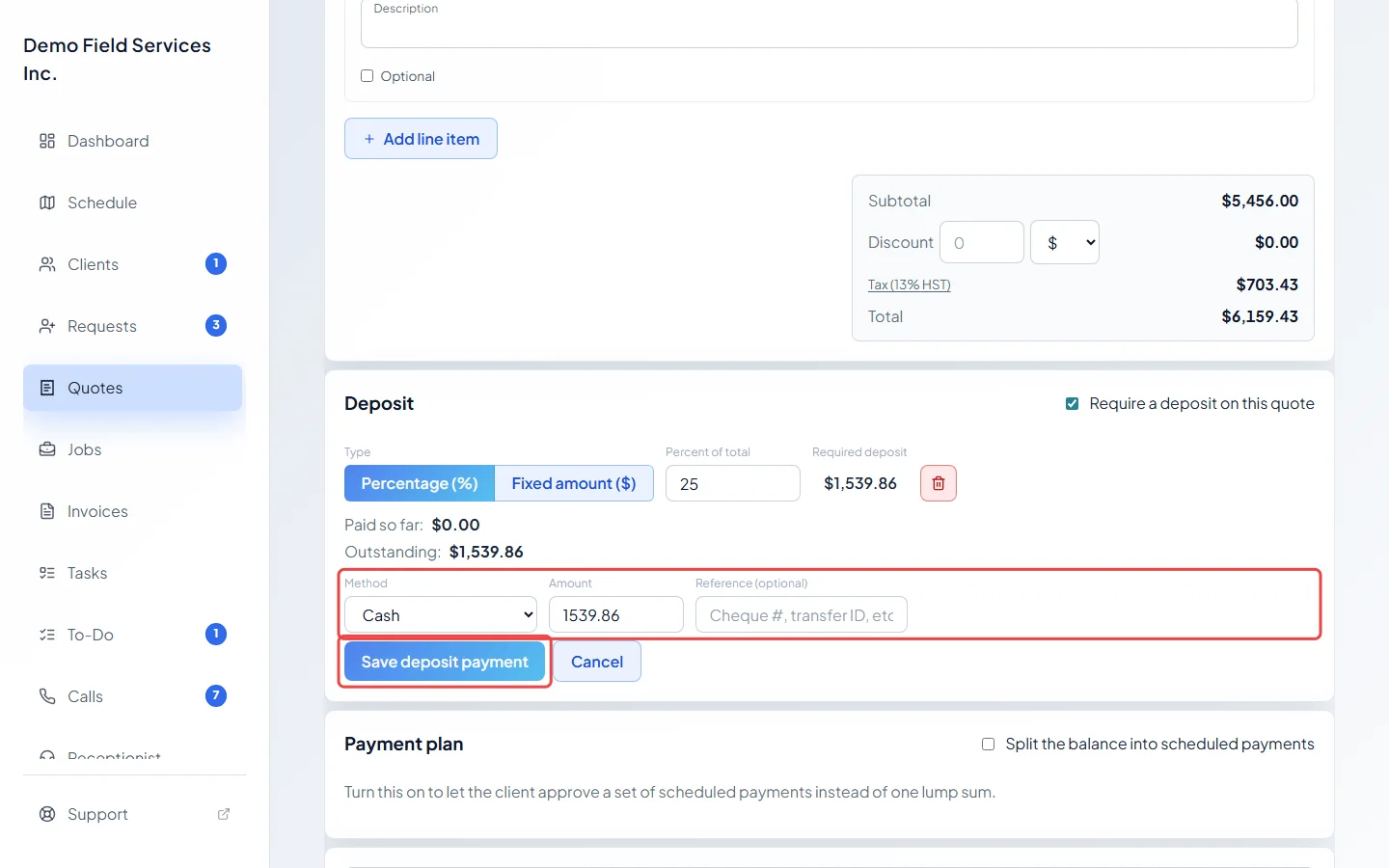
If the client pays you another way, click Record deposit payment. Pick the Method, check the Amount, add a Reference (optional) if you like, and click Save deposit payment. If you picked Credit Card, the button says Charge card instead.
Tracking the deposit
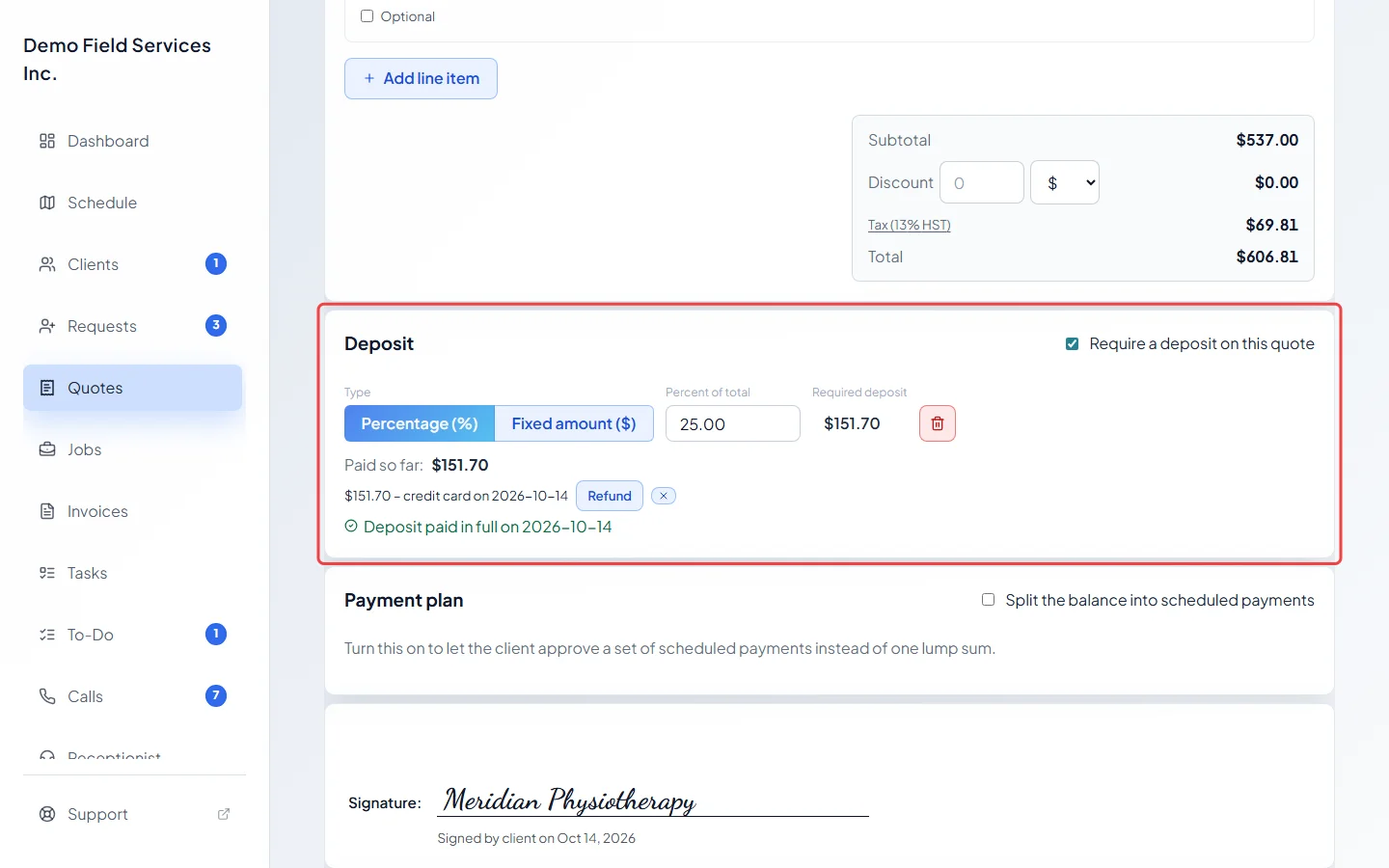
Section titled “Tracking the deposit”The Deposit card shows Paid so far:, each payment with its method and date, and Outstanding: until the deposit is covered. Then it says when the deposit was paid in full.
Good to know
Section titled “Good to know”- When the quote is approved, Astragal makes a deposit invoice for it. The deposit is taken off the final invoice later.
- If your company takes cards, Credit Card in Method charges the client’s card on the next screen. Took the card on your own machine? Pick Credit Card (offline) to just record it. See Accepting card payments.
- Click Refund next to a payment to give money back. A payment typed in by mistake (not a card charge) can be removed with the small cross next to it.
- To take the deposit off, click the bin next to Required deposit, or untick the box, then click Save.
- Changing the deposit on an approved quote takes the approval away, so the client approves it again.
- Once the quote is a job, the deposit can’t be changed on the quote. Recorded payments can still be fixed.
Related articles
Section titled “Related articles”Checked against Astragal on October 17, 2026