

How clients see jobs and files
Show clients where their work stands, give them their finished service forms, and let them send you photos and documents.
Who can do this: Your clients, in their portal.
Also called: work orders, attachments.
-
The client clicks Jobs. Each card shows the job number and their name, a status (New, Scheduled, In Progress, Completed or Cancelled), when the job was created, when it’s Scheduled (or “To be scheduled”) and the Location. Clicking a completed job opens its invoice.
On a computer: Portal menu → Jobs On a phone: Portal bottom bar → Jobs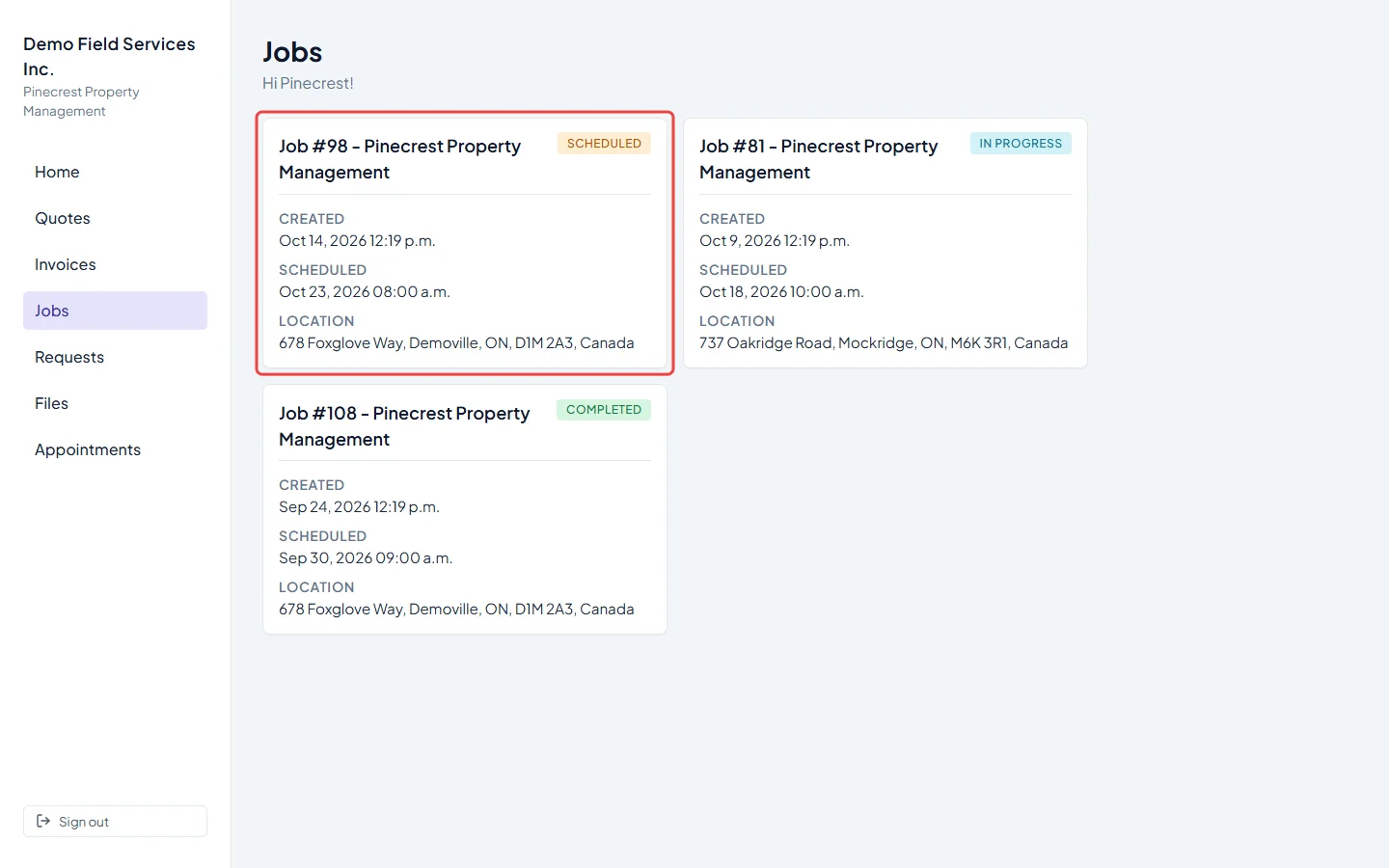
-
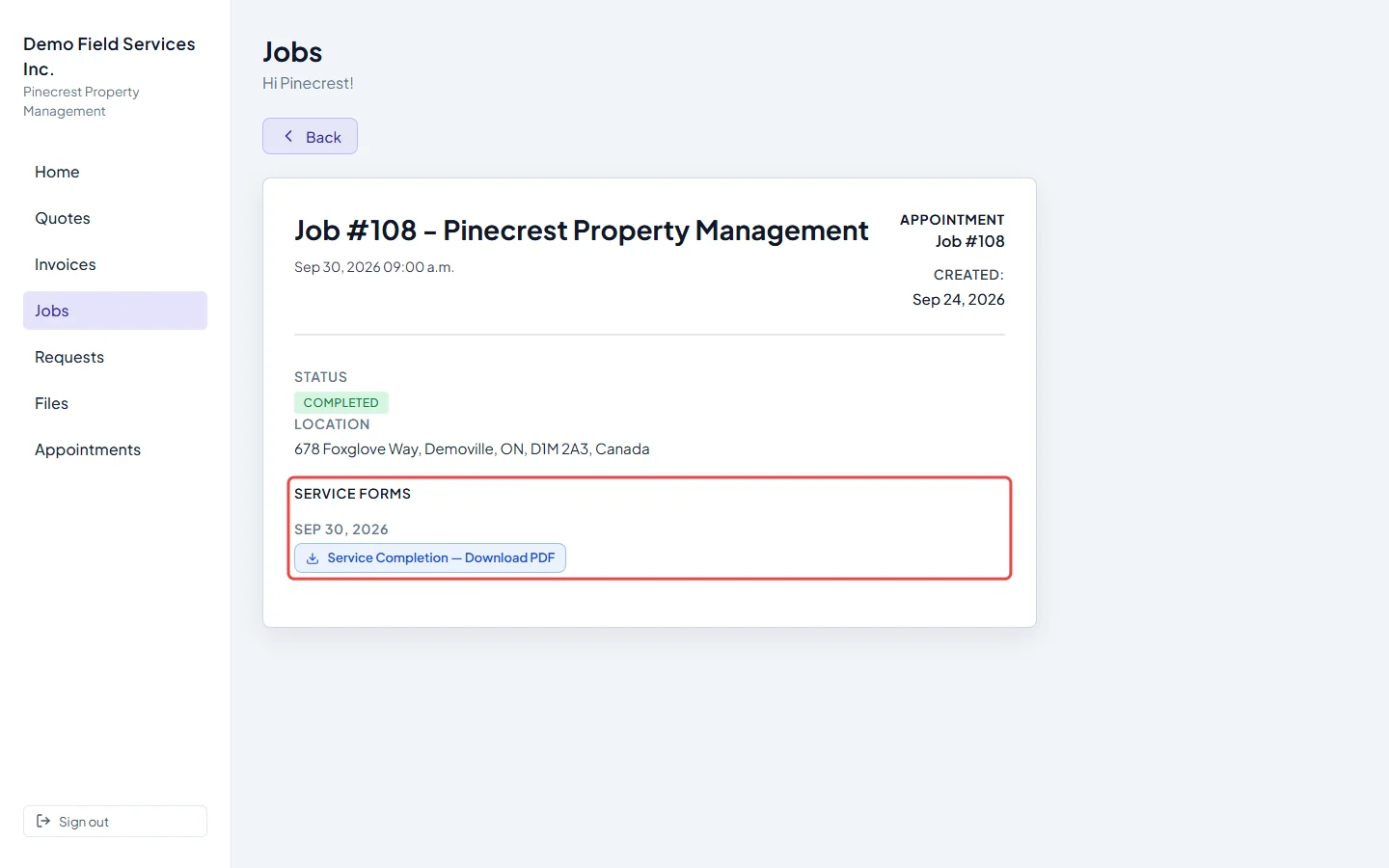
When a client opens a job from the link in a booking confirmation, they see the appointment page: when it is, its status and the location. Once a technician finishes a service form on a visit, it appears under Service forms, grouped by visit date, with a Download PDF button for each. Forms show only what you’ve chosen to share with clients. The Jobs list never opens this page, so clients reach their service forms only from that emailed link.
-
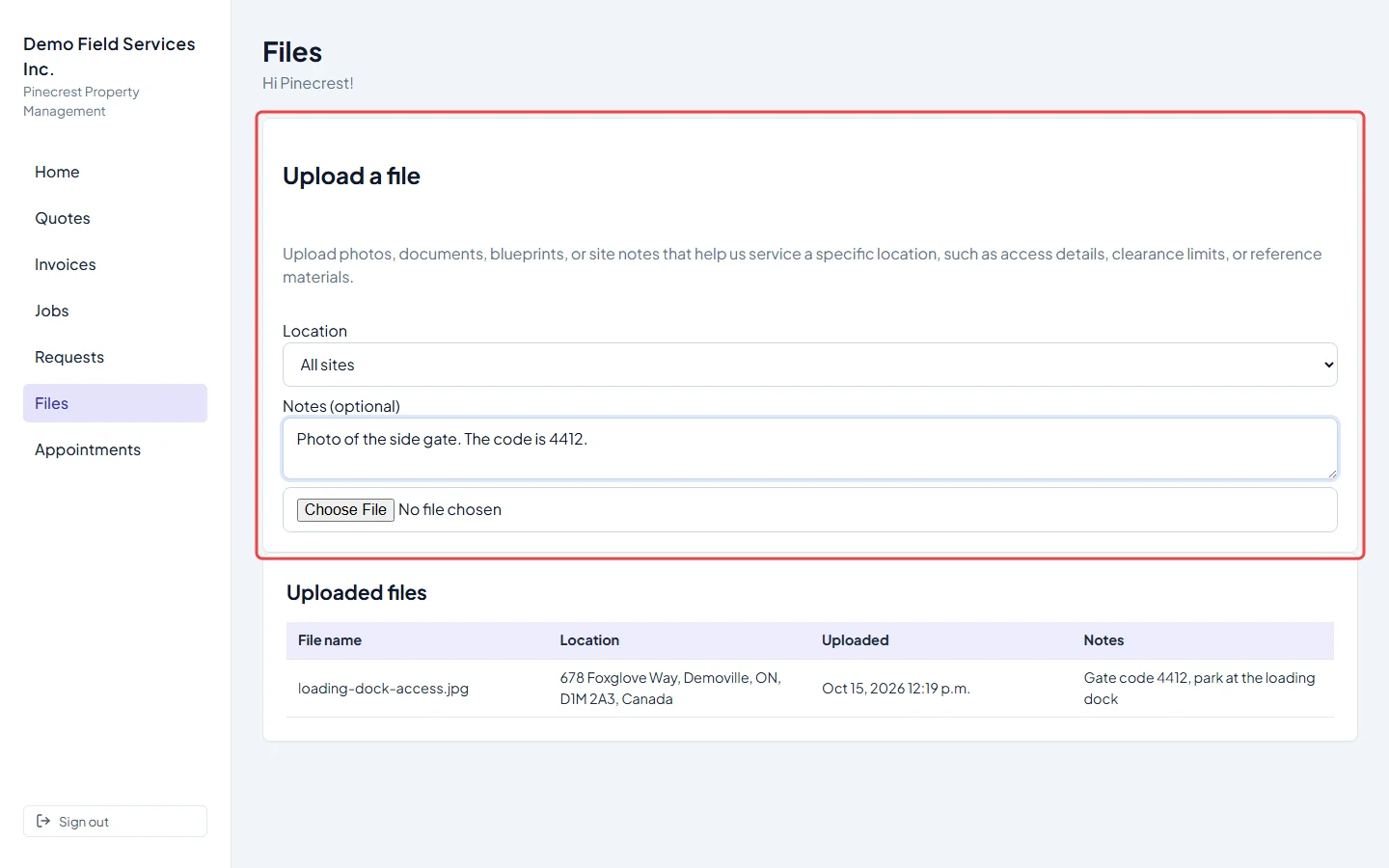
To send you something, the client clicks Files. Under Upload a file they can pick the Location it’s about (or leave All sites), add Notes (optional) for your team, then choose a file. It uploads straight away and they see File uploaded.
-
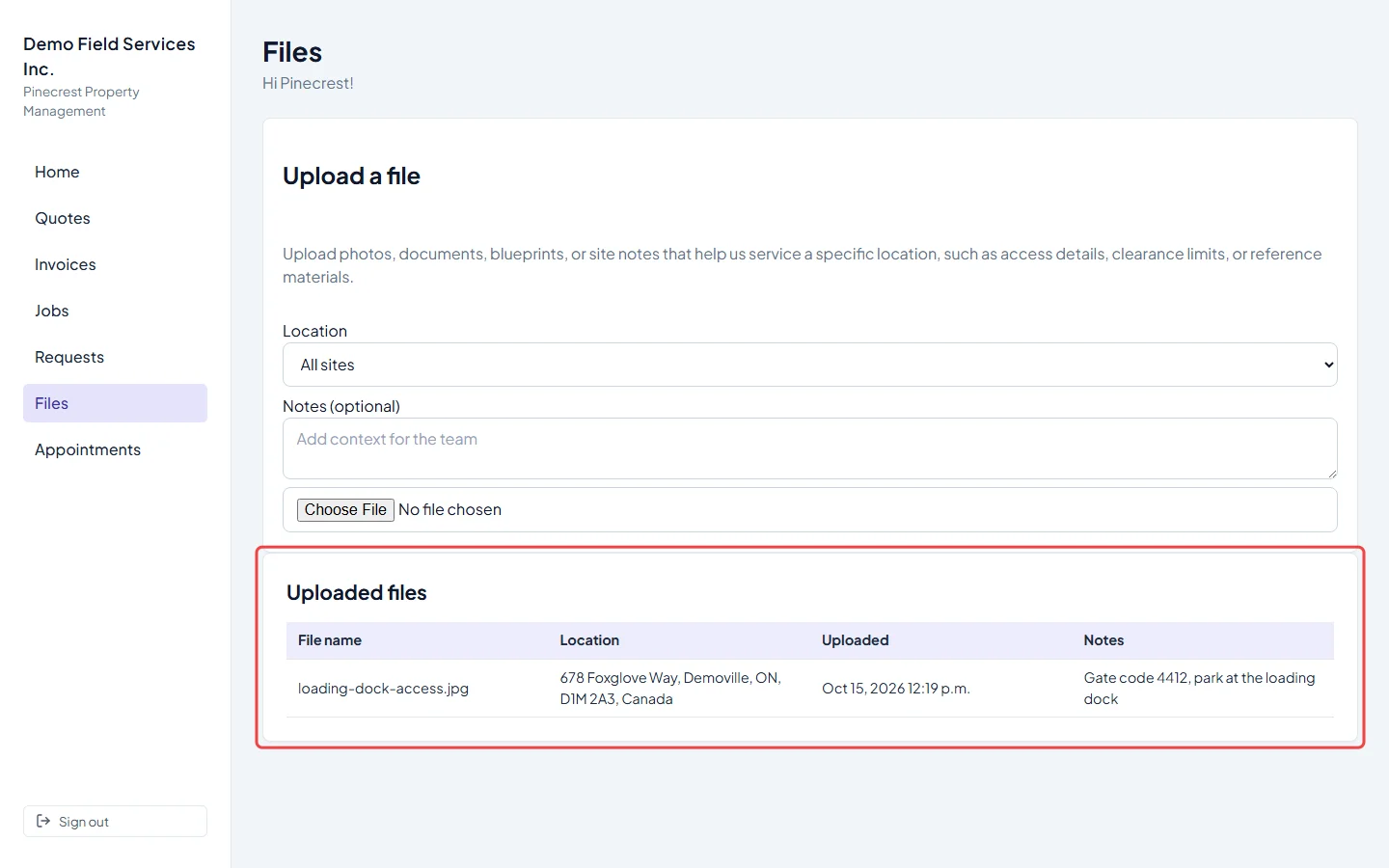
Everything they’ve sent you is listed under Uploaded files, with the File name, Location, when it was Uploaded and their Notes. Clients can’t open or remove files from this list, and some file types can’t be uploaded.
Good to know
Section titled “Good to know”- Files the client uploads land on their client record in Astragal, on the property they picked. See Client files.
- The Files area lists only what the client has sent you, through the portal or your request form. Photos and files your team adds stay internal.
- If a completed job’s invoice hasn’t been sent yet, clicking it says “This job was never converted to an invoice.”
- A link in an email can point at one job. That job’s card is highlighted and marked Referenced in your email.
- Choosing which form questions clients see is covered in Job forms.
Related articles
Section titled “Related articles”Checked against Astragal on October 17, 2026