

Putting a caller on hold
Keep callers waiting politely in line, with music, until someone is free to talk to them.
Who can do this: Admins, dispatchers and accountants choose the hold settings and put callers on hold. Anyone who rings on incoming calls can answer a waiting caller.
Add-on: Phone lineAlso called: hold queue, call waiting.
Callers go on hold in two ways: by themselves, when everyone who rings is already on another call, and when you choose Put on hold for a while.
-
To hold every new caller for a while, open the Calls page and click Have the AI take my calls (or use Cover my calls for a bit on the dashboard or in Settings), pick Put on hold, then how long. Callers hear hold music and stack up in your queue. I’m back ends it and rings you with the caller who has waited longest.
On a computer: Left menu → Calls On a phone: More → Calls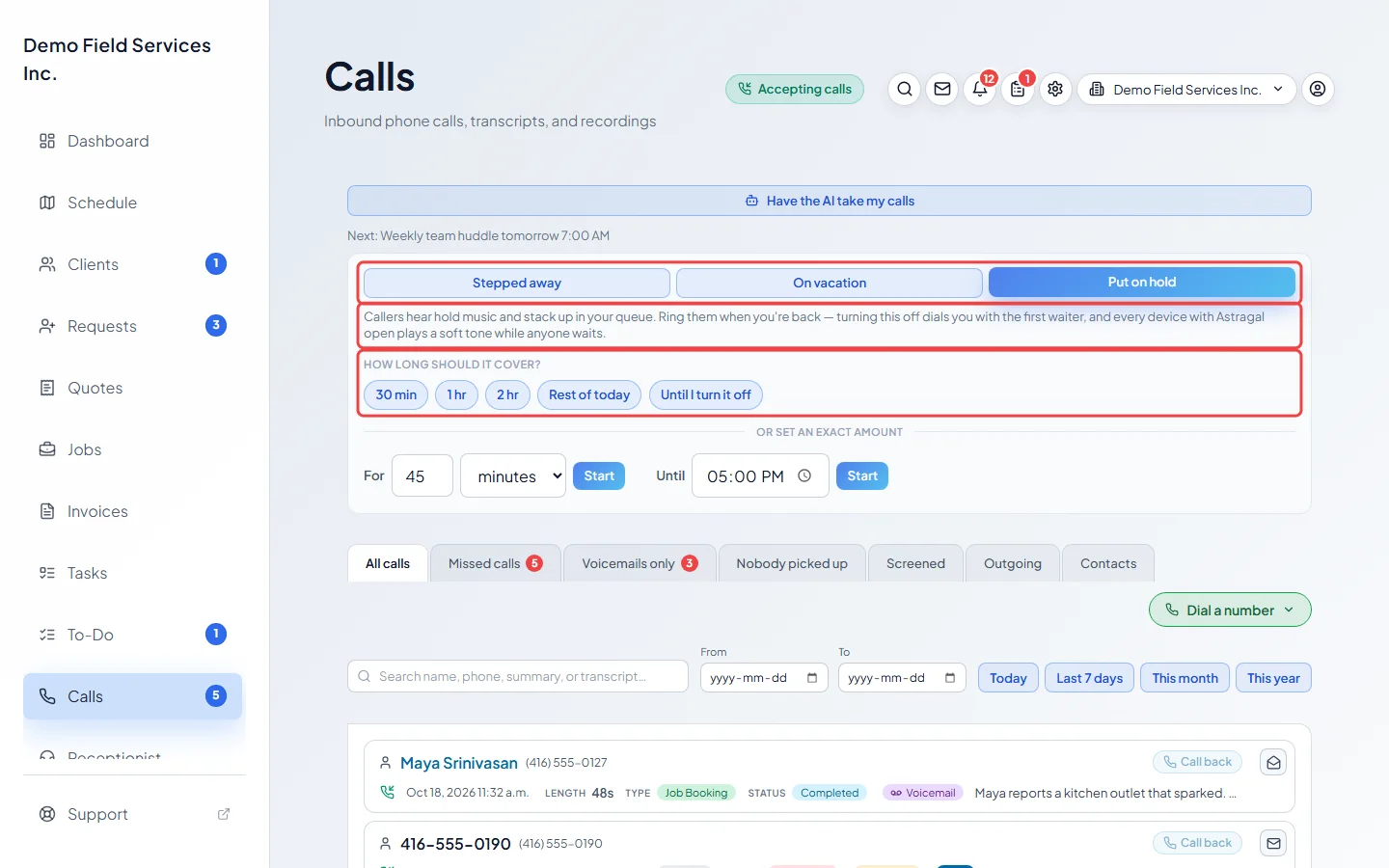
-
To change what waiting callers hear, open When you step away during the day in Inbound call capture and go to Put on hold. The reassurance line plays every half minute or so, and the “press 1” line roughly every other time, offering to take a message instead. Turn off Tell callers they can press 1 to leave a message instead to stop saying so out loud (pressing 1 still works), and choose whether to Tell callers their place in line.
On a computer: Left menu → Settings → Inbound call capture On a phone: More → Settings → Inbound call capture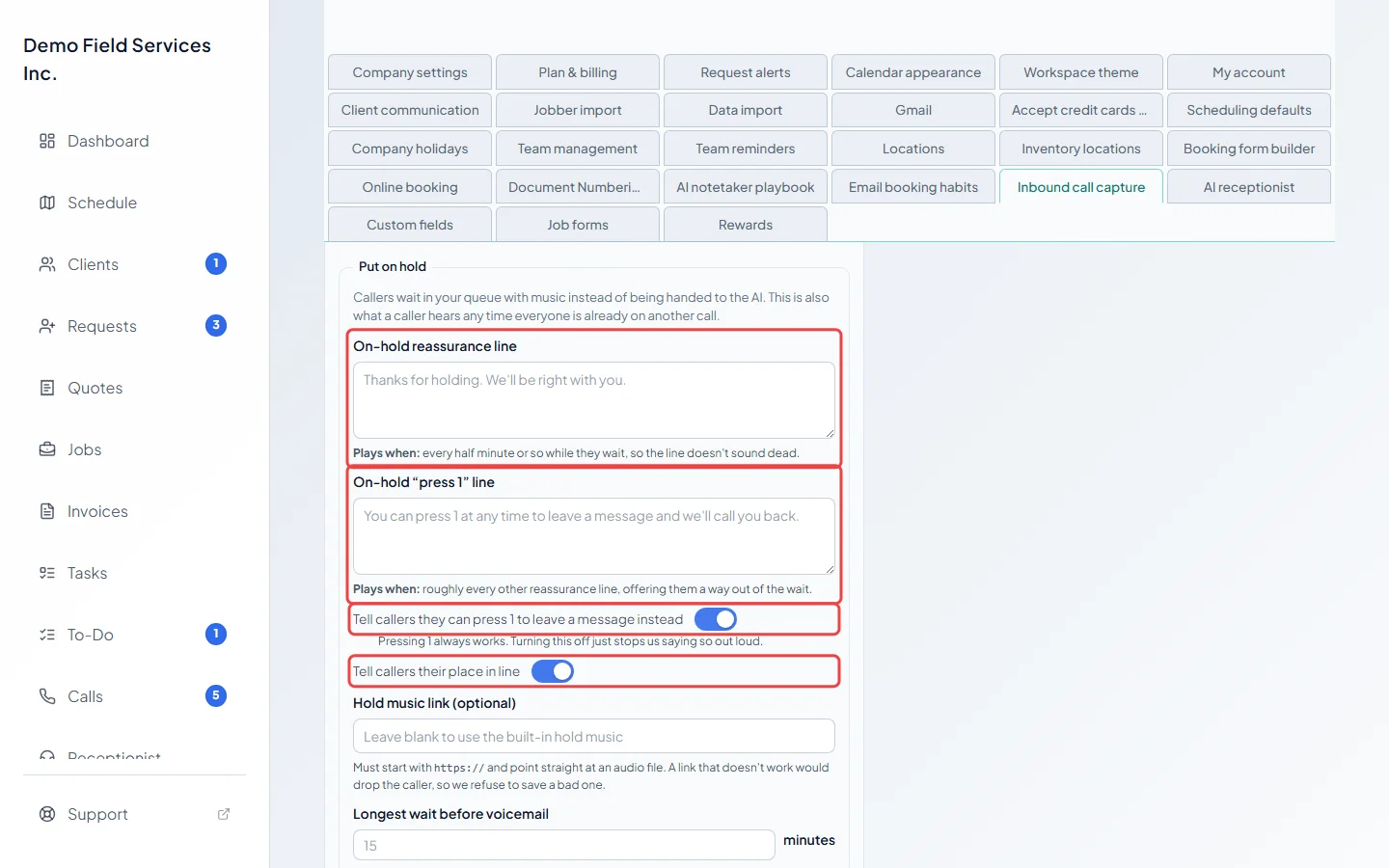
-
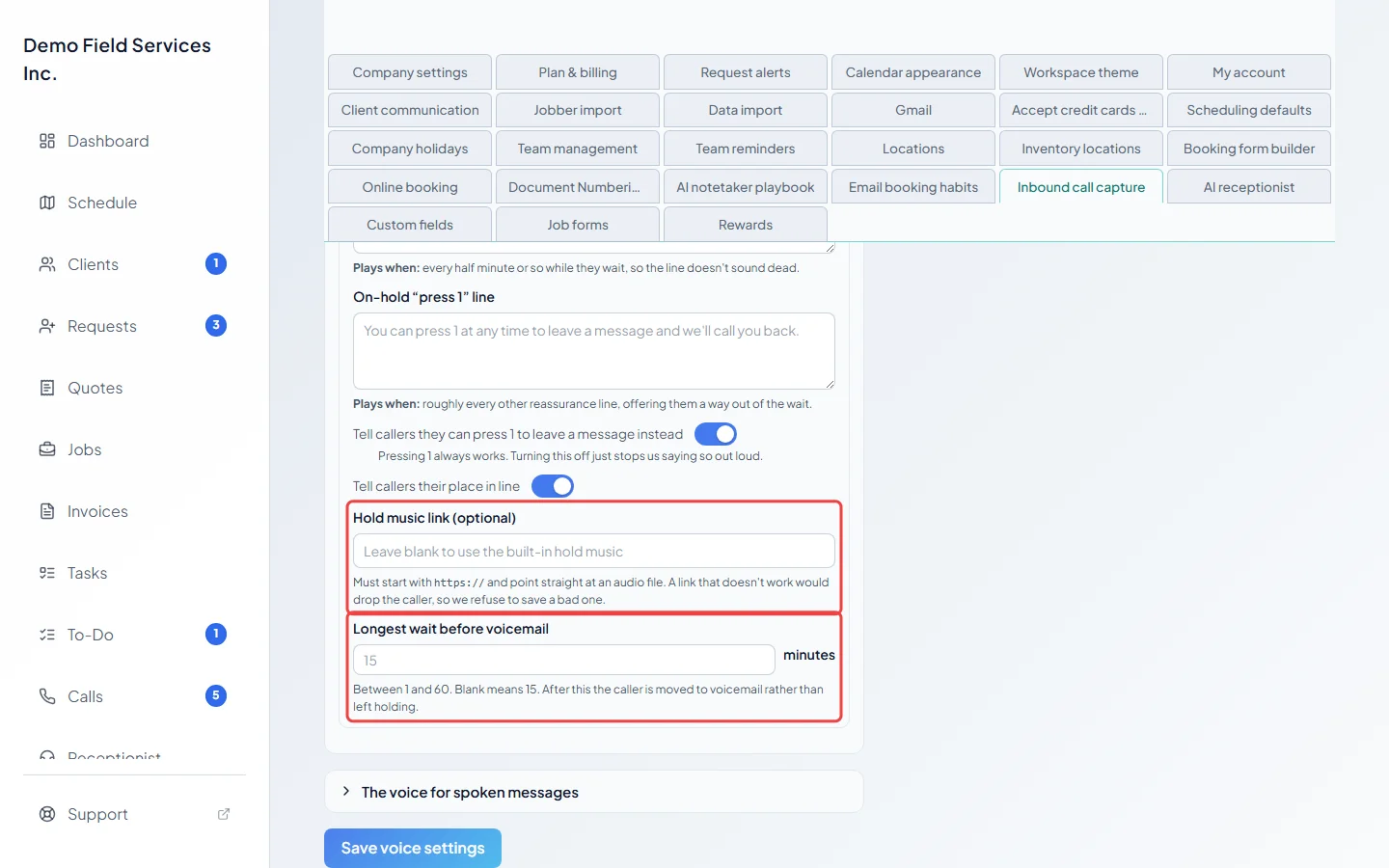
Optionally paste a Hold music link (optional) (it must start with https:// and point straight at an audio file; a link that doesn’t work is refused). Set Longest wait before voicemail in minutes, between 1 and 60. Leave it blank for 15. After that the caller is moved to voicemail rather than left holding.
-
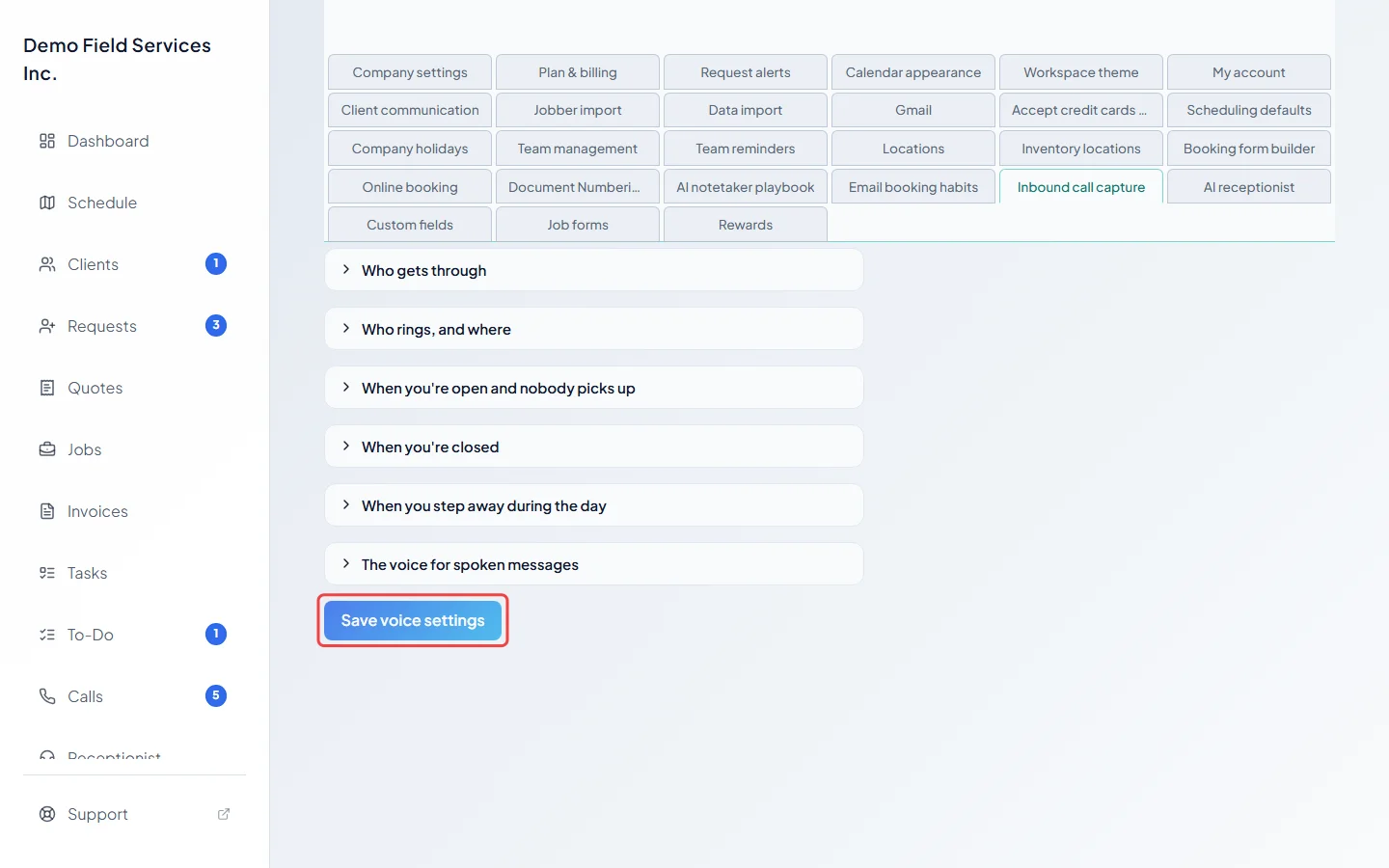
Click Save voice settings.
-
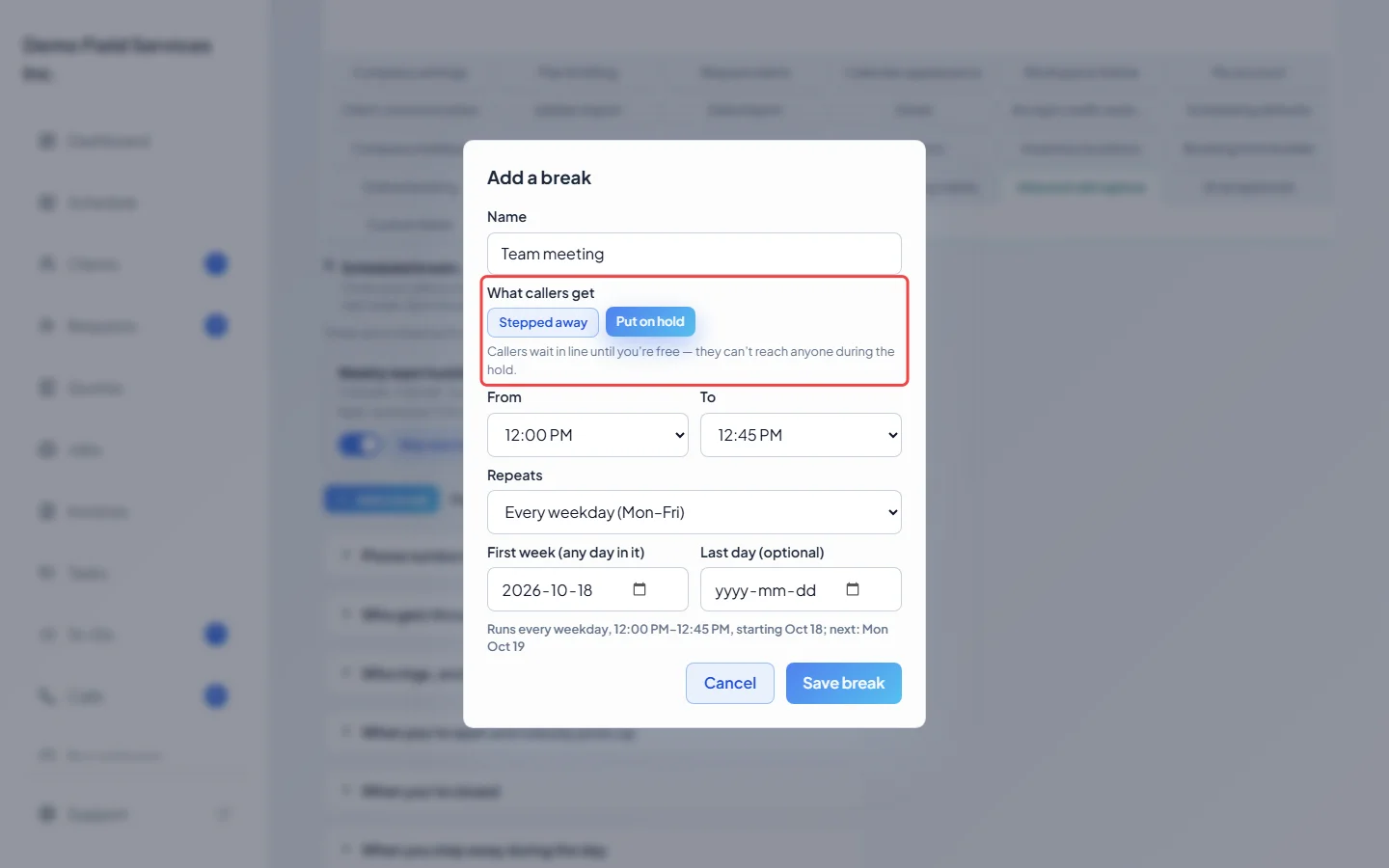
To hold callers at the same time every day or week, add a scheduled break and choose Put on hold under What callers get.
Answering waiting callers
Section titled “Answering waiting callers”While anyone is on hold, a bar says how many callers are waiting, and every device with Astragal open shows the bar and plays a soft tone, even when nobody there is on a call. Click Answer next to a caller to take them now, or Mute tone to quiet the tone on your device. When you hang up, the next waiting caller rings you automatically. The demo company has no phone service, so the bar isn’t pictured here.
Good to know
Section titled “Good to know”- Put on hold is only offered with the phone line add-on.
- The voice that reads the hold messages is your greeting voice. See Choosing a voice.
- With a lifelike greeting voice, callers past twentieth in line hear the general hold message rather than their number.
- Callers waiting when a hold break ends are put through in turn, longest-waiting first.
Related articles
Section titled “Related articles”Checked against Astragal on October 17, 2026