

Switching between companies
Work for more than one company in Astragal with one sign-in, and switch between them in two clicks.
Who can do this: Anyone who belongs to more than one company. If you only belong to one, the switcher doesn’t show.
Also called: switching workspaces, changing company.
Each company’s clients, schedule and invoices are kept completely separate. Your role can be different in each one, for example admin in your own company and technician in another.
-
Click the company name at the top right of the screen, next to the building icon.
On a computer: Top right → company name On a phone: Top of the screen → building icon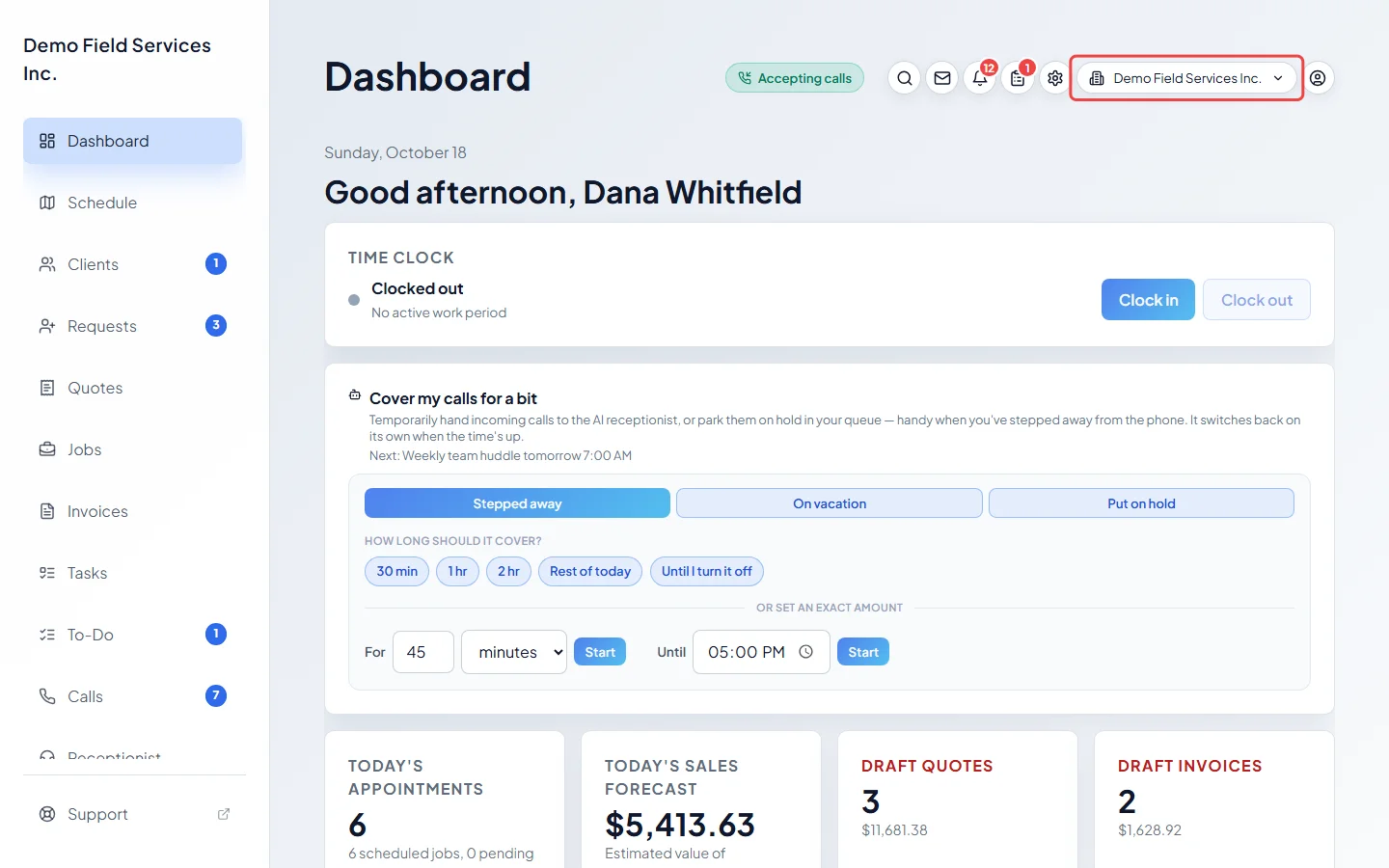
-
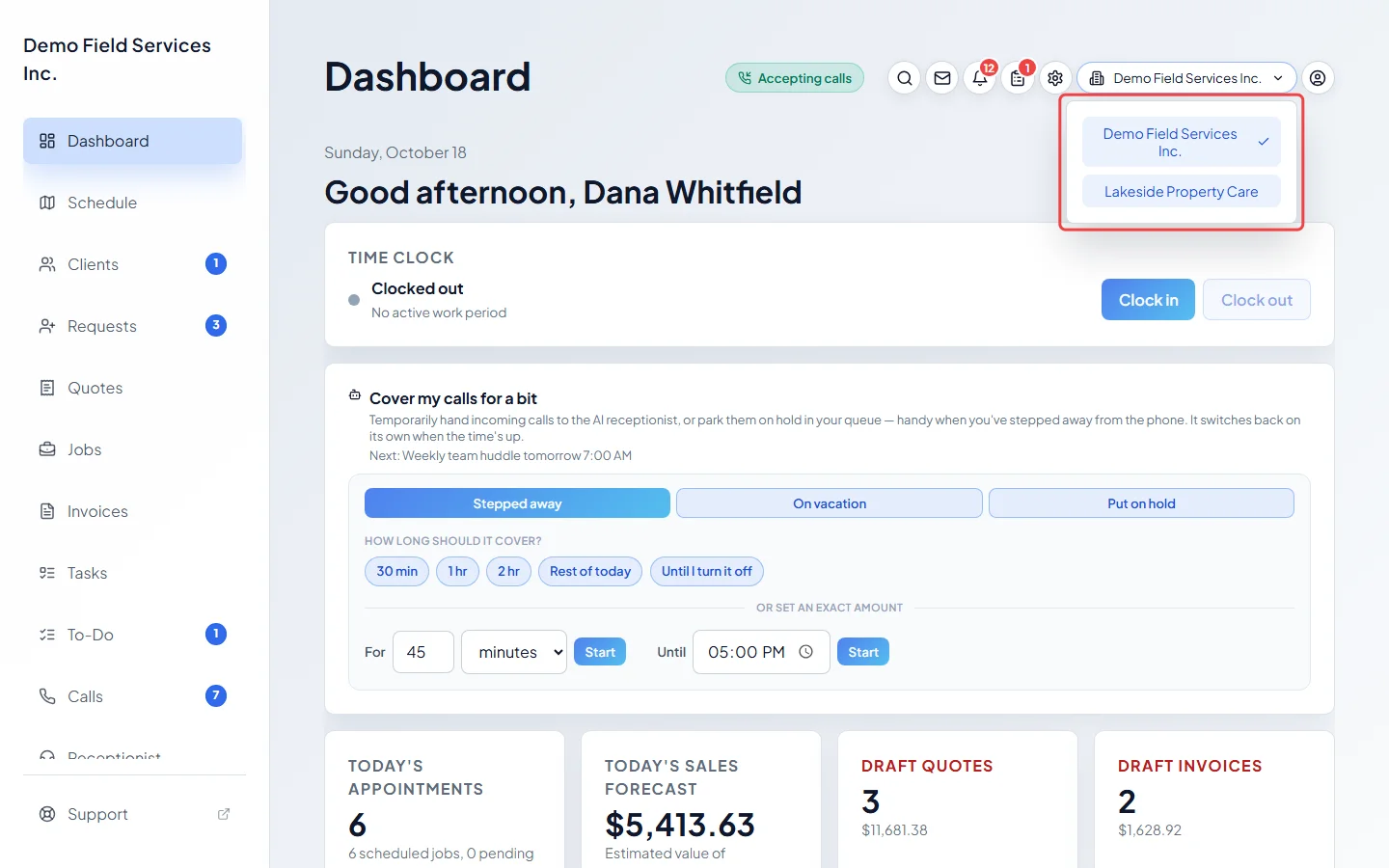
Pick the company you want. The one you’re in now has a tick next to it. Astragal says Switched workspace. and reloads in the company you picked.
-
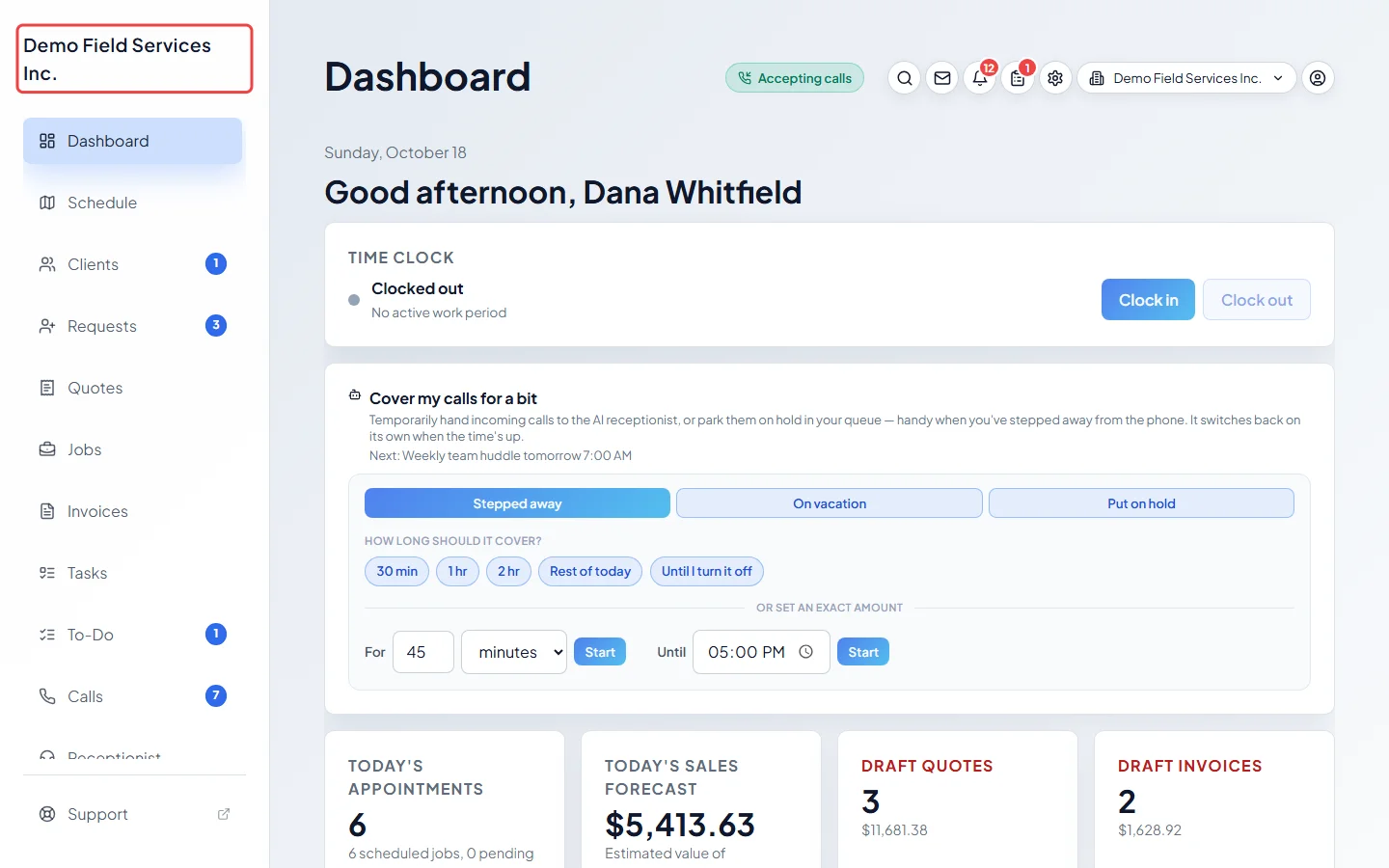
Before you start work, check the company name at the top of the left menu (on a phone, on the button at the top of the screen), so you don’t book a visit or send an invoice from the wrong company.
Good to know
Section titled “Good to know”- The switcher only lists companies you’ve already joined. To join another company, its admin invites you, and you accept with your existing password. See Joining your team’s account.
- Next time you sign in, Astragal opens the company you used last.
Related articles
Section titled “Related articles”Checked against Astragal on October 18, 2026