

Quote approval and rejection
Record a client’s yes or no on a quote, either from their portal or on their behalf.
Who can do this: Clients approve or decline from their portal. Admins, dispatchers and accountants can approve a quote for the client. Technicians can’t approve for a client.
Also called: accepting a quote, signing a quote.
When the client answers online
Section titled “When the client answers online”Once you’ve sent the quote (or marked it as sent), the client opens it from the link and clicks Approve quote or Decline quote.
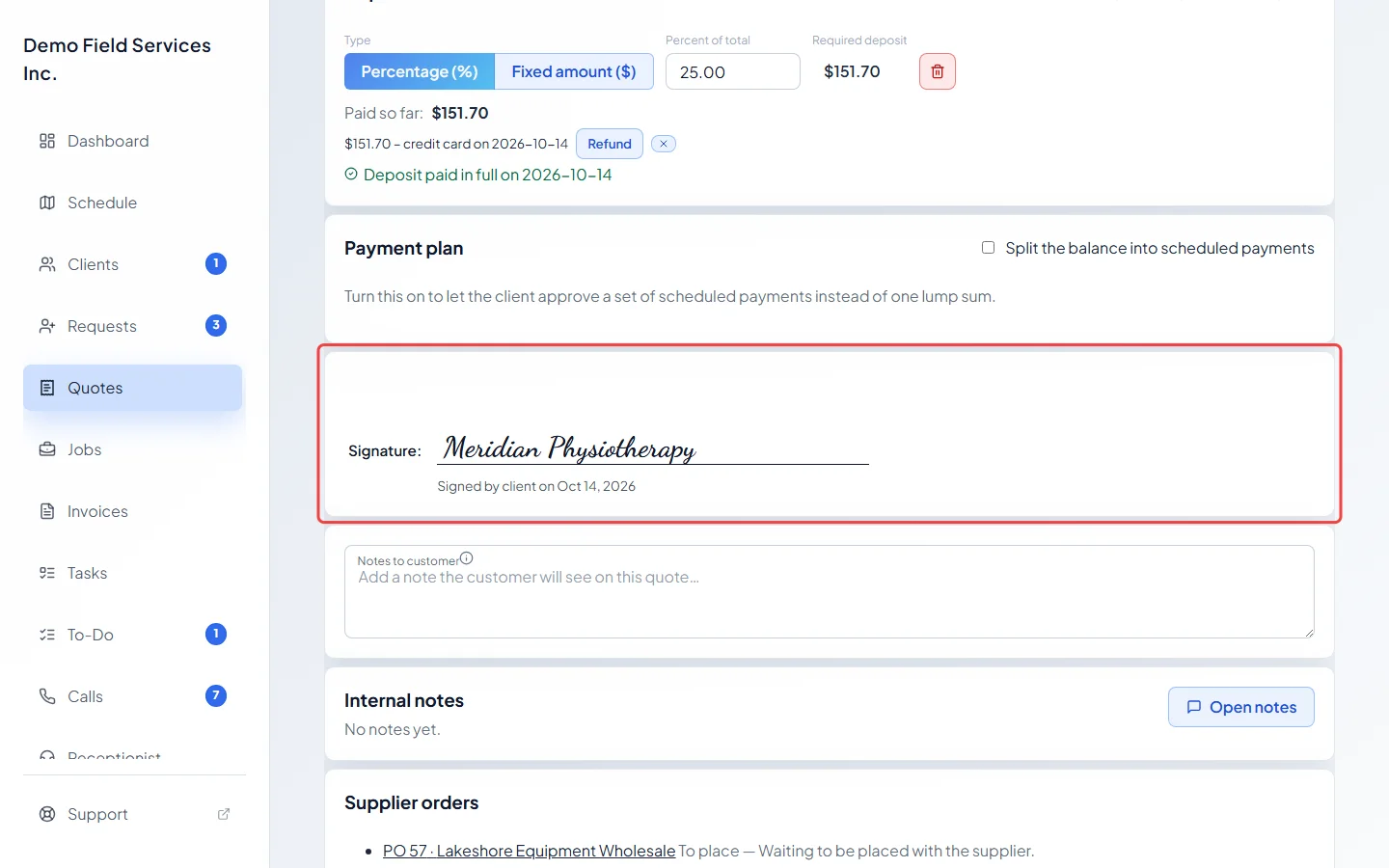
- To approve, they type their name in Full name, tick I agree to proceed with this work as detailed above. and click Confirm approval. Their name and the date appear on your quote as a Signature:.
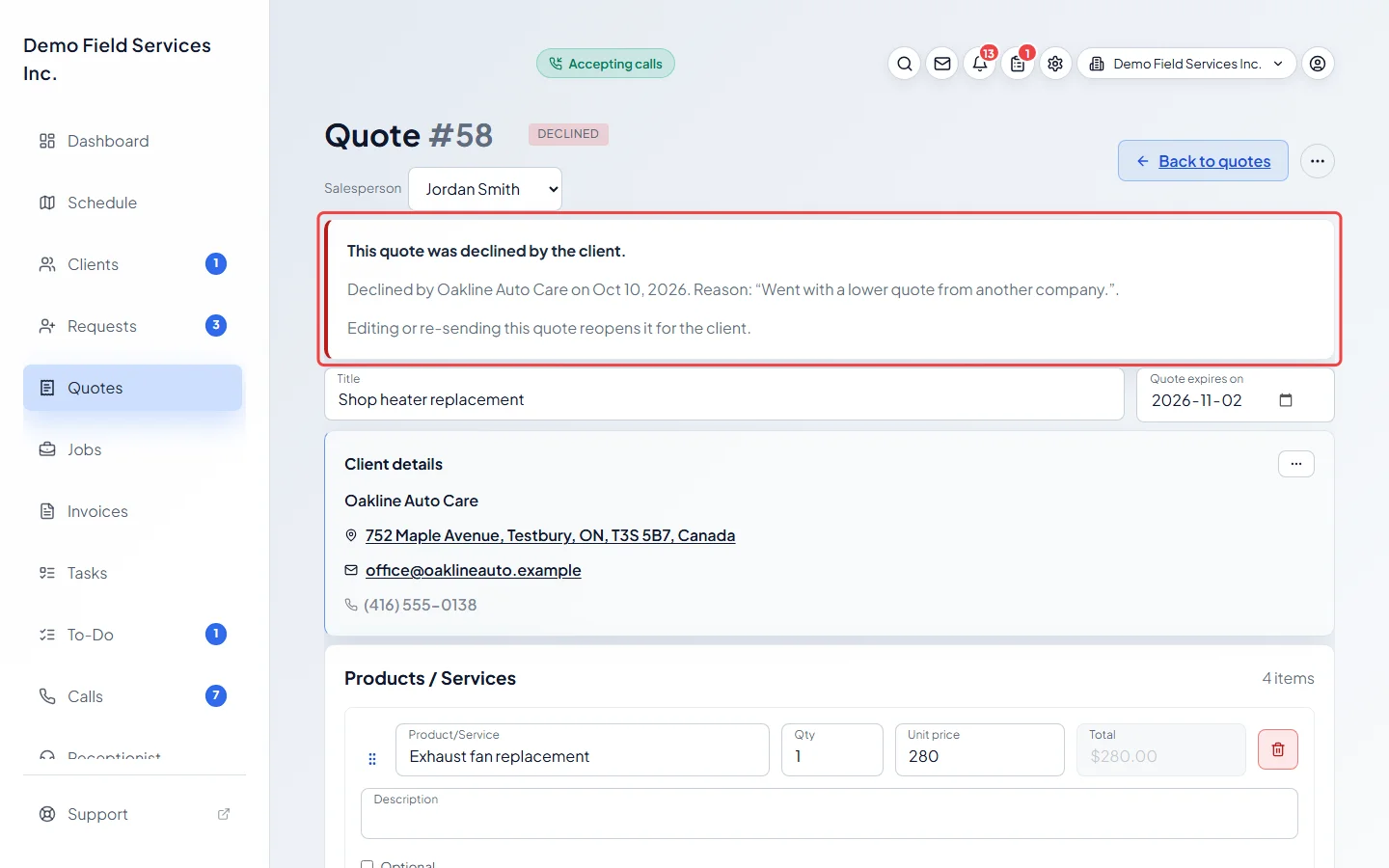
- To decline, they type their name and can add a reason, then click Confirm decline. Your quote shows This quote was declined by the client. with who declined, when, and their reason.
- A quote that has passed its expiry date can’t be approved or declined online.
Approving for a client
Section titled “Approving for a client”If the client says yes on the phone or in person, approve it for them.
-
Open the quote. It needs to be saved, not archived, and not already approved, converted or invoiced.
On a computer: Left menu → Quotes → open a quote On a phone: More → Quotes → open a quote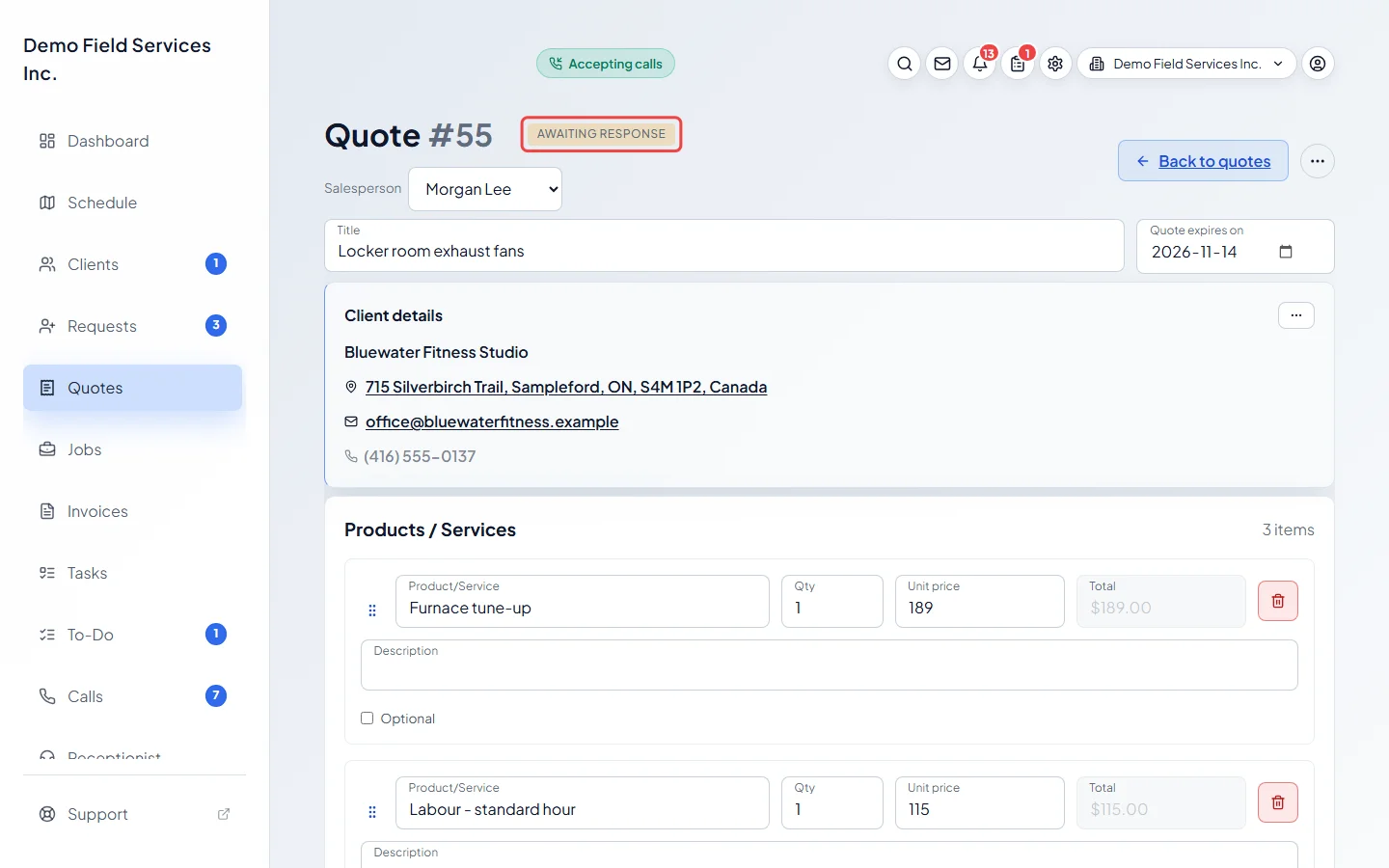
-
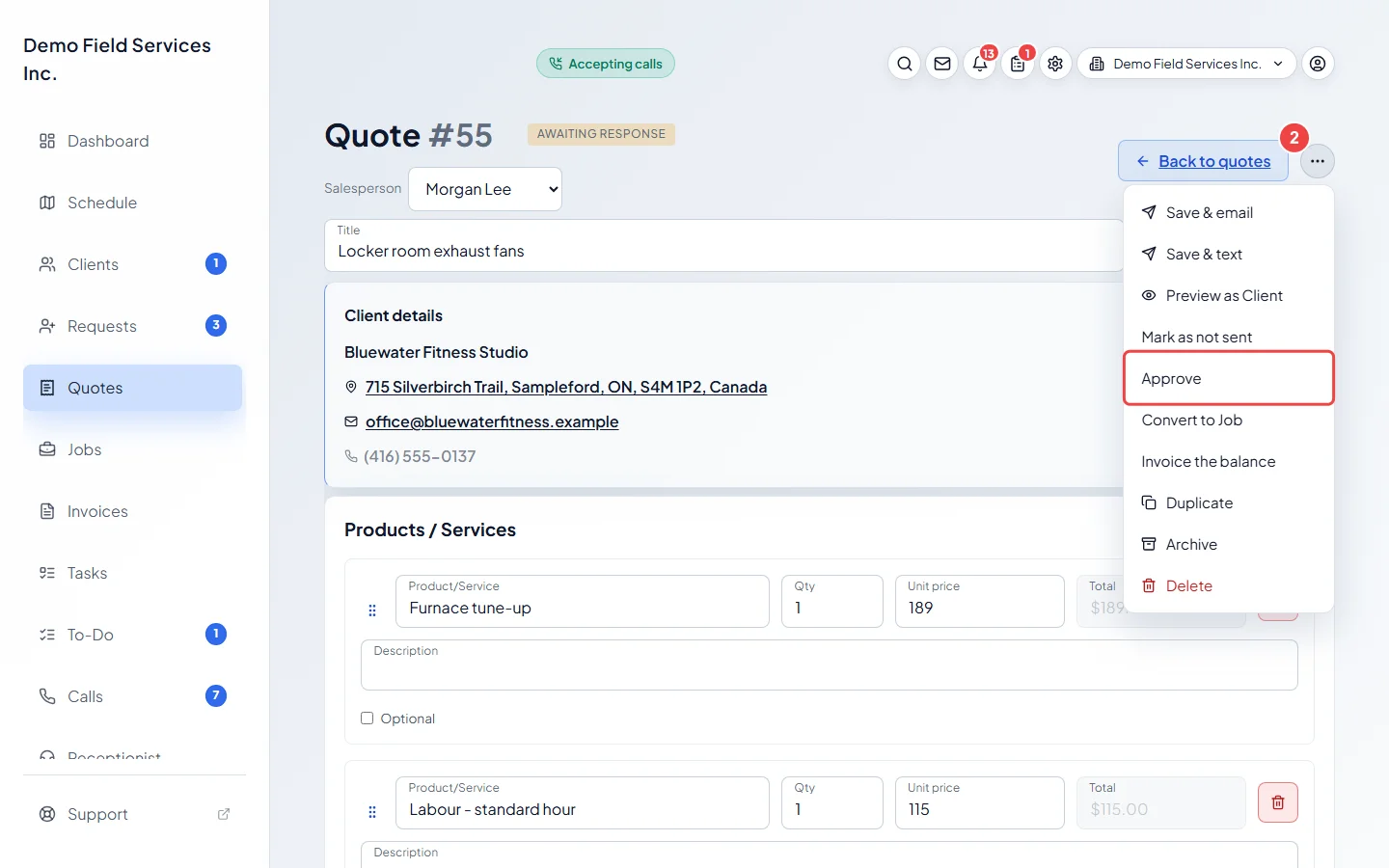
Open the ••• menu at the top right and click Approve. There’s also an Approve button at the bottom of the quote (under Actions there when the buttons don’t fit on one row, such as on a phone).
-
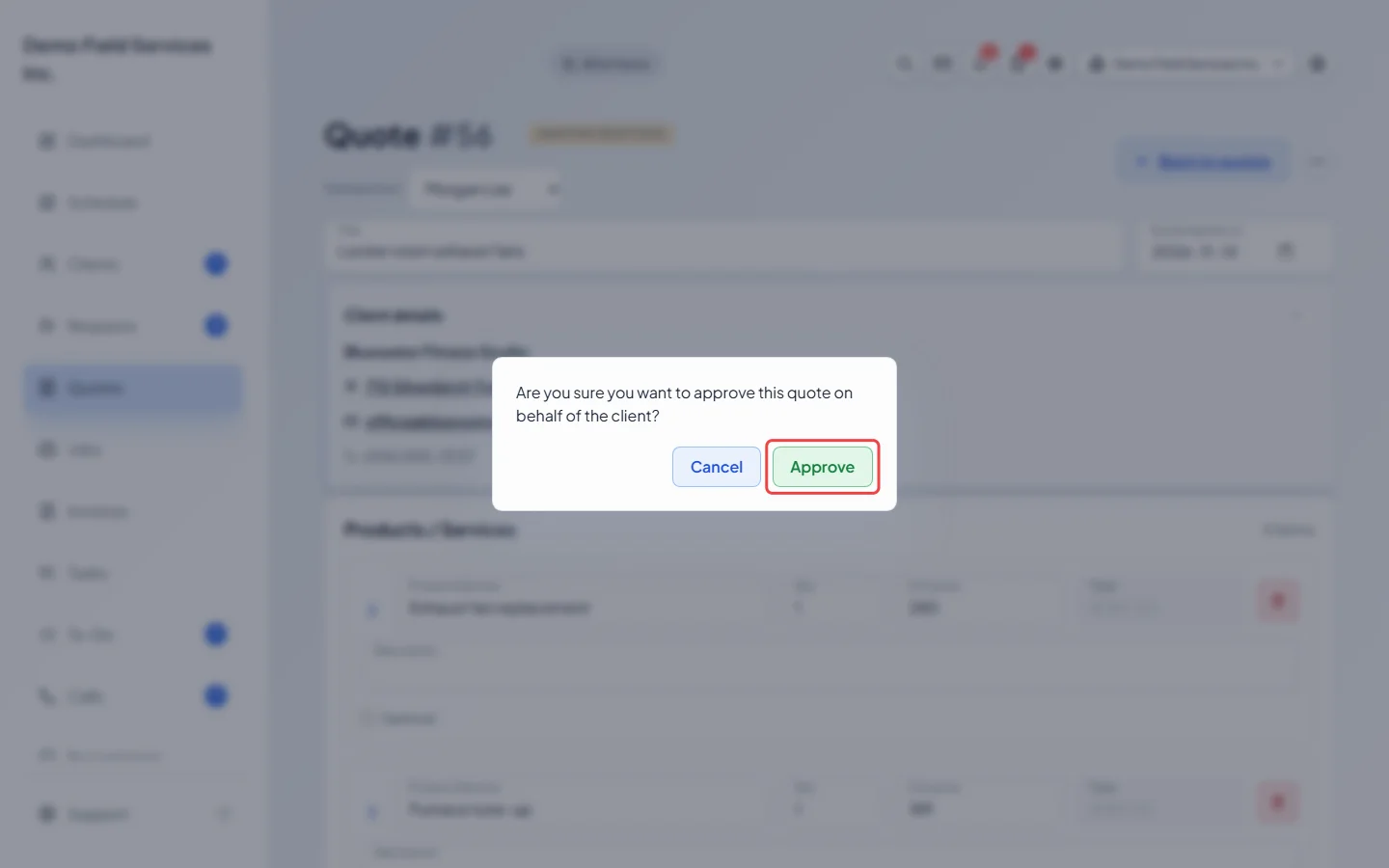
Click Approve in the box that asks you to confirm. The quote changes to Approved. Its history records that you approved it for the client.
What happens when a quote is approved
Section titled “What happens when a quote is approved”- If the quote asks for a deposit, Astragal makes the deposit invoice so the client has something to pay. See Asking for a deposit.
- Products that name a preferred supplier get a supplier order waiting to be placed. See Ordering parts for a quote or job.
- Products you track in stock come off your stock count.
When an approval is taken away, its waiting supplier orders go on hold and its products go back into stock.
Good to know
Section titled “Good to know”- Editing anything the client sees on an approved quote (lines, prices, discount, tax, deposit, payment plan, property, custom fields or Notes to customer) takes the approval away. A warning asks you to tick “I understand that saving these changes will mark this quote as no longer approved.” before Save works. The quote goes back to Awaiting response and the client approves it again. The title, internal notes and expiry date don’t affect approval.
- Editing or re-sending a declined quote reopens it for the client.
- Convert to Job on a quote that isn’t approved yet approves it on your team’s say-so. See Converting a quote to a job.
Related articles
Section titled “Related articles”- Sending a quote to a client
- Converting a quote to a job
- Following up on outstanding quotes
- How clients view quotes
Next step: Converting a quote to a job
Checked against Astragal on October 17, 2026