

Ordering parts for a quote or job
When a client approves a quote with parts on it, Astragal can start the orders to your suppliers for you, or you can start one yourself.
Who can do this: Admins, dispatchers and accountants, on a plan that includes supplier orders.
Also called: ordering materials, special orders.
-
Give each product its suppliers in the catalog. Open the product and, under Suppliers, add the ones that sell it and choose the Main supplier. Products without a supplier are never ordered automatically.
On a computer: Left menu → Inventory → Products & Services On a phone: More → Products & Services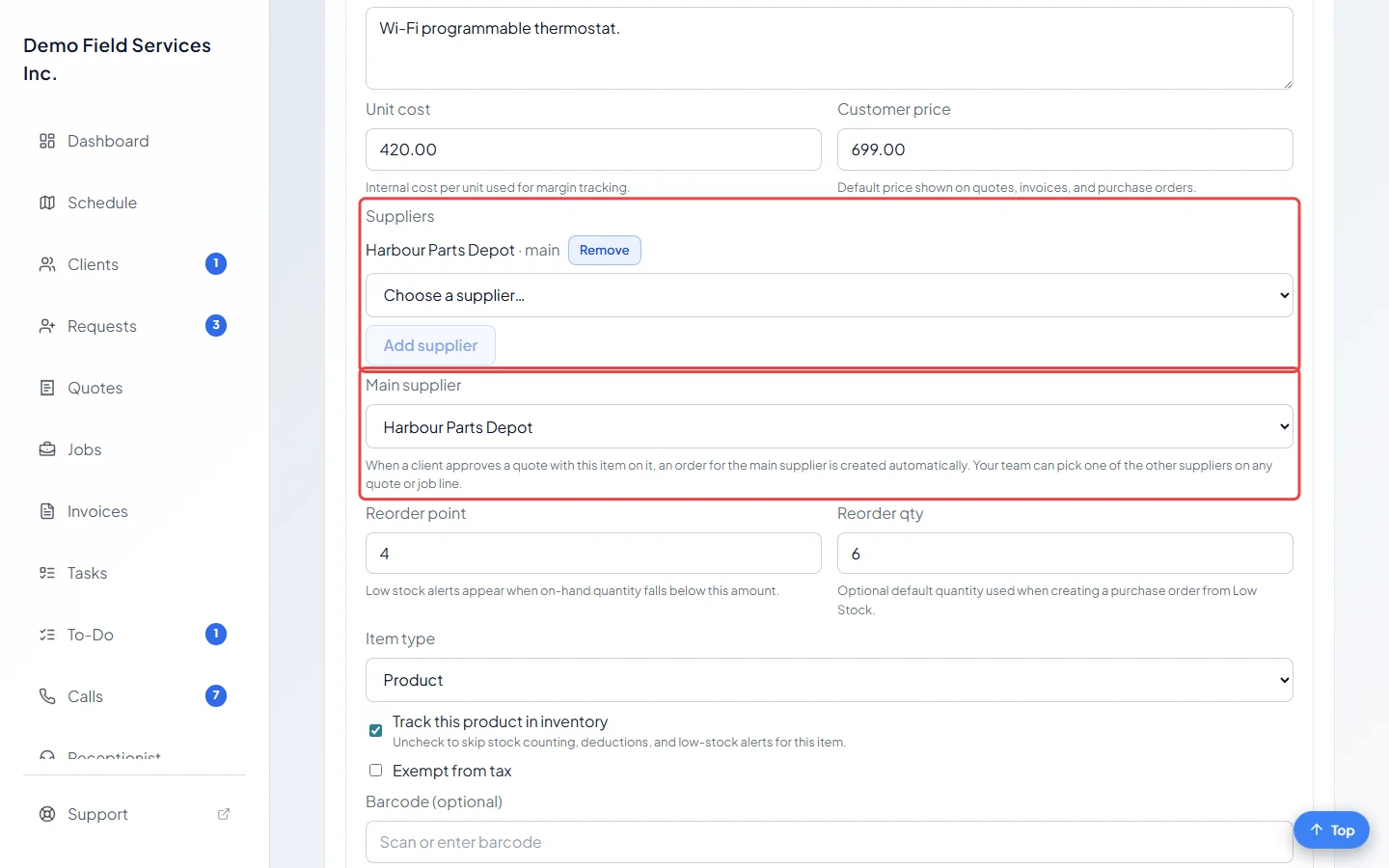
-
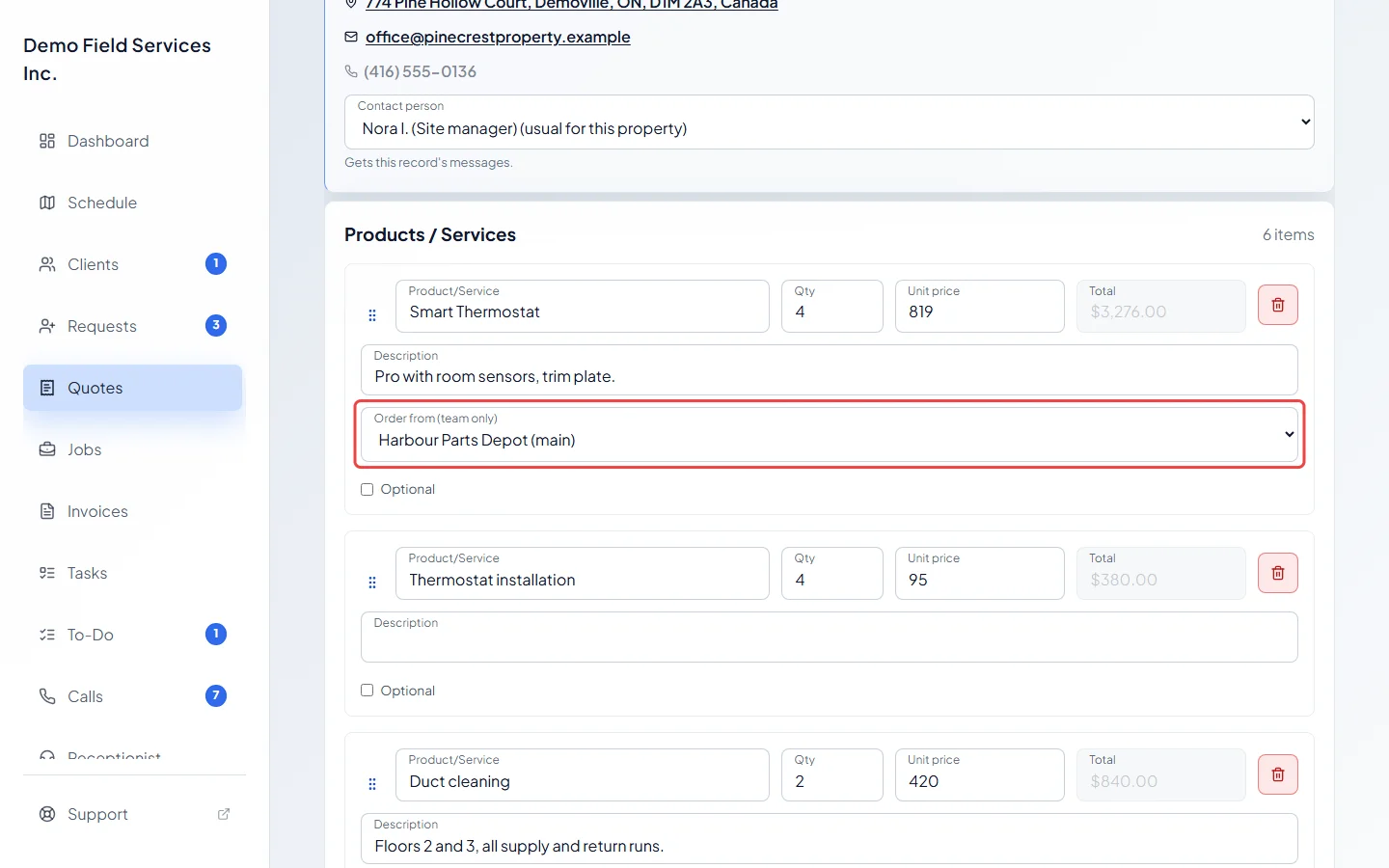
On a quote or job, each product line has an Order from (team only) list. It starts on the main supplier. Pick another supplier for this line only, or Don’t order — we have it if the part is already on your shelf. Clients never see this list, and services such as labour don’t have it.
-
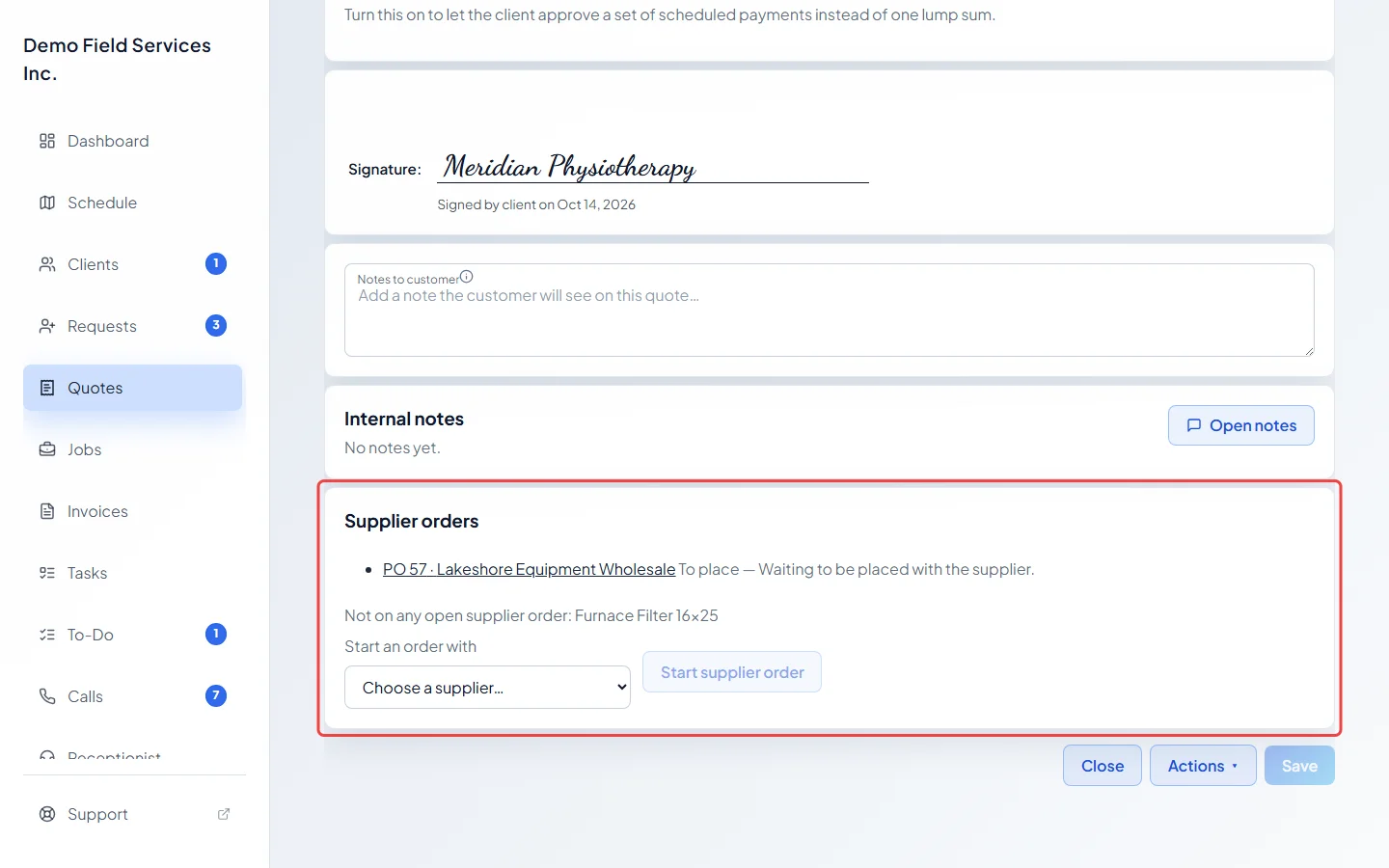
When the quote is approved (by the client or your team), turned into a job, or invoiced, Astragal starts one supplier order per supplier, holding the lines that come from them. The quote’s Supplier orders card lists each order with its status and what needs attention. If a chosen product line isn’t on any open order, the card names it so it doesn’t slip through.
-
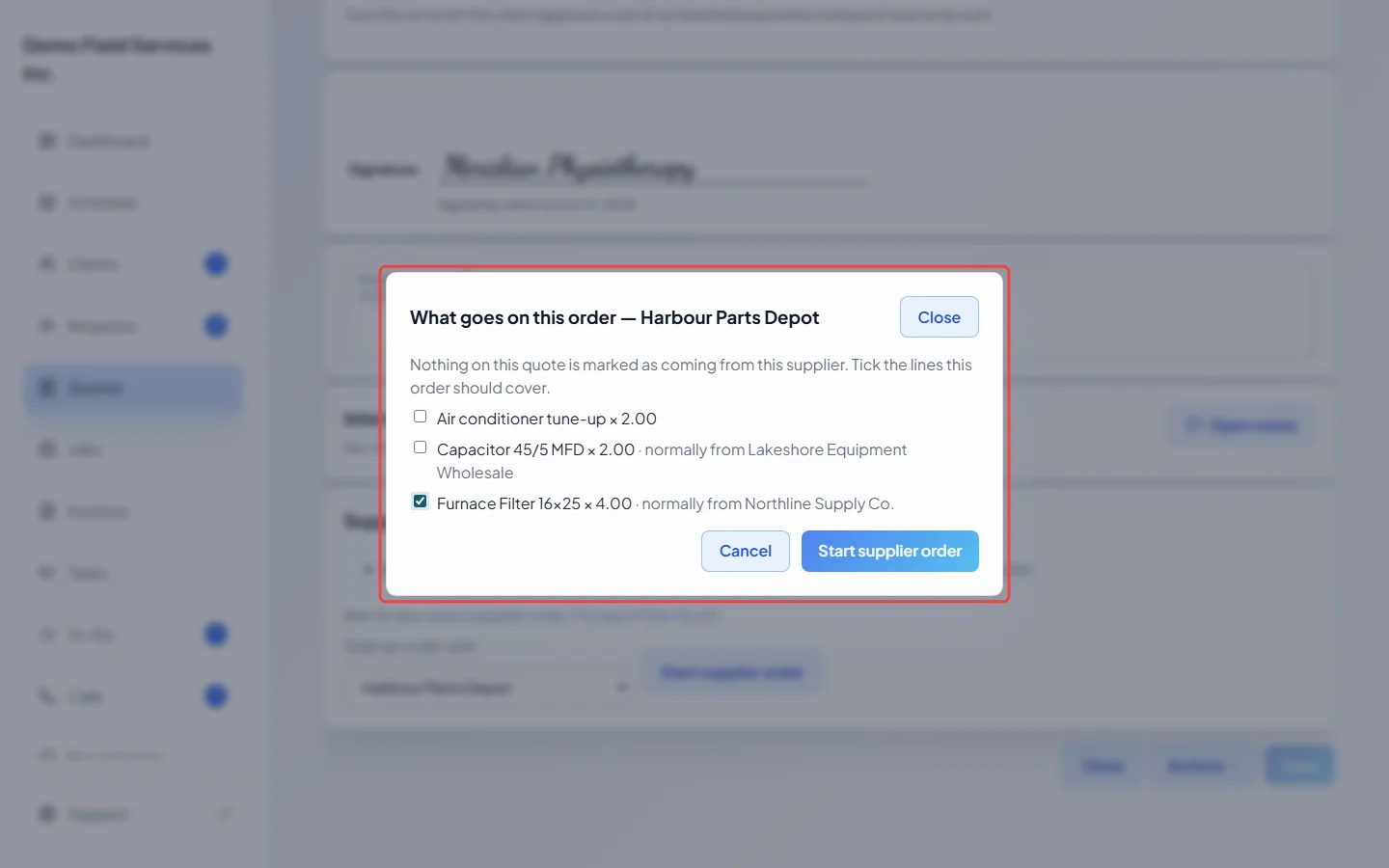
To start an order yourself, at any stage of the quote, choose a supplier in Start an order with and click Start supplier order. Tick the lines that should go on it (catalog services such as labour are never ticked for you, though lines typed in without a catalog item can be) and click Start supplier order again. A quote can have one open order per supplier.
Good to know
Section titled “Good to know”- Starting an order doesn’t send anything. Open it from the card to send it. See Supplier orders.
- Once a quote becomes a job, change suppliers on the job’s lines instead. A supplier order can’t be started from a job; the job page has a small Supplier orders card listing the orders for the quote it came from.
- If a line changes after the supplier has the order, the order shows what changed and waits for you to decide what to tell them.
- If the quote is no longer approved, any automatic order that hasn’t gone out yet is put on hold until it’s approved again. Orders already sent are flagged, and orders you started by hand stay as they are.
Related articles
Section titled “Related articles”Checked against Astragal on October 17, 2026