

Writing off bad debt
Write off an invoice you have given up on collecting, so Astragal stops chasing it and your owed figures stay honest.
Who can do this: Admins and accountants.
Also called: writing off, uncollectable debt.
-
Open the invoice, click the ••• button at the top right and choose Mark as bad debt. Save any changes on the invoice first.
On a computer: Left menu → Invoices On a phone: More → Invoices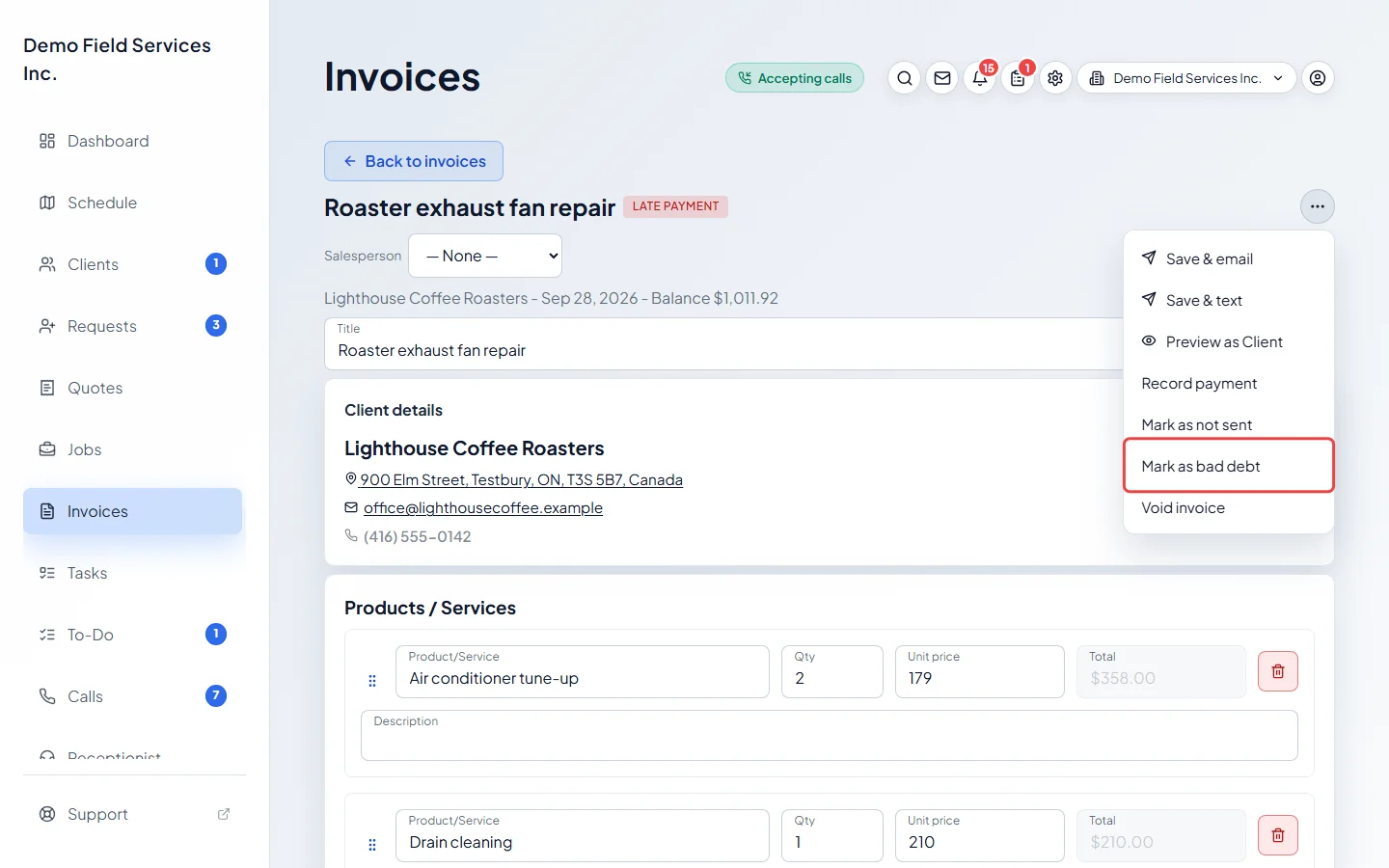
-
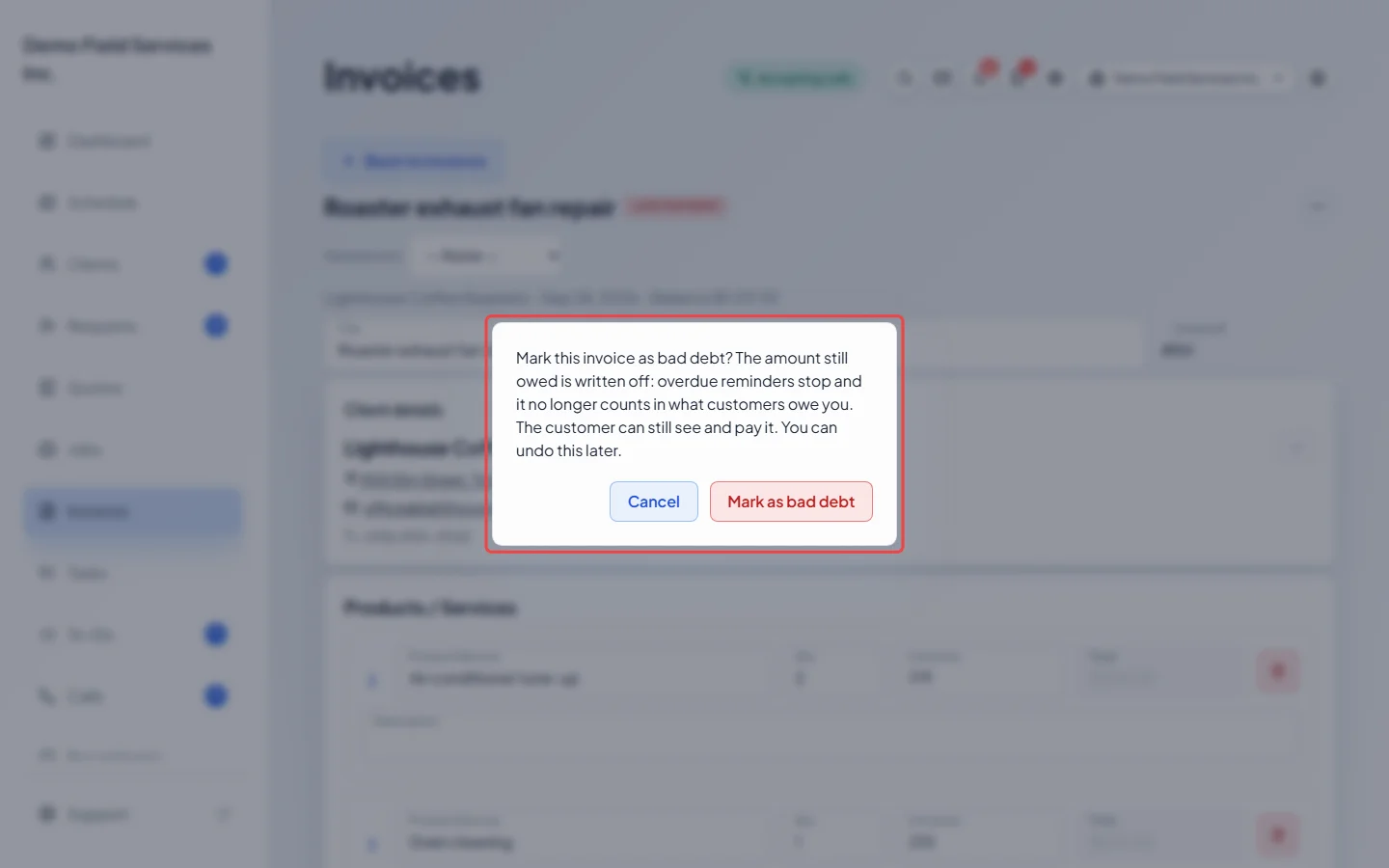
Read the confirmation and click Mark as bad debt. Astragal records the amount still owed, the date and who wrote it off.
-
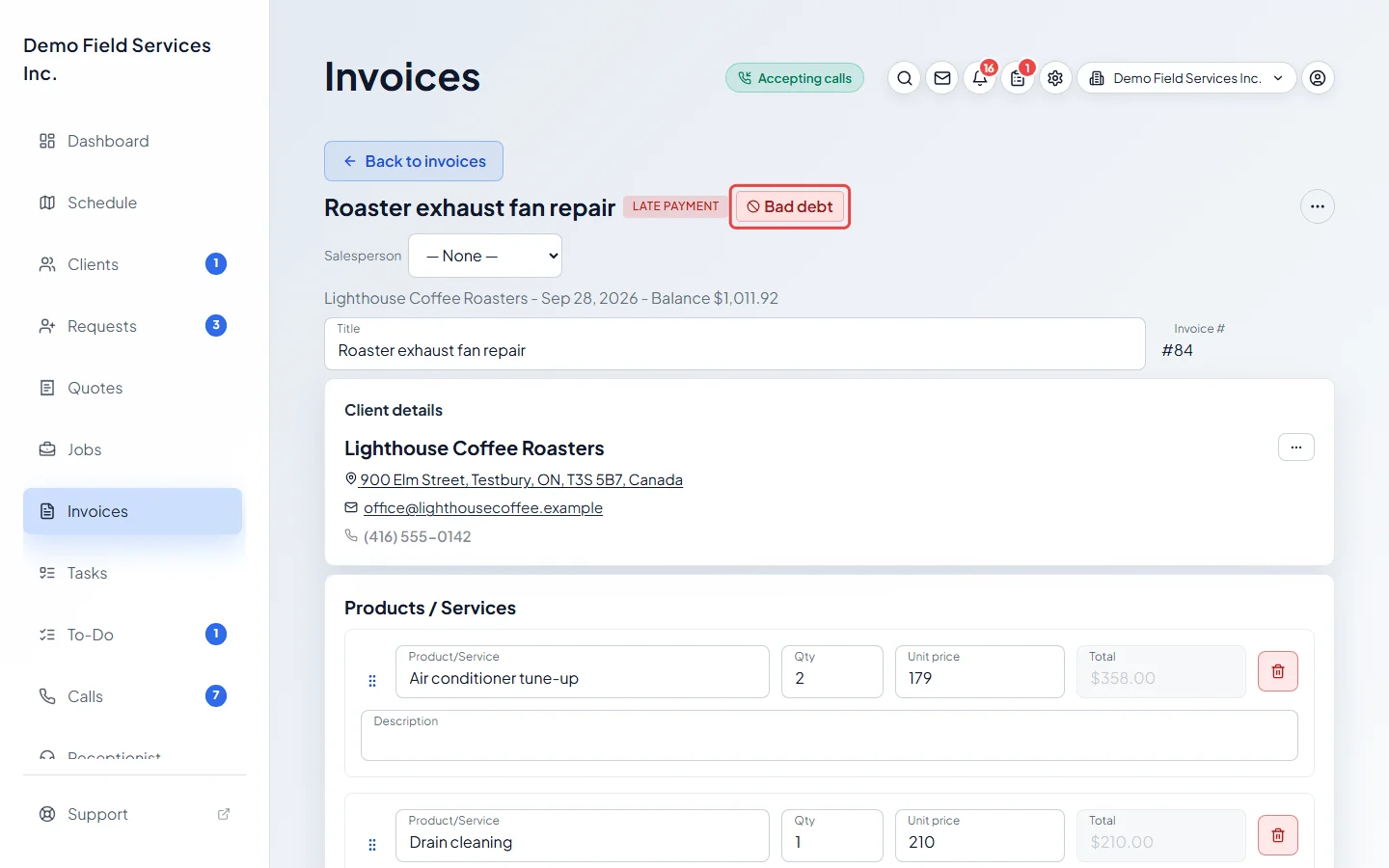
The invoice now shows a red Bad debt tag, at the top of the invoice and in the invoices list. Overdue reminders stop and it no longer counts in what clients owe you.
-
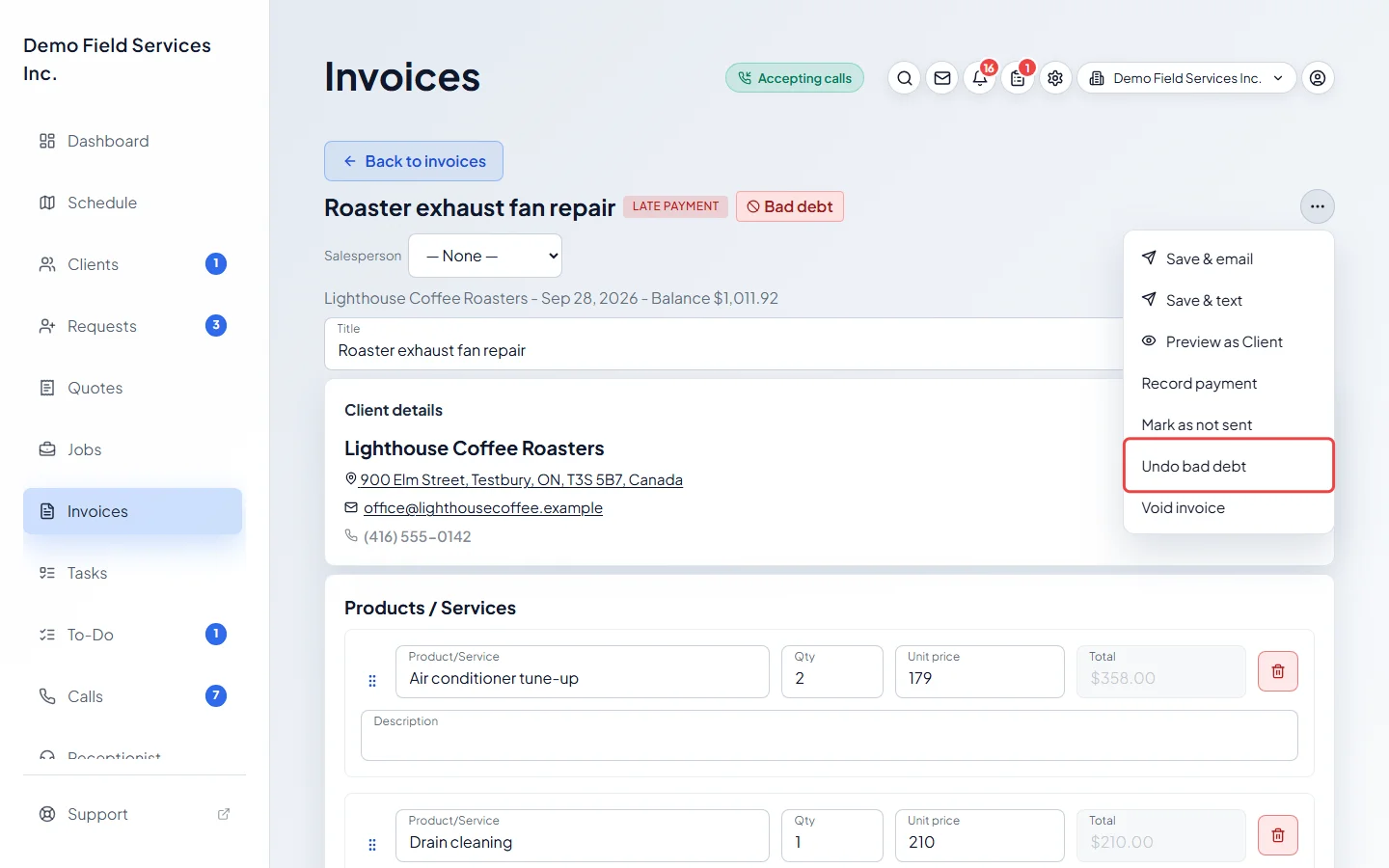
To take it back, open the invoice, click ••• and choose Undo bad debt.
Good to know
Section titled “Good to know”- Only a sent invoice that still has money owing can be written off. A draft, a paid invoice, a quote’s deposit bill or a warranty record can’t.
- The client can still see the invoice and pay it. If they pay it in full, it becomes paid and stops counting as bad debt, but keeps its write-off mark. If a refund later opens a balance again, it counts again.
- While an invoice is written off (even once it’s paid), its lines, tax rate and discount can’t be changed, and it can’t be voided or deleted. Void invoice still shows in the ••• menu, but Astragal refuses it: choose Undo bad debt first.
- The tag is for your team only. The client never sees it.
- Written-off amounts, and anything recovered afterwards, are in the bad debt report. See Bad debt.
Related articles
Section titled “Related articles”Checked against Astragal on October 17, 2026