

Payment schedules
Let the client pay for a bigger job in several payments instead of one lump sum.
Who can do this: Admins, dispatchers and accountants, and technicians set to View, edit, and create quotes or View, edit, create, and delete quotes.
Also called: payment plan, instalments, progress billing.
-
Save the quote first, then open it and scroll to Payment plan. Tick Split the balance into scheduled payments. A first payment for 100% appears.
On a computer: Left menu → Quotes → open a quote On a phone: More → Quotes → open a quote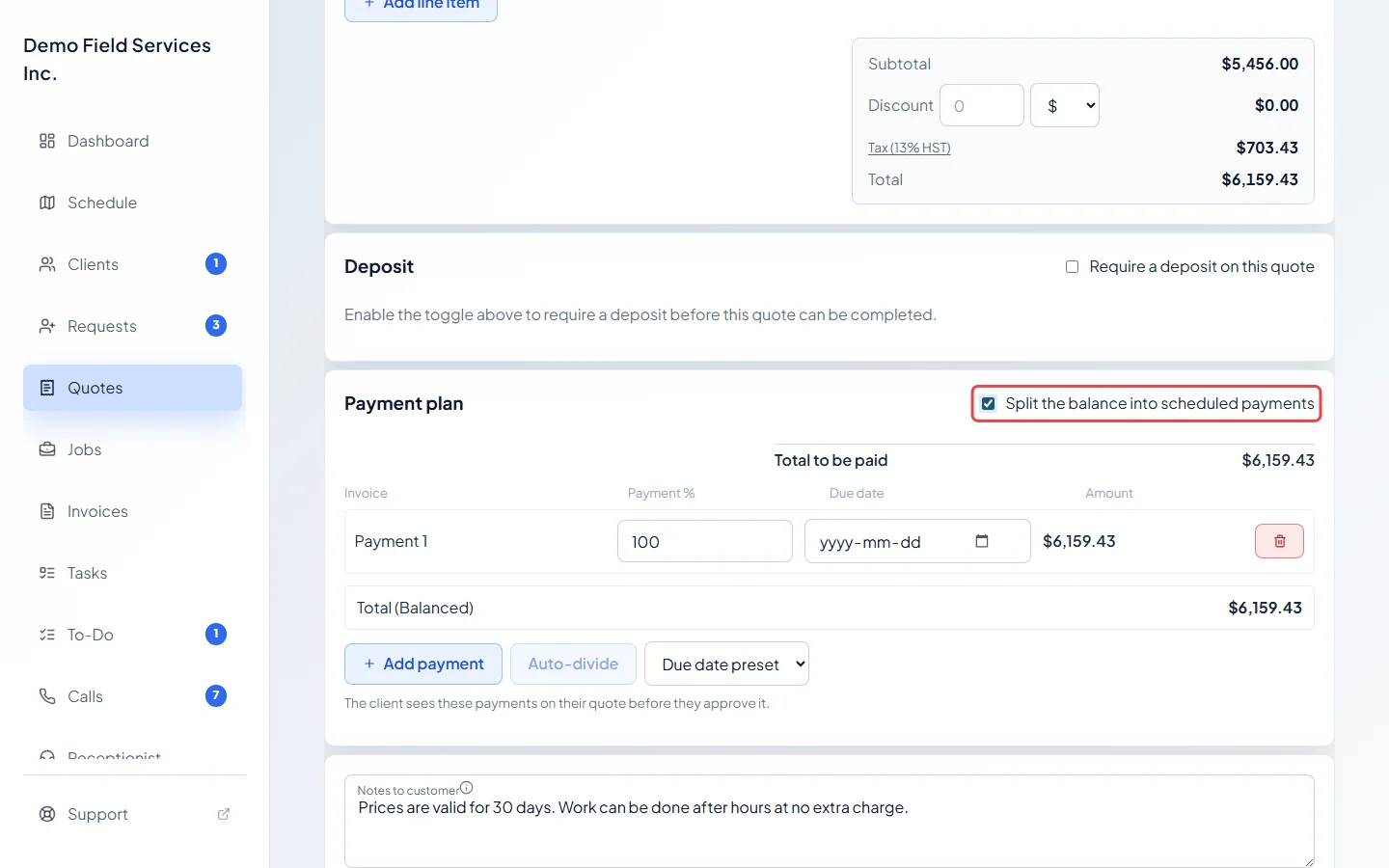
-
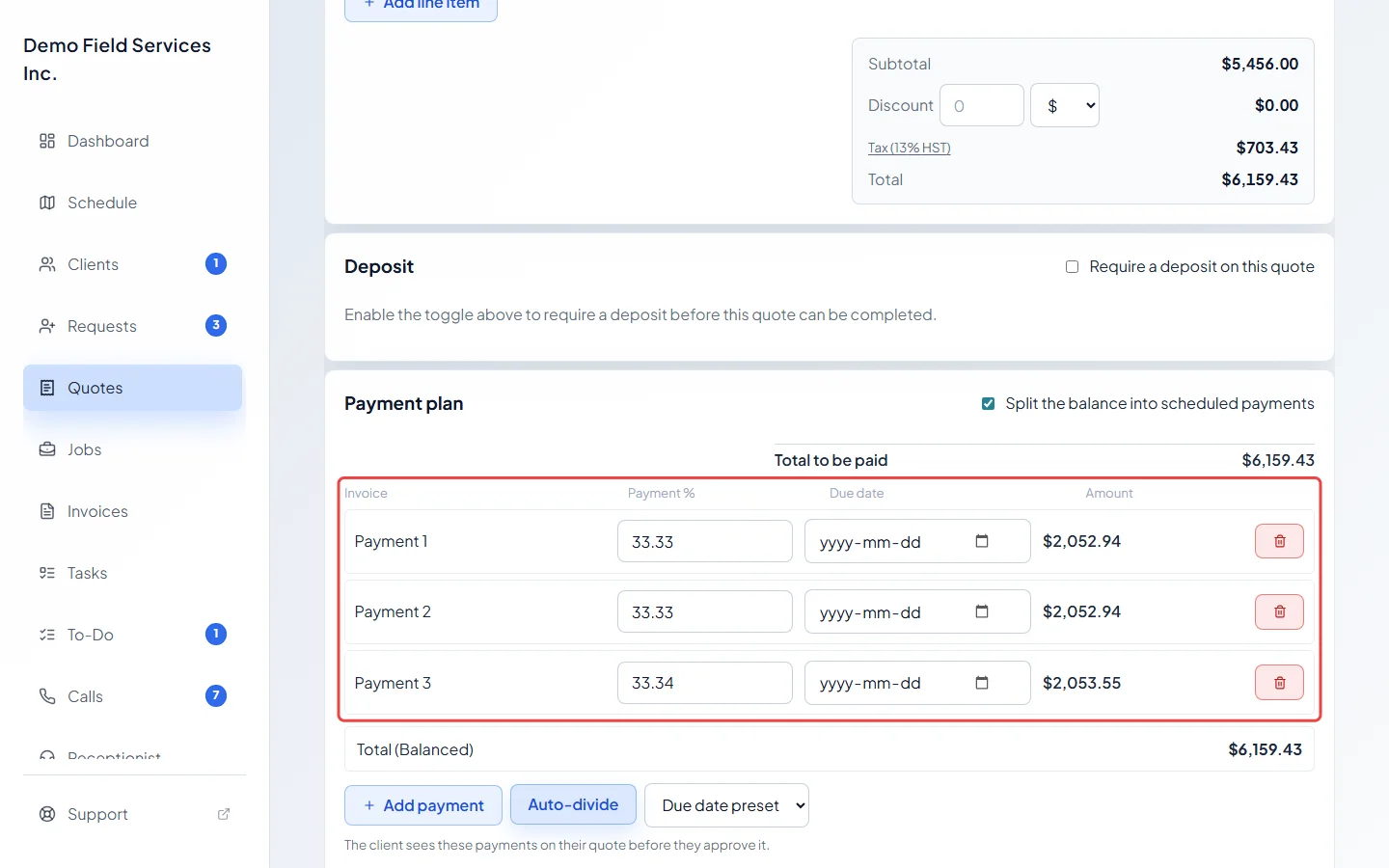
Click Add payment for each extra payment and type each one’s share in Payment %. With two or more payments, you can click Auto-divide to share it out evenly. Amount shows what each payment comes to.
-
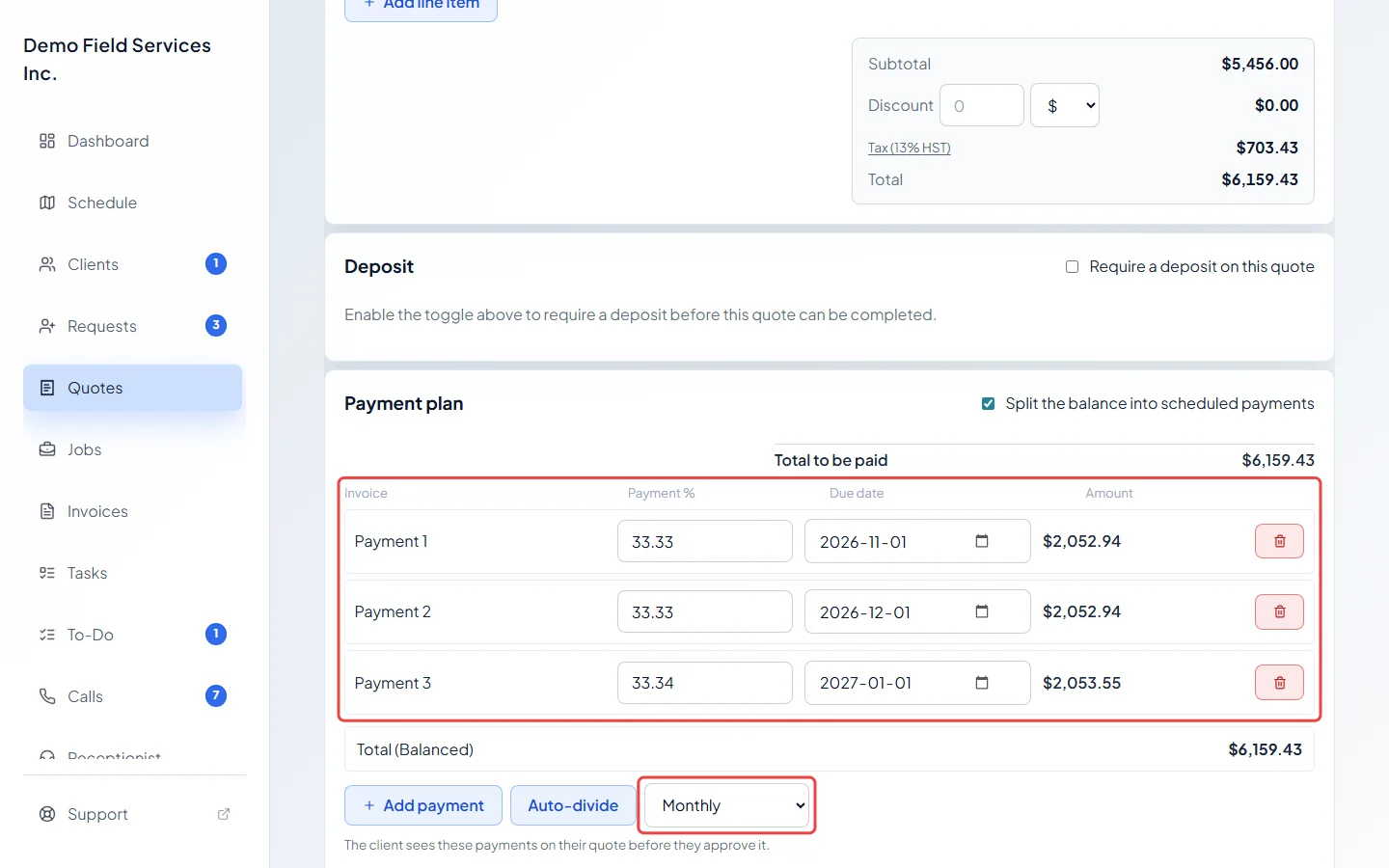
Set a Due date for each payment. To space them out evenly, set the first date, then pick Weekly, Bi-weekly, Monthly or Every 2 months from Due date preset.
-
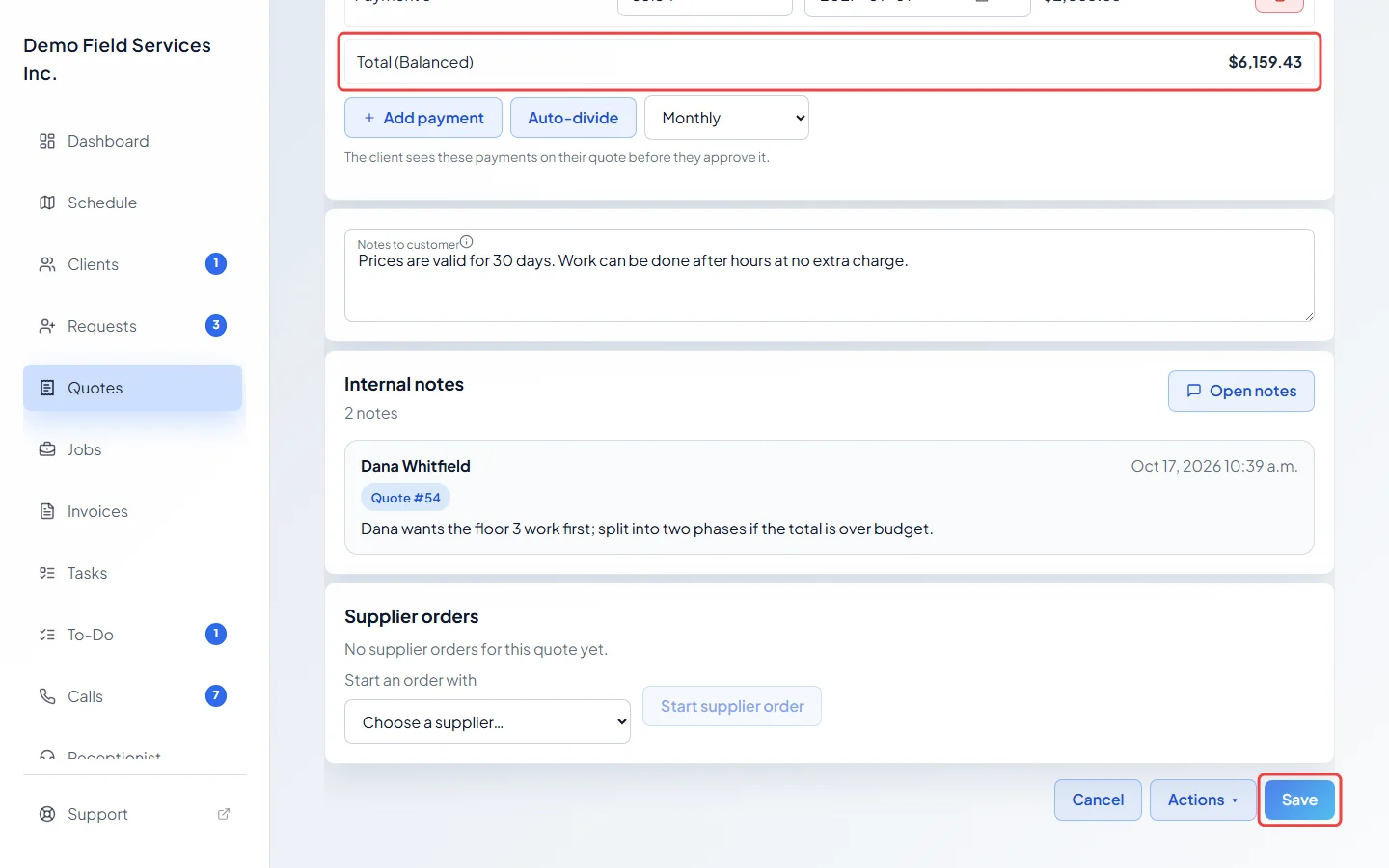
When the total line says (Balanced), click Save. The client sees the payments on their quote before they approve it.
How the amounts are worked out
Section titled “How the amounts are worked out”- With no deposit, the payments share the whole quote total (Total to be paid).
- With a deposit, the client pays the deposit first, and the payments share what’s left (Balance after deposit). See Asking for a deposit.
- If the deposit covers the whole quote, there’s nothing left to split, and the client just sees the deposit.
Good to know
Section titled “Good to know”- The payments must add up to exactly 100%. If they add up to less, a warning says how much is unallocated. If they add up to more, it says how much it’s over and offers Adjust to 100%. Save stays greyed out until it balances.
- Removing the first payment warns you to check the new first due date.
- When you convert the quote, the plan moves onto the job, which bills each payment. From then on, change it on the job. See Converting a quote to a job.
- A quote billed in one go with Invoice the balance no longer uses its plan.
- Changing the plan on an approved quote takes the approval away, so the client approves it again.
Related articles
Section titled “Related articles”Checked against Astragal on October 17, 2026