

Why didn't my message send?
Work out why a client didn’t get a text or email, and fix it so the next one arrives.
Who can do this: Anyone who can see the client’s messages can check. Changing a client’s numbers needs permission to edit clients. Admins, dispatchers and accountants change automatic messages.
Also called: text not delivered, email not received, SMS failed.
-
Open the client and click the Messaging tab. Each message you sent shows where it got to: Queued (waiting to go), Sent (handed to the phone or email network), Delivered, Delayed or Failed. Emails the client opened also say Opened. A failed message shows the reason in red under it, starting with “Error:”.
On a computer: Left menu → Clients On a phone: Bottom bar → Clients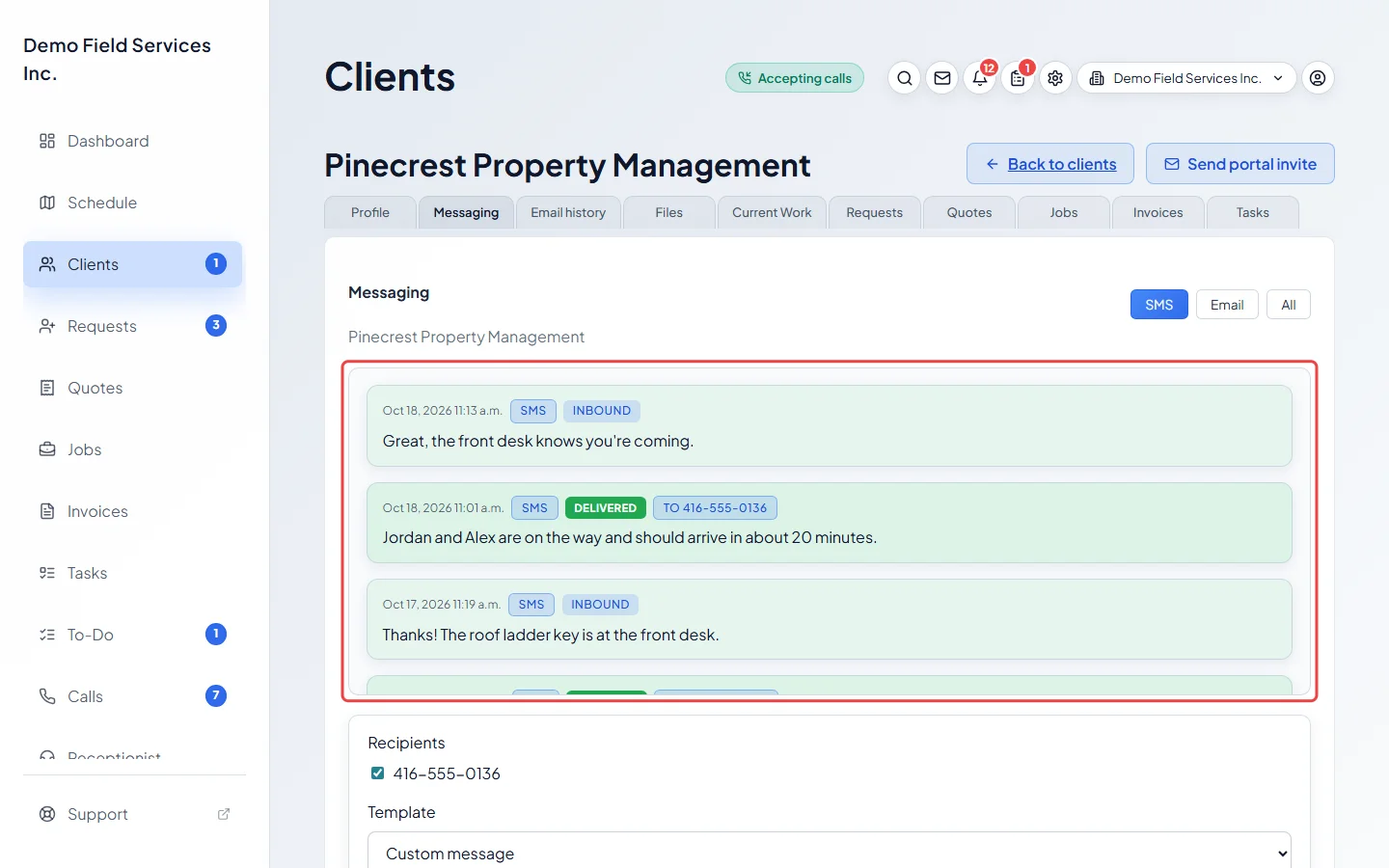
-
Check the client’s phone numbers on the Profile tab. A text only goes to a number with SMS enabled on. If the number is a mobile and the switch is off, turn it on and click Save. Also check the Appointments and Quotes, invoices & receipts switches: automatic messages of that kind only go to the numbers and emails with that switch on (or to all of them, when none has it on).
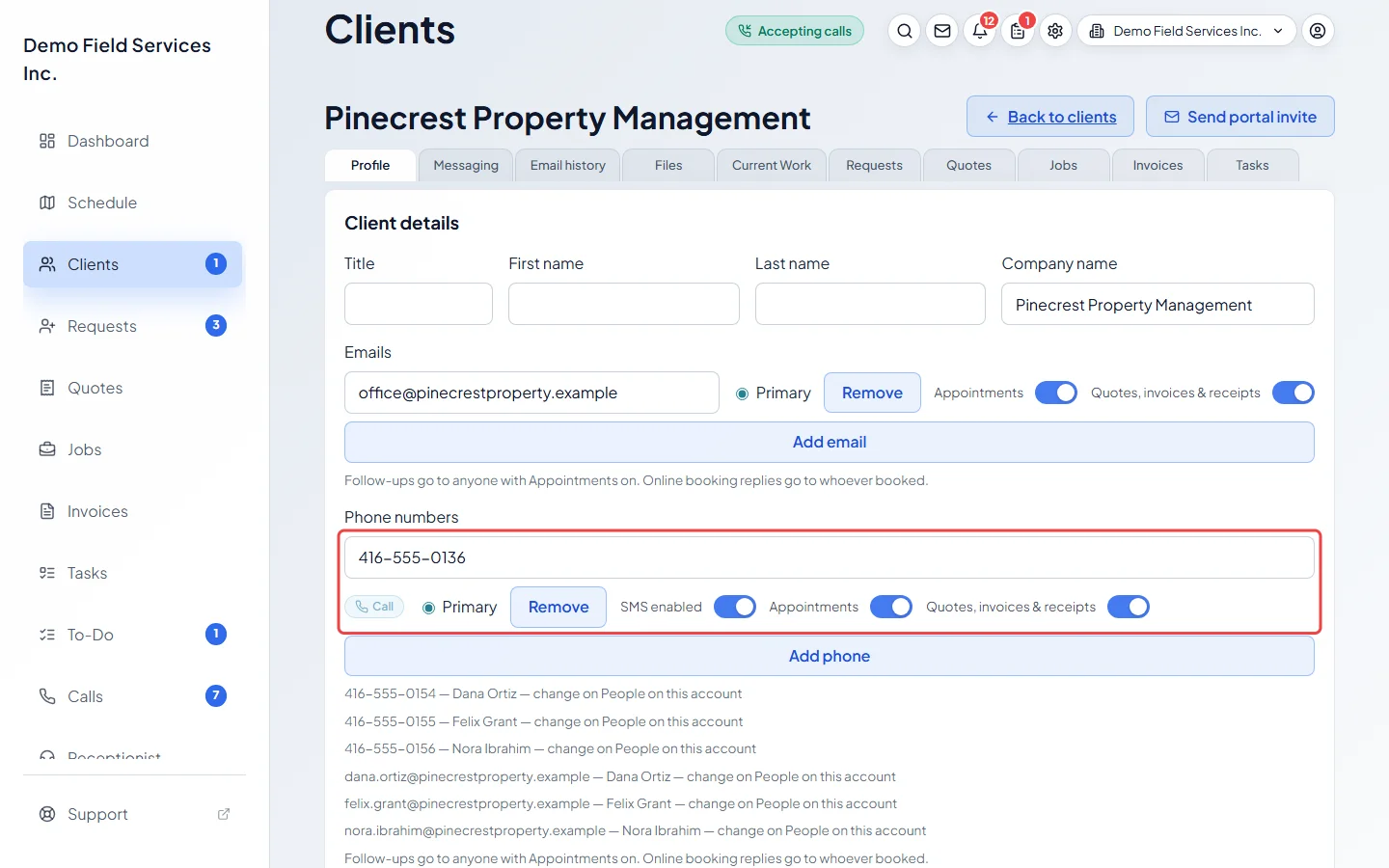
-
For a message Astragal sends by itself, such as a visit reminder, open Client communication and make sure that message is switched on. Automation status at the top says when each automatic reminder last ran.
On a computer: Left menu → Settings → Client communication On a phone: More → Settings → Client communication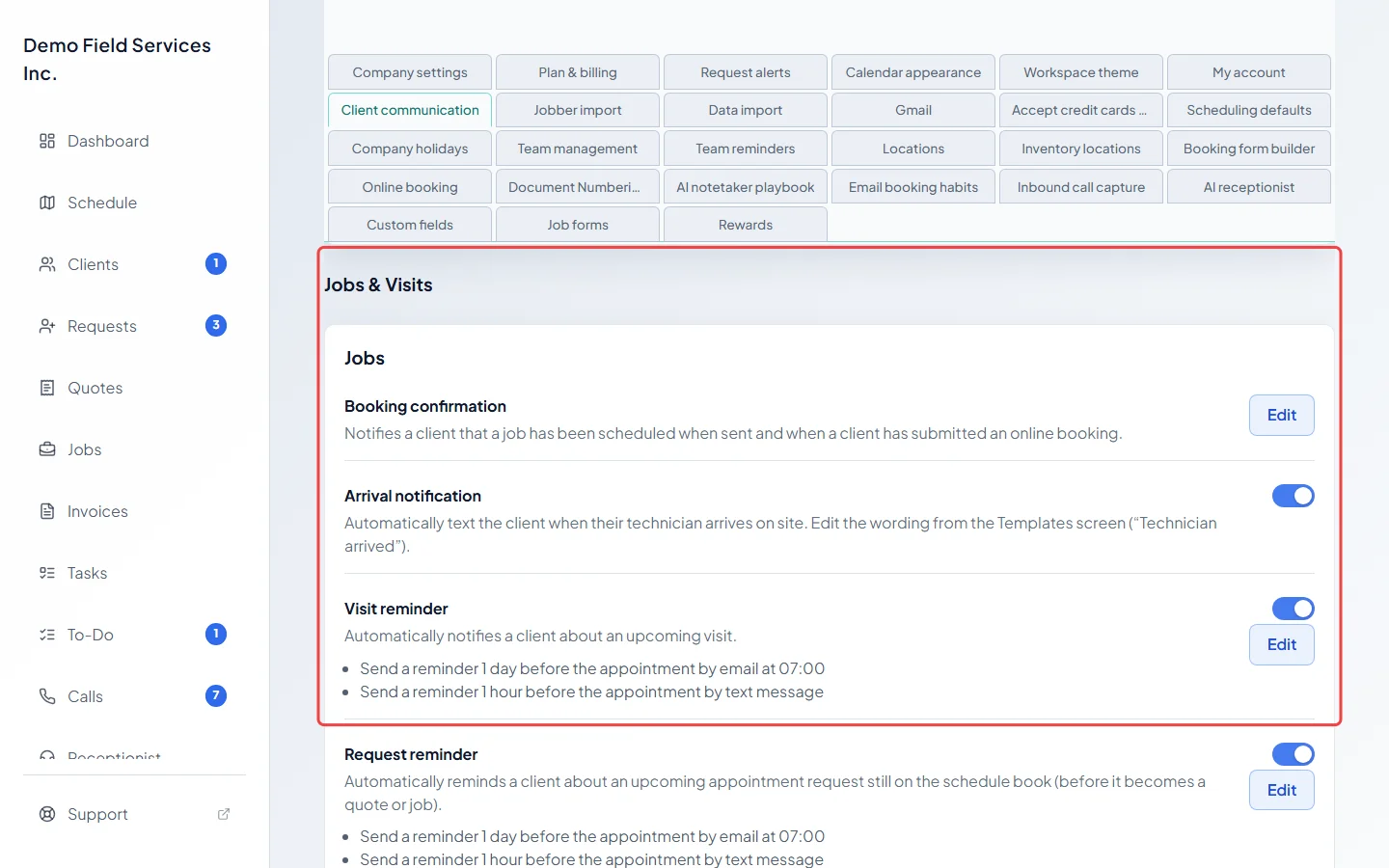
What the reasons mean
Section titled “What the reasons mean”- “This number can’t receive text messages.” or a note after sending such as “Skipped 555-0100 — it can’t receive texts”: SMS enabled is off for that number. Astragal turns it off by itself after texts to a number keep failing because the number can’t get texts, for example a landline, and emails the office when it does. If you know it’s a mobile, turn the switch back on.
- No matching recipients on file. under Recipients, or “No matching recipients for selected channel.” after sending: the client has no phone number (for a text) or email (for an email). Add one on their Profile tab.
- “Verify your email to enable sending”: the company owner hasn’t confirmed their email yet, so nothing goes to clients. The owner clicks the link we emailed them, or Resend link in the bar at the top of their screen, then you send the message again.
- “Trial sending limit reached — add a payment method to continue.”: a free trial can only send so many texts and emails. Adding a payment method lifts the limit. See The free trial.
- “Monthly included amount used up” or “Monthly safety limit reached”: your company has reached its text limit for the month. Contact support@astragalhq.com, or wait for the next billing month.
- “No text number set up yet”: your company doesn’t have a number to text from yet. See Phone add-ons or contact support@astragalhq.com.
- The client replied STOP to one of your texts: Astragal stops texting that number, and so does their phone network, until they reply START. Automatic texts to them simply won’t appear. Call or email them instead.
Delivered, but the client says they didn’t get it
Section titled “Delivered, but the client says they didn’t get it”- Delivered on a text means their phone network accepted it. Ask them to check blocked numbers and message filters.
- For email, ask them to look in their junk or spam folder, and check the address is spelled right on their Profile tab.
- Delayed means the email service hasn’t confirmed delivery yet. Give it a little while before sending again.
Good to know
Section titled “Good to know”- If you can read messages but see “You can review this conversation, but your permissions do not allow sending messages.”, ask your admin for permission to send. See A button or menu item isn’t on my screen.
- A long text goes out as several texts. The counter under the message box says how many, for example “sends as 2 texts”. An emoji or curly quote cuts each text to 70 characters.
- Messages imported from Jobber say Imported from Jobber; they were never sent from Astragal.
Related articles
Section titled “Related articles”Checked against Astragal on October 18, 2026