

Multiple properties per client
One client can have many properties, such as a landlord with several rentals or a business with a few locations.
Who can do this: Admins and team members set to View, edit, and delete full client and property info can add and remove properties. Team members set to View and edit full client and property info can edit them.
Also called: sites, locations, service addresses.
-
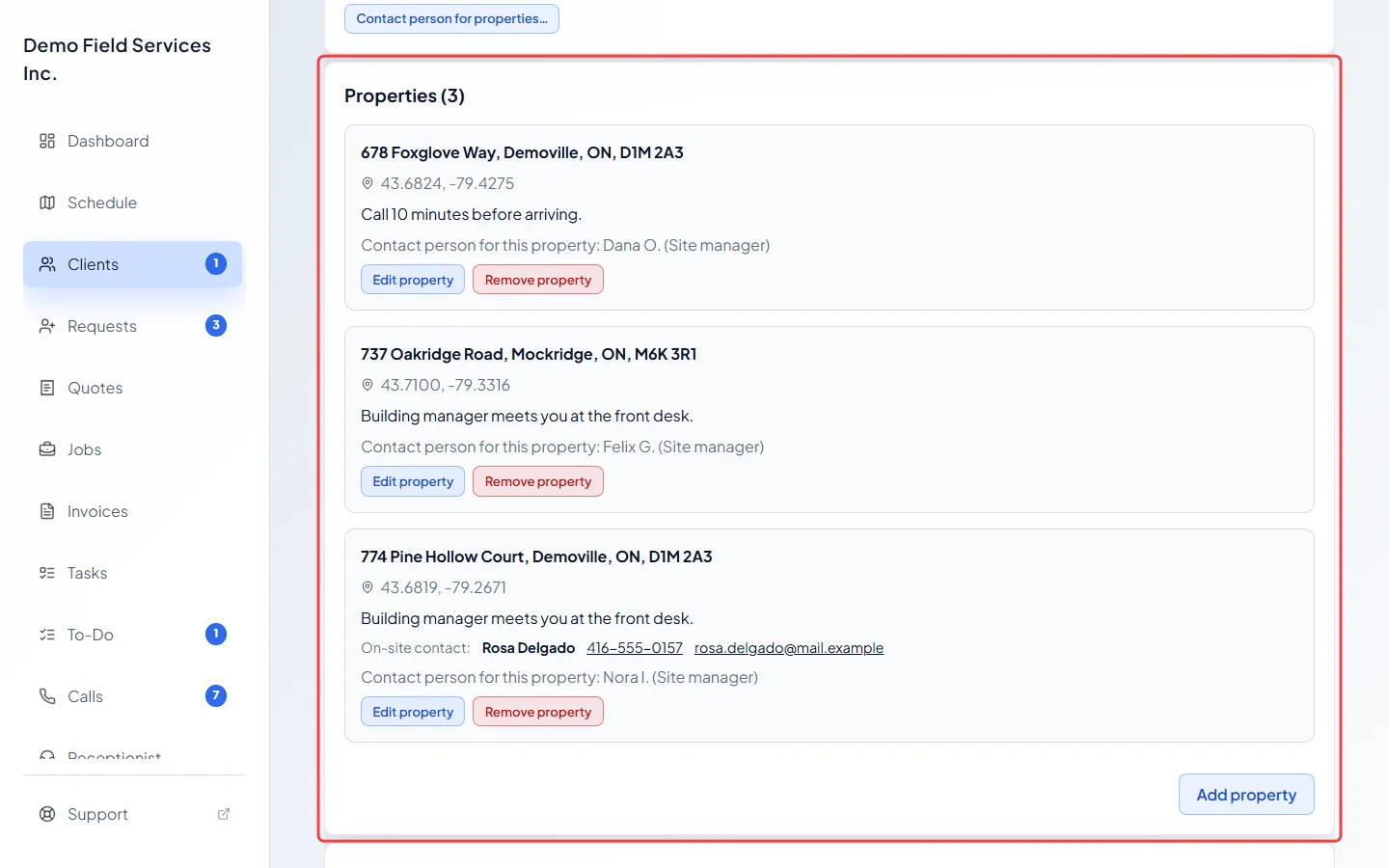
Open the client and scroll to the Properties card on the Profile tab. The heading shows how many properties the client has.
On a computer: Left menu → Clients On a phone: Bottom bar → ClientsEach property shows its address, its map position, any access notes, its on-site contact and its contact person.
-
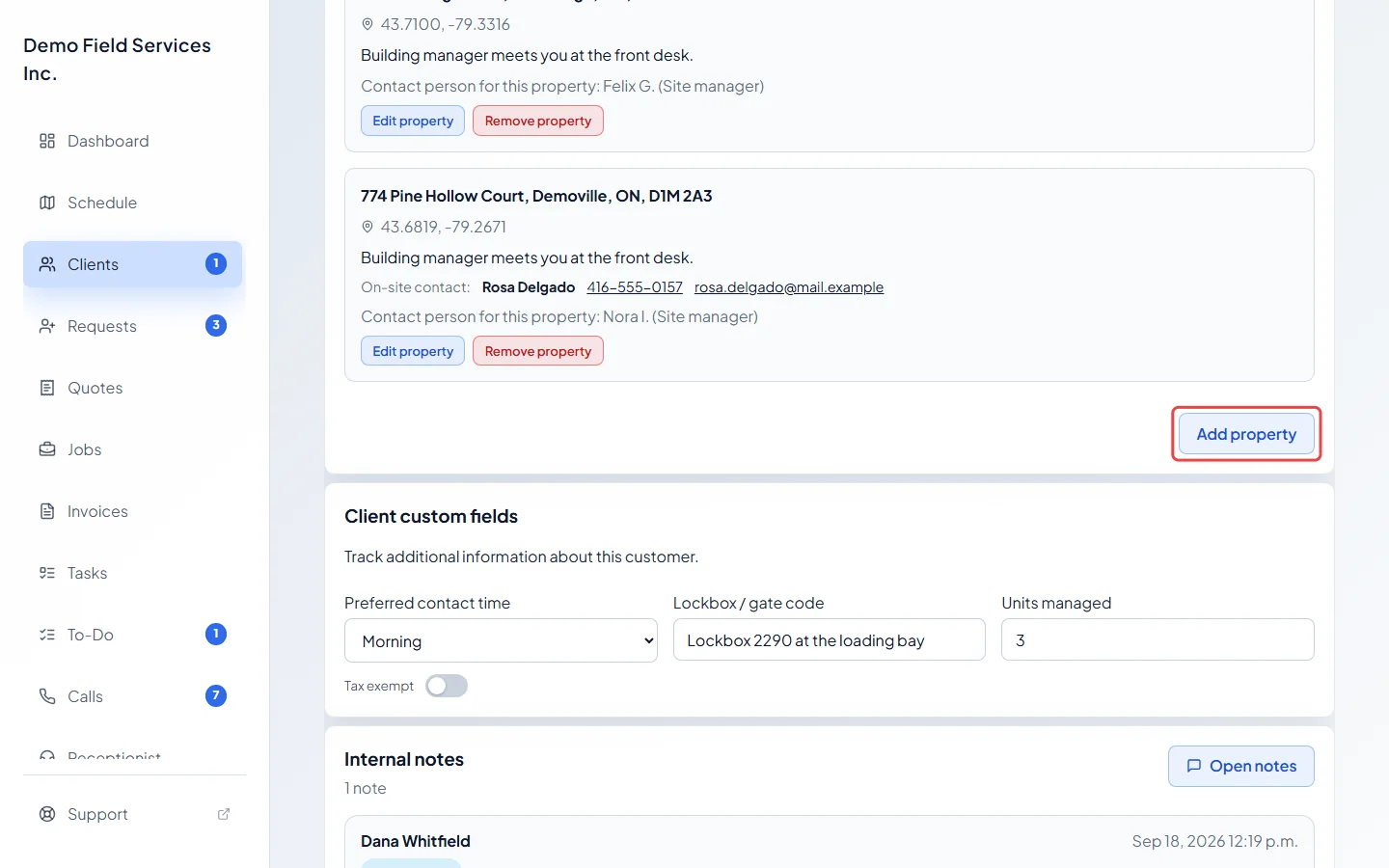
Click Add property under the list.
-
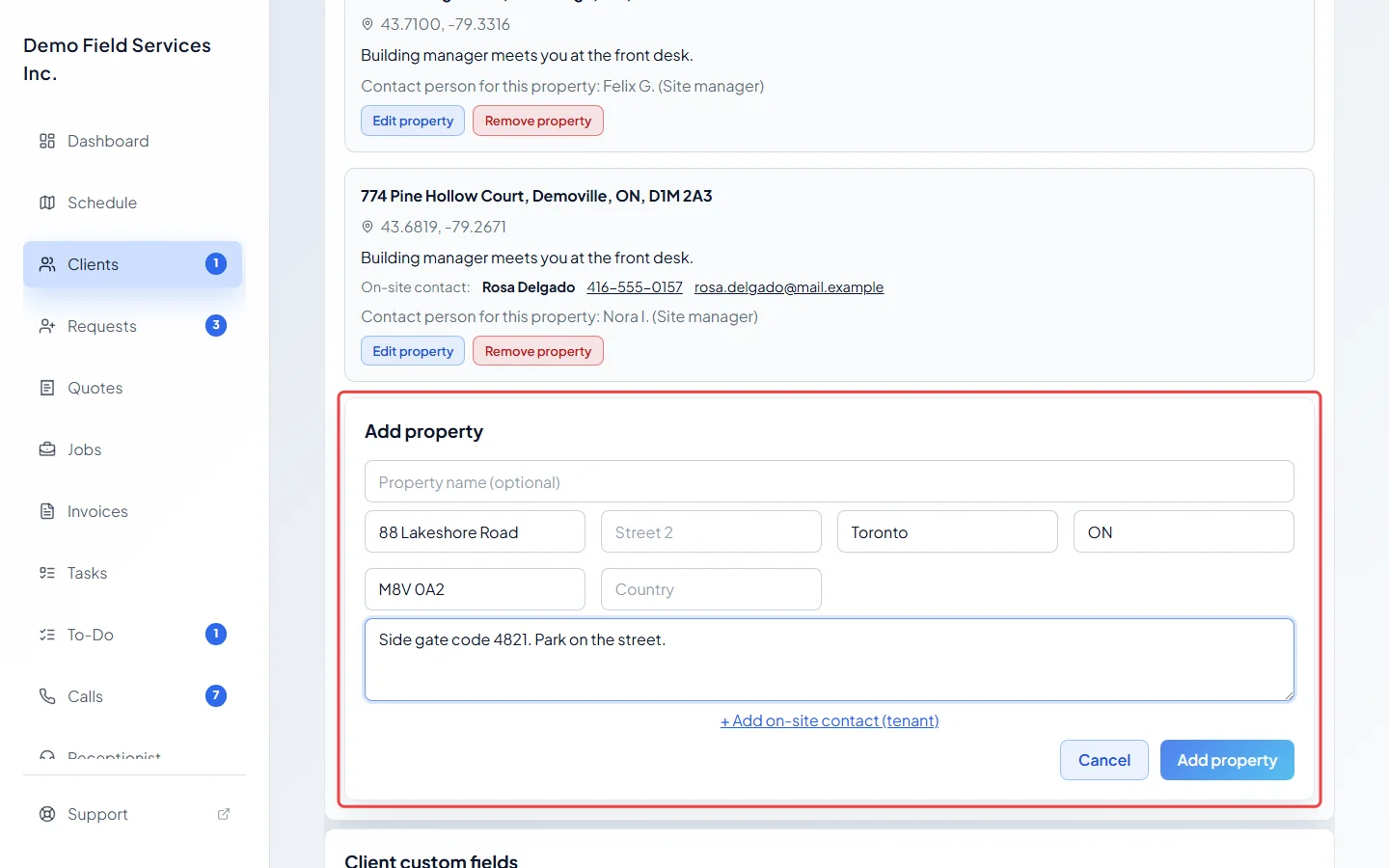
Fill in the address, and add gate codes or parking tips in Access notes (optional). A street and city are required. You can leave Property name (optional) empty: the name isn’t shown on the Properties card and can’t be changed later. If the property has a tenant or someone who lets you in, click + Add on-site contact (tenant).
-
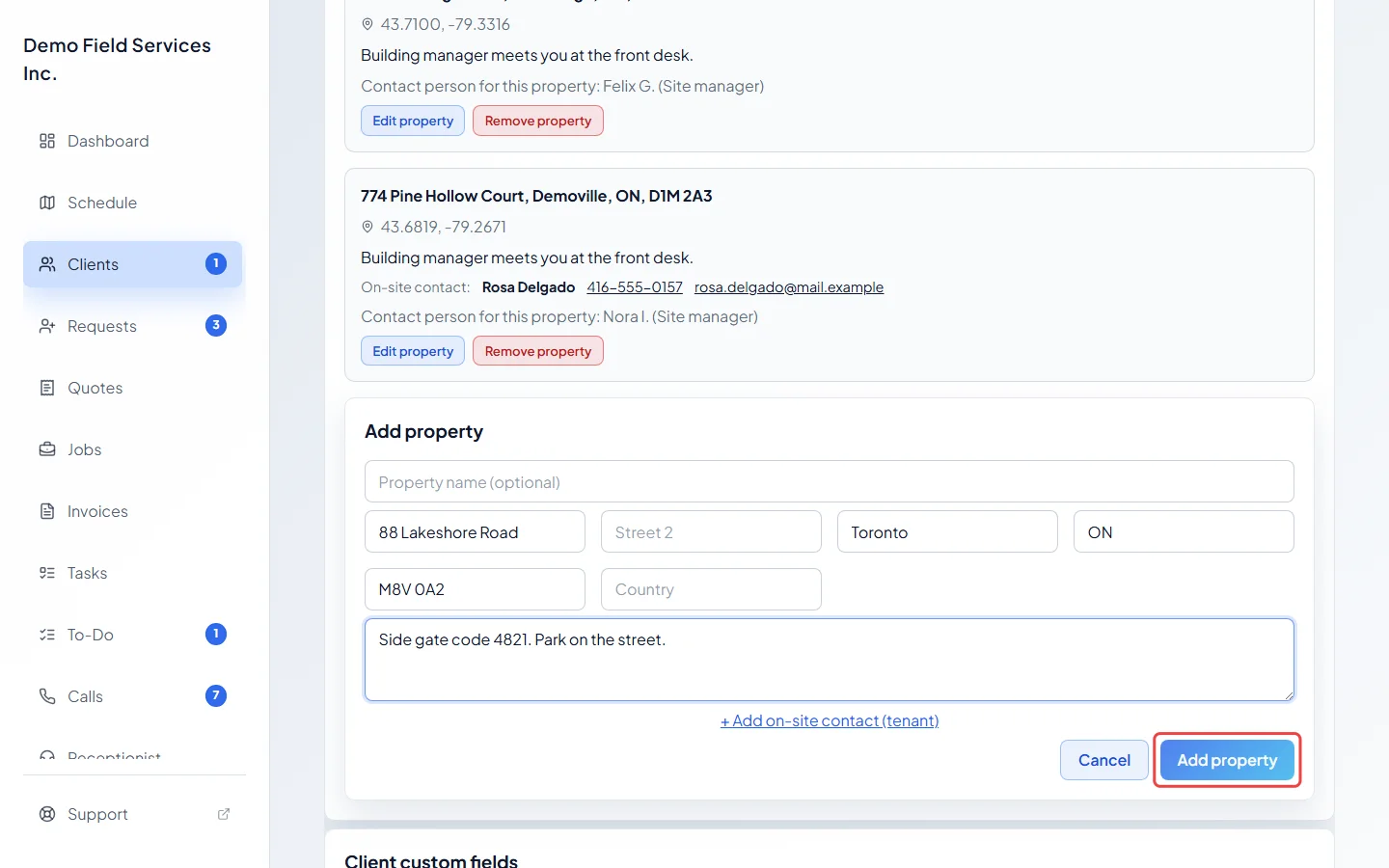
Click Add property at the bottom of the form to save it.
-
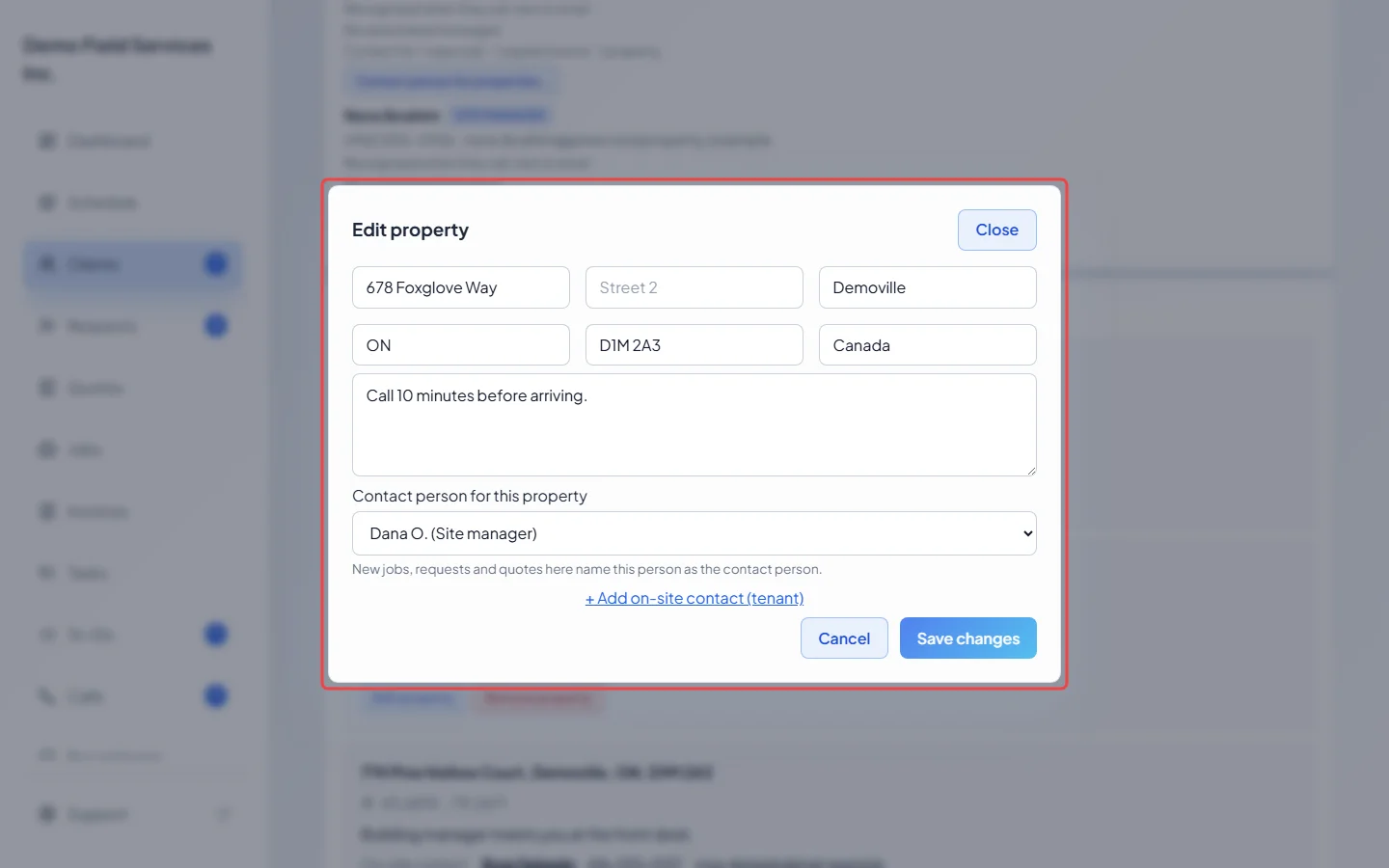
To change an address, click Edit property on it, make your changes, and click Save changes. Here you can also set the contact person for this property and its on-site contact.
Picking a property on new work
Section titled “Picking a property on new work”When a client has more than one property, the property box on a new job starts on “Select property”. Nothing is picked for you. Type part of the address, or the tenant’s name or number, to find it. A property with a tenant shows the tenant’s name after the address. Requests, quotes and invoices also ask which property the work is for.
Good to know
Section titled “Good to know”- You can also add several properties at once when adding a client, with Add Another Address, or in Edit client details from a quote or job.
- Every client keeps at least one property, so Remove property only shows when there are two or more.
- Remove property on this card deletes the property’s jobs and requests. To keep the work, remove the property in Edit client details instead. See Removing a property.
- “Lat/Lng unavailable” under an address means it couldn’t be found on the map. Check the spelling and city with Edit property.
Related articles
Section titled “Related articles”Checked against Astragal on October 17, 2026