

A button or menu item isn't on my screen
Find out why something a teammate can see is missing from your menu or screen, and get it turned on.
Who can do this: Anyone can check. Admins and dispatchers change what a team member can see. Only an admin can change an admin, and nobody can widen their own access.
Also called: missing menu item, hidden page, can’t see a button.
Almost always, nothing is broken. Astragal builds each person’s menu from three things: their role, the permissions an admin gave them, and what your company’s plan includes.
Why something is missing
Section titled “Why something is missing”Your role
Section titled “Your role”Each role starts with a different menu:
- Admins see everything, including Templates and every Settings section.
- Dispatchers see everything except Templates.
- Accountants see everything except Templates and Reminders.
- Technicians have Schedule (unless their Schedule area is off), plus Reminders, Estimate Calculator, Advanced Search and Timesheets. Clients, Requests, Quotes, Jobs and Invoices only appear when their permission is turned on and Show on their menu is ticked. Tasks follows Jobs.
- The Settings button at the top of the screen opens all of Settings for admins. Everyone else gets their own page with the colour theme and My account. Dispatchers and accountants also have Settings in the menu, but the Rewards section and card payment setup are for admins only.
Your permissions
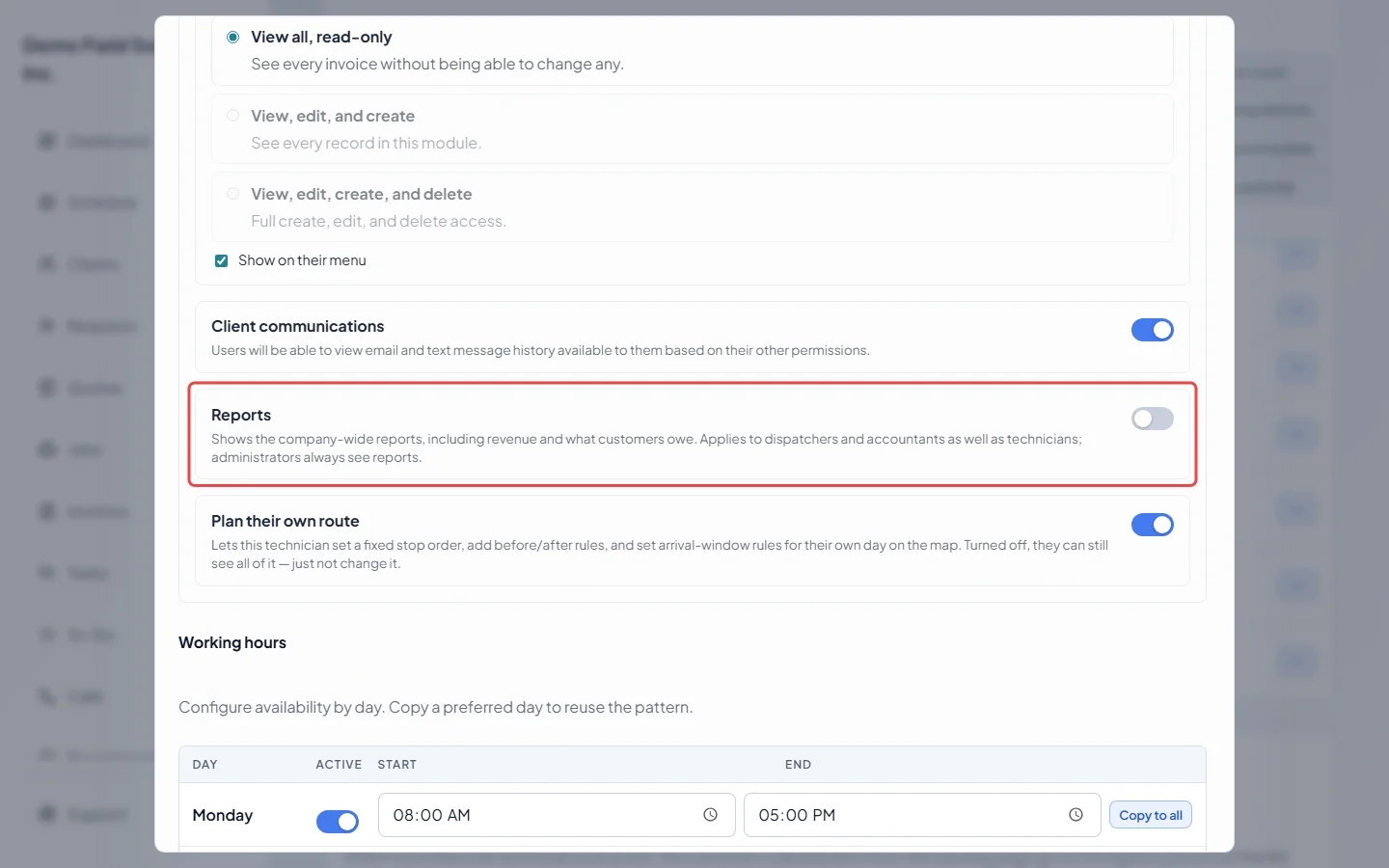
Section titled “Your permissions”An admin or dispatcher can switch a whole area off for you, such as Schedule, Requests, Quotes, Jobs or Invoices, and it disappears from your menu and from Create. Reports only shows when your Reports switch is on: dispatchers and accountants have it on unless someone turned it off, technicians have it off unless someone turned it on. In Create, Invoice is greyed out when you can see invoices but not make them. Book from email at the top of the screen is for admins only.
Your company’s plan and add-ons
Section titled “Your company’s plan and add-ons”Some pages only exist when your company has them:
- Calls needs the phone line add-on. Admins always see it; dispatchers and accountants need to be on the incoming calls list in Who rings, and where. Technicians don’t get it on their menu.
- Receptionist needs the AI receptionist add-on, and you on that same calls list.
- Supplier Orders under Inventory needs a plan that includes supplier orders, and is for office roles only.
- My Rewards shows for technicians once an admin turns on rewards for the company.
If a page opens but a message says the feature isn’t included in your plan, your company’s plan doesn’t have it. The account owner can check what the plan includes under Plan & billing.
Turning it on for someone
Section titled “Turning it on for someone”-
Open Team management, click the ⋯ button next to the person and click Edit.
On a computer: Left menu → Settings → Team management On a phone: More → Settings → Team management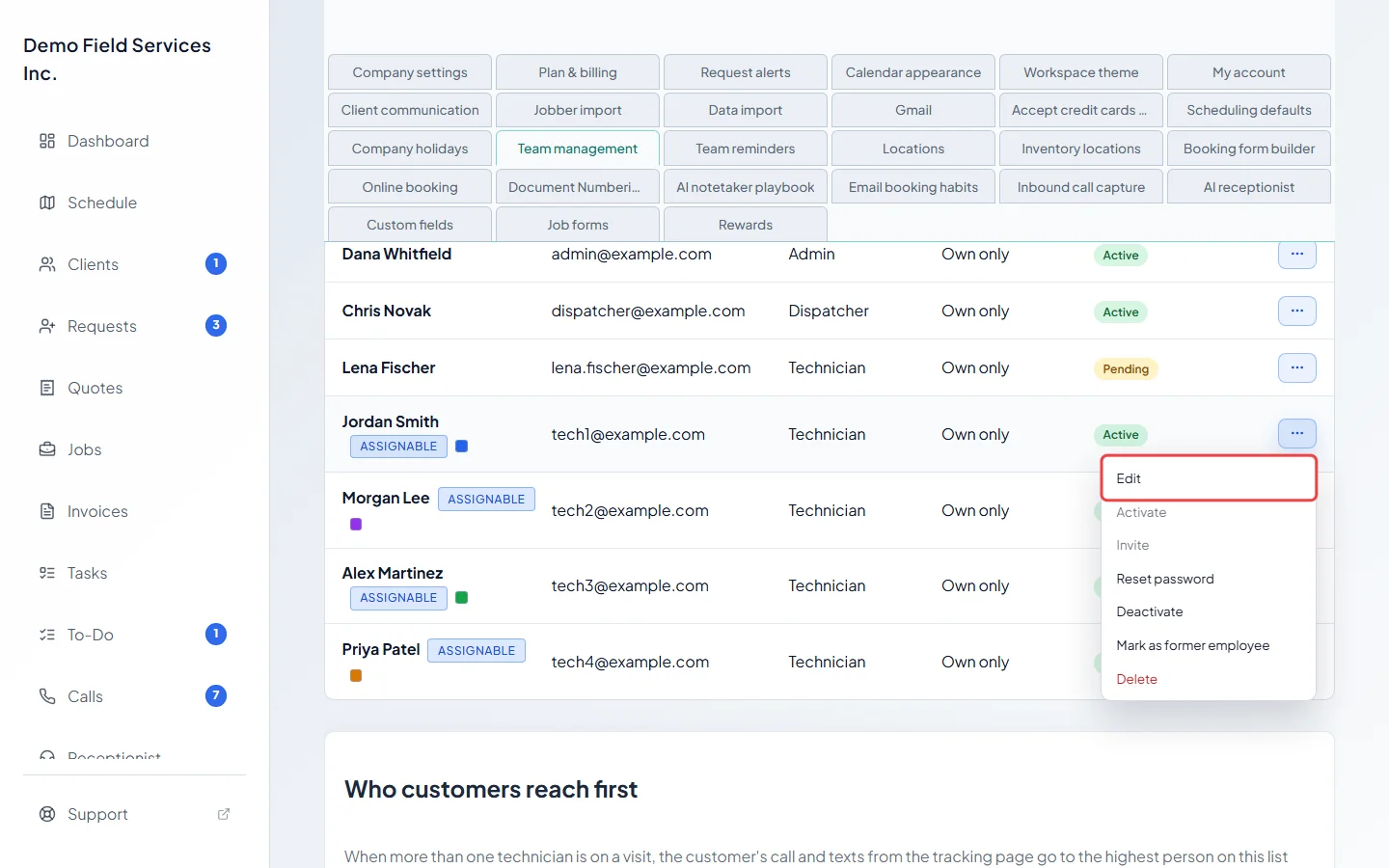
-
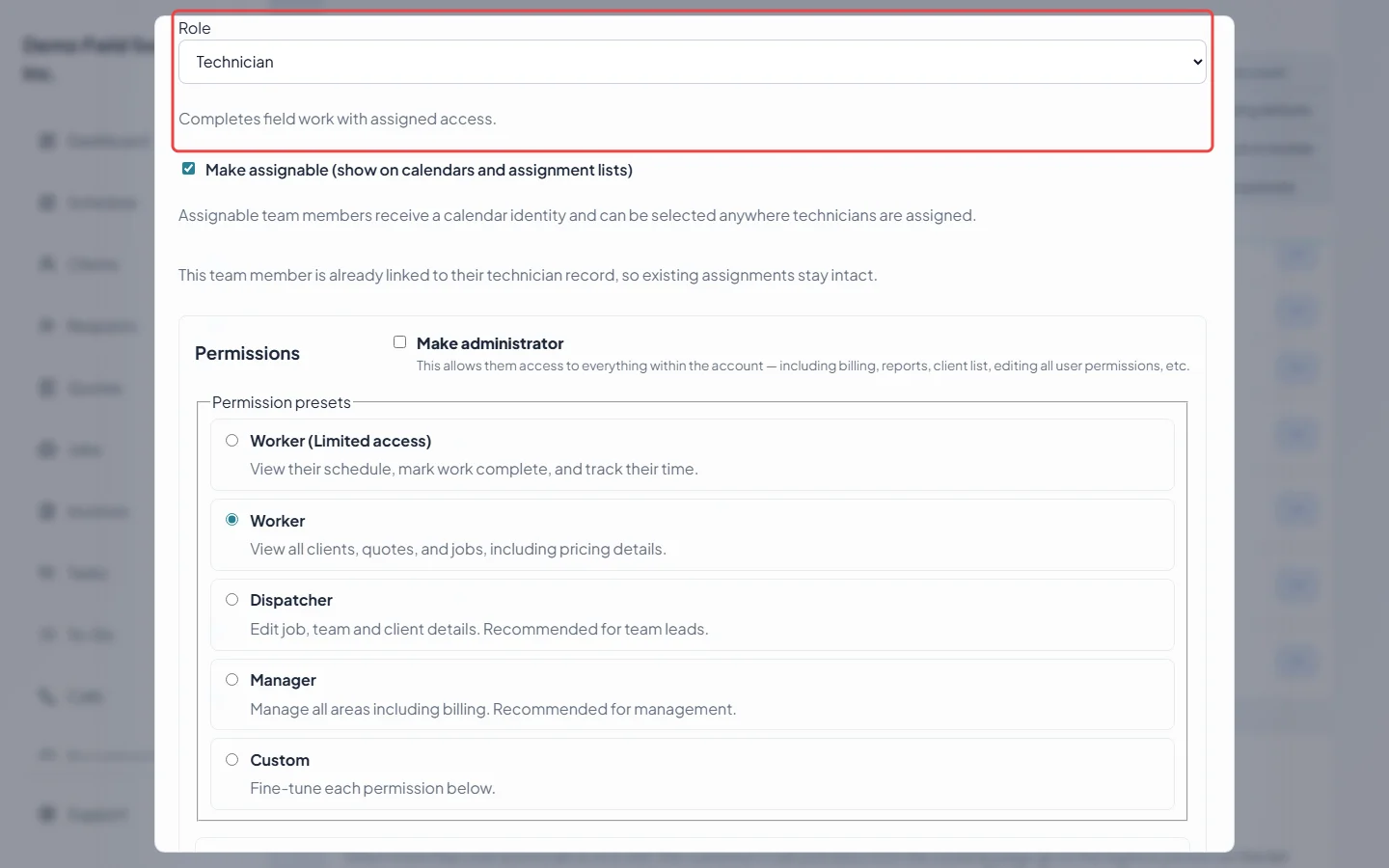
Check their Role. A technician’s menu is much shorter than a dispatcher’s. Ticking Make administrator gives them everything; only an admin can tick it. If the window says this person also belongs to another company, you can only change their role here. Their permissions stay as they are.
-
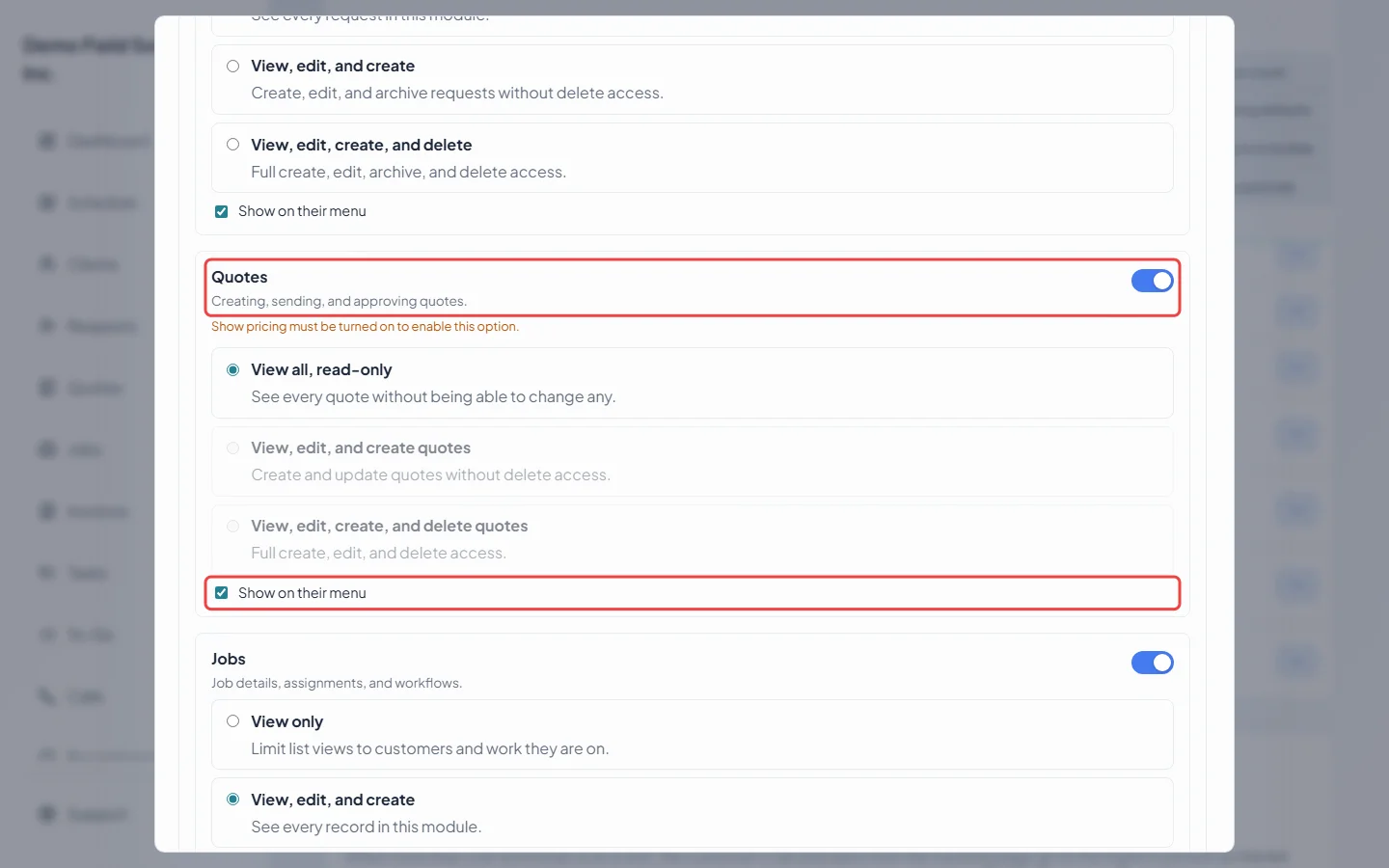
Find the area that’s missing. Make sure its switch is on, pick a level, and for a technician, tick Show on their menu for Clients & properties, Requests, Quotes, Jobs and Invoices. For dispatchers and accountants it only matters for Clients & properties.
-
For a missing Reports, turn on the Reports switch.
-
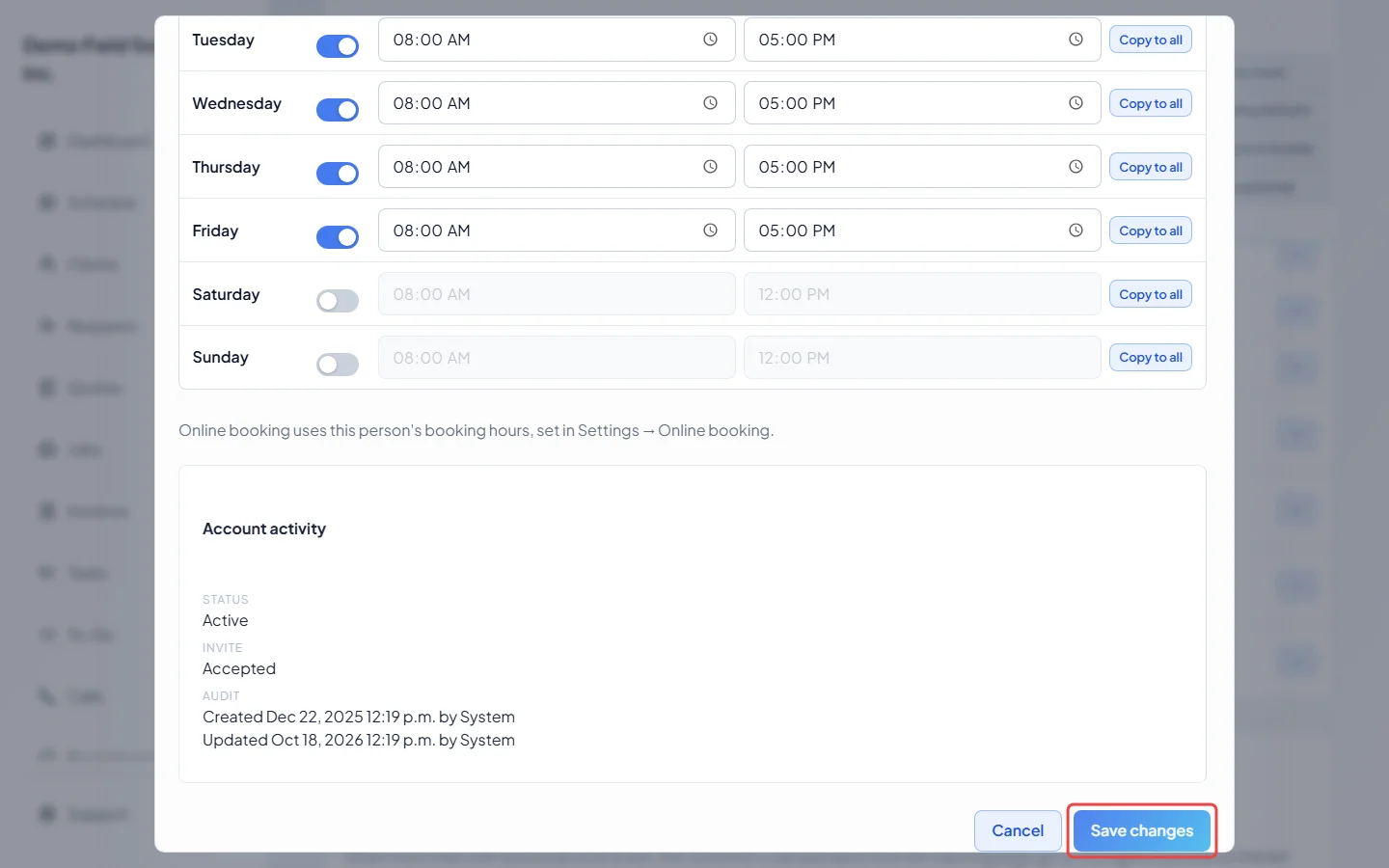
Click Save changes. Their menu updates within about a minute, or as soon as they come back to Astragal. They don’t need to sign out.
Good to know
Section titled “Good to know”- On a phone, only Home, Schedule, Clients and Requests sit on the bottom bar. Everything else is under More, so check there first.
- If a teammate with the same role sees it and you don’t, ask an admin to compare your two permission screens.
- To let someone ring on calls, an admin ticks them under Who rings, and where. See Who rings and what callers hear.
Related articles
Section titled “Related articles”Checked against Astragal on October 18, 2026