

Your to-do list
Keep your own list of things to do so nothing you promised slips.
Who can do this: Admins, dispatchers and accountants. Each person’s list is private: you only see your own to-dos, admins included.
Also called: a checklist, action items.
-
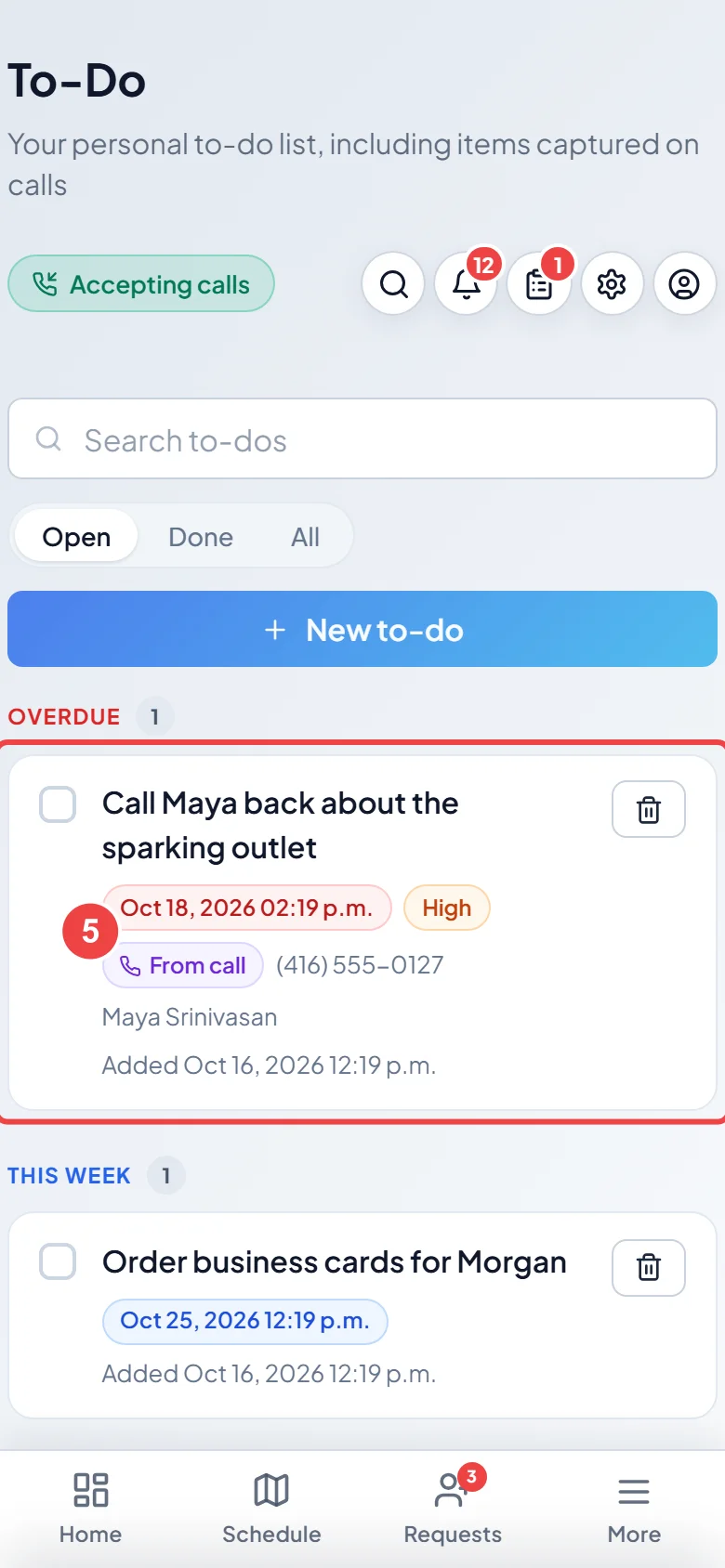
Open To-Do. Open items are grouped by when they are due: Overdue, Today, This week, Later, No due date, and Two weeks out+, which stays folded until you tap it.
On a computer: Left menu → To-Do On a phone: More → To-Do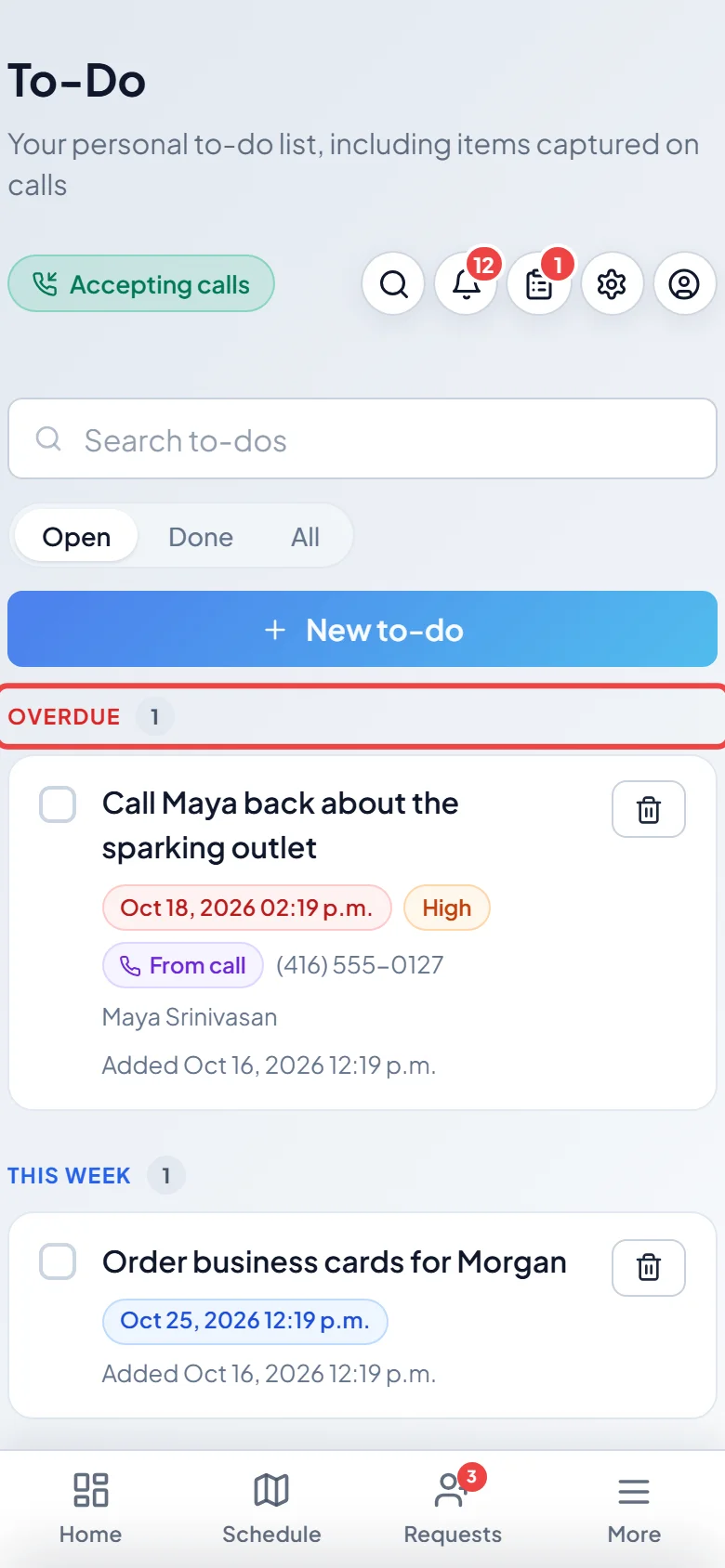
-
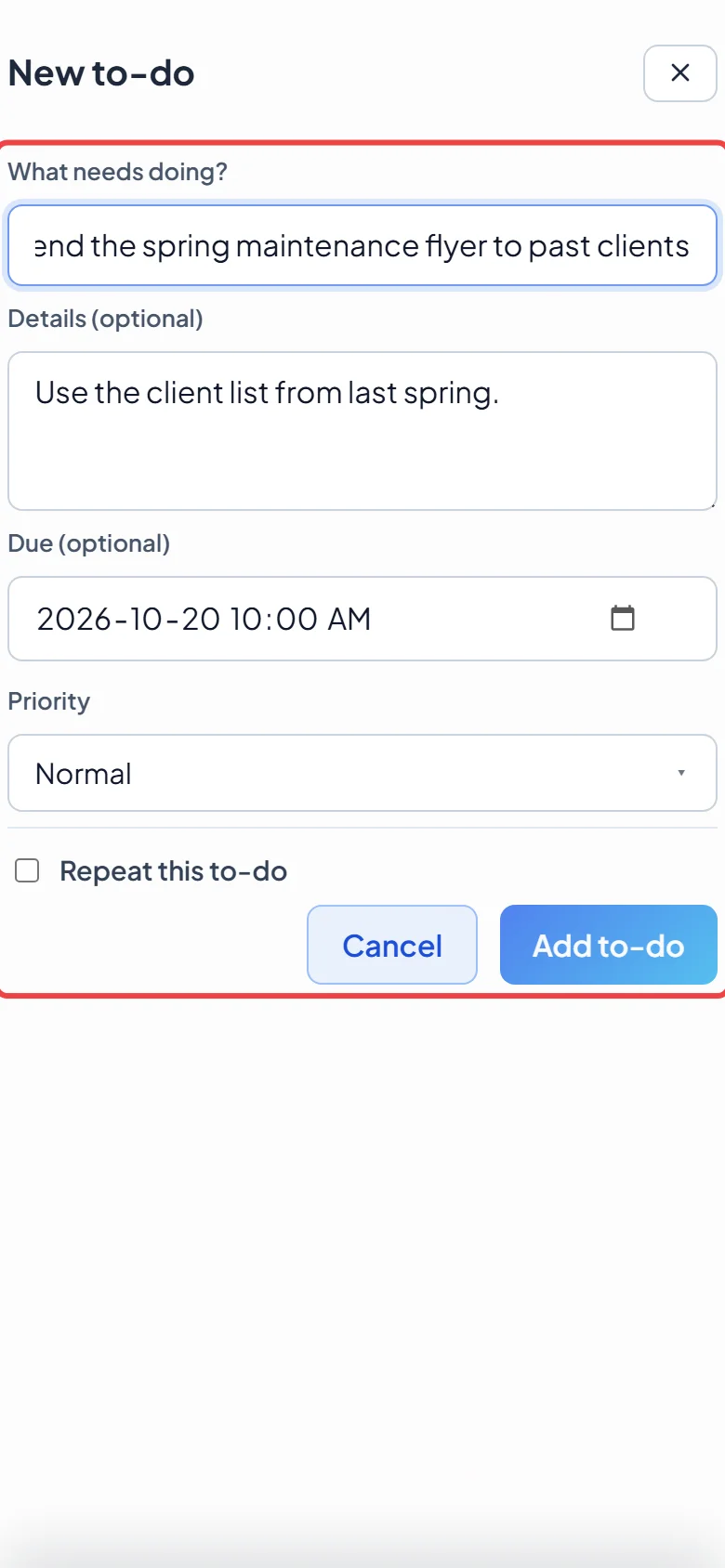
Tap New to-do. Type What needs doing?, add Details (optional), a Due (optional) date and time, and a Priority of Low, Normal or High. Tap Add to-do.
-
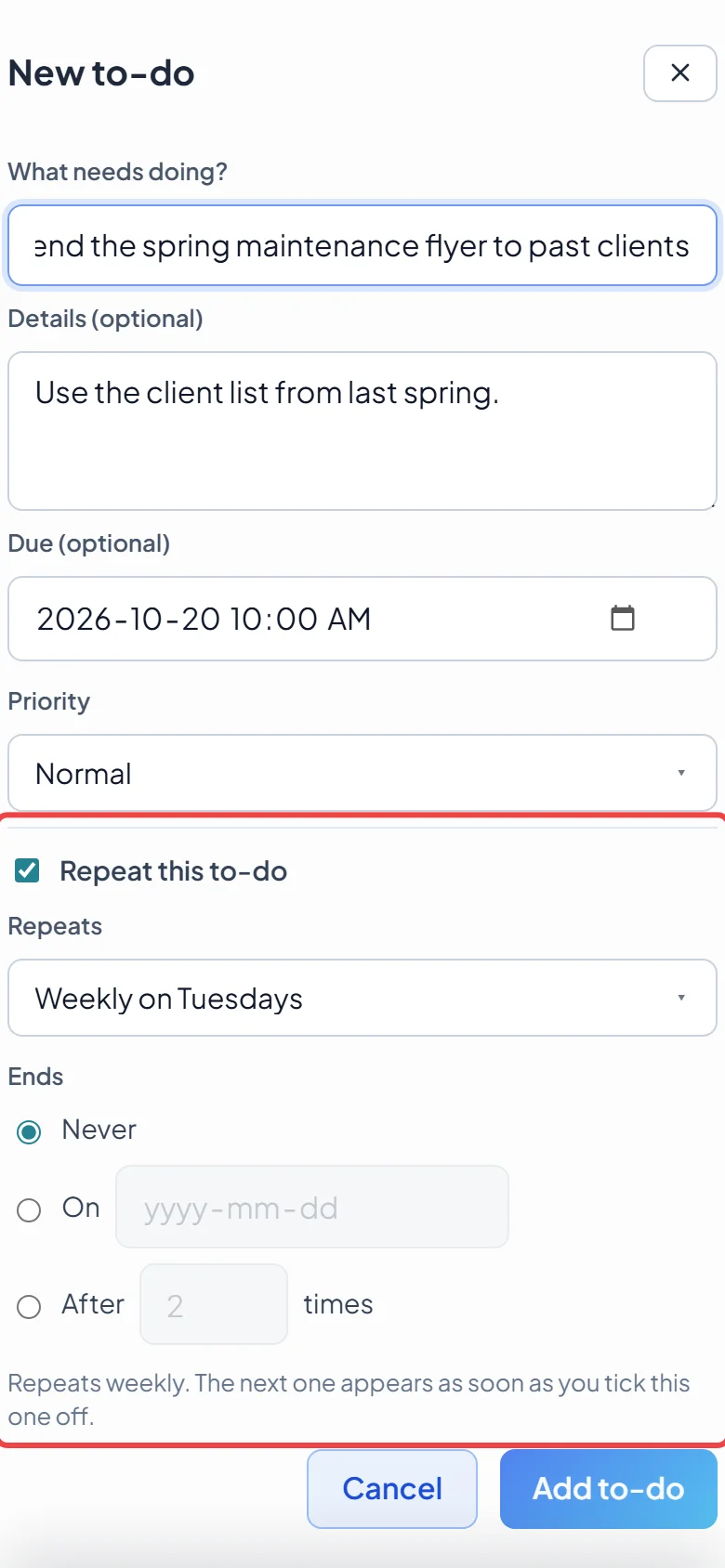
For something that comes round again, tick Repeat this to-do, pick how often under Repeats, and choose when it Ends: Never, On a date, or After a number of times. You need a due date first. The next one appears as soon as you tick this one off.
-
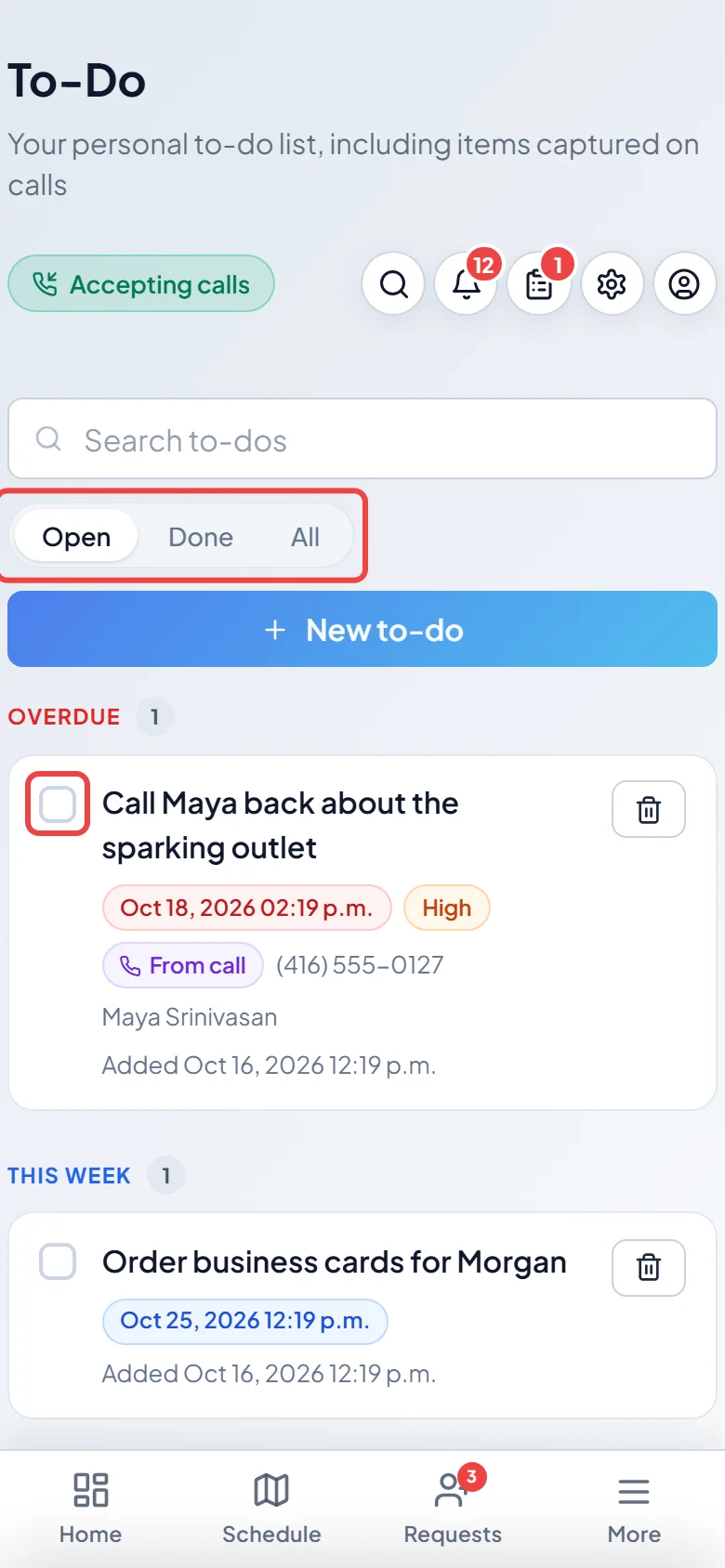
Tap the box next to a to-do to tick it off. Use Open, Done and All at the top to see what’s left, what’s finished, or everything, and Search to-dos to find one.
-
To-dos the AI receptionist picked up on your calls show From call. Tap it to open that call. To-dos from calls the AI receptionist handled on its own go to the account owner’s list.
Good to know
Section titled “Good to know”- Tap a to-do’s title to change it, then tap Save changes. Tap the bin to delete it; deleting a repeating to-do also stops it repeating. To stop a repeat but keep this one, open it and untick Repeat this to-do.
- Only to-dos you added yourself can repeat. Finished ones and ones from calls can’t.
- When a caller gave the AI receptionist a new phone number or email, the to-do shows Add to client. Tick “Make it the main number” (or email) to make it the client’s main one; the old one stays on file. Tap Add to client to add it and tick off the to-do. Nothing on the client changes until you tap.
- The number next to To-Do in the menu is how many open to-dos you have.
- A to-do has no time slot on the schedule. For work that needs one, use a task. For a nudge when someone reaches a place, use a location reminder.
Related articles
Section titled “Related articles”Checked against Astragal on October 17, 2026