

Customer value
Find your most valuable clients, and see how many are new and how many came back.
Who can do this: Anyone who can open Reports (see The reports page).
Also called: top customers, new vs returning clients.
-
Open Reports, pick Customer value, and set the dates. The figures are Active customers (every client with an invoice up to the end date, or a payment in the period), “New customers”, “Returning customers” and “Outstanding balance”.
On a computer: Left menu → Reports On a phone: More → Reports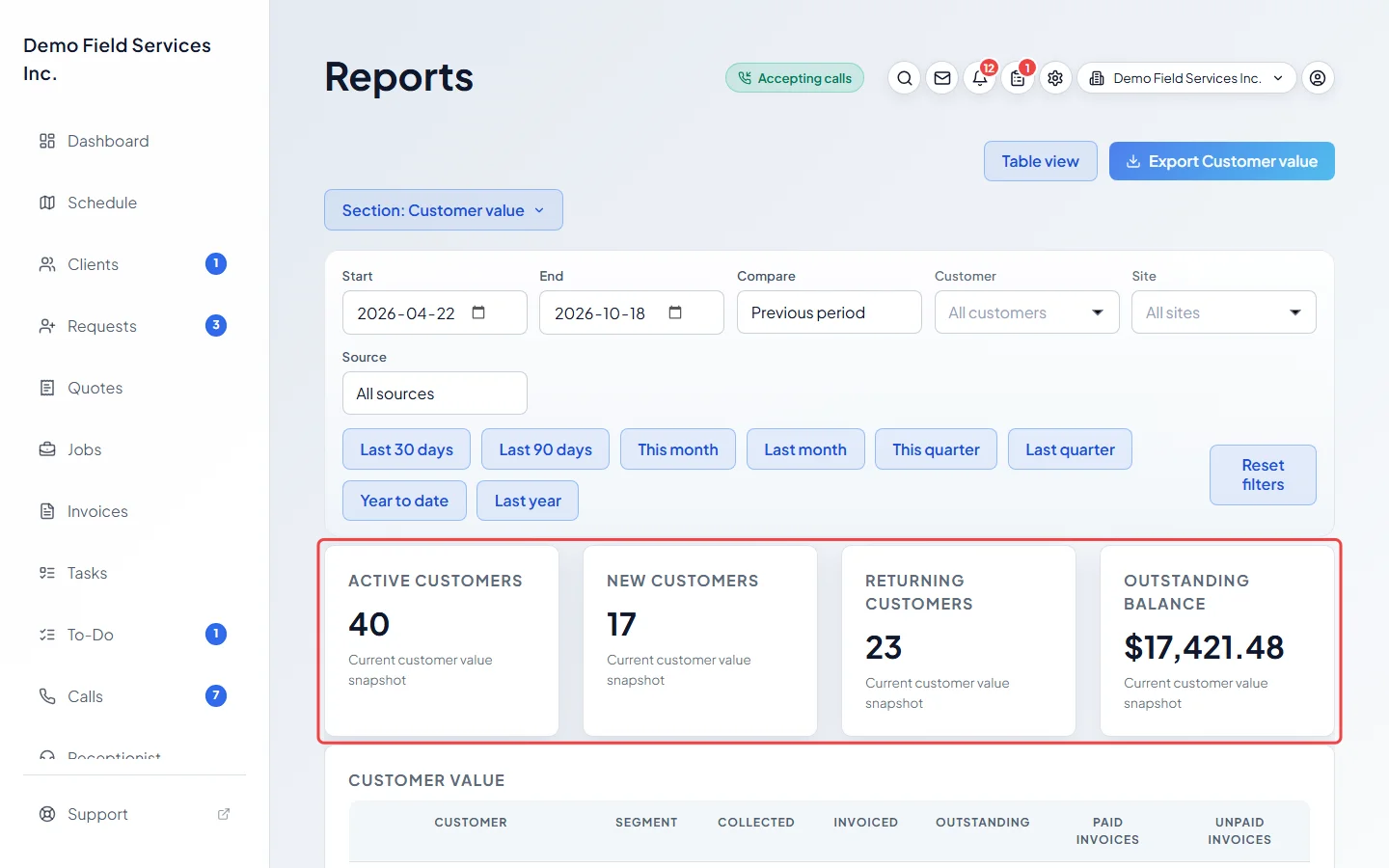
-
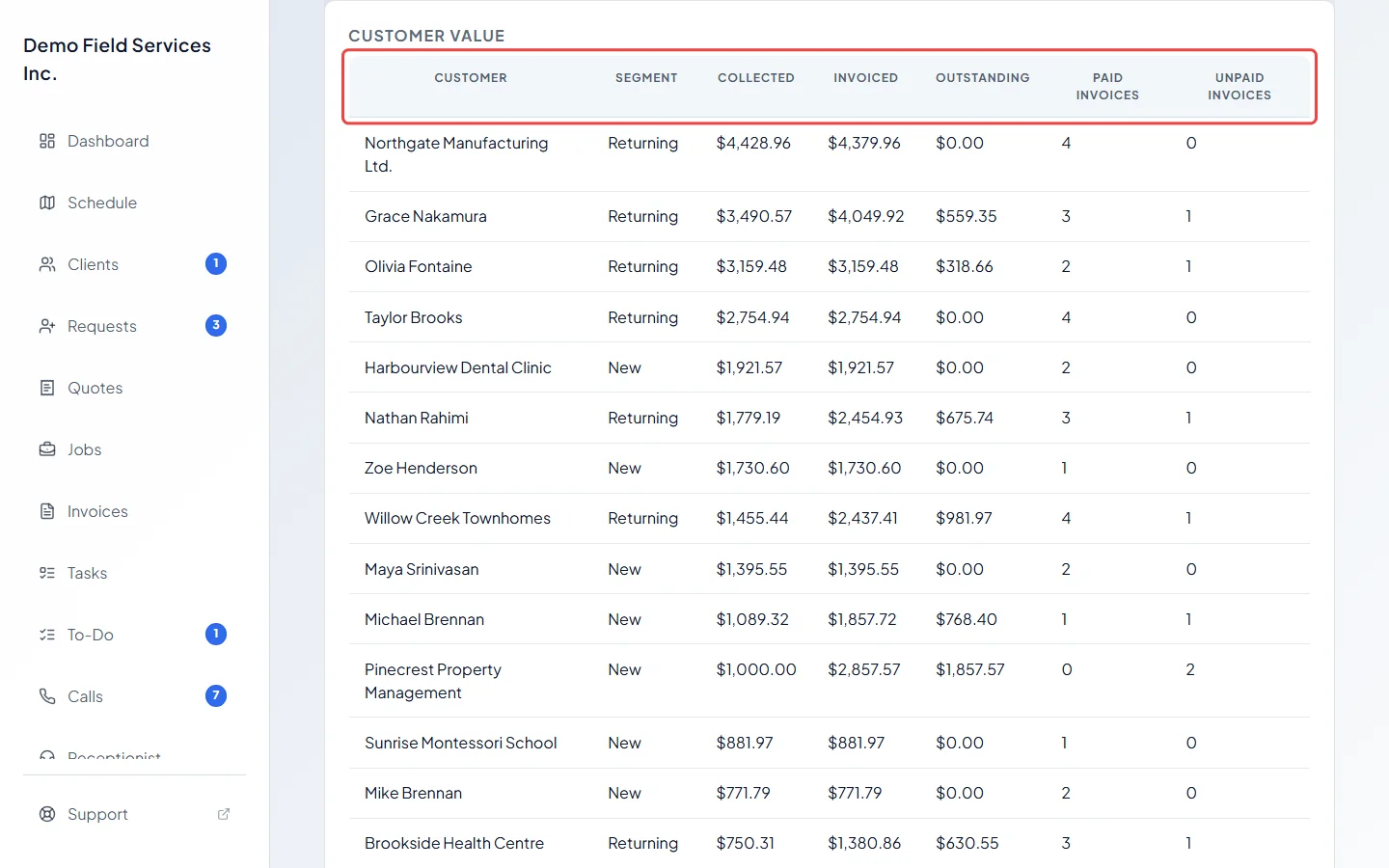
Read the list. Each client has a Segment (“New” if their first invoice ever was in this period, otherwise “Returning”), Collected, Invoiced, Outstanding, Paid invoices and Unpaid invoices. The clients who paid you the most are at the top.
-
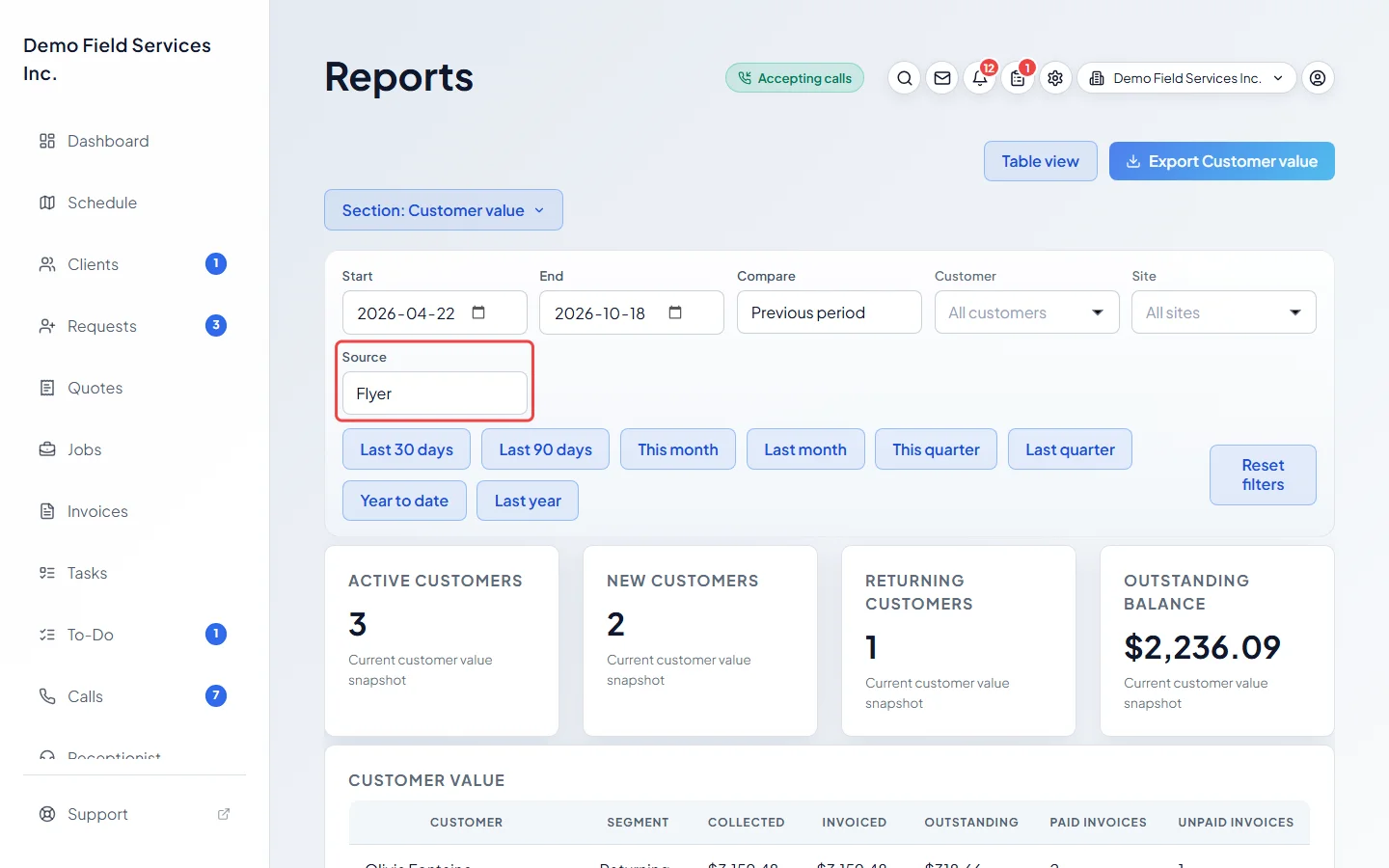
To compare groups of clients, pick a lead Source, such as the ones who found you online.
Good to know
Section titled “Good to know”- Collected and Invoiced cover only the chosen dates. Outstanding, Paid invoices and Unpaid invoices look at all invoices made up to the end date, using what’s owed on them today.
- Cancelled invoices are left out. Draft invoices count as soon as they’re made, in Invoiced and in what’s owed. Invoices written off as bad debt don’t count as owed.
- Invoiced includes tax. A deposit paid on a quote before any invoice exists isn’t in Collected yet. Days are counted in UTC (Greenwich time).
- A refund in the period comes off that client’s Collected.
- For clients who haven’t had work in a while, see Customers who haven’t been back.
Related articles
Section titled “Related articles”Checked against Astragal on October 17, 2026