

Custom questions for callers
Tell the AI receptionist what to find out from each caller before it wraps up.
Who can do this: Admins, dispatchers and accountants.
Add-on: AI receptionistAlso called: intake questions.
-
Open the AI receptionist settings and find What the AI asks the caller for. Required details are always gathered before the AI wraps up. Optional ones are asked for, but it’s fine if the caller would rather not say. Don’t ask skips them.
On a computer: Left menu → Settings → AI receptionist On a phone: More → Settings → AI receptionist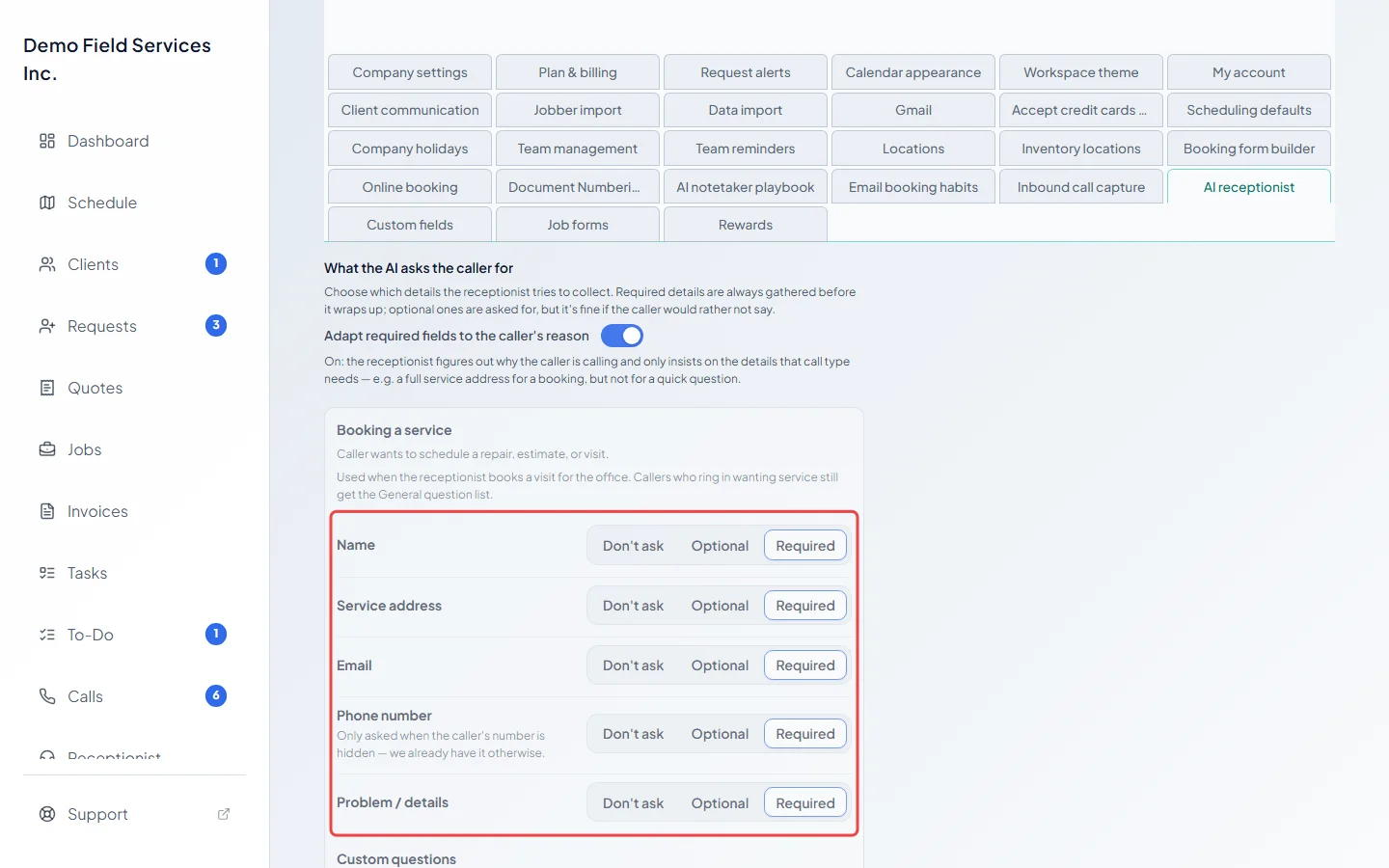
-
Leave Adapt required fields to the caller’s reason on to set the details separately for each kind of call: Booking a service, General question and Existing job or invoice. That way a quick question isn’t asked for a full address. For each, pick Don’t ask, Optional or Required for Name, Service address, Email, Phone number and Problem / details. The phone number is only asked when the caller’s number is hidden.
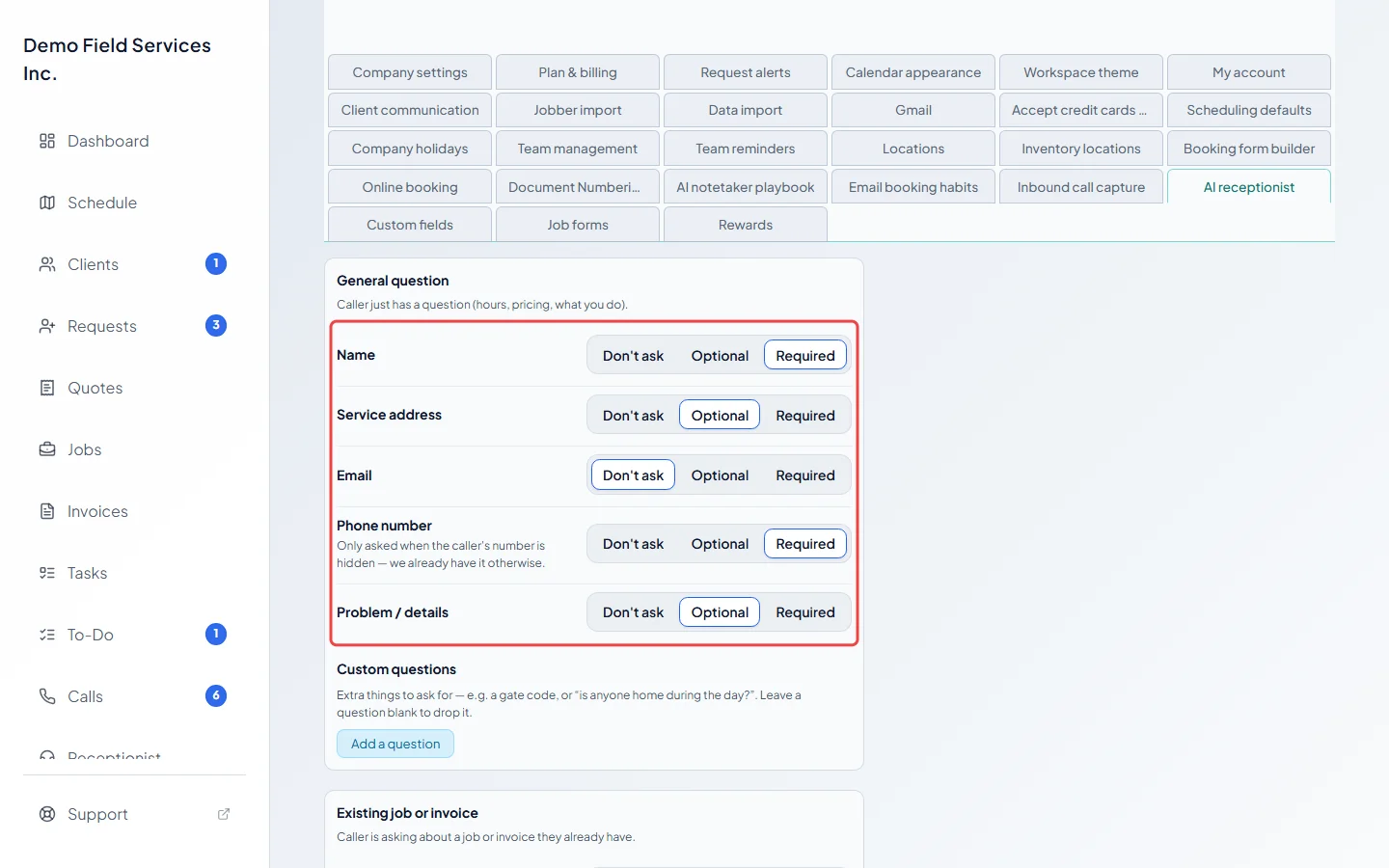
-
Click Add a question under the kind of call it applies to, type what the AI should ask for (for example a gate code, or “is anyone home during the day?”), and pick Optional or Required. Leave a question blank to drop it.
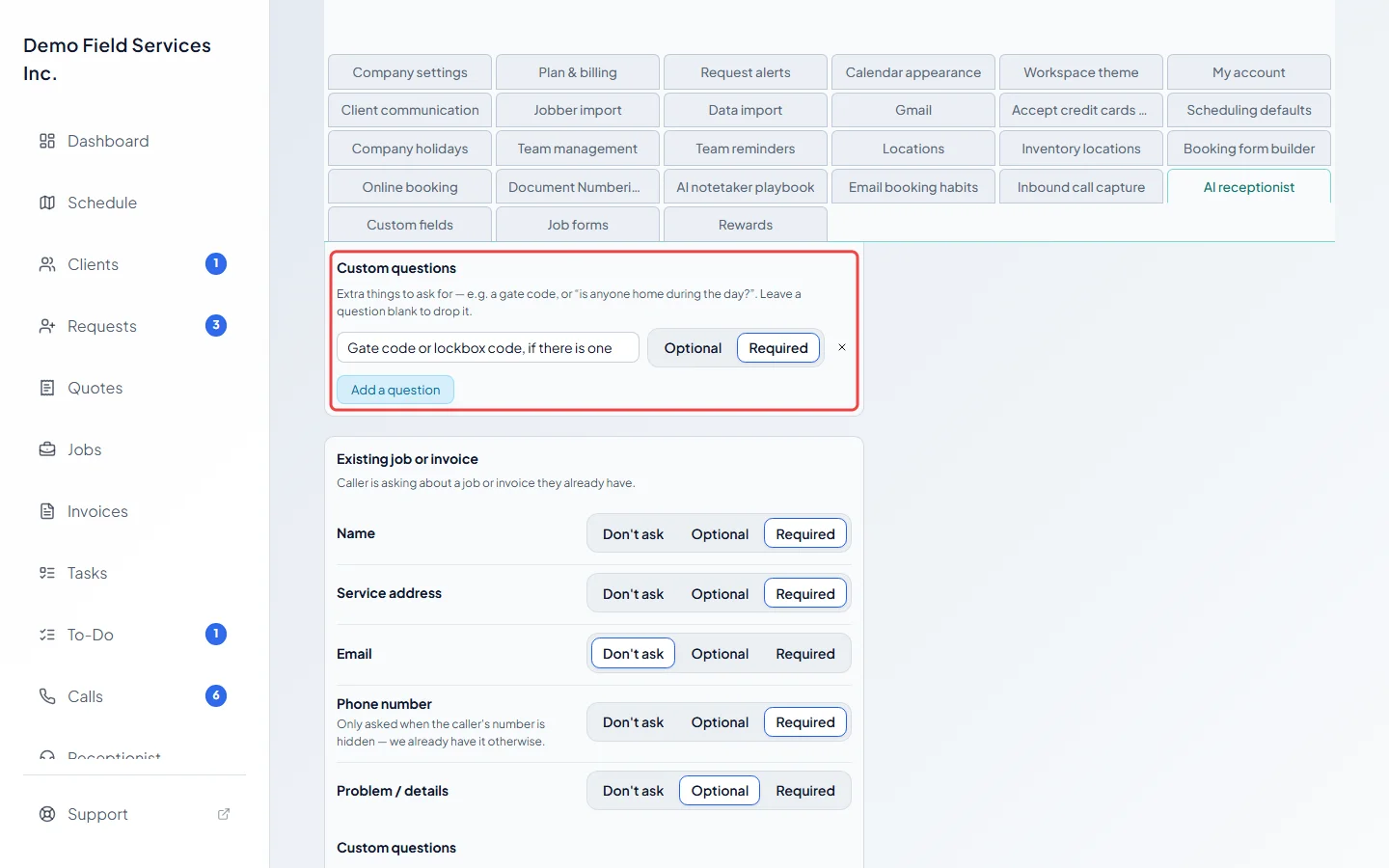
-
Under When the reason is unclear, use, pick which kind of call’s details the AI collects when it can’t tell why someone is calling. It’s better to ask a little more than to miss something. On calls coming in, picking Booking a service here works the same as General question.
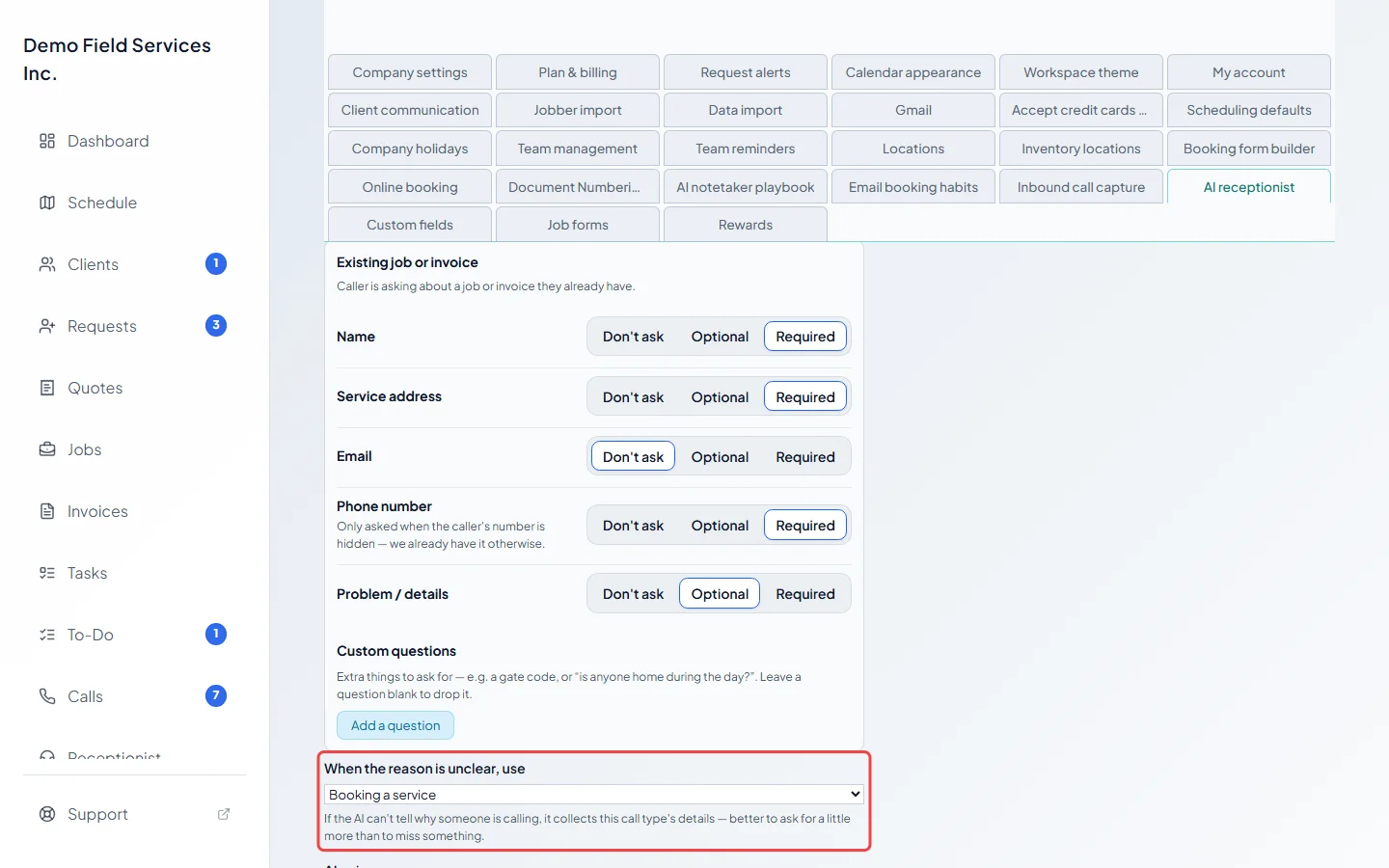
-
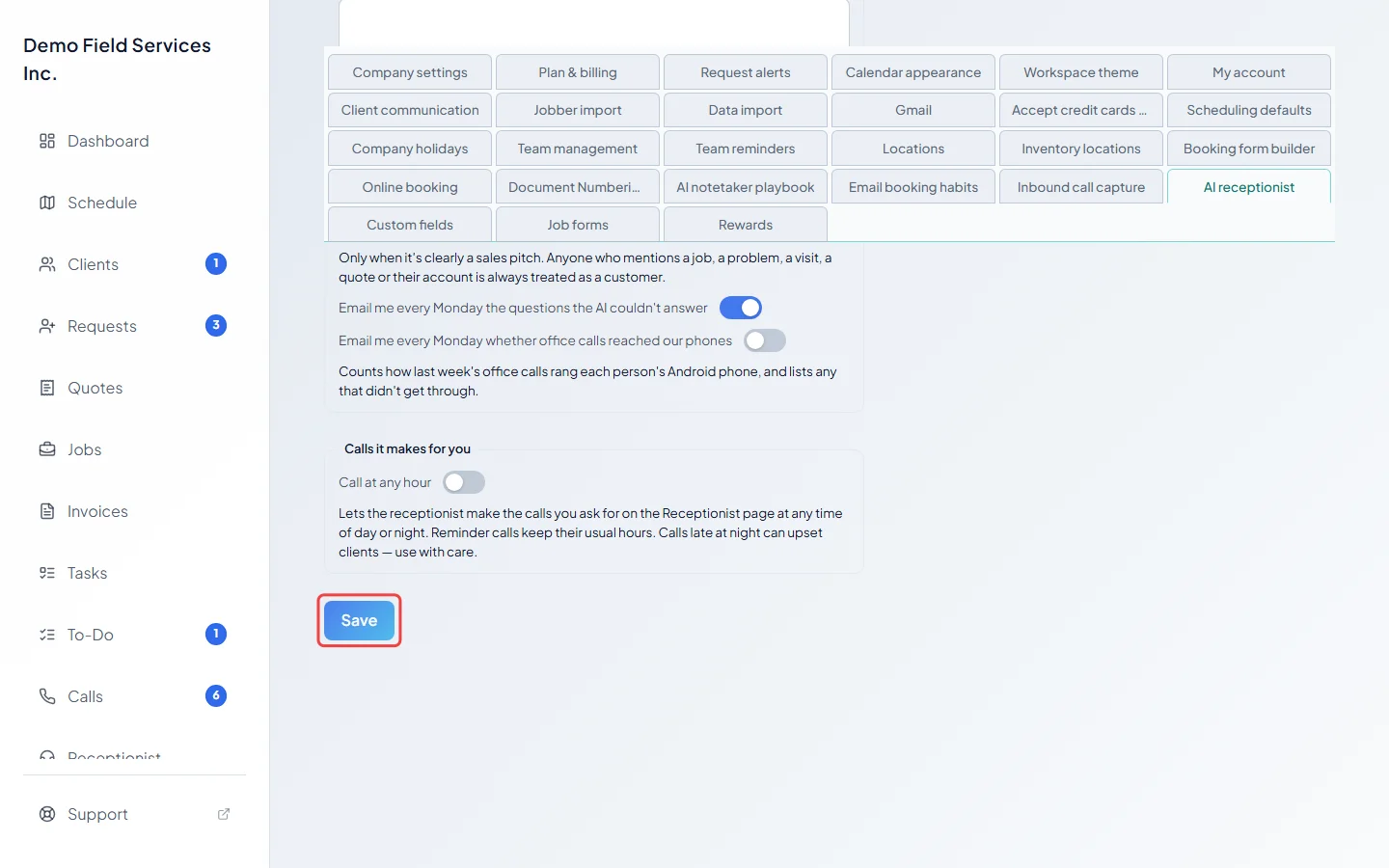
Click Save. It becomes clickable once you’ve changed something.
Good to know
Section titled “Good to know”- Booking a service is used when the receptionist books a visit for the office (see Giving the receptionist tasks). Callers who ring in wanting service get the General question list.
- Turn Adapt required fields to the caller’s reason off to use one list for every call instead.
- Saving other settings on this page leaves your questions exactly as they were, unless you changed them.
Related articles
Section titled “Related articles”Checked against Astragal on October 17, 2026