

What's included, and what happens if you go over
A few things come with a monthly included amount; going over never stops your work, it’s simply charged at a small rate.
Who can do this: Everyone sees the over-the-limit banner. Admins, dispatchers and accountants can open Plan & billing to see the figures.
Also called: usage, allowance, overage.
On a computer: Left menu → Settings → Plan & billing On a phone: More → Settings → Plan & billingWhat’s measured
Section titled “What’s measured”Everything else in Astragal is unmetered. Only these have a monthly amount:
| What | Included each month | Past that |
|---|---|---|
| Text segments (texts to your clients) | 900 for each person on your team, shared by the whole company | 4¢ a segment |
| Calling minutes (with Run my phone line here) | Your package’s minutes, shared by the whole company | 10¢ a minute |
| AI answering minutes (with Answer my missed calls) | 100 for the company | 50¢ a minute |
Prices are in Canadian dollars. Texts are counted in segments because that’s how phone networks bill them: a short text is one segment and a long one is split into several. Six people get 5,400 segments between them, so one busy person isn’t stopped while others’ texts sit unused.
You only see the measures that apply to you. Without the phone line add-on, calling minutes don’t appear at all.
Seeing where you stand
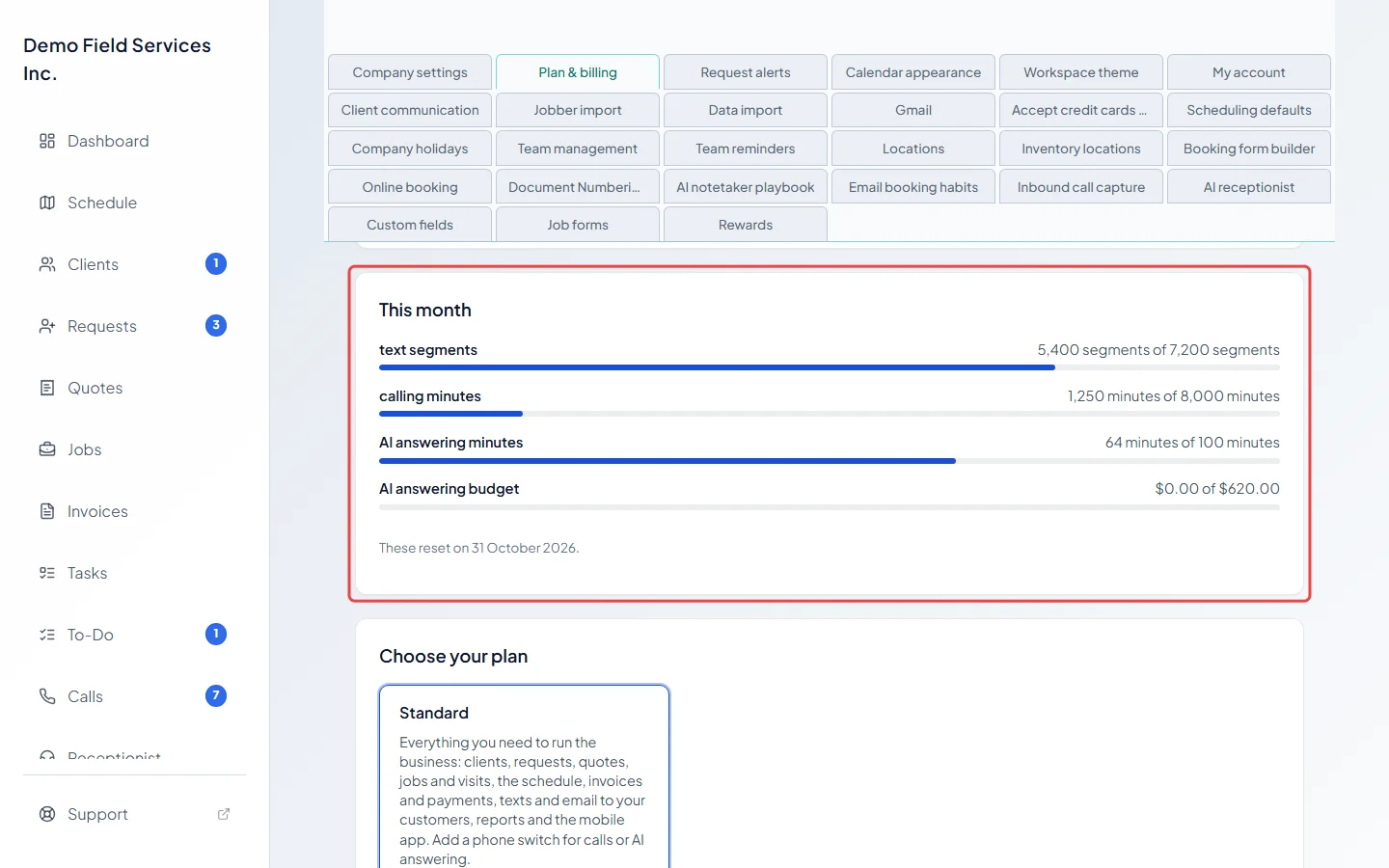
Section titled “Seeing where you stand”The This month card shows each measure as “used of included” with a bar, and the date they reset. A measure you’ve gone over turns amber and says how much you’re over and what it has added so far.
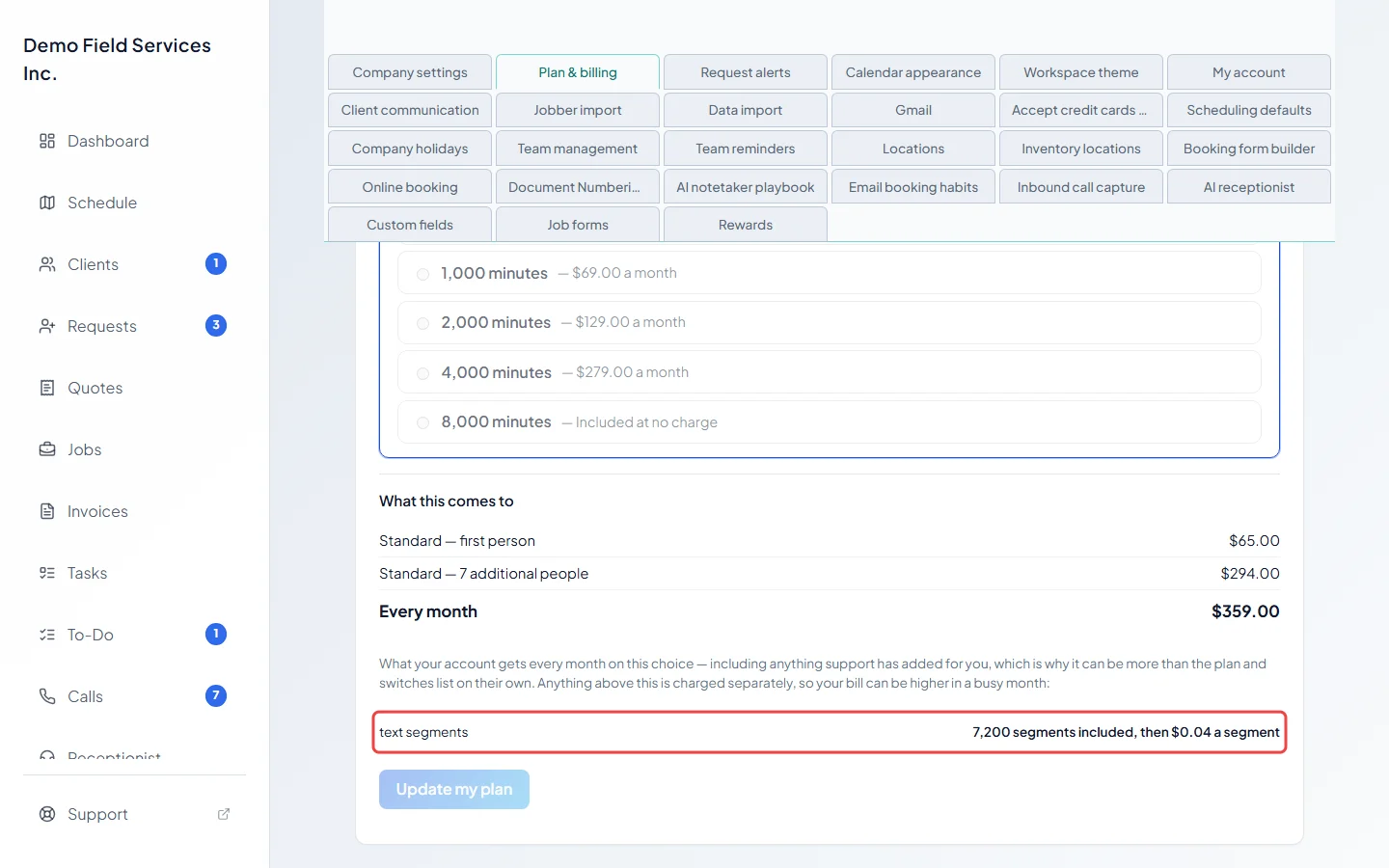
What this comes to, lower down, lists what your choice of plan and add-ons includes every month and the rate beyond each amount. That figure can include extra amounts support has added for you.
When you go over
Section titled “When you go over”- A banner appears across the top of the app for everyone, not just admins: “You have used all of this month’s included” texts or minutes, with how many were used. Admins get a See usage link; others read “Everything else is working normally.”
- The account owner gets an email when you pass an included amount, and again at twice that amount.
- The extra is worked out once the month has finished and charged as its own line on a later invoice, naming the month. Rounding is done once a month per measure, not on every call or text.
- Included amounts don’t roll over, and unused amounts can’t be exchanged for money. On a yearly plan they still reset every month, and anything over is invoiced after the month it happened in.
The safety limit
Section titled “The safety limit”Texts and AI answering also have a safety limit, ten times the included amount. Unlike the included amount, reaching it stops that one thing for the rest of the month, so a fault can never run up a huge bill. Calls on your phone line are never stopped. The banner then says it “is paused for this month”, and the owner is emailed. Ask support@astragalhq.com to raise it.
The AI answering budget
Section titled “The AI answering budget”The AI receptionist also has a monthly spending budget, set by support so nobody sets one by accident. You can see how much of it is used under Monthly budget for the AI receptionist in the AI receptionist settings. If it’s reached, calls switch to the text-back link for the rest of the month, so no caller is left without an answer. Ask support if you need more.
Related articles
Section titled “Related articles”Checked against Astragal on October 17, 2026