

The Calls page
Find any call, listen to it, read what was said and see what came of it.
Who can do this: Admins, plus anyone on the incoming calls list under Who rings, and where (see Who rings and what callers hear).
Add-on: Phone lineAlso called: call log, call history.
-
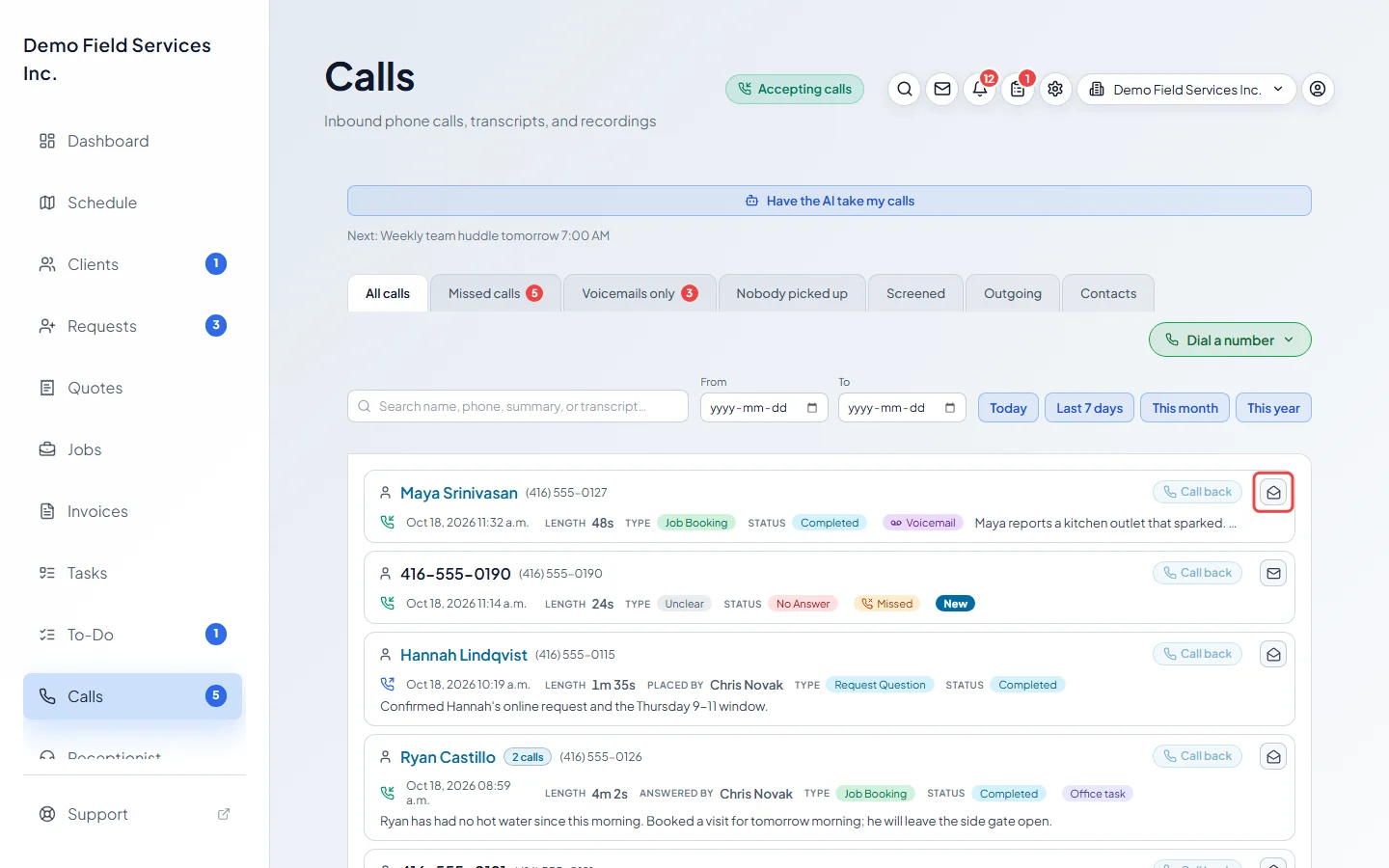
Open the Calls page. Every call is listed newest first, with who called, when, how long it lasted, who answered or placed it, what it was about (Type) and how it ended (Status).
On a computer: Left menu → Calls On a phone: More → Calls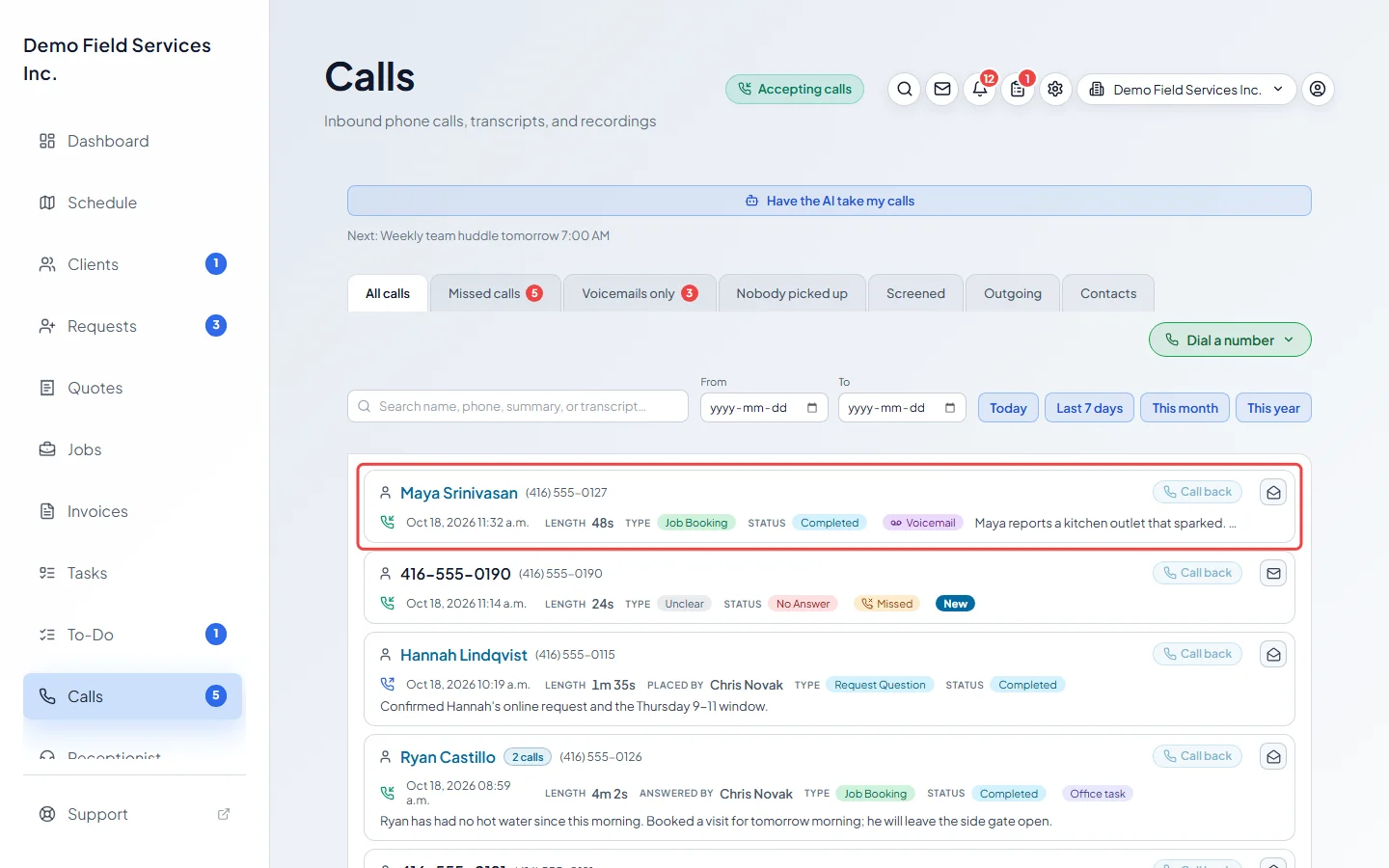
-
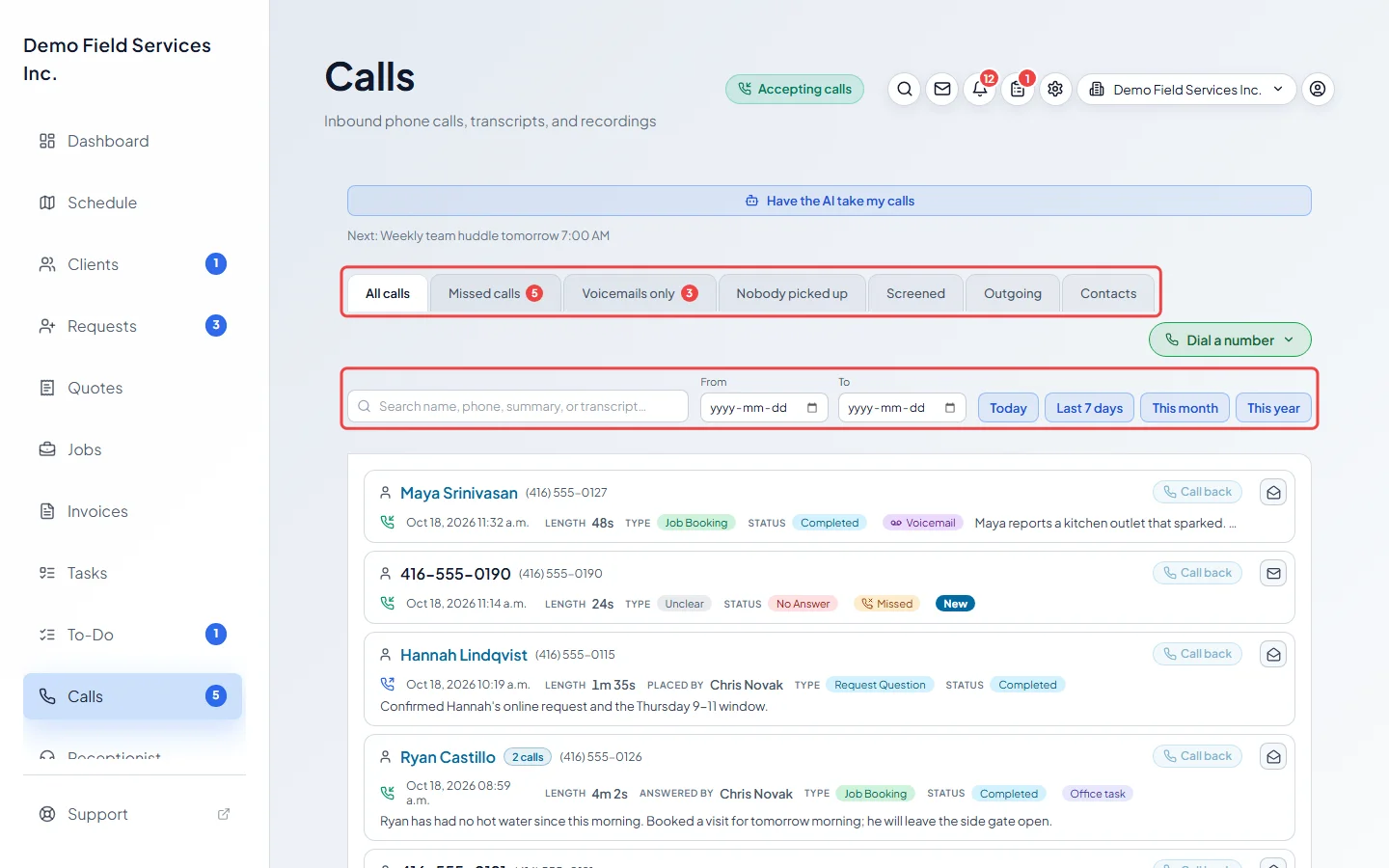
Pick a tab to narrow the list: All calls, Missed calls, Voicemails only, Nobody picked up, Screened, Outgoing or Contacts. Type in the search box to look through names, phone numbers, summaries and transcripts, or pick a date range with From and To or one of Today, Last 7 days, This month and This year. Clear dates takes the dates off again.
-
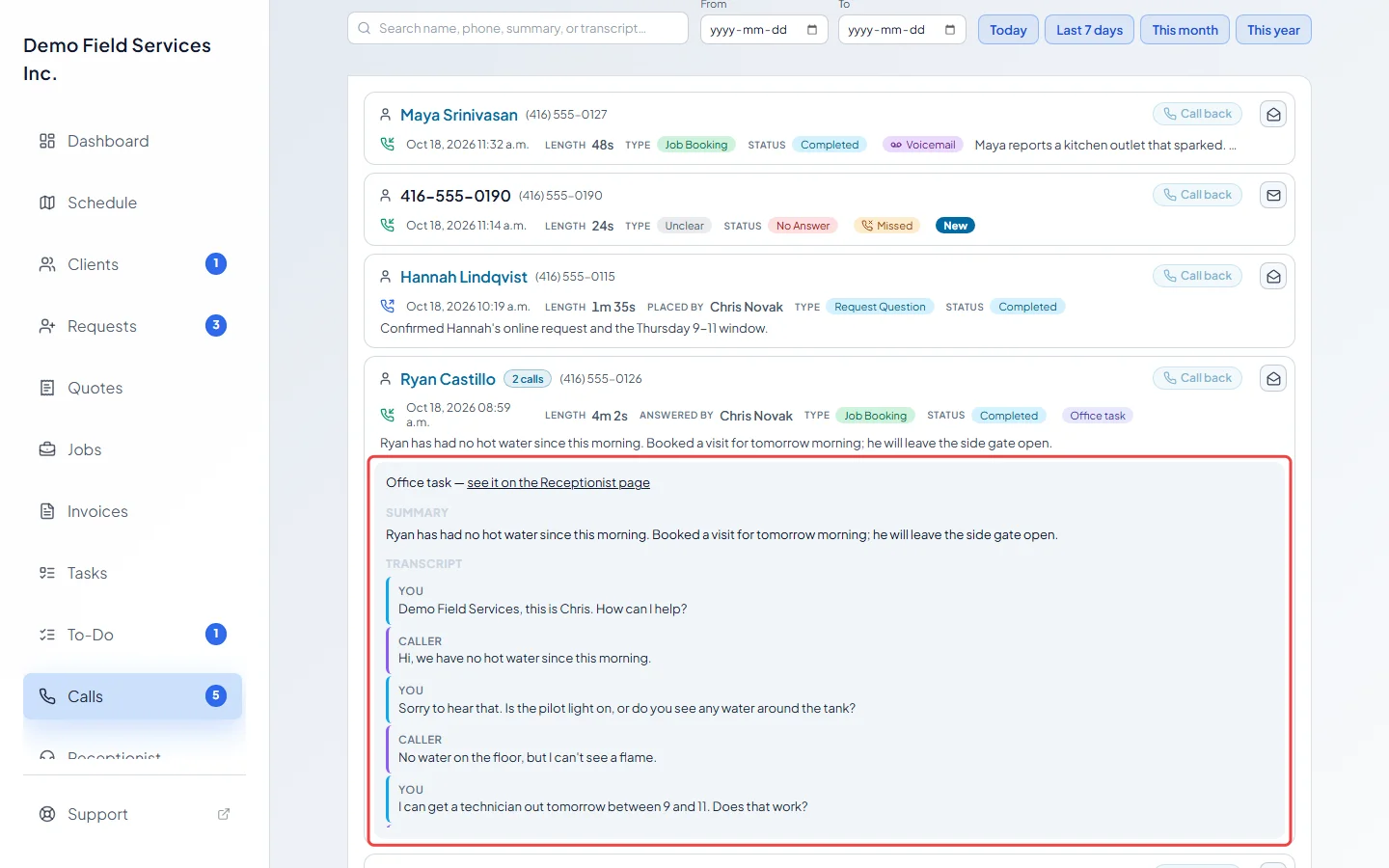
Click a call to open it. You see the Summary and the Transcript, and a Recording player when the call was recorded. With a recording, click a line of the transcript to jump to that moment.
-
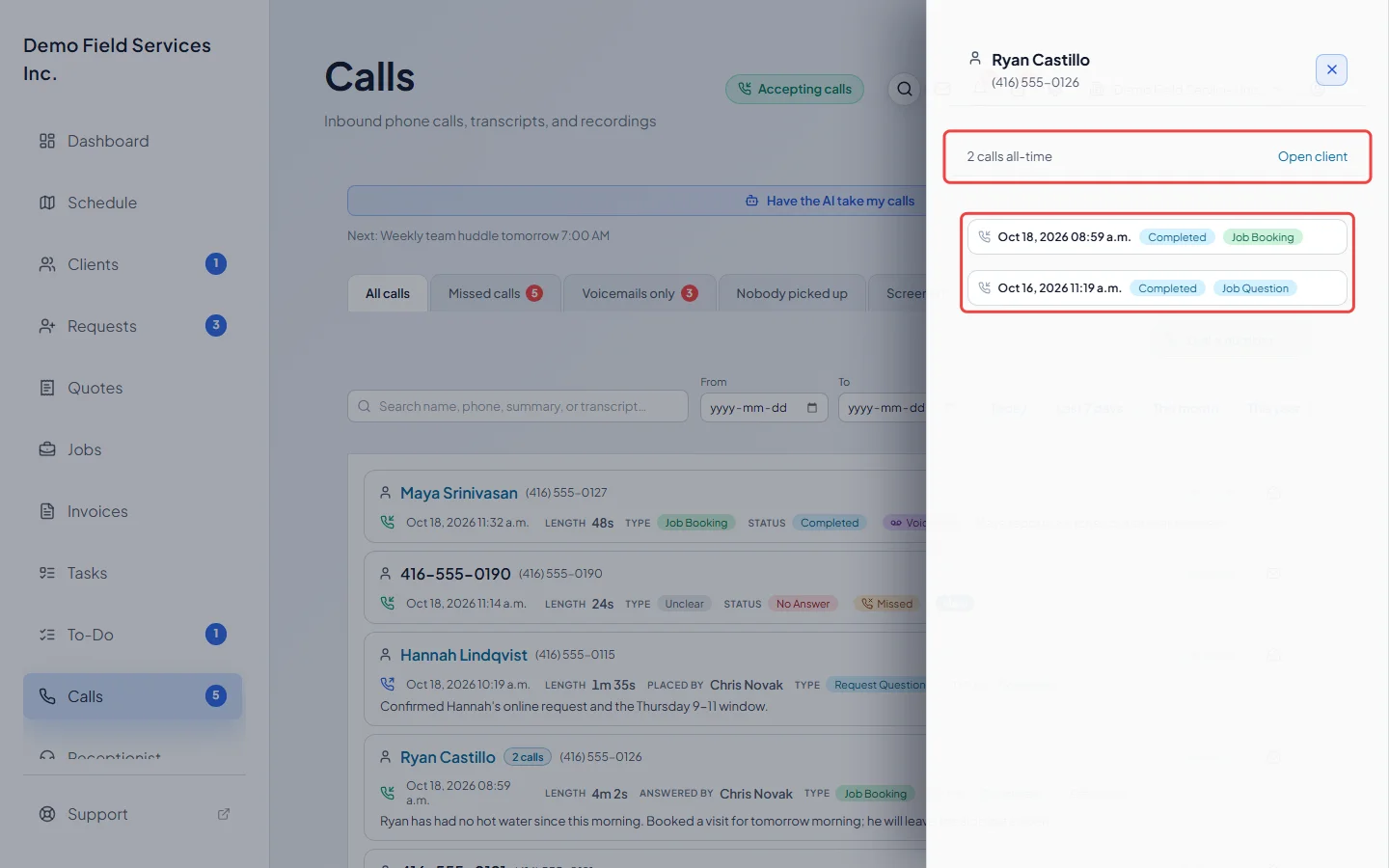
Click the phone number under a caller’s name to see every call from that number, newest first. Open client goes to their client record when the number belongs to a client; a saved phone contact is tagged Saved contact.
-
Use the envelope button at the end of a row to mark a call as seen, or as new again so it keeps showing in the Calls count in the menu. Opening a voicemail or missed call marks it seen by itself.
Good to know
Section titled “Good to know”- The number next to Calls in the menu counts new missed calls, voicemails nobody has opened yet and calls someone marked as new again.
- A call from a client shows their name as a link to their record. A number you saved as a phone contact shows the contact’s name with a Contact tag. See Phone contacts.
- When a number has called more than once, a “calls” button next to the name shows how many times, and opens the same history panel.
- Dial a number at the top opens the dial pad.
- Call back next to the caller rings them from your business number. See Making calls from the app.
- Calls the AI receptionist made or answered for an office task carry an Office task tag, with a link to the Receptionist page. See Giving the receptionist tasks.
- A call the AI receptionist answered says why it answered (for example, because nobody was free to pick up), which voice it used, and roughly what the AI part of the call cost. A call handled during a scheduled break names the break.
- If the AI’s notes never arrived, or the AI barely spoke after its greeting, the call says so, so you know to listen back.
- Choose how many calls to show per page under Calls per page. The list refreshes by itself every 30 seconds.
- Admins, dispatchers and accountants also see Have the AI take my calls at the top of the page. See Stepping away and vacations.
Related articles
Section titled “Related articles”Checked against Astragal on October 17, 2026