

Salesperson performance
See how many quotes each salesperson made, how many were approved, and what they led to in invoices.
Who can do this: Anyone who can open Reports (see The reports page).
Also called: sales rep report, close rate.
-
Open Reports, pick Salesperson performance, and set the dates. The figures are Quotes created, “Approved value”, Conversion and Invoiced (before tax).
On a computer: Left menu → Reports On a phone: More → Reports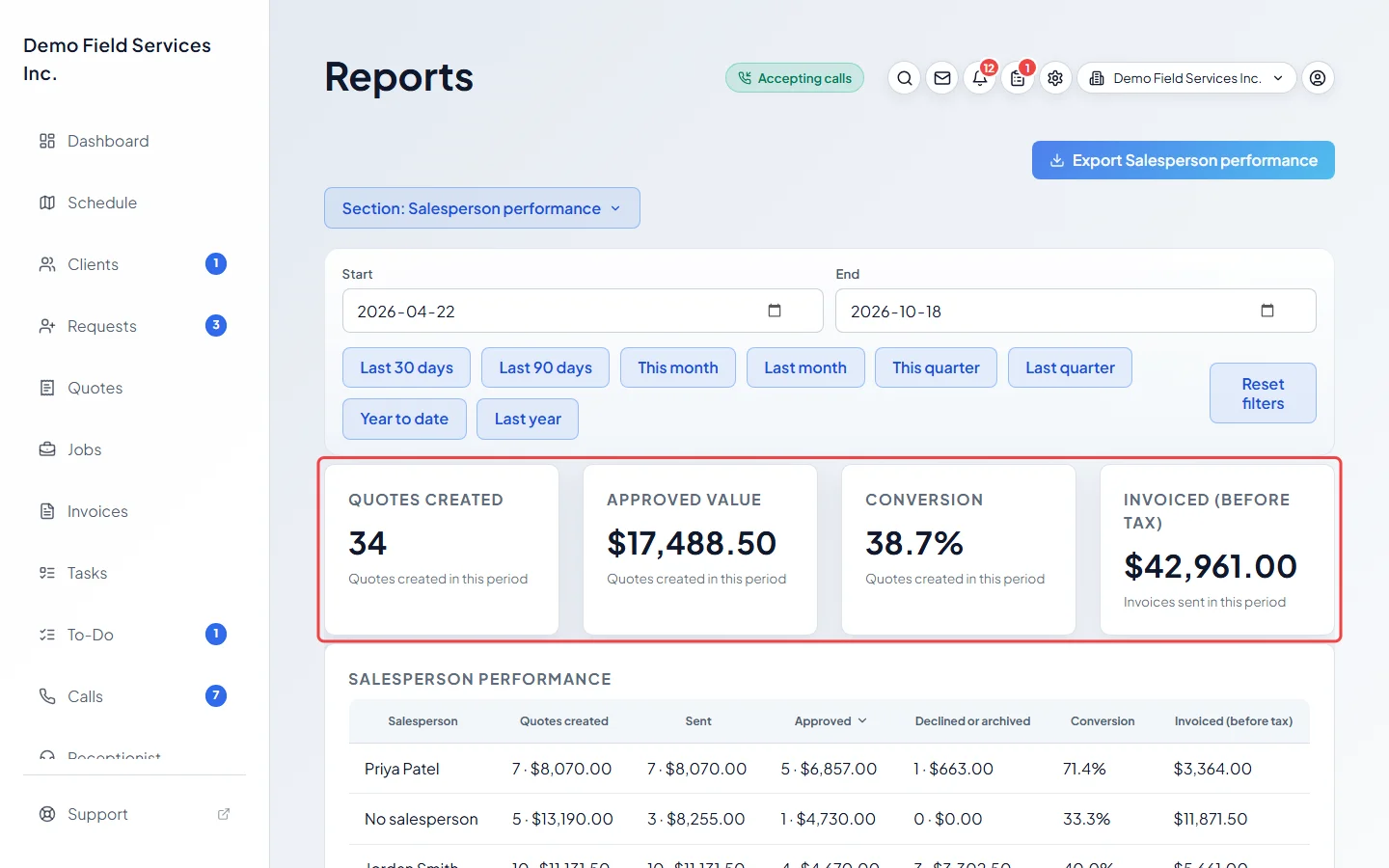
-
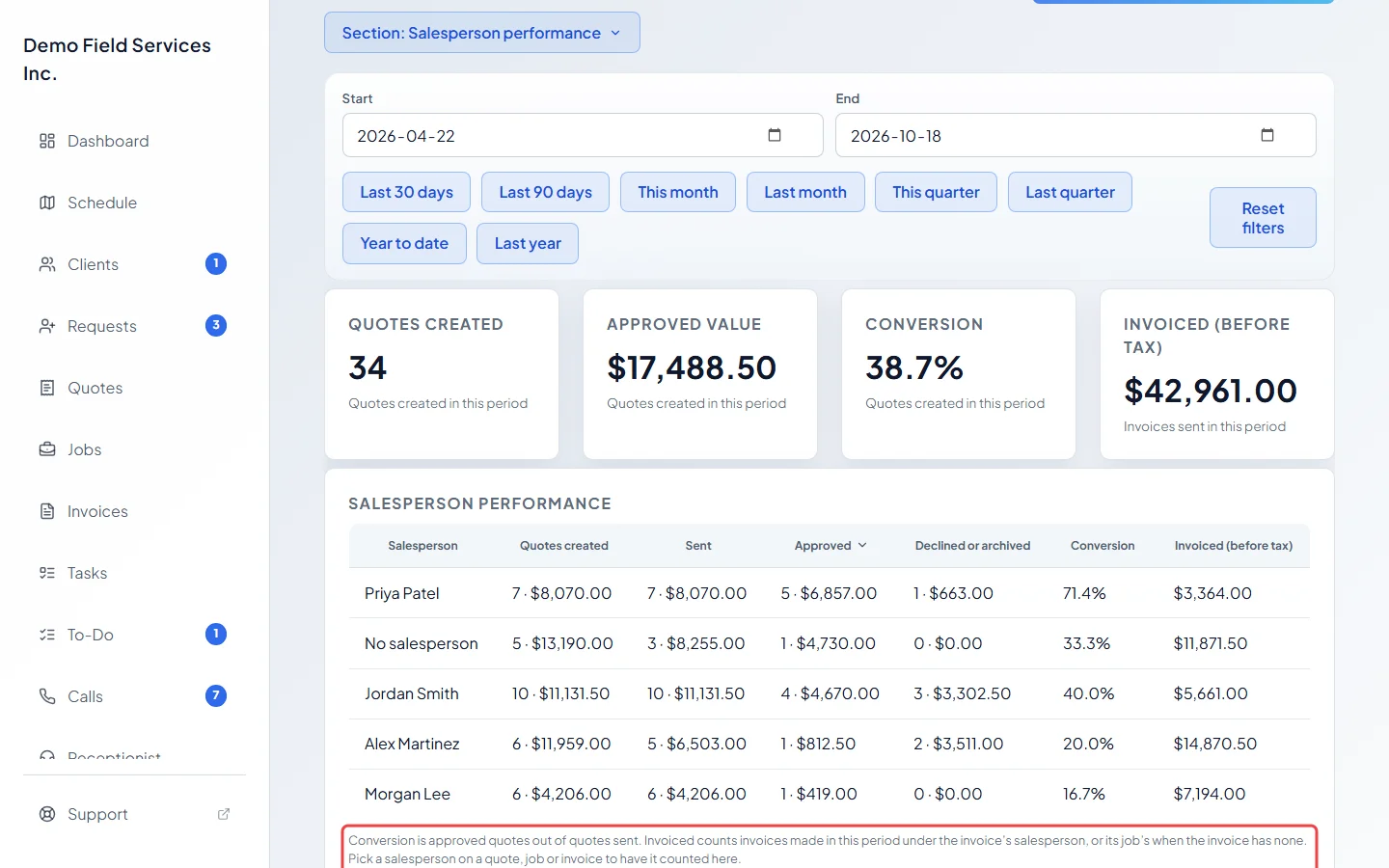
Read each row. Quotes created, Sent, Approved and Declined or archived show how many quotes and their value. Conversion is approved quotes out of quotes sent. Invoiced (before tax) is what was invoiced under that salesperson in the period. The salesperson with the most approved value is at the top.
-
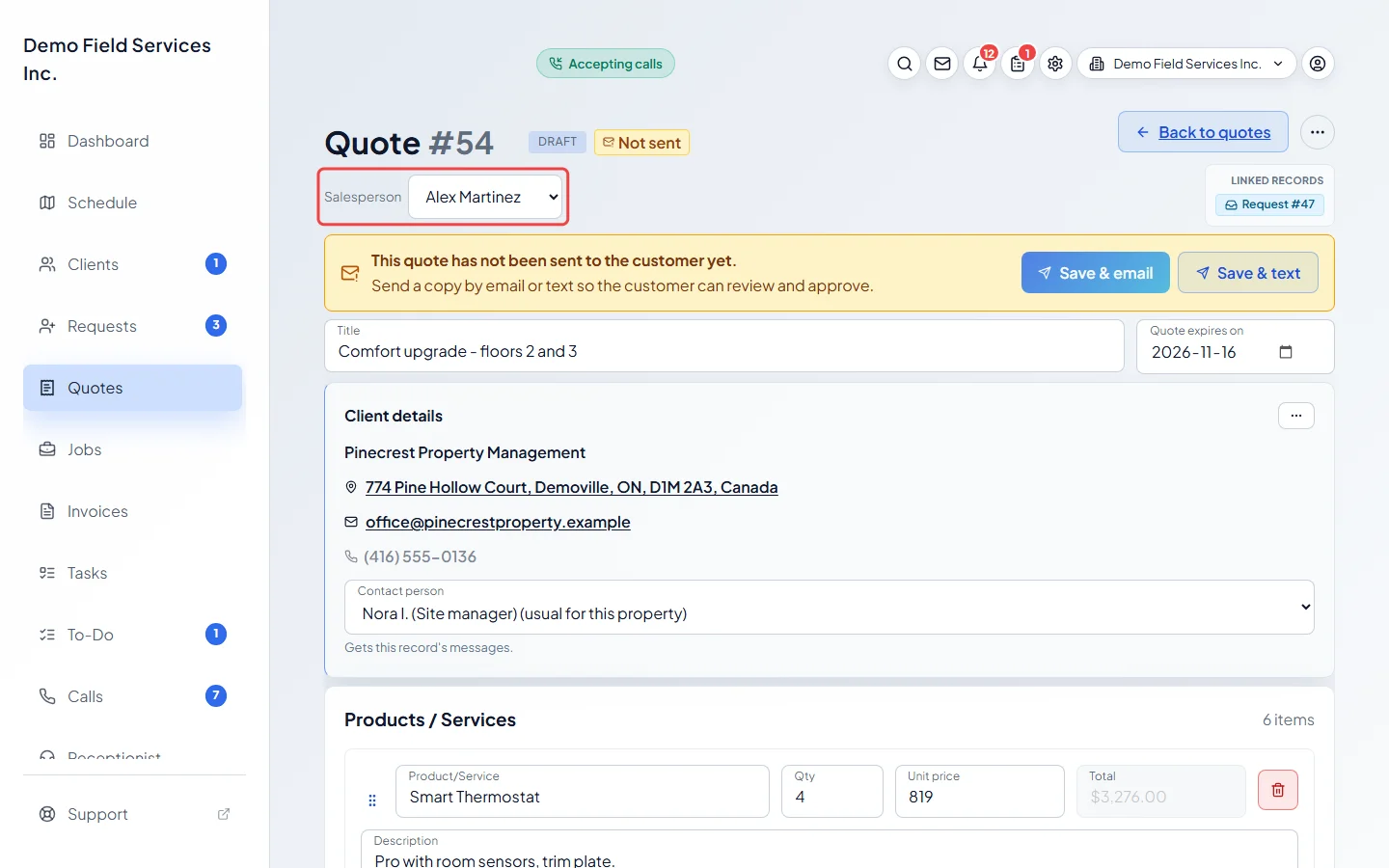
To have a quote counted for someone, open the quote and pick them in Salesperson under the quote’s title at the top of the page. It saves straight away. Invoices have the same choice at the top. On a job, pick it in the job form and save. You need permission to edit the quote or invoice, and it can’t be changed on an archived quote or a cancelled invoice.
Good to know
Section titled “Good to know”- Quotes count in the period they were created, as a UTC (Greenwich time) date. Values are before tax and after discount.
- An approved quote counts as sent even if it never went out by email.
- Invoiced (before tax) counts sent and paid invoices made in the period, under the invoice’s salesperson, or the job’s when the invoice has none. Deposit invoices and warranty records are left out.
- Quotes and invoices with no salesperson are grouped as “No salesperson”.
- The salesperson list is your team list. Someone who has left shows as “Former team member”.
Related articles
Section titled “Related articles”Checked against Astragal on October 17, 2026